

Leaderboard



Popular Content
Showing content with the highest reputation on 03/14/2020 in all areas
-

Version 1.0.0
28,563 downloads
Description This mod aims to completely change Juhani's appearance and to bring it close to artist Corbin Hunter's redesign of the character. As a result, her head has been significantly reshaped and slightly retextured. An all-new body model was created and hand-painted from scratch. A new custom lightsaber has been created as well. As several aspects of Juhani have been changed, this mod has been divided into four editions to accomodate the final user's preferences: 1. An All-in-one edition which includes all the changes to bring her close to Corbin Hunter's vision of the character. 2. A head-only edition, which only includes Juhani's revamped head. 3. A body and lightsaber edition, which includes her new body model and lightsaber. 4. Finally, a head and lightsaber edition, which includes her new head model and lightsaber. Please refer to the included images in the 'Editions reference pictures' folder included in the archive to help you determine your preferred edition. Installation 1. Extract the archive's content somewhere on your computer. 2. Double-click the "Juhani Appearance Overhaul.exe" file. 3. Choose an edition to install. Refer to the images included in the 'Editions reference pictures' folder to determine which one you prefer. 4. Click on the "Install Now" button once you're ready. The installer will try to locate your game installation directory. If it can't find it on its own, direct the installer to the correct location. 5. The installer will proceed to install the mod's files into your Override folder. Once it's finished, you may exit the installer and launch the game. IMPORTANT If you choose an edition that includes Juhani's new body model and lightsaber: Juhani will have her new items only if you are using a save that is prior to the moment she joins your party right before leaving Daantoine. If you are past that point in your playthrough, she won't have her new items. You can get them using KSE or via entering the following commands in the in-game console: ⦁ giveitem j_juhsaber01 ⦁ giveitem j_juhbody01 CREDITS Original design by Corbin Hunter: Artstation link This mod uses JC’s TSL Supermodel port in order to animate the skirt. SPECIAL THANKS to Artist Corbin Hunter for granting me permission to use this concept art @DarthParametric for his help and advice throughout the development process @bead-v for the incredible tools MDLEdit and KoTORMax3 points -
 The new version doesn't include a compiled script and the readme now says to put the .nss file in override. I don't understand this, I thought the game could only read .ncs files and putting sources in override did nothing. What I am missing?1 point
 -
Well done, looks very true to the fan concept art & still looks very much like Juhani!1 point
-
Alright, I see. I was thinking about using that supermodel for the skirt anyway so that method is welcome. I've played a bit more with the robe and found something I like better: I think the short sleeves work better with the Jedi warrior concept. The idea is that the "naked" appearance will be default. So both as companion and when she's at the Grove. I'll add the cloaked version as an alternative redeemed appearance.
 1 point
 -
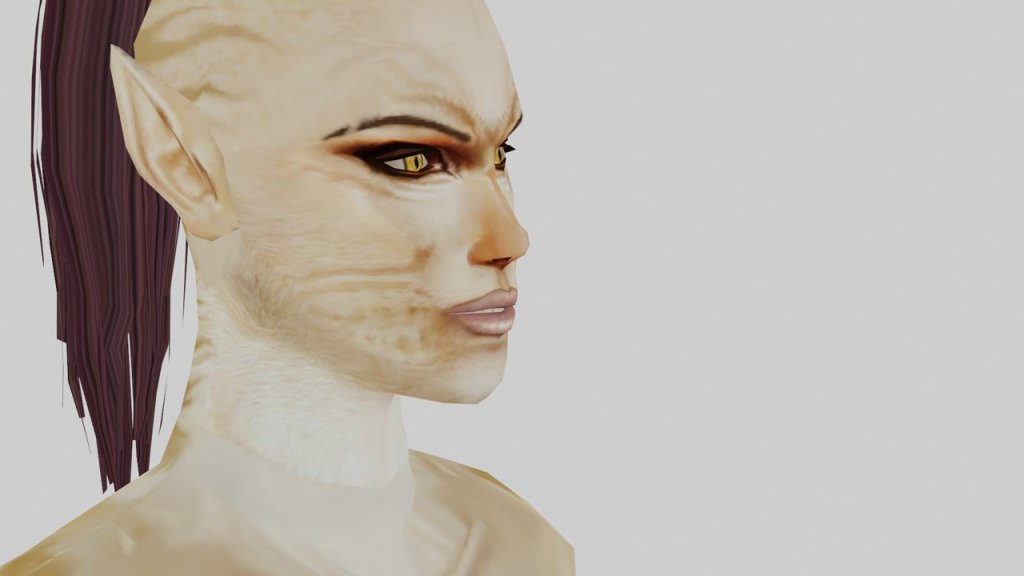
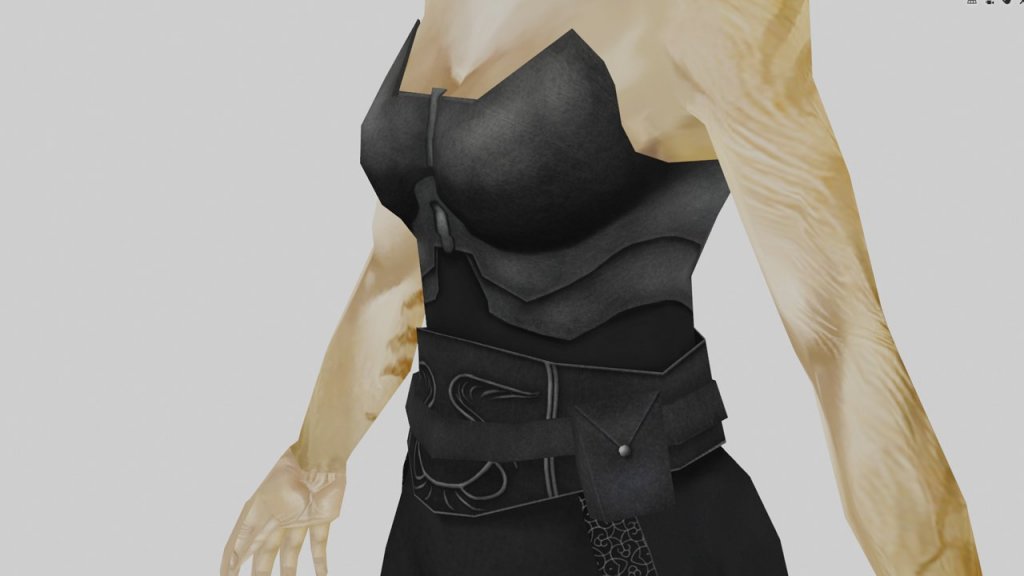
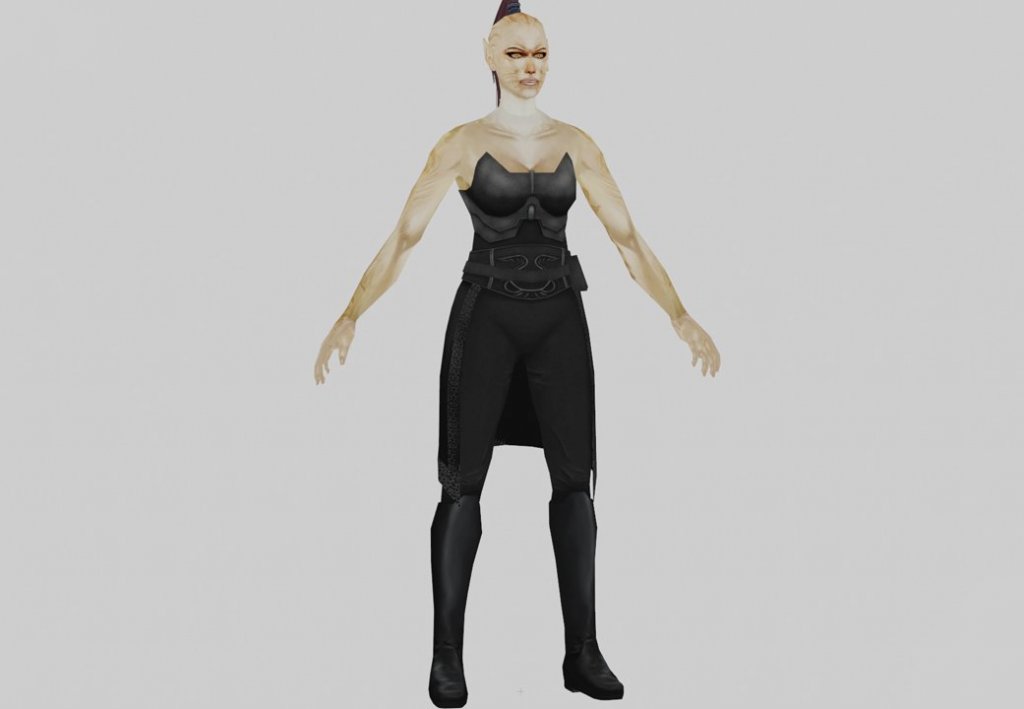
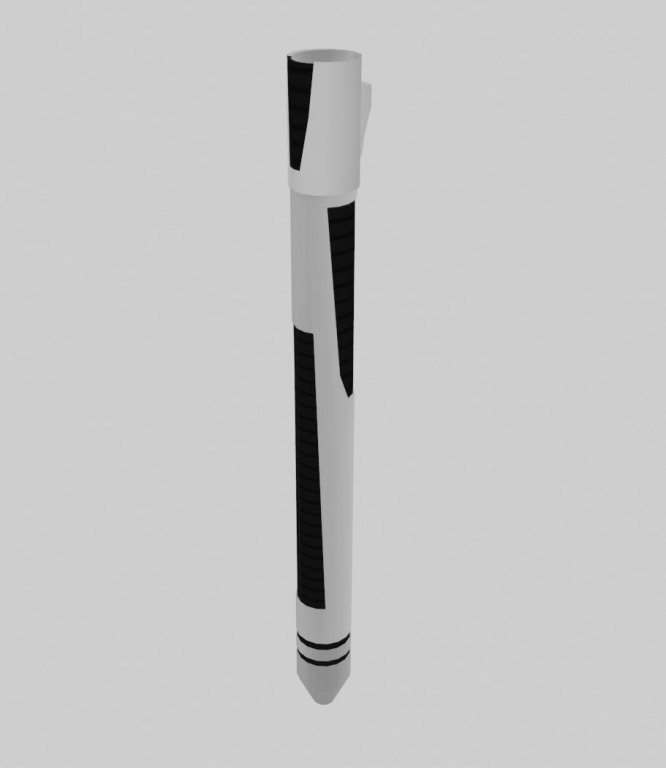
The textures are almost complete. Here are a few screens of the finished product. I still have to draw her necklace though. I've also been tweaking the head a bit more. I've also added some geometry to the eyelids objects to give her some eyelashes. The eye texture was also modified a bit to look a bit more human-like. And I've created her extra-long lightsaber from the concept. So pretty good progress overall. Off to skinning now and putting everything in game nicely.


 1 point
 -
I figured it out now, I used this video to help me: Then after I mapped the animations I go into the animation editor and can play each one. @Ӄhrizby I got the skins weighted correctly and the everything linked correctly, I know this because I looked at almost every animation from all supermodels (I imported every supermodel's animation to the new droid asssassin model) and they all looked great. Yet when I export the model, whether geom only or with anims, the game only plays one animation which is the dialogue one. I feel like I'm really close to getting this to work I just need to figure out how to apply all the animations to the model as I got just about every one of them imported onto the model in gmax. Does it require baking the animations? Do you think you know what the main problem as to why it only plays one animation but not the rest? @Ӄhrizby Nevermind about the whole animations thing, I got it to work thanks to you! The thing you didn't mention in your tutorial (or maybe I did something wrong along the lines) but I had to go into the appearance.2da file and change the model type line from "L" to "F". You didn't have to do that for HK-47 because that model and the wookie model already had the same model type in the appearance.2da file which was "F". bandicam 2020-03-14 10-45-47-697.avi0 points


