

About This File
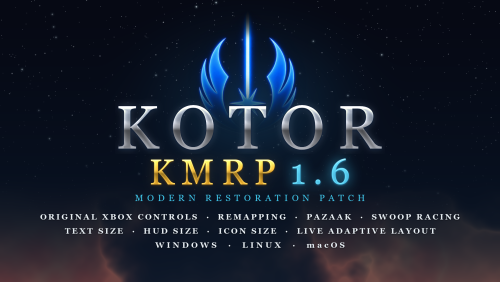
KMRP - KOTOR MODERN RESTORATION PATCH 1.6
Any resolution, properly scaled UI, text and HUD sizes of your choice, controller support and engine fixes for KOTOR 1
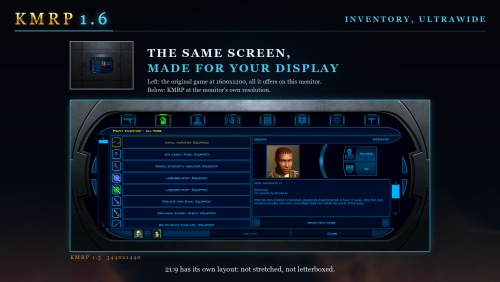
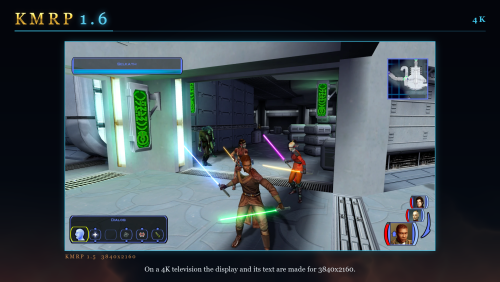
Any resolution | 800x600 to 8K | 4:3 | 16:10 | 16:9 | 21:9 | 32:9 | Windows, macOS and Linux
━━━━━━━━━━━━━━━━━━━━━━━━━━━━━━━━━━━━━━━━
NEW IN 1.6
The biggest update since 1.0, for Windows, Linux and macOS. Over 1.5 or 1.5.1, run the installer and press Upgrade: it keeps your settings, and there is no need to restore first.
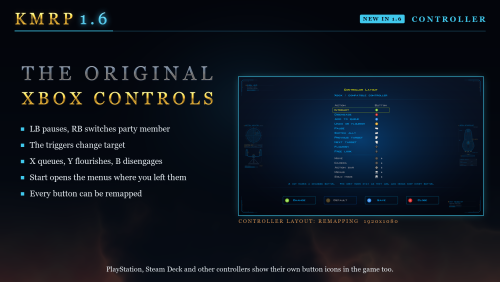
- The original Xbox controls. LB pauses, RB switches party member, the triggers change target, X queues, Y flourishes, B disengages, and Start opens the menus where you left them. Every button can be remapped.
- Pazaak, swoop racing and the gun turret with a controller, as on the Xbox.
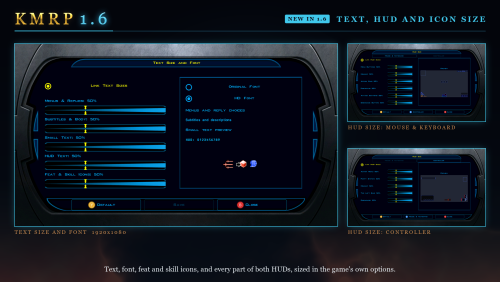
- Text Size and Font. Four text sizes in Graphics Options, and HD Font, the game's own font redrawn sharp, as the new default. Original Font, and Modded Font for fonts in your Override folder, are there too.
- HUD Size and Icon Size. Every part of both HUDs, and feat, power and skill icons, larger or smaller.
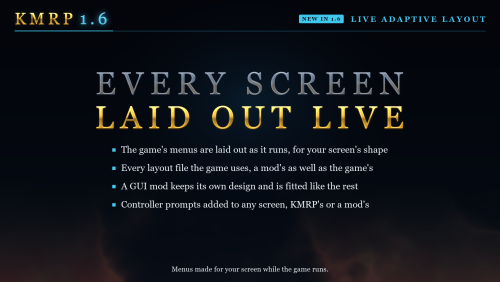
- Live Adaptive Layout. 73 of the game's 85 menu layouts are laid out as the game runs, a mod's included, so GUI mods are no longer forced to 640x480.
- Mods keep their changes. A mod's copy of a file KMRP also changes keeps both, and the mod wins where they disagree.
- No menu flashing on NVIDIA, and Windows Auto HDR and RTX HDR keep working.
- Movies and Alt-Tab. 16:9 movies on ultrawide screens, no screen reset after a movie, and Alt-Tab in full screen comes back at once.
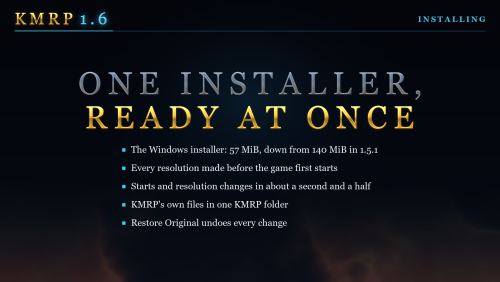
- A 57 MiB installer instead of 140, every resolution ready before the first start, and Apply New Settings to change an option without installing again.
- A native Linux installer, and the Mac version updated to 1.6, now for the Mac App Store game as well.
- Marked Empty Containers by ShaeMyName, on by default.
The full list is in the changelog on GitHub.
━━━━━━━━━━━━━━━━━━━━━━━━━━━━━━━━━━━━━━━━
WHAT IS KMRP?
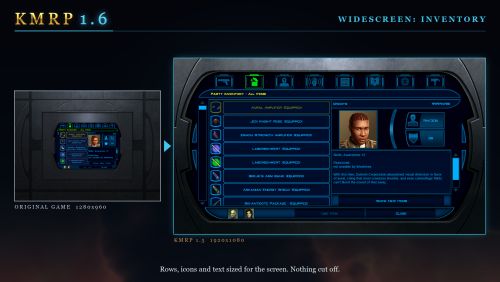
Vanilla KOTOR was built around fixed pixel sizes and interface layouts designed for resolutions such as 640x480.
On modern displays this causes tiny text, overlapping list entries, undersized icons, broken map scaling and other interface problems.
KMRP fixes these problems in the game engine itself.
One installer, one click, and one click to undo everything. It changes how the game looks, fits and controls, and nothing about its story, quests or balance.
━━━━━━━━━━━━━━━━━━━━━━━━━━━━━━━━━━━━━━━━
SINCE 1.5
- No resolution to choose. The game starts at your display's own resolution. Its Screen Resolution setting lists every size and refresh rate your display supports, and a change takes effect at once, with no restart and no patching again.
- Controller support, built in. A controller works on every screen, with the right button pictures for your pad (Xbox, PlayStation, Switch or Steam Deck), rumble and a Controller Layout screen.
- Xbox-style HUD. Modelled on the console version. On by default, can be switched off.
- Above 60 frames per second. An option installs D3M0's High FPS Fixes, switched on by itself above 60 Hz.
- swkotor.exe is not rewritten. On Windows the changes are applied in memory each time the game starts, through KOTOR Patch Manager's runtime.
━━━━━━━━━━━━━━━━━━━━━━━━━━━━━━━━━━━━━━━━
WHAT IT FIXES
Every shape from 4:3 to 32:9 is covered, from 800x600 up to 8K: 66 common resolutions have menus built for them, and any other size gets menus fitted to it.
━━━━━━━━━━━━━━━━━━━━━━━━━━━━━━━━━━━━━━━━
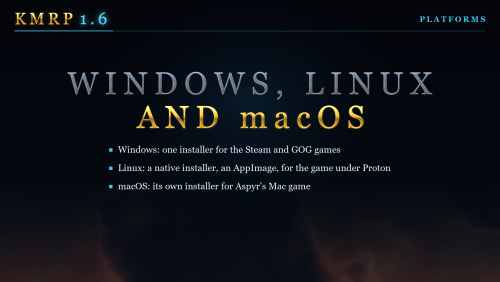
PLATFORMS
- Windows: the Steam, GOG and disc 1.03 versions. The installer checks the game's file before doing anything and refuses any other build.
- Linux: a native installer (AppImage) for the game under Proton, or the Windows installer through Protontricks. SteamOS is tested and working. No Steam Deck itself was tested.
- macOS: the Steam game and the Mac App Store game, on Intel and Apple Silicon Macs, with its own installer.
The Linux and macOS installers are on the GitHub release page.
━━━━━━━━━━━━━━━━━━━━━━━━━━━━━━━━━━━━━━━━
INSTALLATION
- Install other content mods (K1CP, K1R and so on) first.
- Start the game once so its settings file exists.
- Run the KMRP installer and press Start Patching (Upgrade over an older KMRP). There is no resolution to pick.
- To change an option later, change it in Advanced Settings and press Apply New Settings.
- To undo everything, run it again and press Restore Original.
Linux and SteamOS: run the AppImage, or the Windows installer with protontricks-launch --appid 32370, then set KOTOR's controller layout in Steam to Gamepad. Otherwise the game gets no controller.
KOTOR Patch Manager: KMRP's two patches are listed there, and other patches can be added beside them.
━━━━━━━━━━━━━━━━━━━━━━━━━━━━━━━━━━━━━━━━
INSTALLER OPTIONS
- Controller support, and with it the Xbox-style HUD
- High FPS Fix (D3M0's High FPS Fixes)
- HD item icons
- Map-note corrections (Derslok)
- Marked Empty Containers (ShaeMyName)
- Driver compatibility for lighting, fog and shadows on modern graphics cards (Synchro's K1 Modern Driver Compatibility 2.0.1)
━━━━━━━━━━━━━━━━━━━━━━━━━━━━━━━━━━━━━━━━
COMPATIBILITY
KMRP 1.0 was tested with KOTOR 1 Community Patch 1.10.0 and KOTOR 1 Restoration 1.2. KMRP 1.5.1 was tested with KOTOR 1 Community Patch 1.10.0 and with the Polish translation.
Files that other mods put in the Override folder always win over KMRP's. Since 1.6, a mod's menus are laid out for your screen like the game's, and a mod's copy of a file KMRP also changes keeps both sets of changes.
━━━━━━━━━━━━━━━━━━━━━━━━━━━━━━━━━━━━━━━━
CREDITS
Bundled work is included with its authors' permission or under its licence. Full notices are in the repository.
━━━━━━━━━━━━━━━━━━━━━━━━━━━━━━━━━━━━━━━━
SOURCE AND CHANGELOG
github.com/RayesDiyab/KMRP-KOTOR-Modern-Restoration-Patch
Licence: GPL-3.0. Unofficial; you must own the game.
Edited by RaymanGT
New details for v1.6
What's New in Version 1.6 See changelog
Released
KMRP 1.6
The biggest update since 1.0: the original Xbox controls on the pad, with remapping, Pazaak and swoop racing; text, HUD and icon sizes of your choice with a new sharp HD font; menus laid out live for your screen, a mod's menus included; and a native Linux installer. The Mac version is updated to 1.6 too.
Upgrading from 1.5 or 1.5.1: run the new installer and press Upgrade. It keeps your settings; there is no need to restore first.
Linux (AppImage) and macOS (disk image) installers, and the full changelog: GitHub release 1.6.0
Controller
- The original Xbox game's controls everywhere. LB pauses and RB switches party member, the triggers change target, X adds what A does to the queue, B disengages, Y flourishes your weapon when there is nothing to undo, and Start opens the menus on the screen you used last.
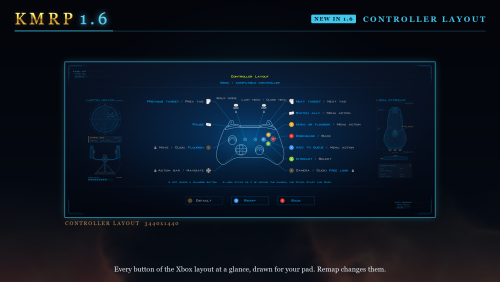
- Remapping: every main button can be given to another action on the Controller Layout screen, with Save and Default.
- The Xbox-style HUD's action row is the Xbox manual's six places: your own Force powers can be picked with an enemy targeted, and Stealth is in the row whenever it would work.
- Combat buttons: Y and B always work, the D-pad cycles actions, X queues, and A on an action slot works.
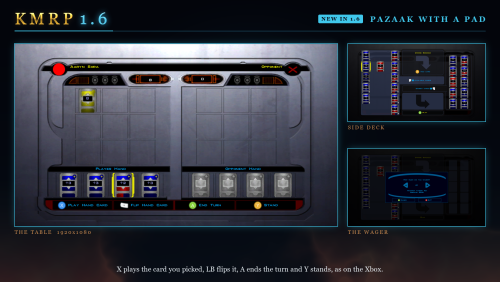
- Pazaak as on the Xbox: X plays the card you picked, LB flips it, A ends the turn and Y stands. The side deck screen is drawn as the Xbox drew it.
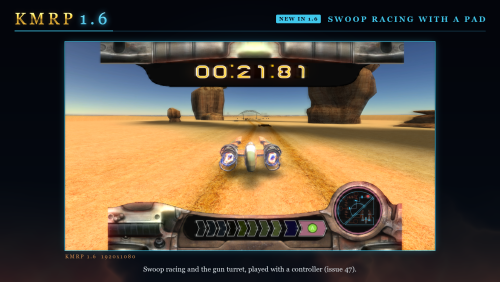
- Swoop racing and the gun turret: the left stick steers and aims; A starts, shifts and shoots; the triggers shoot in the turret; Start pauses.
- Button pictures drawn sharp at every size, from vector outlines, each letter centred on its button.
- A quick flick of the stick no longer runs faster or the wrong way, and free look looks up and down with the right stick.
- The left stick walks conversation replies and moves through character creation; the galaxy map moves planet to planet.
- The mouse takes over at once when moved, and a stray cursor is hidden while you use the pad.
- A Bluetooth DualSense switched off by Steam's idle timer is found again when it comes back.
Text, HUD and icon size
- Text Size and Font in Graphics Options: four sliders, 50% is the original size. Text too long for its box is drawn at the largest size that fits, and lists, icons and the feat and power charts grow with it.
- HD Font, the new default: the game's own font redrawn sharp at its original sizes and spacing. Original Font is the game's own, and Modded Font appears when your Override folder holds fonts.
- Icon Size for feat, Force power and skill icons.
- HUD Size: each part of each HUD, 25% to 100%, with a preview.
Menus laid out live
- Live Adaptive Layout: 73 of the game's 85 menu layouts are laid out as the game runs, from the game's file or a mod's, so GUI mods are no longer forced to 640x480.
- A mod's copy of a file KMRP changes keeps both: tables, pictures, models and layouts are merged, and the mod wins where they disagree.
- Shops keep the item list on the screen, the galaxy map's planets sit where the game has them, and KOTOR Patch Manager's 32-slot party roster has a layout.
- Marked Empty Containers: a footlocker or body with nothing left says "(empty)". ShaeMyName's mod, with permission, on by default.
Graphics, movies and Alt-Tab
- Every frame drawn offscreen: no more menu flashing on NVIDIA's layered present mode, KMRP no longer changes any NVIDIA setting, and Windows Auto HDR and RTX HDR keep working.
- K1 Modern Driver Compatibility 2.0.1 by Synchro, now as a KOTOR Patch Manager patch, so it works under Proton, with its author's own build for Windows 7 and 8.
- Movies: no screen reset after a movie, 16:9 movies on ultrawide screens, and keyboard and mouse no longer lost after the startup movies.
- Alt-Tab in full screen: coming back no longer rebuilds the picture and reloads every texture. Inspired by J's Alt Tab Patch.
- A saved resolution the display no longer has is replaced by the best one it has.
Installing
- 57 MiB instead of 140. Every resolution is prepared while installing; starts and resolution changes take about a second and a half.
- Upgrade keeps your settings, and Apply New Settings changes only what you changed, without installing again.
- KMRP's own files are in one KMRP folder, and the installer checks before it starts and shows Repair when an install needs it.
Linux and macOS
- A native Linux installer (AppImage) for the game under Proton. The Windows installer still works there through Protontricks.
- KMRP 1.6 for the Mac, for the Steam version and now the Mac App Store version. It is built on FTD's Widescreen Patch and Stray Bug Fixes, whose latest versions bring back the menu click sounds and fix a crash at the Ebon Hawk on Dantooine, and adds K1 Shader Fixes (FTD, J, Synchro and Vriff), the MP3 Playback Fix (Synchro, FTD, Vriff and Lane) and Anti-Crash Prophylactics.
Not seen in play yet
Windows 7, AMD and Intel graphics, HDR displays and the Steam Deck; the movie changes. Reports are welcome.
Thanks
FTD for Widescreen Patch, Stray Bug Fixes and the Mac patches, Synchro for K1 Modern Driver Compatibility, D3M0 for High FPS Fixes, ShaeMyName for K1 Marked Empty Containers, the KOTOR Patch Manager project, J for the Alt Tab Patch idea, and everyone who reported issues and tested.



Recommended Comments
Join the conversation
You can post now and register later. If you have an account, sign in now to post with your account.