

.thumb.png.d8b108d1620cfd7d697f7271e60714db.png)
About This File
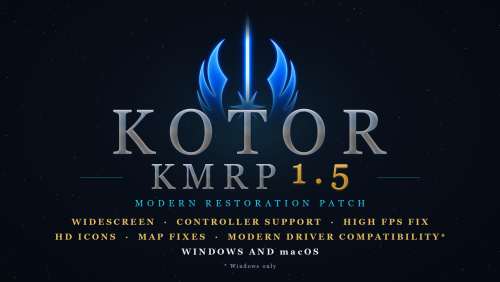
KMRP - KOTOR MODERN RESTORATION PATCH
Any resolution, properly scaled UI, controller support and engine fixes for KOTOR 1
Any resolution | 800x600 to 8K | 4:3 | 16:10 | 16:9 | 21:9 | 32:9 | Windows and macOS
━━━━━━━━━━━━━━━━━━━━━━━━━━━━━━━━━━━━━━━━
WHAT IS KMRP?
Vanilla KOTOR was built around fixed pixel sizes and interface layouts designed for resolutions such as 640x480.
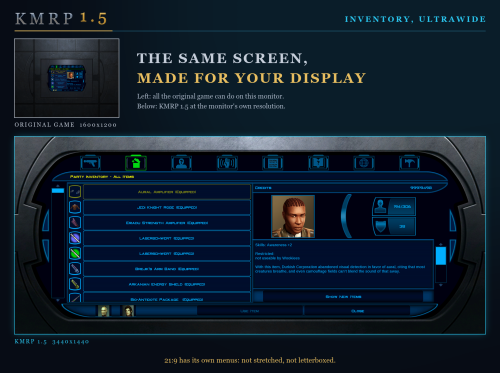
On modern displays this causes tiny text, overlapping list entries, undersized icons, broken map scaling and other interface problems.
KMRP fixes these problems in the game engine itself.
One installer, one click, and one click to undo everything. It changes how the game looks, fits and controls, and nothing about its story, quests or balance.
━━━━━━━━━━━━━━━━━━━━━━━━━━━━━━━━━━━━━━━━
WHAT IS NEW IN 1.5
- No resolution to choose. The game starts at your display's own resolution. Its Screen Resolution setting lists every size and refresh rate your display supports, and a change takes effect at once, with no restart and no patching again.
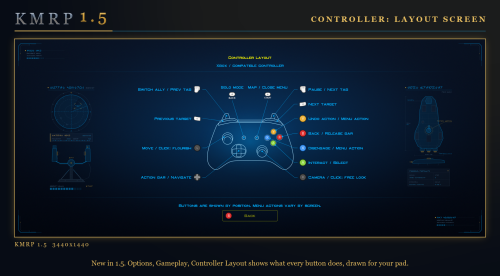
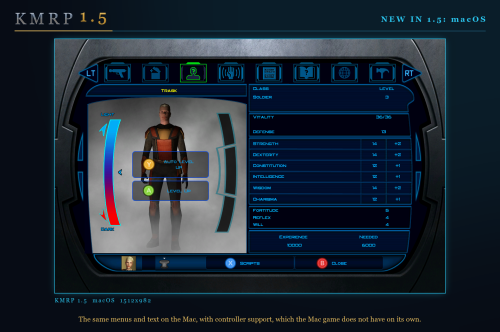
- Controller support, built in. A controller works on every screen, with the right button pictures for your pad (Xbox or PlayStation), rumble and a Controller Layout screen.
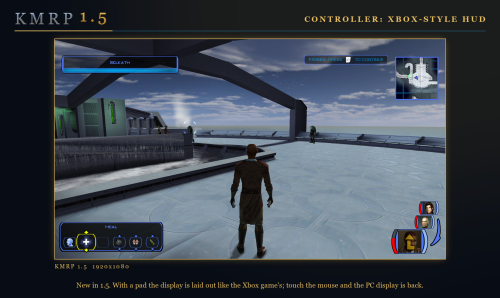
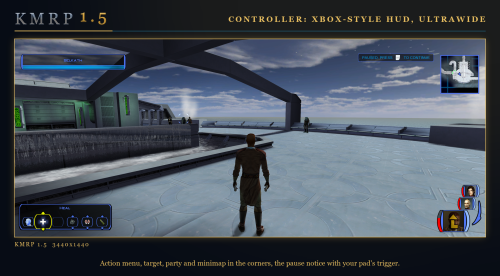
- Xbox-style HUD. Modelled on the console version. On by default, can be switched off.
- Above 60 frames per second. An option installs D3M0's High FPS Fixes, switched on by itself above 60 Hz.
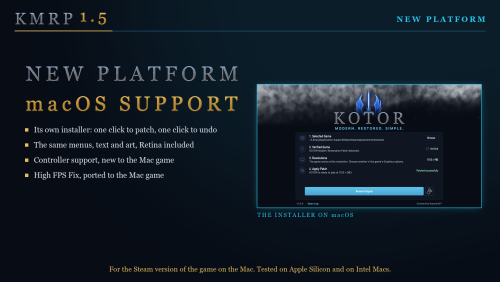
- macOS. The Steam game, on Intel and Apple Silicon Macs, with its own installer.
- swkotor.exe is no longer rewritten. On Windows the changes are applied in memory each time the game starts, through KOTOR Patch Manager's runtime.
━━━━━━━━━━━━━━━━━━━━━━━━━━━━━━━━━━━━━━━━
WHAT IT FIXES
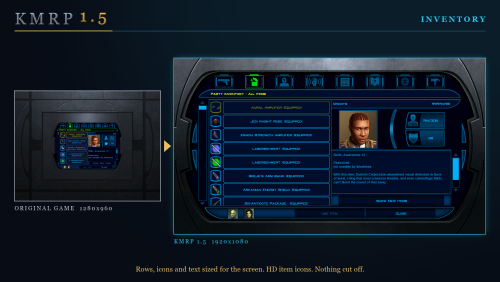
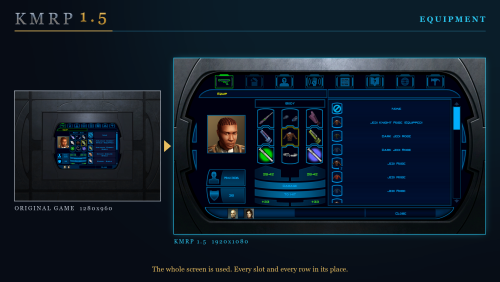
- Readable text with properly scaled list rows
- Inventory, Abilities and Store icons and rows scale correctly
- Item stack counts remain visible with larger fonts, in the inventory and in shops
- Popups and check boxes grow with the screen
- Long item description crash fixed, along with several rare crashes
- Area map fills its frame, fog of war covers the complete map, markers scale and are clicked where you see them
- HUD minimap follows your character
- Movies play at the game's resolution, with no switch to 640x480, and are not cropped on wide screens
- HD art: higher-quality portraits, item icons and menu art
Every shape from 4:3 to 32:9 is covered, from 800x600 up to 8K: 66 common resolutions have menus built for them, and any other size gets menus fitted to it.
━━━━━━━━━━━━━━━━━━━━━━━━━━━━━━━━━━━━━━━━
PLATFORMS
- Windows: the Steam, GOG and disc 1.03 versions. The installer checks the game's file before doing anything and refuses any other build.
- macOS: the Steam game, on Intel and Apple Silicon Macs.
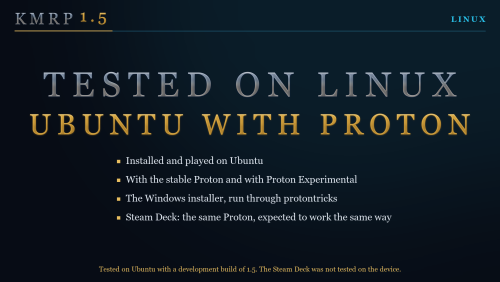
- Linux: the Windows installer was tested on Ubuntu with Proton. No Steam Deck was tested.
━━━━━━━━━━━━━━━━━━━━━━━━━━━━━━━━━━━━━━━━
INSTALLATION
- Install other content mods (K1CP, K1R and so on) first.
- Start the game once so its settings file exists.
- Run the KMRP installer and press Start Patching. There is no resolution to pick.
- To undo everything, run it again and press Restore Original.
If you use KOTOR Patch Manager, KMRP's two patches are listed there and other patches can be added beside them.
━━━━━━━━━━━━━━━━━━━━━━━━━━━━━━━━━━━━━━━━
INSTALLER OPTIONS
- Controller support, and with it the Xbox-style HUD
- High FPS Fix (D3M0's High FPS Fixes)
- HD item icons
- Map-note corrections (Derslok)
- Driver compatibility for lighting, fog and shadows on modern graphics cards (Synchro)
━━━━━━━━━━━━━━━━━━━━━━━━━━━━━━━━━━━━━━━━
COMPATIBILITY
KMRP 1.0 was tested with KOTOR 1 Community Patch 1.10.0 and KOTOR 1 Restoration 1.2. Install those first, then KMRP.
━━━━━━━━━━━━━━━━━━━━━━━━━━━━━━━━━━━━━━━━
CREDITS
- ndix UR: KOTOR High Resolution Menus 1.5
- Synchro: K1 Modern Driver Compatibility 1.2.0, and published area-map research
- Derslok: K1 Area Map Fixes
- D3M0: High FPS Fixes
- Lane Dibello and the KOTOR Patch Manager project: the runtime KMRP's patches run on
- MadDerp: Party Portraits
- JackInTheBox: KOTOR 1 HD Icon Pack 1.0
- RaymanGT: HD menu and UI asset set
- Xelu: Free Controller & Key Prompts
Bundled work is included with its authors' permission or under its licence. Full notices are in the repository.
━━━━━━━━━━━━━━━━━━━━━━━━━━━━━━━━━━━━━━━━
SOURCE AND CHANGELOG
github.com/RayesDiyab/KMRP-KOTOR-Modern-Restoration-Patch
Licence: GPL-3.0. Unofficial; you must own the game.
Edited by RaymanGT
Description Edit
What's New in Version 1.5.0
Released
KMRP 1.5: the biggest update since release.
Resolution and display
- No resolution to choose in the installer. The game starts at your display's own resolution.
- The in-game Screen Resolution list shows every size and refresh rate your display supports, each listed once.
- Changing resolution in the game takes effect at once, with no restart and no patching again.
- Any resolution works, not only listed ones. 66 common sizes have menus built for them; any other size gets menus fitted to it.
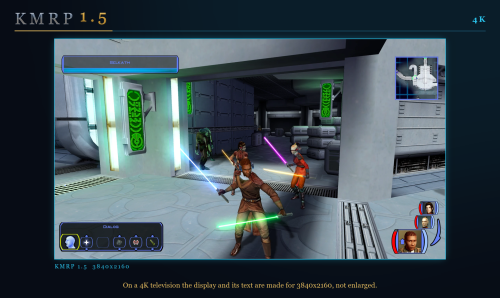
- Connect another display, a 4K television for example, and its resolutions appear by themselves.
- The mouse stays inside the game window in fullscreen.
- The game comes to the front when it starts.
Text, lists and menus
- Menu and dialogue text is drawn at the size it was rendered at, so it is sharp.
- Text no longer runs over the right edge of its box.
- List rows sit as far from their box's left border as from its right.
- Lists are as tall as whole rows, spaced like the inventory's.
- Skill rows are as tall as the Feats and Powers rows, and skill icons grow with them and sit inside their frames.
- The journal shows six quest rows, spaced like the inventory's.
- Item icons sit in their slots at the game's own size.
- The target's action buttons are no longer cut off.
- The combat-mode message reads in full, on one line.
- The status summary fits its text and no longer crowds its right edge.
- Popups with long text make a wide box at high resolutions, not a tall, narrow one.
- Stack counts in shops sit in the icon's lower right corner, like the inventory's.
- Feedback Options: the circles no longer sit on the scrollbar. Script Selection: the option rows are centred.
- The one-frame white flash in the in-game menus is gone.
Movies
- Movies play at the game's resolution, with no switch to 640x480 and no flicker.
- Movies are no longer cropped on a screen wider than the movie.
- Controller buttons can skip movies.
Controller support (new)
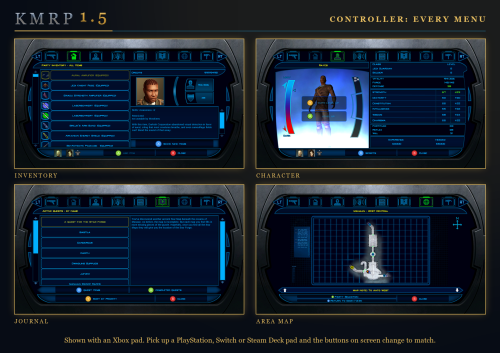
- A controller works on every screen: menus, character creation, level up, settings, shops, Pazaak, dialogue.
- Button pictures on every menu, matching your pad (Xbox or PlayStation), shown from the first frame and following the pad you use.
- Rumble, using BioWare's own 22 patterns, with three settings.
- A Controller Layout screen.
- D-pad moves through every list and setting; holding a direction scrolls.
- Start opens the Map and closes the menu; R3 changes which party member a menu shows; LT and RT switch menu tabs.
- In combat, X disengages and Y cancels the last queued action.
- An A beside the highlighted dialogue reply and beside the focused button in Yes/No boxes.
- Controller support is also a patch of its own, "KOTOR 1 Native Controller Mod + Xbox HUD", which works without the rest of KMRP and on any interface mod.
Xbox-style HUD (new)
- A HUD modelled on the console version, on by default and switchable.
- It follows the device in use (pad or mouse) and fits any screen.
- Its frames are redrawn and its portraits framed alike.
High frame rates (new)
- High FPS Fix option, installing D3M0's High FPS Fixes. Switched on by itself above 60 Hz.
macOS (new)
- KMRP for the Steam game on the Mac, with its own installer, on Intel and Apple Silicon.
- Same features as Windows: resolution chosen in the game, controller support as its own patch, High FPS Fixes, HD icons as an option.
Linux
- Tested on Ubuntu with Proton. No Steam Deck was tested.
Installer
- The game's own file is no longer rewritten; changes are applied in memory each time the game starts, through KOTOR Patch Manager's runtime.
- KMRP is now two patches, each working without the other, so other KPM patches can sit beside them.
- Finds Steam's and GOG's KOTOR by itself, and accepts GOG's own executable.
- Optional parts are independent: controller support, Xbox-style HUD, HD item icons, map notes, High FPS Fix.
- Says when a newer KMRP is out.
- KMRP's patch is half the size: 129 MB instead of 249 MB.
Crashes and faults fixed
- Loading a save from in game no longer crashes.
- Level Up no longer opens twice and freezes the game.
- Character creation no longer crashes on A; the Name screen stays open after A.
- The status summary no longer crashes after a D-pad press.
- R3 free look no longer crashes the game.
- Answering a dialog no longer acts on the world behind it.
- A on a door works again after an action slot had the focus.
- Several faults after changing resolution in the game: ability rows, the first party portrait, the pause box and conversation text.
- Controller button pictures on container screens are no longer tiny.
Full changelog and downloads: KMRP 1.5.0 on GitHub


