

About This File
KMRP - KOTOR MODERN RESTORATION PATCH 1.6
Any resolution, properly scaled UI, text and HUD sizes of your choice, controller support and engine fixes for KOTOR 1
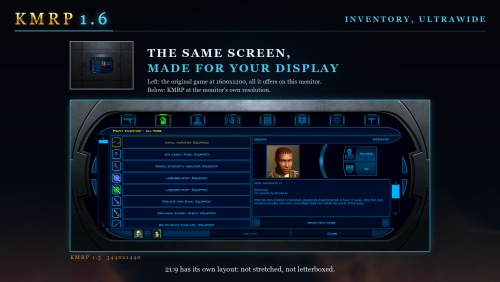
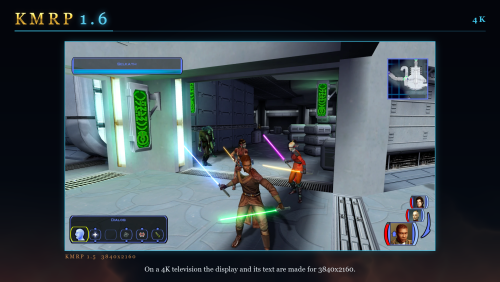
Any resolution | 800x600 to 8K | 4:3 | 16:10 | 16:9 | 21:9 | 32:9 | Windows, macOS and Linux
━━━━━━━━━━━━━━━━━━━━━━━━━━━━━━━━━━━━━━━━
NEW IN 1.6
The biggest update since 1.0, for Windows, Linux and macOS. Over 1.5 or 1.5.1, run the installer and press Upgrade: it keeps your settings, and there is no need to restore first.
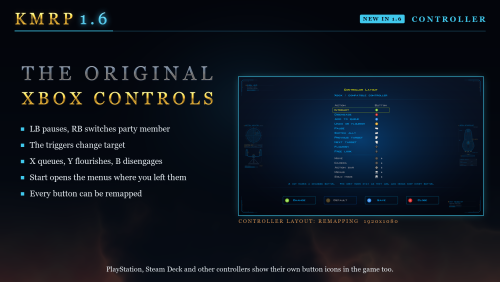
- The original Xbox controls. LB pauses, RB switches party member, the triggers change target, X queues, Y flourishes, B disengages, and Start opens the menus where you left them. Every button can be remapped.
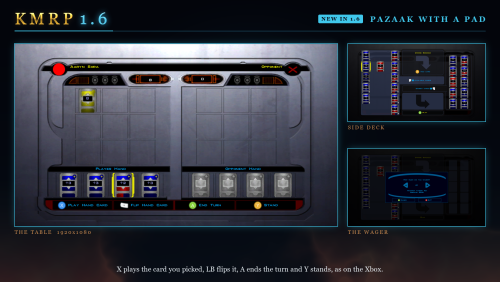
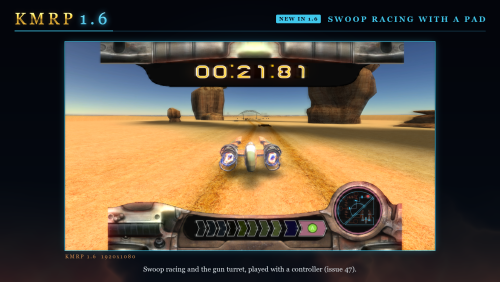
- Pazaak, swoop racing and the gun turret with a controller, as on the Xbox.
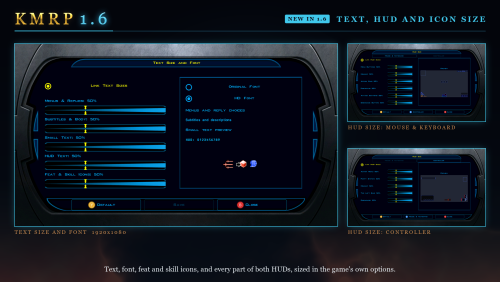
- Text Size and Font. Four text sizes in Graphics Options, and HD Font, the game's own font redrawn sharp, as the new default. Original Font, and Modded Font for fonts in your Override folder, are there too.
- HUD Size and Icon Size. Every part of both HUDs, and feat, power and skill icons, larger or smaller.
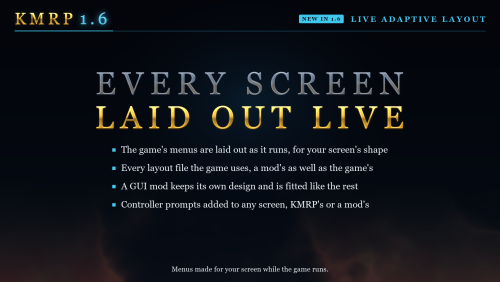
- Live Adaptive Layout. 73 of the game's 85 menu layouts are laid out as the game runs, a mod's included, so GUI mods are no longer forced to 640x480.
- Mods keep their changes. A mod's copy of a file KMRP also changes keeps both, and the mod wins where they disagree.
- No menu flashing on NVIDIA, and Windows Auto HDR and RTX HDR keep working.
- Movies and Alt-Tab. 16:9 movies on ultrawide screens, no screen reset after a movie, and Alt-Tab in full screen comes back at once.
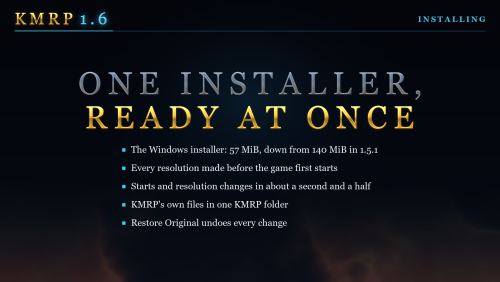
- A 57 MiB installer instead of 140, every resolution ready before the first start, and Apply New Settings to change an option without installing again.
- A native Linux installer, and the Mac version updated to 1.6, now for the Mac App Store game as well.
- Marked Empty Containers by ShaeMyName, on by default.
The full list is in the changelog on GitHub.
━━━━━━━━━━━━━━━━━━━━━━━━━━━━━━━━━━━━━━━━
WHAT IS KMRP?
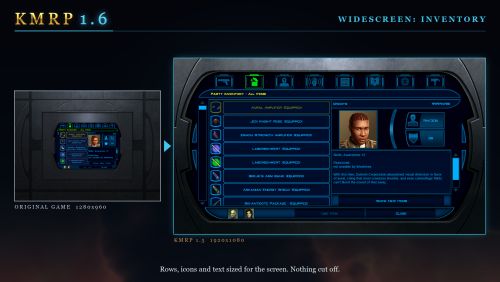
Vanilla KOTOR was built around fixed pixel sizes and interface layouts designed for resolutions such as 640x480.
On modern displays this causes tiny text, overlapping list entries, undersized icons, broken map scaling and other interface problems.
KMRP fixes these problems in the game engine itself.
One installer, one click, and one click to undo everything. It changes how the game looks, fits and controls, and nothing about its story, quests or balance.
━━━━━━━━━━━━━━━━━━━━━━━━━━━━━━━━━━━━━━━━
SINCE 1.5
- No resolution to choose. The game starts at your display's own resolution. Its Screen Resolution setting lists every size and refresh rate your display supports, and a change takes effect at once, with no restart and no patching again.
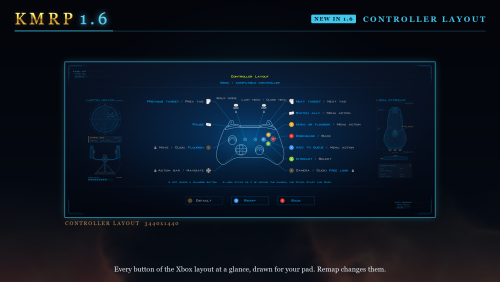
- Controller support, built in. A controller works on every screen, with the right button pictures for your pad (Xbox, PlayStation, Switch or Steam Deck), rumble and a Controller Layout screen.
- Xbox-style HUD. Modelled on the console version. On by default, can be switched off.
- Above 60 frames per second. An option installs D3M0's High FPS Fixes, switched on by itself above 60 Hz.
- swkotor.exe is not rewritten. On Windows the changes are applied in memory each time the game starts, through KOTOR Patch Manager's runtime.
━━━━━━━━━━━━━━━━━━━━━━━━━━━━━━━━━━━━━━━━
WHAT IT FIXES
Every shape from 4:3 to 32:9 is covered, from 800x600 up to 8K: 66 common resolutions have menus built for them, and any other size gets menus fitted to it.
━━━━━━━━━━━━━━━━━━━━━━━━━━━━━━━━━━━━━━━━
PLATFORMS
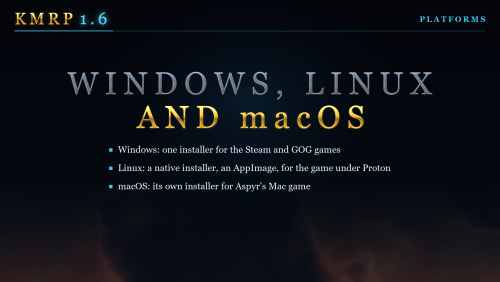
- Windows: the Steam, GOG and disc 1.03 versions. The installer checks the game's file before doing anything and refuses any other build.
- Linux: a native installer (AppImage) for the game under Proton, or the Windows installer through Protontricks. SteamOS is tested and working. No Steam Deck itself was tested.
- macOS: the Steam game and the Mac App Store game, on Intel and Apple Silicon Macs, with its own installer.
The Linux and macOS installers are on the GitHub release page.
━━━━━━━━━━━━━━━━━━━━━━━━━━━━━━━━━━━━━━━━
INSTALLATION
- Install other content mods (K1CP, K1R and so on) first.
- Start the game once so its settings file exists.
- Run the KMRP installer and press Start Patching (Upgrade over an older KMRP). There is no resolution to pick.
- To change an option later, change it in Advanced Settings and press Apply New Settings.
- To undo everything, run it again and press Restore Original.
Linux and SteamOS: run the AppImage, or the Windows installer with protontricks-launch --appid 32370, then set KOTOR's controller layout in Steam to Gamepad. Otherwise the game gets no controller.
KOTOR Patch Manager: KMRP's two patches are listed there, and other patches can be added beside them.
━━━━━━━━━━━━━━━━━━━━━━━━━━━━━━━━━━━━━━━━
INSTALLER OPTIONS
- Controller support, and with it the Xbox-style HUD
- High FPS Fix (D3M0's High FPS Fixes)
- HD item icons
- Map-note corrections (Derslok)
- Marked Empty Containers (ShaeMyName)
- Driver compatibility for lighting, fog and shadows on modern graphics cards (Synchro's K1 Modern Driver Compatibility 2.0.1)
━━━━━━━━━━━━━━━━━━━━━━━━━━━━━━━━━━━━━━━━
COMPATIBILITY
KMRP 1.0 was tested with KOTOR 1 Community Patch 1.10.0 and KOTOR 1 Restoration 1.2. KMRP 1.5.1 was tested with KOTOR 1 Community Patch 1.10.0 and with the Polish translation.
Files that other mods put in the Override folder always win over KMRP's. Since 1.6, a mod's menus are laid out for your screen like the game's, and a mod's copy of a file KMRP also changes keeps both sets of changes.
━━━━━━━━━━━━━━━━━━━━━━━━━━━━━━━━━━━━━━━━
CREDITS
Bundled work is included with its authors' permission or under its licence. Full notices are in the repository.
━━━━━━━━━━━━━━━━━━━━━━━━━━━━━━━━━━━━━━━━
SOURCE AND CHANGELOG
github.com/RayesDiyab/KMRP-KOTOR-Modern-Restoration-Patch
Licence: GPL-3.0. Unofficial; you must own the game.
Edited by RaymanGT
New details for v1.6
What's New in Version 1.5.1 See changelog
Released
KMRP 1.5.1 (Hotfix)
A hotfix for 1.5.0, for Windows and for Linux with Proton. If you are on Linux or SteamOS you need this version: 1.5.0 does not start there. You can run the 1.5.1 installer over an existing 1.5.0 install.
The macOS version is not affected and stays at 1.5.0.
LINUX AND STEAMOS
- The game starts again under Proton. In 1.5.0 it closed a few seconds after launch.
- SteamOS is tested and working.
- The installer now finds your Steam game by itself.
- Restore Original completes. In 1.5.0 it could stop with a "high DPI manifest" message.
- With an Xbox controller on Bluetooth, the Back button no longer flashes the keyboard and mouse HUD.
- Important: set KOTOR's controller layout in Steam to Gamepad, otherwise the game gets no controller. The installer reminds you.
MODS AND TRANSLATIONS
- Files in your Override folder now always win over KMRP's. In 1.5.0 a mod's file was ignored whenever KMRP had one of the same name, which is why load screen mods, texture mods and custom fonts seemed to do nothing.
- Translations work. Their own fonts are used, with all their letters, and drawn at the right size for your resolution. Tested with the Polish translation.
- Works together with K1 Community Patch.
CONTROLLER
- Changing the resolution in the game with a save loaded no longer ends the game.
- Pazaak: A now plays the selected card. Before, it ended your turn.
- No more stuttering movement with PadForge, DS4Windows and similar tools.
OTHER FIXES
- KMRP no longer leaves 177 MB in your temp folder every time the game starts. The first start of 1.5.1 also removes what 1.5.0 left behind.
- Windows 7: the "ordinal 40 not found in Cabinet.dll" error is removed. Keep Modern Driver Compatibility turned off on Windows 7.
- New controller log for bug reports: turn on Debug Logs in the installer's settings and send kmrp-controller-events.log from the game folder.
NOT FIXED YET
- The left stick on the 2026 Steam Controller.
- Crashes on loading an area with some mods.
- Swoop racing and the turret with a controller.
TESTED
- Windows 11, with a controller, with K1 Community Patch 1.10.0 and with the Polish translation.
- SteamOS 3.8 with Proton 11.
- Not tested: a Steam Deck itself, other Linux distributions, Windows 7.
Full details: https://github.com/RayesDiyab/KMRP-KOTOR-Modern-Restoration-Patch/releases/tag/v1.5.1
 With version 1.5.1:
- Download