


Sith Holocron
-
Content Count
6,419 -
Joined
-
Last visited
-
Days Won
426
Posts posted by Sith Holocron
-
-
You might want to check out the page for BOS on Nexus and see if the uploader might have some suggestions.
-
[K1] Logan Starr - PC Replacement Soundset
[K1] Logan Starr - PC Replacement Soundset
AUTHOR: Sith Holocron
ORIGINAL RELEASE: 14 JUN 2025
GAMES: Star Wars Knights of the Old Republic 1. [This mod will not work in Star Wars Knights of the Old Republic 2. See Description for more details.]
Description:
If you’re looking at this file, you’re either a longtime fan of the Loganverse series of KotOR machinima, a new viewer that’s just come from watching the new Convergence crossover trailer or movie on YouTube, or you are very, very confused. If it’s the latter, check this link for a trailer for a quick summary. If you’re Loganverse fan already, read on.
This mod changes the standard voice for the PC character to Logan Starr’s from the Loganverse movies.
I asked Kevin Smets to record all of the lines that the PC says. All of the lines are listed below.
Those in the know may notice that some of these lines are likely to trigger in the game – those with file names ending in 4. There’s a reason for that! In order to spice repeated playthroughs, I figured giving you extra lines which you can rename might be something you may be interested in. In the category the replacement lines are, delete the line you’d like to replace using the list below. Then rename the line with the “4” in it (or the other alternate numbered lines) to whatever you deleted. The categories that have the extra lines are:
- · Critical hit achieved.
- · Player has just received medical attention.
- · Player has been poisoned.
- · The party is regrouping. [options 4 or 5]
- · The player character has been selected via the menu. [option 9]
- · Stealth mode activated.
- · The weapon used by player character is either broken or inefficient against an enemy in current attack.
This mod is only for Knights of the Old Republic 1. Knights of the Old Republic 2 - although it has the voice files for the male and female PC - the game doesn't have them activated, rendering the Exile mute. If you wish you attempt to perform a work around, that is your own responsibility and not my own. Feel free to make your suggestions on a work around below if you find a suitable one.
List of lines included with this mod:
File name Male
Lock Picking: Player is making the attempt unlock the lockbox or door
p_plyermw_block1 Got it.
p_plyermw_block2 No problem.
p_plyermw_block3 Right.
Critical hit achieved.
p_plyermw_crit1 Ha! He’ll feel that for sure!
p_plyermw_crit2 That hurt, I bet.
p_plyermw_crit3 You won’t be getting up from that any time soon!
p_plyermw_crit4 I don’t like your tone.
Mines: Disarming.
p_plyermw_dmin1 That one’s a dud.
p_plyermw_dmin2 OK, it’s disabled.
p_plyermw_dmin3 Mine disabled.
Lock Picking: Player fails an attempt unlocking a lockbox or a door
p_plyermw_flock1 Damn!
p_plyermw_flock2 Didn’t work.
p_plyermw_flock3 Damn it!
Mines: Arming a Mine.
p_plyermw_lmin1 One surprise trip coming up.
p_plyermw_lmin2 Whoever stands on this will get a nasty shock.
p_plyermw_lmin3 Mine placed.
Player has low health and needs medical attention.
p_plyermw_low1 [groan] I’m in a lot of pain right now.
p_plyermw_low2 I should get help for my wounds.
p_plyermw_low3 [groan] I’m hurt badly.
Player has just received medical attention.
p_plyermw_med1 [sound of relief] This should patch things up.
p_plyermw_med2 This should help.
p_plyermw_med3 Thank the maker.
p_plyermw_med4 This feels fantastic.
Player has been poisoned.
p_plyermw_pois1 [groan] I think something got me sick.
p_plyermw_pois2 [groan] I think I’ve been poisoned.
p_plyermw_pois3 [groan] I think something is in my system.
p_plyermw_pois4 [stomach gurgles]
The party is regrouping.
p_plyermw_rprty1 Everyone’s back again!
p_plyermw_rprty2 OK, let’s get going.
p_plyermw_rprty3 Hey, we can get back together now.
p_plyermw_rprty4 The gang’s back together!
p_plyermw_rprty5 Hey, it’s me! [laughs]
The player character has been selected via the menu.
p_plyermw_slct1 Yeah?
p_plyermw_slct2 Yes?
p_plyermw_slct3 What?
p_plyermw_slct4 Hmm?
p_plyermw_slct5 Sure.
p_plyermw_slct6 You bet.
p_plyermw_slct7 What? [alternate take]
p_plyermw_slct8 Right.
p_plyermw_slct9 Yeah, bub…
Lock Picking: Success.
p_plyermw_slock1 Opened.
p_plyermw_slock2 Got it.
p_plyermw_slock3 Done.
The Main Character is going into solo mode.
p_plyermw_sprty1 I need to go alone for a bit.
p_plyermw_sprty2 We’ll just separate for a bit.
p_plyermw_sprty3 Let me go on alone.
Player is looking for or looking out for something.
p_plyermw_srch1 I won’t miss a thing.
p_plyermw_srch2 If there’s something there, I’ll find it.
p_plyermw_srch3 Nothing will get by me.
p_plyermw_srch4 Nothing gets by me, bub.
Stealth mode activated.
p_plyermw_stlh1 Not even a whisper.
p_plyermw_stlh2 I’ll avoid what I can.
p_plyermw_stlh3 Silent and deadly.
p_plyermw_stlh4 Silent and deadly, bub.
The weapon used by player character is either broken or inefficient against an enemy in current attack.
p_plyermw_tia1 It’s not doing anything.
p_plyermw_tia2 My weapon isn’t doing anything.
p_plyermw_tia3 I need a better weapon.
p_plyermw_tia4 This weapon isn’t doing anything.
Installation:
You'll not be dropping these into your Override folder like my usual mods. This time you have new steps to follow.
1) Now that you’ve made your choices above, move the original KotOR1 files that come with the game to a place you can find them. (I personally recommend making a folder on your desktop to put them but you do you!) Those files will be located in the "Streamsounds" folder.
2) Extract the files from the 7z folder. Grab the new files from that extracted folder and put them in Streamsounds folder.
3) When you're done with the beta, you can delete my files from the Streamsounds folder and put the original files back in there.
Note: If you're using the mod on Steam, this quote may prove helpful.
“I threw the files in Streamsound. I managed to fix it by verifying game files through steam and reinstalling the mod though!”
Uninstall:
Remove my files from the Streamsounds folder. Put the original files that you saved elsewhere back in the Streamsounds folder.
Legal Disclaimer:
All materials and copyrights belong to LucasArts, Bioware and Obsidian Entertainment Inc. I own none of the materials, and I'm not making any money out of this mod. It is to be distributed as-is without alteration, unless notified in writing of permission granted by me. This mod is not to be distributed for profit, either.
I hereby state that I specifically do NOT wish this mod to be uploaded to Steam Workshop. I may release this on NexusMods at a later date but I don't wish others to do so. Usage in other mods must be requested AND approved by me in writing before your use.
Special Thanks:
Kevin Smets: For recording the lines so his fans can play as his character! You have seen his movies, right? Here’s a trailer from Convergence / a link to Convergence, the latest machinima featuring Logan Starr.
For the movie poster artwork used in the mod’s pictures, I thank Burning Earth Chris!
The beta testers:
Thanks to Untold Prophecy for beta testing this mod. Having an unbiased beta tester to check this on the PC version game was both helpful and vital.
Thanks to Malkior for beta testing this on Steam. As I didn’t have a copy of KotOR1 on Steam at the time of creation of this mod, this assistance was vital!
Both of the beta testers provided feedback particularly on sound levels which helped finalize this project. (Even if they were kept in the dark on who the person voicing the soundset was!)
-
Submitter
-
Submitted06/14/2025
-
Category
-
K1R CompatibleYes
-
If you don't like me pointing out the obvious, feel free to block me.
-
 1
1
-
-
Just now, The_Chaser_One said:@Sith Holocron Why can't you be nicer... He was just a bit too ambitious, but it will be out very soon. If you're that much against it why don't you go help SithSpecter ?
I'm not the one making false promises. Why are you white knighting?
-
1 minute ago, SAO1138 said:It’s done, actually! Just needed a few more days to get the new companion lines in game.
It's done except it isn't. Got it.
-
1
-
-
Use 7zip to extract it.
-
 1
1
-
-
7 minutes ago, LeZombieFluo said:Is it possible that it hase something to do with the language choosen for the game ? I have it in french currently
It's even weirder that i remember using the mod without problem at some point, maybe it's because my game was in english ?
From the mod description...
Please note that this mod is ONLY COMPATIBLE WITH THE ENGLISH LOCALIZATION OF TSL AND TSLRCM. I do not provide support for non-English localizations of TSL and TSLRCM.
-
16 minutes ago, NatsuSkywalker said:I think it's because he didn't get the trigger for the HK factory quest. I just did a playthrough where I didn't get the cutscene where HK-47 tortures the HK-50 and all that happened when I finished the Ravager was I was in the Ebon Hawk and it was in hyperspace. That's probably one trigger for this glitch.
God damn. That's a late response.
-
 1
1
-
-
I think your estimate of being finished within a month is unrealistic.
When I was asking about skins, I was mostly wondering about what you are reskinning the environments with and not your new characters. Have you made new environment skins?
And if you have pictures to post, post them here in your WIP thread. That's what it is for, right?
Edit: And if you're posting pictures, can we see a map of one of your new 26 modules that Sithspecter did not make?
-
1
-
-
I have questions. Here are a few . . . to start.
- What's your modding experience? As you’ve never posted here before, no one here is likely to know of any work you may (or may not) have done before.
- What's the size of your beta team?
- Who is working with you on this? Is it mostly a solo affair?
- Do you have any screenshots other than the galaxy map which could have come straight from Sithspecter's mod?
- With some minimal research, I see you’ve posted two videos on YouTube. Will all of your characters be aliens? If so, is that why you say there won’t be any AI voices?
- In those two videos, I don’t think I saw any lip sync for the dialogues? Are you planning to fix that, preferably before the next teaser video release? (But especially before a mod release.)
- Why are you starting with a planet mod as your first KotOR mod?
- So, it sounds like there are about 26 new modules in your mod that Sithspecter hasn’t created. Are they actually new or are they reskinned previous modules?
- Speaking of skins, have you made any new ones? Or is it a combination of recycling of materials found in the base game combined with what Sithspecter may have provided in his previous effort?
- This last one may be out of left field but I just have to ask: Are there any areas in the mod which render characters as orange colored?
-
3
-
1 hour ago, DarthParametric said:Apparently so. V_FreightL01 is the actual original, which is 1024x1024.
Thanks for the clarification!
-
2 hours ago, DarthParametric said:"Extract"? You mean get the name? It's LDA_FreightL01. It also has a normal map, LDA_FreightL01b, but it's unused.
So that original model for the Lethisk (that you had previously extracted, altered, and released as a modder's resource) shares the same texture as the KT-400 ship?
-
I'm hoping someone will be able to extract the texture from the relevant KotOR1 Dantooine module for the Lethisk-class armed freighter. That's the ship that's parked on top of the Sandral Estate. (Pictures attached.)
I just want to have it for two reasons:
- To upscale that texture myself and then archive it
- For the unlikely possibility that someone else may be able to use that texture as a reference if they wanted to work on this previous request of mine.
But at this point, it's mostly this first one.
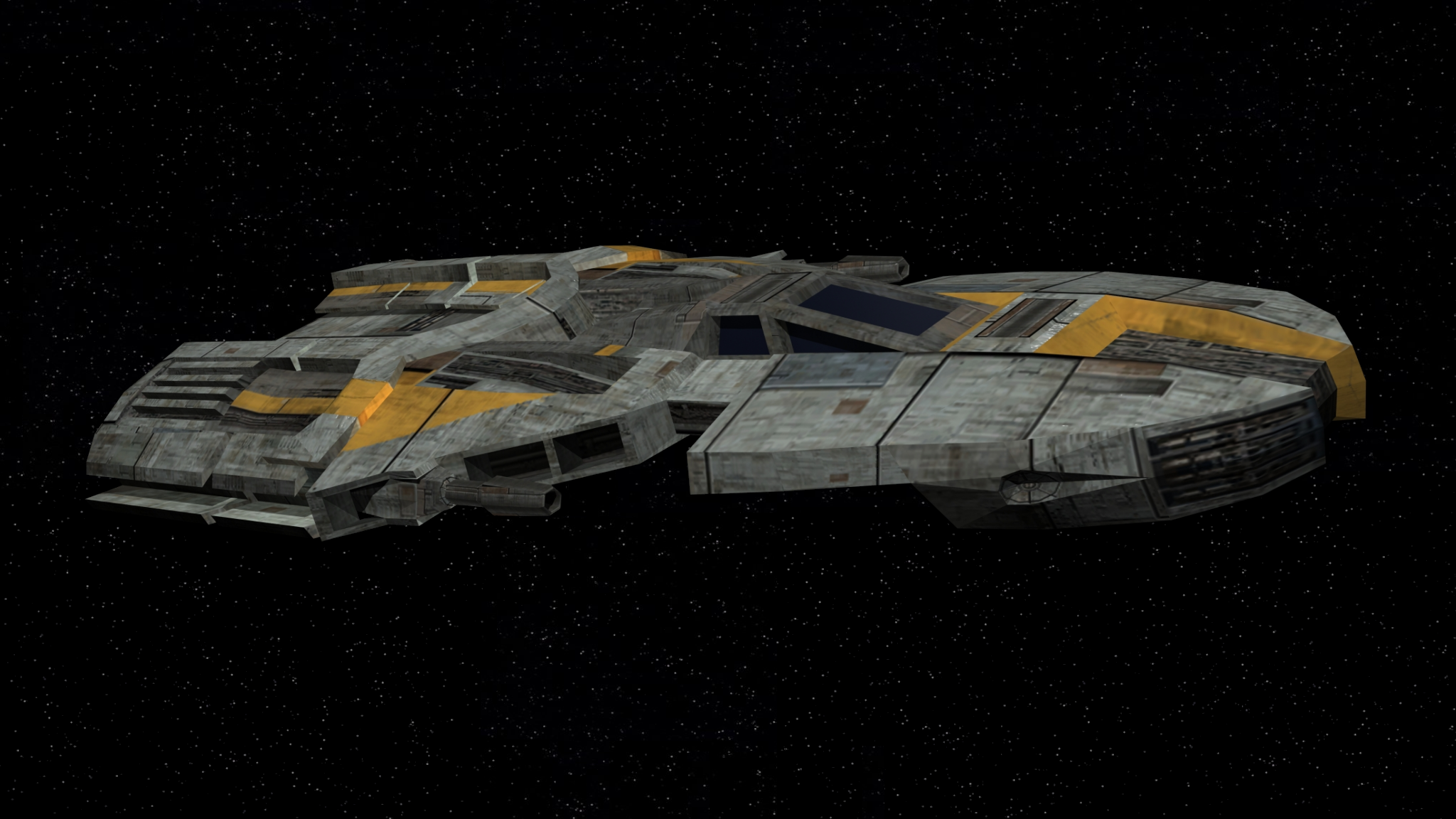
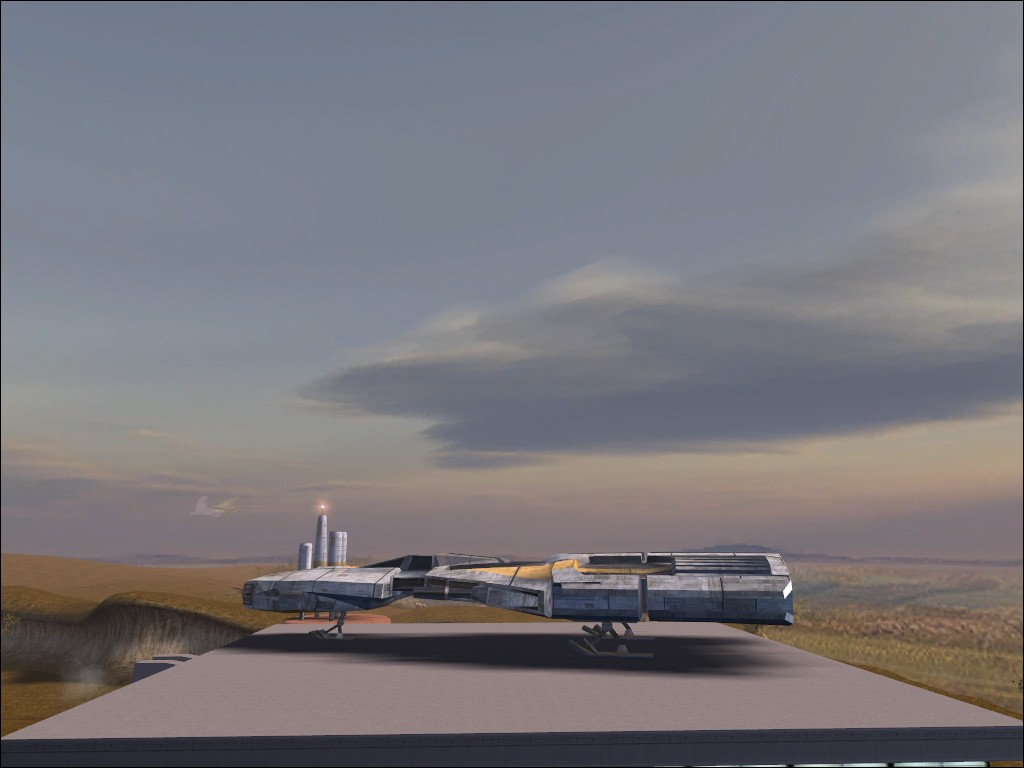
-
3
-
Upscaled the HK-48 character texture to save people some time. I'll leave any work on the portrait texture to others.
-
1
-
-
5 hours ago, nonameperson66 said:Does anyone have any ideas on what the issue is here?
You're using a mod that most people don't use and even the creator removed his name from? That might be it.
-
2 hours ago, KapoMan said:None shown in game. No model for one exists either.
In that case, I would suggest amending your request in the original post.
-
3 minutes ago, Davik Kang said:I've just tried using KSE to mod the quest in as completed, loaded up the save of the location prior to when the HK factory is meant to be triggered but still no HK factory 😢
Does a new game have to be started after installing TSLRCM? IIRC I installed it after Peragus
I wonder if there was anything in both the read-me file and the mod description about that.

-
31 minutes ago, Sith Holocron said:I guess no women serve in the Onderon military?
In uniform.
-
I guess no women serve in the Onderon military?
-
2 hours ago, SirTwist said:Be faster to tell you what I didn't use on the following guide: KOTOR 2025 Mod Guide :https://www.nexusmods.com/kotor/mods/1698
Is that the same guide where you already reported issues and the maker of that guide called you confused?
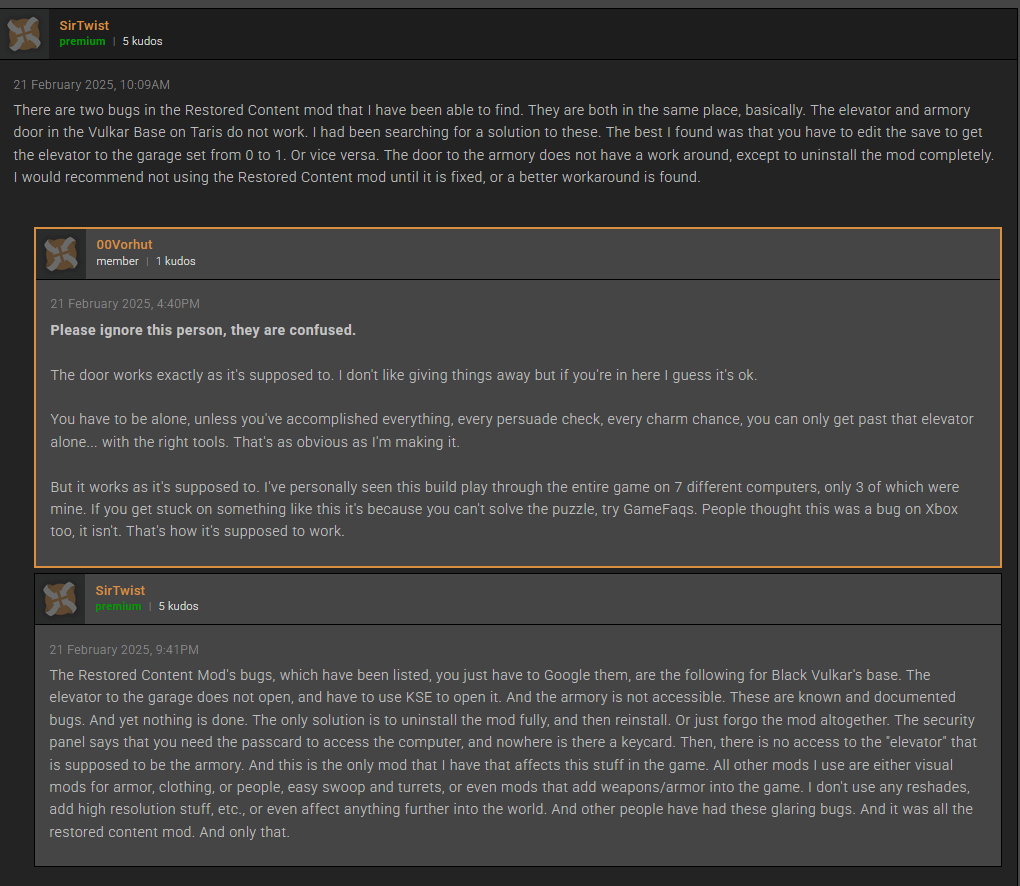
My point is that you might not want to follow a guide from a maker that doubles down when presented with possible issues. Use a better guide instead.
-
1
-
-
More on the Officer uniforms:
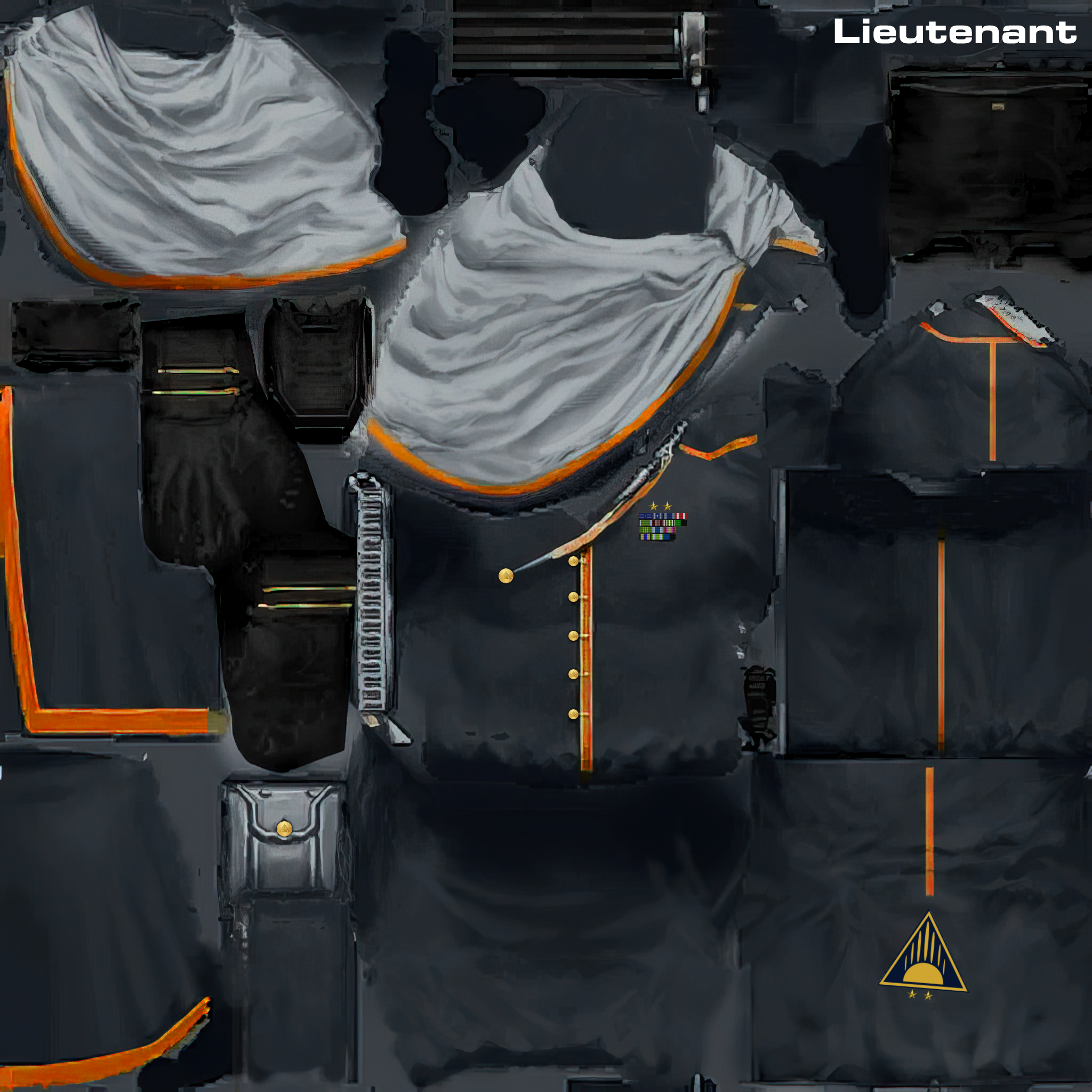
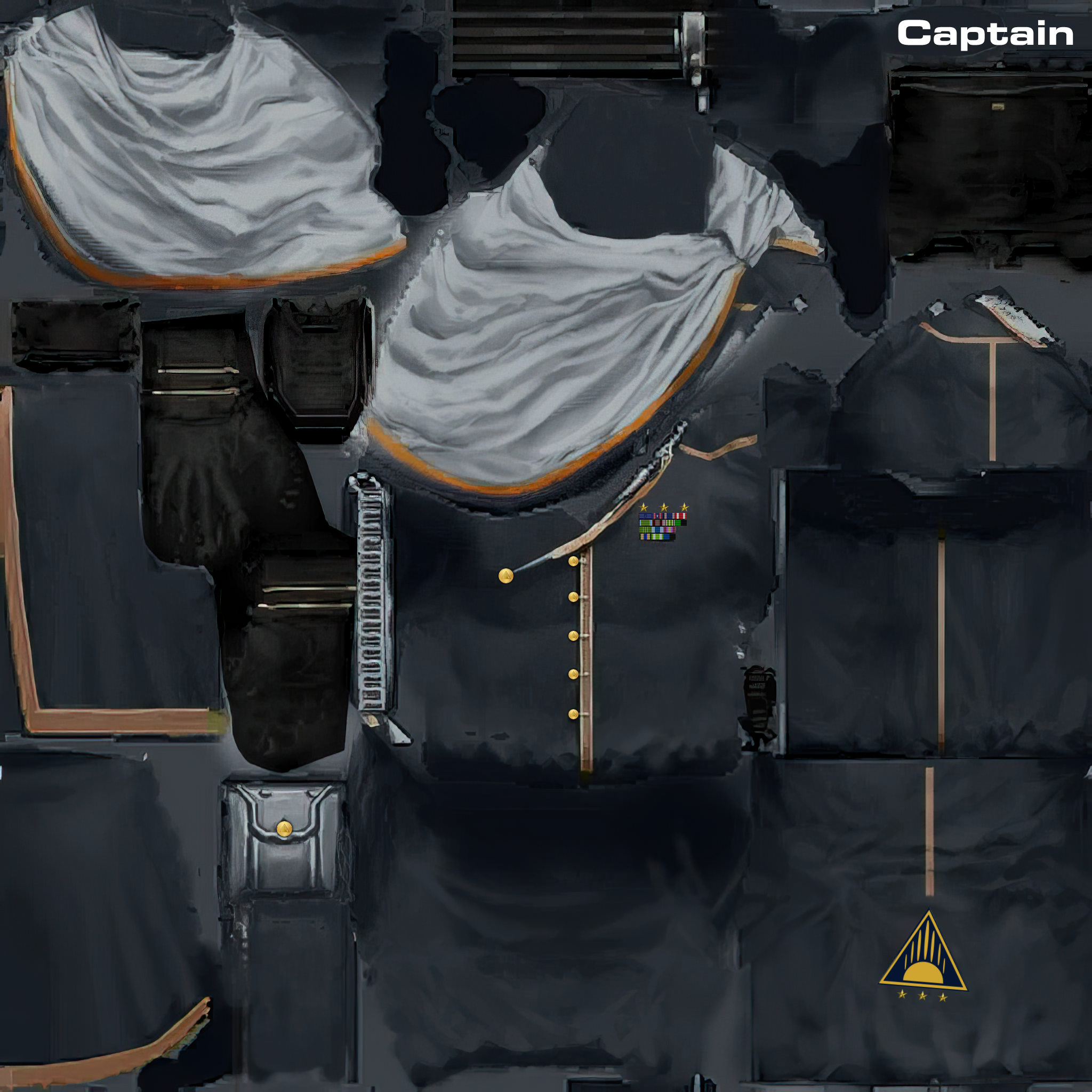
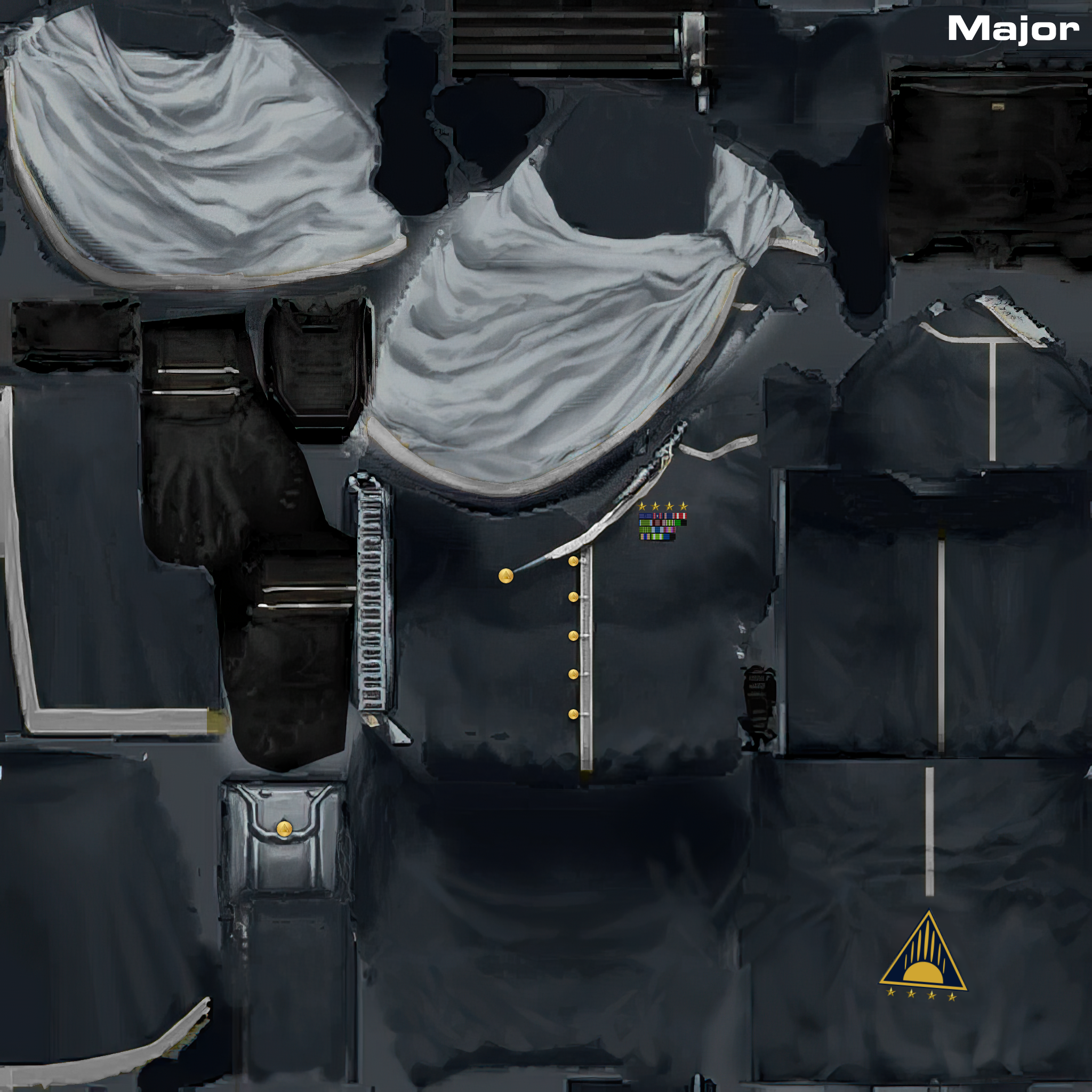
-
1
-
-
Re: Onderon Uniform Reformation
I'm not one for texturing clothing. It's not a strength of mine. However I do like doing detail work and I noticed something on the Onderon Officer's uniform texture which gave me a little inspiration. It's the logo in the red circle which I've attached.
That logo? That I think I could work on. So I remade the patch. And then I made two buttons (one in gold for officers and one in silver/pewter for the enlisted) for the leather container that looks like it's on the uniform belt. For the patch or the buttons, I don't require attribution so use them if they may be helpful.
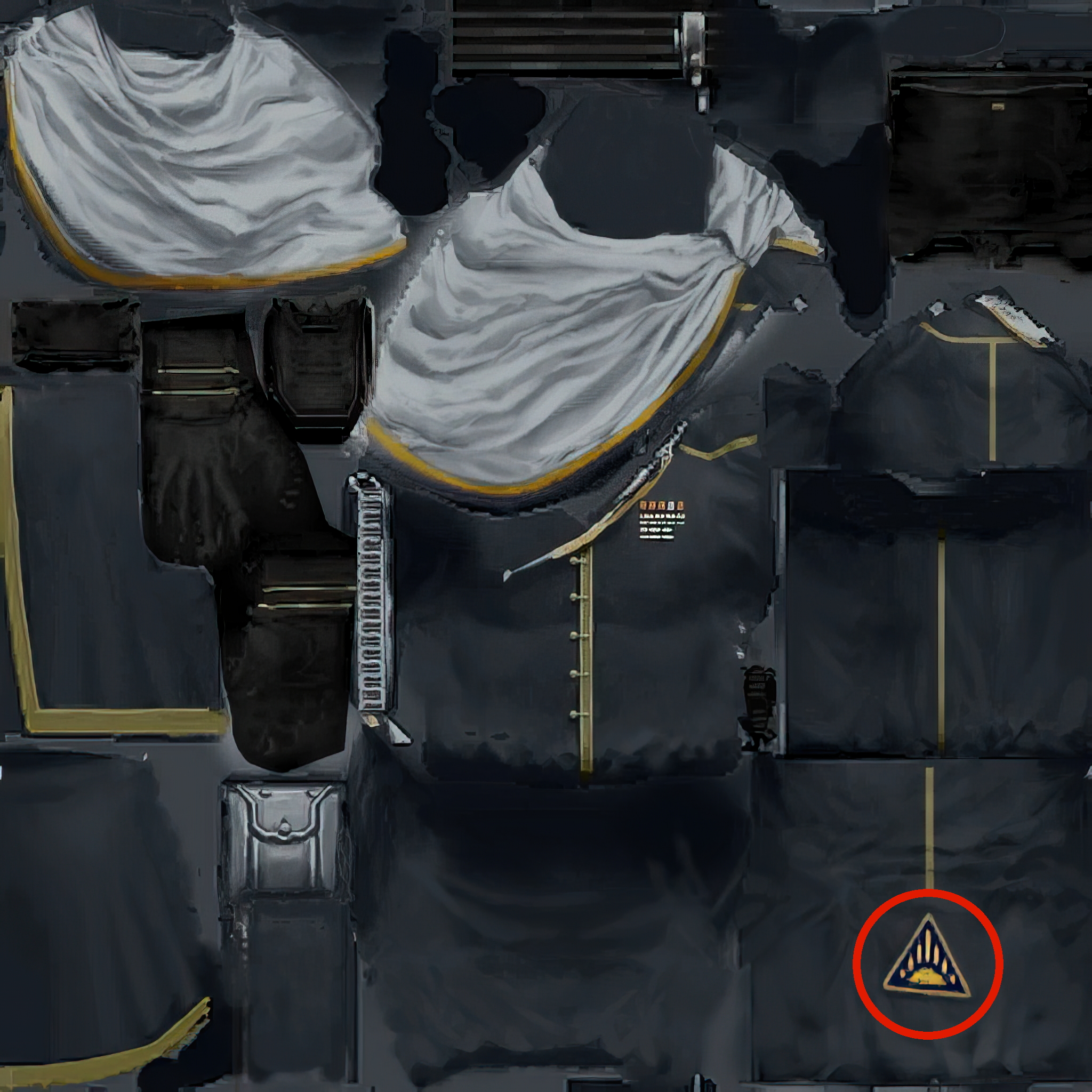

.png.5cbf0b75c15b7e874a560f8b27e3cc5c.png)
.png.1d5d41ce99f2c928103044ed53c7e6b5.png)
-
4
-
-
14 minutes ago, OMGitsJoemo123 said:Hello all! First time making a post here, I have a weird bug I was hoping someone could help me pinpoint down. I'm sure its some mod incompatibility but basically, no matter what planet, whenever I try to swoop race, I just get a black screen. I start the dialogue, say I want to race and instead of the loading screen and then the swoop race, it just goes to black screen. I can still hear the general ambience of the level and my cursor is still there but thats it.
No my mod build is pretty much the full Kotor 2 mod build, apart from some specific mods on there that I don't use. I also have a few mods not from that mod build, such as the new 4x upscale character models, the kotor 1 heads port, and the 4x upscale world texture mod thats pretty much it. I don't have anything that touches swoop racing so I'm not sure whats causing it. Can anyone help?
Some additional information may be helpful to those trying to assist you.
A - What version of the game do you have? (Steam, GOG, 4CD version, or the KotOR Collection?) What region is the game designed for if it's the 4 CD version?
B - What other mods have you installed? Please give an accurate and complete list and provide links to each of these mods - even if they are found on this site. (Even staff members don't actually know them all.)
C - Which mods from the KOTOR2 Mod Build did you not use? -
@Raven3166 Are you using the Steam version of KOTOR2? There's a bug in that version of the game regarding lightsaber hilts.
![[K1] Logan Starr - PC Replacement Soundset](https://deadlystream.com/downloads/screens/monthly_2025_06/Logan_Starr_Thumbnail_Txt.png.3eac7372abdd3ed15720293602e13b66.png)
Mod Build Request Thread - KOTOR 2
in Mod Requests
Posted
If you need a clearer example why Snigaroo needs a better voice actor to redo one line, you really ought to hear how bad the line actually is. It's a doozy. And yes, this is an actual vanilla sound file and not added by TSLRCM.
506si_sold1001.wav