

Leaderboard

Popular Content
Showing content with the highest reputation on 04/18/2026 in all areas
-
Version 1.0.0
125 downloads
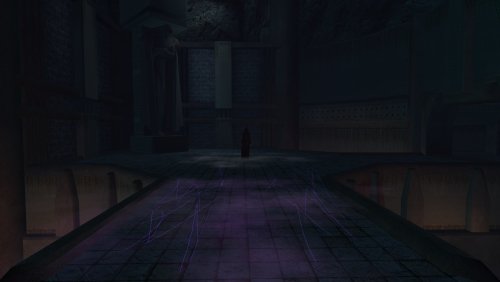
This was a mod requested by @Snigaroo a little while ago. As they finally sent me some screenshots, I thought I would upload it for those that want to apply this tiny change to their game. All the mod does is change the appearance of Darth Traya in the Tomb so that instead she has the appearance of Kreia. Installation : Use HoloPatcher Uninstallation : Use HoloPatcher or restore the backup created by HoloPatcher1 point -
Hi there, Letstrit. I've looked at the files and after some tinkering, fix is to rename the new custom UV name from "UVMap.001" to the default "UVMap". It seems that the Blender add-on expects for a UV to be named the default way "UVMap". It uses this specific one when exporting. And if no UV is named that way, it skips and the mesh disappears. Hope this helps1 point
-

Version 4.0
2,585 downloads
-------------------------------------------- Knights of the Old Republic -------------------------------------------- TITLE: Effixian's PMHC04 from K2 to K1 AUTHOR: Effix(ian) CONTACT: PM me on the forums or find me on Steam ----------------------- DESCRIPTION ----------------------- This mod adds PMHC04 (a.k.a. "Space Jesus") from KotOR 2. ------------------------- INSTALLATION ------------------------- Unzip. Run "TSLPatcher - Install Effixian's PMHC04 from K2 to K1.exe". ---------- BUGS ---------- There's a clipping issue with the eyelids/eyes at the very start of the game, when your character has its eyes closed/is sleeping. ------------------------- UNINSTALLING ------------------------- 1. Remove from the Override folder: - PMHCSJ.mdl - PMHCSJ.mdx - PMHCSJ.tga - PMHCSJA.tga - PMHCSJd.tga - PMHCSJd1.tga - PMHCSJd2.tga - PMHCSJd3.tga - PO_PMHCSJ.tga - PO_PMHCSJd.tga - PO_PMHCSJd1.tga - PO_PMHCSJd2.tga - PO_PMHCSJd3.tga 2. If you have never installed any mod with the TSL Patcher (and none after this mod) then you can remove appearance.2da, heads.2da and portraits.2da from the Override folder. Otherwise: If you haven't installed any mods after this mod you can get the following files from the mod's backup folder and put them back in your Override folder: appearance.2da heads.2da portraits.2da Doing this when you did add another mod could result in the later mod no longer working. ------------------------------------- DISTRIBUTION NOTES ------------------------------------- You can use the files from this mod in your own mod if you simply credit me. -------------------- THANKS TO -------------------- - Fred Tetra's KotOR Tool - bead-v's MDLEdit - JCarter426 & Kexikus for sharing their knowledge of converting things with MDLEdit ----------------- Donations ----------------- My mods are free. If you would like to show your support then you can buy me a coffee at ko-fi.com/effix ------------------- THIS MODIFICATION IS NOT MADE, DISTRIBUTED, OR SUPPORTED BY BIOWARE, OBSIDIAN, OR LUCASARTS ENTERTAINMENT COMPANY LLC. ELEMENTS TM & © LUCASARTS ENTERTAINMENT COMPANY LLC AND/OR ITS LICENSORS.0 points