Leaderboard


Popular Content
Showing content with the highest reputation on 12/05/2025 in all areas
-
1 point
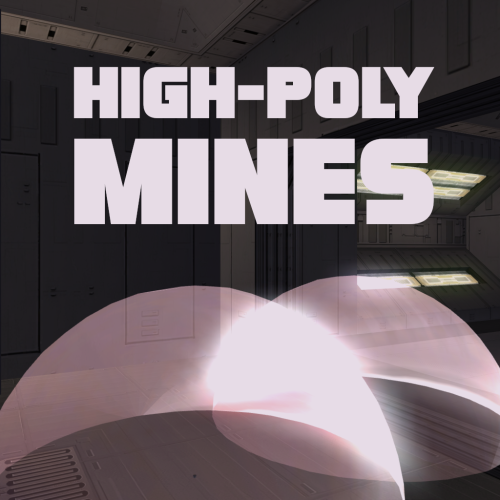
Version 1.0.0
57 downloads
Smoother mine effect edges. Nice and simple. Install: 1) Choose either Regular Version or For Mines Overhaul Version 2) Extract to override Regular version is for vanilla game Mines Overhaul [TSL] mod required for the Mines Overhaul version. Credit: offthegridmorty - Mines Overhaul [TSL] - models from this mod were used to make a compatible version -
1 pointHappy Birthday, SH! Here's to another year. 🍻
-
1 point
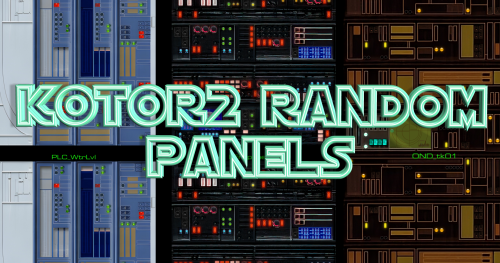 These look really good. A must have.
 -
1 pointI reckon 99% of texture mods are compatible with K1R (the first restored content mod for Kotor I) and the RC-K1CP mod (the second restored content mod that was made for the K1 Community Patch which is a massive bug fix mod for the game) so there shouldn't be any worries there Define "collection". There are large texture pack mods that covers thousands of textures including NPCs, UI, areas, weapons, icons, and such. The problem with large texture packs like this is what makes them so rare, so here are the problems: 1) File Size: A single super-mega texture pack that covers everything is going to either take up gigabytes or terabytes on your hard drive. I personally wouldn't want to download such a large mod and so I would avoid said mod in favor of smaller, individual texture mods. As a modder, I wouldn't want players to avoid my mod due to the file size and I certainly wouldn't want to have to wait hours zipping a 50 gigabyte texture mod so I'd opt to make my texture mods separate from one another. 2) Biases: We all wouldn't download a texture mod if we didn't like the design of said texture mod. Let's say if I were to make a single super-mega texture pack and every NPC looked like this and you didn't like this design then you aren't going to download and play my mod. This is another reason why modders don't usually compile all of their textures into one big mod because if my single super-mega texture pack contained A, B, C, X, Y, and Z and you didn't like C and Y then you aren't downloading the mod. What you'll usually see is modders uploading texture mods that cover a specific area and it becomes up to you, the player, to pick and choose what textures you want. Have I mentioned AI? As AI has become a widely available tool, you'll notice how some mods are now utilizing AI to make new textures from scratch whether it be using AI to upscale the low-res textures or feeding the textures into an AI to "reinterpret" them. Whatever you think of AI can also make or break a specific texture mod for you, and I assure you there are entire collections like what you're looking for that are made using AI. The modder Dark Hope is a popular texture artist who does exactly what you want. The only downside is that you have to go to her page and manually download her mods to get the full package. If you do download all of her mods and install them, however, you'll be given a seamless and consistent upgrade for much of the base game's graphics. This is the person who makes the ultra-HD ultra-realistic textures for NPCs, armors, and other textures, if you were to install them all than about 70% of the NPCs shall be in this consistent new design. Her work is still ongoing, and so she is still working on textures that'll be released in the future. Do note that her first language is Russian, that is why many of her mod names are weird as she's translating them directly from Russian. The Ultimate Character Overhaul is an AI upscaled texture pack that upscales all of the textures into a higher resolution. Unlike Dark Hope's mods, this mod maintains the Kotor aesthetic whilst improving the texture quality of the NPCs giving them a fresh/crisp look. Vurt's KotOR Visual Resurgence is probably as close as you're going to get to one big single super-mega texture pack mod that is one download and one install, however, all of the problems I listed above apply. It's a 2 gigabyte download and it'll be even bigger when you extract it and it's made by using AI to reinterpret the textures. If you are fine with both of those, this can be the mod for you. But as I said, players usually download smaller mods and use them side by side. You can download Vurt's KotOR Visual Resurgence, install it, and then replace his textures with textures from smaller mods so that, in the end, you are using 20% of Vurt's mods whilst the remaining 80% is made up of a variety of different mods. Personally, I like to install Dak's Endar Spire Retexture and then pick out and add ONLY the animated textures from the ENDAR SPIRE Complete Overhaul on top of it. Though the idea of mixing texture mods is a bit risky, especially for a noobie, so I wouldn't recommend it. The point being is that no two players are going to agree on what is good, what is bad, what is right, and what is wrong, and sometimes the big single super-mega texture pack mod isn't the answer if you disagree with the design the author was going for. You should check out the the Mod Builds that is maintained by one of our Admins. The mods on this list for both games are highly tested and are compatible with one another, this can serve as a sort of catalogue as to what mods exist without going through Deadlystream's and NexusMod's entire library of mods.
-
1 point
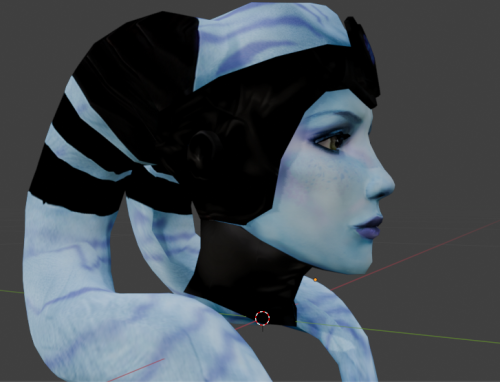 It's a matter of taste, but + 20 years.
 -
1 point
Version 1.0.0
783 downloads
Changes the Jedi Master/Sith Lord unique feats to also increase influence changes. SUMMARY: The unique feats Light Side Enlightenment and Dark Side Corruption granted to Jedi Masters and Sith Lords cause your influence to have a greater effect on party members' alignment. Unfortunately, party members don't get stat bonuses from LS or DS mastery, making these feats have little practical use. This is one of the factors that make JM/SL cool for role-playing but without much extra to offer in functionality. This mod aims to make the feats a little more useful by having them also amplify changes to companion influence. Now, Jedi Masters and Sith Lords will gain 50% more influence with party members. However, influence lost will also be increased by 50%. Low influence is the same as high influence in terms of unlocking dialogue so I don't want to bias one strategy over the other. Still you will be able to gain or lose influence faster. For example, with these feats, 3 influence gains and 1 loss will net the equivalent to 3 regular gains. INSTALLATION: Copy the contents of "to override" to your game's override folder. UNINSTALLATION: Remove the following files from override: - a_influence_dec.ncs - a_influence_inc.ncs COMPATIBILITY: Not compatible with Modified Influence System by Hassat Hunter. CREDITS: offthegridmorty KOTOR Tool - Fred Tetra TSLPatcher, TalkEd - stoffe, Fair Strides Holocron Toolset - Cortisol -
0 pointsHello there fellow modders! Inspired by Thor modding tutorial series (extremely useful ressource!), I decided to help people out there but with a more visual approach to the process. Here is my youtube playlist with my current tutorials currently covering Holocron Toolset and basic module edition, Basics about Blender/KotorBlender and texture editing : Youtube Tutorials Playlist . My next tutorial will be about converting models from K2 to K1, or the opposite operation, using MdlEdit. Know that I'll be streaming next week as well on my youtube channel (either on Friday or Saturday night) and it will basically be for people to ask whatever they'd like me to cover regarding modding. I hope i can help some people out sharing my modding knowledge Cheers!