
Jump to content

5 Screenshots

About This File

STAR WARS: KNIGHTS OF THE OLD REPUBLIC
TATOOINE - THE LOST TEMPLE

A restoration and expansion project for Star Wars: Knights of the Old Republic.

“While searching Tatooine for clues to the Star Map, the player can venture beyond the familiar path to uncover a long-forgotten temple buried beneath the Dune Sea.”


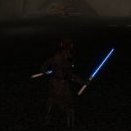
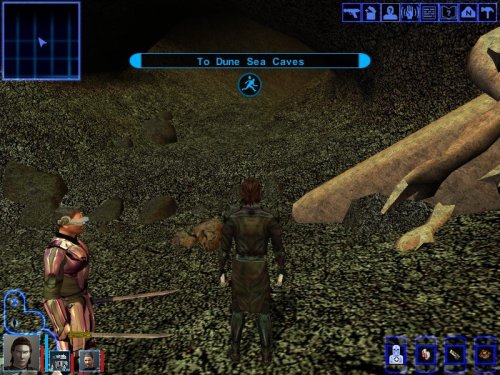
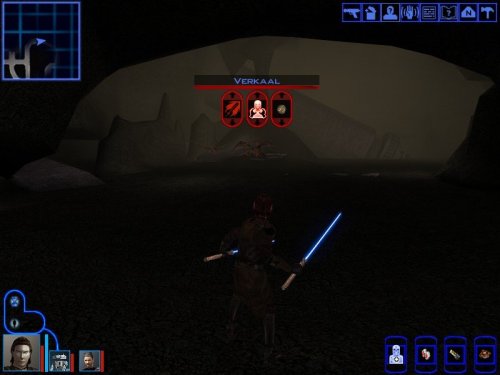
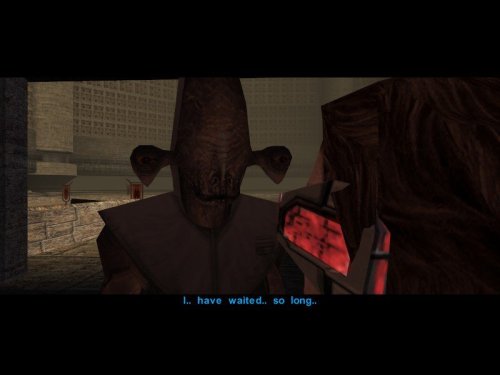
This mod restores and expands the Tatooine Eastern Dune Sea ruins, adding new quests, characters, items, dialogue, and enemies.

Features:
- Restores m19aa module.

-New quest.

-New datapads and journal entries.

- New Enemies, NPCs and dialogue.

-New items. 

This mod requires HoloPatcher or TSLPatcher to install correctly.
Run HoloPatcher.exe and select the provided changes.ini file. Allow the installer to place all files into your Knights of the Old Republic installation directory.


Known Issues

  • This mod modifies appearance.2da, globalcat.2da, and global.jrl; compatibility with other mods editing these files depends on proper patching and install order.

  • Due to an unpolished walkmesh in the restored area, party members may occasionally become stuck in walls, terrain, or beneath the map. In most cases, this can be resolved by repositioning the character and moving in different directions until they break free.

  • Some stalagmites and cave geometry appear to float above the terrain. This is a limitation of the original area models and would require edits to the 3D geometry to fully correct.

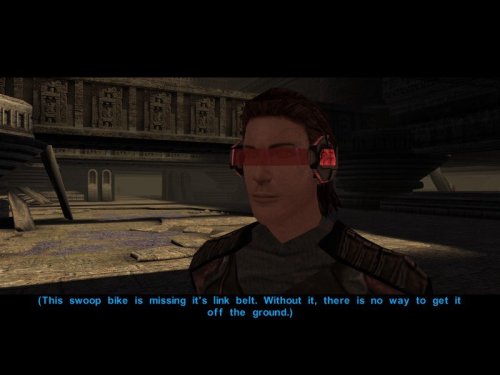
  • During the swoop bike repair sequence, the Sandperson and swoop bike disappear after the screen fades back in rather than during the fade to black as originally intended. This is a cosmetic issue only and does not affect gameplay or quest progression.

Tools used:
- HoloPatcher
- ChangeEdit / TSLPatcherConfig
- Holocron Toolset
- DLG Editor
- K-GFF Editor
- GIMP
-"Lost Modules Pack" by InSidious 


Special thanks to the Knights of the Old Republic modding community for providing a rich library of modding tutorials and resources, and keeping the game alive through years of restoration and expansion projects.

Created by Caleb Behrens (JuniorModder)
2026 


What's New in Version 1.0.0   See changelog

Released

No changelog available for this version.

  • Influence Gained 1
  • Light Side Points 1

User Feedback

Recommended Comments

JasonRyder

Posted

I never thought this would ever be restored! Congratulations on the release. Is this compatible with K1CP, RCK1CP, and Sleheyron Story Mode? 

  • Like 1
Vriff

Posted

Cool! This seems out of nowhere! Have you tested with the community K1 build by chance? I wanna try this out but need to know if I should zero my install first.

Thanks!

  • Like 1
JuniorModder

Posted

This version is the first version of the mod, built only on the vanilla KotOR base game. I did use TSLPatcher to hopefully make combatibility less of a headache right out of the gate, but my plans for v1.2 are to make it explicitly compatible with K1R and the K1 Community Patch. However I will look into the K1 community build and see if that would be a better thing to focus on.

Assuming that the Patcher works as intended and amends the existing 2DA and JRL files, then the only thing that would break compatibility would be any mod that modifies the tat_m18ac (Eastern Dune Sea / Krayt Dragon Cave) module, or any mods creating new items that use the file names ii_belt_011.tga and iw_crhide_005.tga.

I have some ideas for other small additions to include as well, and will be recording a full walktrhough for YouTube soon, so stay posted for updates in the following months!

I am so excited for everyone to see this module restored into the main game! I have wanted to make this mod for many years, and finally got to a place over the past few months where I could devote enough time and attention to make it as complete and fleshed out as I could. I wanted to maintain player immersion and lore continuity as much as possible, and will continue with that philosophy for any future projects!

-JM

Samriel

Posted

Is it not possible to put all those files in one package instead of having to download them all separately?

  • Thanks 1
JuniorModder

Posted

@Samriel thanks for pointing this out to me. I thought I uploaded the zip file, I will take a look at it.

SAO1138

Posted

A surprise new content KOTOR mod?!? This is like waking up Christmas morning to a tree full of presents!


Absolutely going to try out this mod ASAP! 
 

And congrats on restoring the Tatooine Temple module! I myself have tried doing that but just could never quite finish up the project. I’m thrilled to see someone has done it at last!

  • Thanks 1
vault13deathclaw

Posted

As someone who recently messed around with this module I have some questions about how you went about doing it, wanting to see if there is anything I could do to improve my mod:

Did you add a skybox or did you just fog it up? I honestly think that the fog workaround makes more sense considering it's a buried ruin.

How did you handle the invisible floors like the one in the room leading to the big circular room? I know when I implemented this module for my KOTOR 2 mod, I just copied a similar floor and made it fit. I'm not sure if there was a better way to handle that though.

Did you redo the walk meshes, or is the pillar room still really iffy? How I worked around it was placeables here and there to guide players away from problematic areas.

  • Thanks 1
JuniorModder

Posted

@vault13deathclaw I did increase the fog a bit, I didn't find the blank skybox too distracting in most areas, however I did add a texture for the cave entrance to make it feel more connected to the Krayt Dragon cave.

As for the walkmesh it is still a bit glitchy, I don't currently have the knowledge and skillset to try and repair it, the room with the large fallen pillar in the cave is I think the most broken room in the module, along with the actual pit chamber, both of which being the main areas where the player can easily fall through the floor and get stuck. 

But even with those issues I am still able to play through the whole mod and get through every room without it being a game breaking issue. 

But after a short break from the project I am going to start reaching out to other modders and see if anyone else would be interested in trying to patch up the walkmesh and fix some of the cave geometry.

SAO1138

Posted

6 minutes ago, JuniorModder said:

@vault13deathclaw I did increase the fog a bit, I didn't find the blank skybox too distracting in most areas, however I did add a texture for the cave entrance to make it feel more connected to the Krayt Dragon cave.

As for the walkmesh it is still a bit glitchy, I don't currently have the knowledge and skillset to try and repair it, the room with the large fallen pillar in the cave is I think the most broken room in the module, along with the actual pit chamber, both of which being the main areas where the player can easily fall through the floor and get stuck. 

But even with those issues I am still able to play through the whole mod and get through every room without it being a game breaking issue. 

But after a short break from the project I am going to start reaching out to other modders and see if anyone else would be interested in trying to patch up the walkmesh and fix some of the cave geometry.

I'm another modder. 


Once I try out this mod (looking forward to it!) I'll then see if I can fix up your walkmeshes a bit. Message me on Discord (sao1138 is my username there) and we can collaborate.

Join the conversation

You can post now and register later. If you have an account, sign in now to post with your account.

Guest
Add a comment...

×   Pasted as rich text.   Paste as plain text instead

  Only 75 emoji are allowed.

×   Your link has been automatically embedded.   Display as a link instead

×   Your previous content has been restored.   Clear editor

×   You cannot paste images directly. Upload or insert images from URL.

×
×
  • Create New...

Important Information

By using this site, you agree to our Guidelines.
