Jump to content

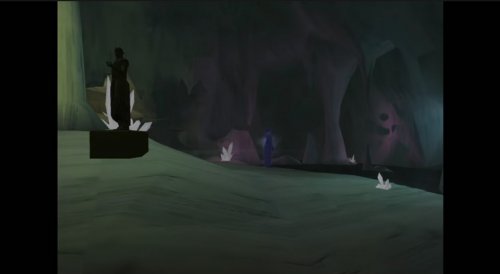
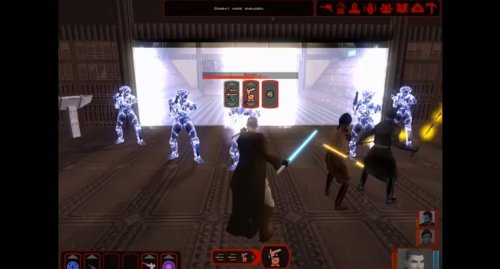
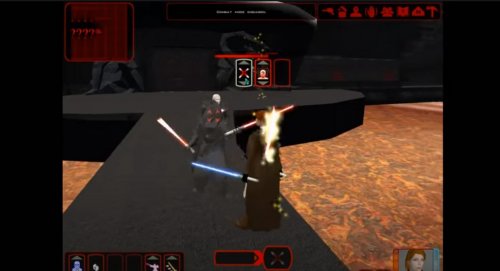
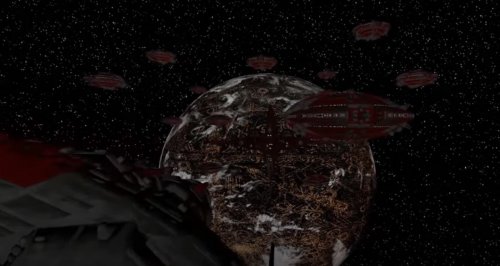
5 Screenshots

About This File

The Jedi Masters is a story conversion mod for Kotor2, a fan made Kotor3 with it's own storyline spanning up to 14 hours.

For installation instructions, visit http://www.the-jedi-masters.com/download.html

Trailer


  • Like 7

User Feedback

Recommended Comments

Domino5555

Posted

I played this mod many years ago as an adolescent, and I was wondering if this upload is an updated version of the mod or just a reupload.

Trex

Posted

Depends which version you played.

If it was the one where some of the dialog wasn't voiced, then yes, this one adds a lot.

  • Like 1
Domino5555

Posted

On 4/24/2020 at 3:09 PM, Trex said:

Depends which version you played.

If it was the one where some of the dialog wasn't voiced, then yes, this one adds a lot.

I played 2.0. I enjoyed it, but there were a lot of bugs.

Squall Lionhart

Posted

Trex I'm actually curious, is the 2.1 just a typo, or is there updated content or patchwork? 

Sith Holocron

Posted

On 5/11/2020 at 11:17 AM, LadySith84 said:

Too bad its can`t work with TSLRCM.

What would TSLRCM have to do with this mod?  TJM is a total conversion mod and completely replaces the story with Trex's new one...

@Trex, have you ever considered updating the mod with widescreen movies to better take advantage of modern PC abilities (and modern monitors)?

Also, might I suggest adding the credits to the "About this File" section above?

Hikifroggy

Posted

1 hour ago, Sith Holocron said:

What would TSLRCM have to do with this mod?  TJM is a total conversion mod and completely replaces the story with Trex's new one...

@Trex, have you ever considered updating the mod with widescreen movies to better take advantage of modern PC abilities (and modern monitors)?

Also, might I suggest adding the credits to the "About this File" section above?

Still Needs Bug Fixes it was a fun Mod game but Way to Many Bugs in it to be enjoyable.

Made Bug page on the mod wiki years ago 

Mr Ardvark

Posted

This mod is goofy as hell, i'd never have thought I would have seen 2 different sex scenes in a kotor game. My only complaints are having to look at the red ui and the robot voices for the jedi ghost and freedom nadd that have an awful reverb effect. Other than that I really enjoyed it more than i expected to. :thumbup:

Forceuserman77

Posted (edited)

03.08.2020 в 21:51 г-н Ардварк сказал:

Этот мод чертовски тупой, я бы никогда не подумал, что увижу 2 разные сексуальные сцены в которой игре. Мои единственные жалобы на интерфейс и голоса роботов - это призрак джедая и свобода, которые имеют ужасный эффект реверберации. В остальном мне понравилось больше, чем я ожидал. : палец вверх:

I have a question for you ... have you played this mod? If so, tell me how to get Atton back into the Jedi ranks? I really need the plot ... there is a list of Jedi, but there is no dialogue about the Jedi with Atton ... The mod works, but how can I return Etton to the Jedi? All the Jedi are there, but he is not enough, otherwise he only has Pazzak and that's it ... no more ...

Edited by Forceuserman77
The_Chaser_One

Posted (edited)

You really should update your installation method and instructions coz installing this mod is annoying to figure out for me so I cant even imagine for non modders.

Edit : I'm hardstuck in Nadd's tomb after choosing to be a Jedi. Can't leave the place even when reloading or even in compatibility mode. I checked the dialogue/scripts and everything seemed fine though 😕 Anyway pretty sad, impressive mod whatsoever.

Edited by The_Chaser_One
ItalianHun

Posted

On 6/10/2026 at 12:06 PM, The_Chaser_One said:

You really should update your installation method and instructions coz installing this mod is annoying to figure out for me so I cant even imagine for non modders.

Edit : I'm hardstuck in Nadd's tomb after choosing to be a Jedi. Can't leave the place even when reloading or even in compatibility mode. I checked the dialogue/scripts and everything seemed fine though 😕 Anyway pretty sad, impressive mod whatsoever.

Did you end up getting this working? I've been having a ton of trouble getting the mod going both on the Aspyr patch and on the legacy beta. Help would  be greatly appreciated

The_Chaser_One

Posted (edited)

2 hours ago, ItalianHun said:

Did you end up getting this working? I've been having a ton of trouble getting the mod going both on the Aspyr patch and on the legacy beta. Help would  be greatly appreciated

Are you talking about Nadd's tomb ? Or installing the mod ? If it's the latter yeah no problem, I can help you if needed. Here are some detailed installation instructions :

0) Make sure you have a clean install of KotOR 2 without any mods, as this completely replaces the game with a "new one".

1) Download parts 1 and 2 of the mod then unzip both files.

2) Open part 1, go in Override, press CTRL + A then CTRL + C to copy everything, then go to your game's Override folder (probably this if you're on Steam : C:\Program Files (x86)\Steam\steamapps\common\Knights of the Old Republic II\Override ) and paste everything here.

3) Open part 2 and do the same steps for the 3 folders "Modules", "Movies" and "StreamVoice" (copy paste every file that's in these folders in your game's respective folders (Modules, Movies, StreamVoice). You can skip "launcher").


The Legacy install worked better for me as for the Aspyr version the voice lines of the dialogues wouldn't work.

If you're talking about Nadd's tomb... I gave up lol. I myself am a modder and mostly wanted to try this mod for reference points on several fields (story, fights, dialogues and lip syncing, etc.) for my own K1 post-game expansion so after trying for 10 minutes to see what was wrong I let it go.

Edited by The_Chaser_One
ItalianHun

Posted (edited)

2 hours ago, The_Chaser_One said:

Are you talking about Nadd's tomb ? Or installing the mod ? If it's the latter yeah no problem, I can help you if needed. Here are some detailed installation instructions :

0) Make sure you have a clean install of KotOR 2 without any mods, as this completely replaces the game with a "new one".

1) Download parts 1 and 2 of the mod then unzip both files.

2) Open part 1, go in Override, press CTRL + A then CTRL + C to copy everything, then go to your game's Override folder (probably this if you're on Steam : C:\Program Files (x86)\Steam\steamapps\common\Knights of the Old Republic II\Override ) and paste everything here.

3) Open part 2 and do the same steps for the 3 folders "Modules", "Movies" and "StreamVoice" (copy paste every file that's in these folders in your game's respective folders (Modules, Movies, StreamVoice). You can skip "launcher").


The Legacy install worked better for me as for the Aspyr version the voice lines of the dialogues wouldn't work.

If you're talking about Nadd's tomb... I gave up lol. I myself am a modder and mostly wanted to try this mod for reference points on several fields (story, fights, dialogues and lip syncing, etc.) for my own K1 post-game expansion so after trying for 10 minutes to see what was wrong I let it go.

I hate to say this but I just got past Freedom Nadd's tomb, did you ever try just... walking through the door? Like I know that sounds bad but I mean literally running into the door? It stayed closed for me but it had no collision and I loaded into Dxun fine.


Thank you for the installation guide, it didn't solve my own problem but I'll leave what worked for me (so far) here for any future users.

I installed TJM manually onto the Aspyr patch version on Steam, along with the wonderful 3C-FD Patcher by J. The mod launches and runs fine on the modern version to my knowledge but to fix the dialogue you gotta play around with it; imo it's worth it for the qol that the Aspyr patch + 3D-FD patch provide. Go into the TJM part 2 installation ZIP, >StreamVoice>GBL. You'll see a bunch of folders with .wav files inside; you need to convert all of them to .mp3. There's about 3000 of them and it took me about 15-25 minutes of work with Audacity. Once you do that, use JCarter's SithCodec to encode the .mp3s into the VO format, then put the encoded files back into their GBL folders. Keep all the folders under GBL in order (IE, keep all the "bast.mp3/wav" files in the bast file) and then in your Kotor 2 directory, pop the new Streamvoice folder into your Kotor 2 directory, overwrite the old files, and it should work a-okay.


Hope this helps someone in the future.

Edited by ItalianHun

Join the conversation

You can post now and register later. If you have an account, sign in now to post with your account.

Guest
Add a comment...

×   Pasted as rich text.   Paste as plain text instead

  Only 75 emoji are allowed.

×   Your link has been automatically embedded.   Display as a link instead

×   Your previous content has been restored.   Clear editor

×   You cannot paste images directly. Upload or insert images from URL.

×
×
  • Create New...

Important Information

By using this site, you agree to our Guidelines.
