

Leaderboard


Popular Content
Showing content with the highest reputation on 12/30/2025 in all areas
-
Version 1.1
481 downloads
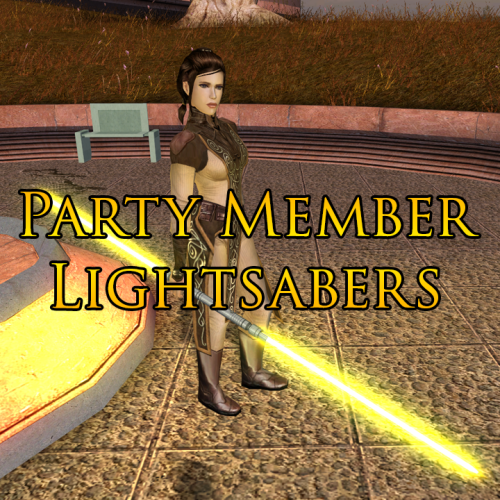
This mod adds unique lightsabers to the game for each of the Jedi party members. Bastila, Jolee and Juhani each get a new lightsaber which they will have when joining your party and will also use in any cutscenes in which their weapons are pre-determined. Massive thanks to Plasma, who originally created these hilt models for Jedi Academy and permitted me to release my ported versions for the KotOR community to enjoy too. Thanks to Crazy34 for making his lightsaber blades with ambient lighting available as a modders resource for the rest of the community to incorporate into their mods. Thanks to DarthParametric for allowing the use of his modified version of the k_ptar_lootbreji script to allow the player to keep the benefits from the Community Patch’s version of this script in addition to having the benefit from my own alteration which grants Bastila’s new lightsaber to the player.2 points -
Yes, a functionality like that can be made. Being able to buy/be rewarded with music disks which you can play at the Cantina or other locations would be something that can be implemented. Of course, this would only really be considered once said music tracks are available - but other than that a Jedi Survivor style Juke Box system can definitely work!1 point
-
Would having a music collection system similar to Jedi Survivor be considered for ROR? Like by default you'd have the cantina music available to play, but completing a side quest or looting something would reward you with a new music track that can only be played in a cantina after its collected.1 point
-

Version 0.1.0
245 downloads
This is a simple Python utility that lets you create new lightsaber textures for KotOR and TSL. Note that (especially in KotOR) creating a new lightsaber colour requires more steps than this - a future project will make this a one-click process for users, but for now I'm releasing this as a standalone tool for mod developers. Installation You should have Python 3 installed. There are no other dependencies. Just download and unzip the zip archive from this page, and you should be good to go! I'll be releasing a Windows .exe version at some point. If you're not comfortable using the Python script, either wait for that or ask me (or one of the many helpful people on DeadlyStream) to make your lightsaber textures for you. Usage Run the script editor.py using Python, with a command like "python editor.py". This will open up the editor. You can choose the glow and core colours for the saber texture, and then save it using one of the bottom two buttons. The texture will then be saved in the current directory. Bugs There might be some bugs, but it's a pretty simple script and it seems to work fine. FAQ The lightsaber looks dark in-game! For a bright lightsaber, you should select a colour with both Saturation and Brightness parameters set to 100% (in the second tab in the colour picker). Then you can use the Hue slider to choose a colour. Can I use this for my mod? Sure, feel free to use the textures for your own mods! I'd appreciate it if you credit this tool for helping create the lightsaber textures. Can I redistribute this program in its entirety (with or without attribution)? Please don't redistribute this program elsewhere on the internet. I will keep it here, so you can point people to it. How do I take this texture and put it straight in the game (not as part of a mod)? I'm working (along with others on DeadlyStream) to make an "end-user version" of this tool, as part of a larger modding project. Stay tuned! The lightsaber core looks weird! You should probably leave the "Core" colour to its default value (pure white) to get lightsabers that look like the ones from the base game. But if you want to experiment, the option to change the core colour is there!1 point -

Version 1.1
1,117 downloads
A Mod for Star Wars Knights of The Old Republic Author: N-DReW25 Release Date: 8.10.2016 1.1 Release Date: 24.04.2017 Installation: Simply Copy and Paste or Drag and Drop ALL the files within the "For Override" into your Star Wars Knights of The Old Republic override folder Uninstallation: Remove or Delete the files from your Star Wars Knights of The Old Republic override folder Description: In May 2016 I created a mod called Dark Jedi Icon Fix that turns the Dark Jedi Knight and Master robes into there correct icon though recently I figured out a way to make the Dark Jedi Robes match their original icons so what this does is change the Dark Jedi Knight and Master robe texture to look like there original icons. In 1.1 I have included the female robe texture Known Bugs: Though this is my First Retexture Mod this mod shouldn't have bugs but if there is Just PM me on Deadlystream. Incompatibilities: Will be incompatible with anything that changes the Dark Jedi Robe and Dark Jedi Knight robe texture this includes any robe reskin mod. Upcoming: The Female version of the robe Possibly make the rest of the robes like the Dark Jedi robe Permissions: You may NOT claim this mod as your own. Thanks: Bioware for such an amazing game, Fred Tetra for Kotor Tool, Gimp and everyone who downloads the mod. Legal: THIS MODIFICATION IS NOT SUPPORTED BY BIOWARE/OBSIDIAN ENTERTAINMENT, LUCASARTS, DISNEY OR ANY LICENSERS/SPONSORS OF THE MENTIONED COMPANIES. USE OF THIS FILE IS AT YOUR OWN RISK AND THE ABOVE MENTIONED COMPANIES OR THE AUTHOR IS NOT RESPONSIBLE FOR ANY DAMAGE CAUSED TO YOUR COMPUTER FOR THE USAGE OF THIS FILE.1 point