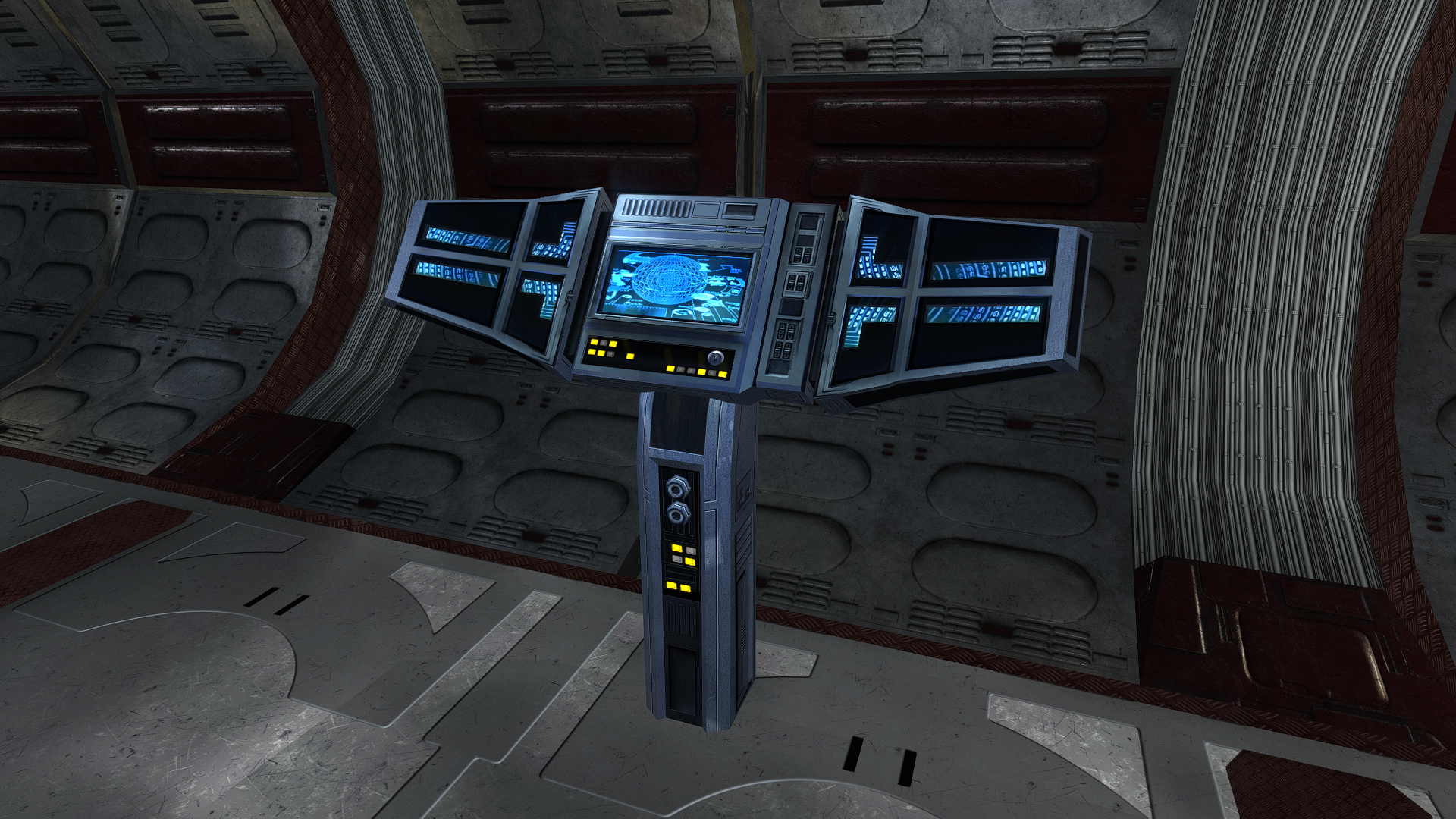
4 Screenshots

About This File

Animated terminal texture. When creating, I was guided by the terminal interface. Texture resolution 3072x3072. The resolution in the game is 1024x1024.

To Install

1. Download

2. Copy all files to the Knights of the Old republic's Override folder.

(Example location - C:\Program Files (x86)\Steam\steamapps\common\swkotor\Override)

3. When/if prompted to overwrite files, press okay.

4. If you like the mod; leave a comment or endorse! (It would be much appreciated) Made with love.


What's New in Version 1.0.0   See changelog

Released

Added an archive with new textures with elements from the Vurt's KotOR Visual Resurgence mod. - PLC_CompPnl(Vurt's KotOR Visual Resurgence) 2026.rar
image.png.fc3c38124a11f9f1200f520b49f0aa0b.png

Spoiler

1848381432_swkotor2026-01-2701-35-18.png.6c7a8281d38242b183a93f9d8da31216.png


  • Like 3


User Feedback

Recommended Comments

That looks incredible, though I personally don't like what is displayed on the screen ( even if it still looks amazing ) because these terminals appear all over the place and I feel should have a more generic screen being displayed as they do originally.

Other than that though it looks fantastic and I am just nit picking to be honest.

  • Like 1

Share this comment


Link to comment
Share on other sites
22 minutes ago, heavymetalastronomer said:

Which folder does this go into? the override folder or main game directory?

The Override folder.

  • Like 1

Share this comment


Link to comment
Share on other sites

Join the conversation

You can post now and register later. If you have an account, sign in now to post with your account.

Guest
Add a comment...

×   Pasted as rich text.   Paste as plain text instead

  Only 75 emoji are allowed.

×   Your link has been automatically embedded.   Display as a link instead

×   Your previous content has been restored.   Clear editor

×   You cannot paste images directly. Upload or insert images from URL.