


JCarter426
-
Posts
1,599 -
Joined
-
Last visited
-
Days Won
140
Content Type
Profiles
Forums
Blogs
Forum & Tracker Requests
Downloads
Gallery
Store
Events
Posts posted by JCarter426
-
-
It isn't that the blade becomes transparent, but rather that the hilt is always rendered on top of the blade. This is a quirk of the game's rendering code, and it's affected by the the hierarchy of the model as well as the order in which objects are created in the game world.
A similar issue is actually observable with the original models. The blade of one lightsaber will always render on top of or below the hilt of another, regardless of whether it should be in front of or behind it. This is most easily noticed if you equip two lightsabers to a character. Which way it goes will also change depending on the order in which the lightsabers are equipped.
Unfortunately, the way the game renders can't be changed without changing the game's executable. However, you could try splitting the hilt into a separate model as in @J's Glitched Lightsaber Hilt Fix. I believe it fixes the other issue I described, so it might also fix your issue.
-
Appearances with model type B (like Disciple and Atton) read textures by combining the value in the appropriate tex- column with a numerical suffix from the item variation.
Appearances with model type F (like Handmaiden's clothing appearance and Kreia) only ever read textures from the model file.
Model type B is intended for appearances with a separate head model, while model type F is intended for full body models where everything is on the same model. You can take a full body model and change the model type to B and still have a full body model but now with texture variations. This is how mods like Kreia's Assorted Robes work. However, Handmaiden's setup is weird because her regular appearance has model type B and when she's wearing clothing it uses a different appearance. So there might be some complications.
Note that you'll also likely need to rename the textures to follow the naming scheme for type B when changing an appearance from F to B. There are also other model types, but they come with changes which I don't think would be desirable here.
-
Power blast is the one that's non-square so that would track.
-
Very interesting, nice work.
I suspect the problem you are running into for mods like my Blaster Visual Effects is due to the textures not being square, and that may be the case for other mods on the list. I don't know why that would be the case, though—whether it is an issue with Switch or something went wrong when converting to TPC.
I was planning to update this mod sometime soon anyway so maybe we can resolve the issue with the new version.
-
 1
1
-
-
If you're referring to the model variation, there are 255 model variations available for each item class. It's possible to add new item types with a different one but otherwise the same properties in most cases if you really need to.
I note which ones I use in my readme files and hope there isn't a conflict.
-
1
-
 1
1
-
-
I've fixed several issues in the past weeks. One was a preexisting issue, while the others were introduced in v2.0.0. This was mostly down to me not having save files with Class-Based Properties and therefore not testing those as thoroughly as I ought to. If you installed one of the Class-Based Properties options before v2.0.5, follow these steps to fix any issues:
1. Install the latest version. You don't need to uninstall the previous version.
- Make sure to install the same option you installed before.
- If you are using another mod which edits the workbench dialogue (and is compatible with this mod) restore workbnch.dlg from the backup created.
If you haven't started the game yet or haven't acquired the quest crystal yet, you should be good to go. If you have, continue with the remaining steps to fix your save file.
2. Make sure you have a save file with the crystal item in your inventory (i.e. not in a lightsaber).
3. Download the KOTOR Savegame Editor (KSE) if you don't already have it.
4. Count how many levels of each class you have to determine what your crystal's class number should be using the table below. Whichever one you have the most levels in wins.
0 Jedi Guardian/Jedi Weapon Master/Sith Marauder 1 Jedi Sentinel/Jedi Watchman/Sith Assassin 2 Jedi Consular/Jedi Master/Sith Lord 5. Use KSE to replace your crystal item. Find which item you currently have; quest crystals start with qcrystal. The items with two numbers are the crystals with standard properties. The crystals with class-baseed properties have a third number for the class. Remove the existing item, then add the correct item.
- For example, if you have currently have qcrystal_2_3 and have majority Jedi Sentinel/Jedi Watchman/Sith Assasssin levels, you should actually have qcrystal_2_3_1.
6. Use KSE to correct the global number 000_Quest_Crystal. This can be fund under Globals > Numerics. The number should have the same digits as the numbers in your crystal item, but in reverse.
- For example, if your crystal item is qcrystal_2_3_1, your global number should be 132.
- Don't include a leading 0. For example, if your crystal item is qcrystal_3_4_0, your global number should be 43.
If you are still having trouble, you can reach out to me in the #tech_support channel of the KOTOR Discord.
-
It's checked in 904kreia.dlg but never set anywhere in both the original game and TSLRCM as far as I can tell—not present in any other DLG or NCS file.
Easiest way to enable it would be to add a call of the script a_global_set on a dialogue somewhere, probably in her dialogue after the Atris fight. I don't know what preconditions make sense, though. It may have been related to other cut content which doesn't exist in the game files.

-
4 hours ago, RedPhoenix1991 said:
It's been five years since this was posted? Just what would it take to make this sort of Mod?
Girl, it took 15 years for you to get a second season.
-
 1
1
-
-
- I would recommend three separate downloads given the size.
- I'd probably go with 128. Icons tend to look worse when scaled up too much, but on a 1080p screen the equipment icons are about 96 pixels.
-
1
-
Are you loading a save from before Sherruk was spawned? If not, that is probably your issue. The game only reads from the template file when an object is created. Once an object exists in the game world, data about it is read from your save file.
I would also not recommend editing NPCs with KOTOR Tool. It has a few bugs, one of which which causes all of an NPC's equipment to drop even if it was originally not dropable.
-
There is no script function which does anything like this to my knowledge. Whatever game mechanic change might be achievable with the KotOR Patch Manager. Some existing issues cover exposing more things to the scripting language and making hard-coded mechanics more data-driven.
-
The _recom value is a priority, not a level number. So if you set it to 11, there are 10 other feats the system will recommend first.
-
 1
1
-
-
KOTOR 1 has essentially two types of level scaling:
1. Spawning more and/or different NPCs. This may be done either through a script or through an encounter object.
2. Buffing NPCs when they are spawned. This may be done either in an individual script or with the global script k_def_buff.With the first, I would expect the change in stats to feel consistent regardless of PC level. With the second, you will experience diminishing returns at higher PC levels because enemies will be getting the same flat bonus added to a higher base stat.
-
1
-
-
Broadly, you would need to:
- Convert the model from one of its currently supported formats to the MDL/MDX format supported by the game. This can be done in a 3D modeling program by importing the model together with one of the existing game models and making some adjustments.
- Change the item's item type to something else (e.g. Long Sword) by modifying the BaseItem field in the item UTI file.
Here is a list of common modding tools. It isn't complete, but it's a good start. Additionally, you would need Blender, 3ds Max, or Gmax for the first part.
-
1
-
This mod was written to install with TSLPatcher, not HoloPatcher. I did not encounter such an error during testing and I am not seeing one now after checking again.
-
Quicker TSL Patching just creates symlinks. It doesn't really change how any mods are installed and isn't a factor here.
This mod is set up to look up KOTOR 1. You can edit changes.ini to make it look up KOTOR 2:
LookupGameNumber=2or to make you specify the installation folder:
LookupGameFolder=0-
1
-
-
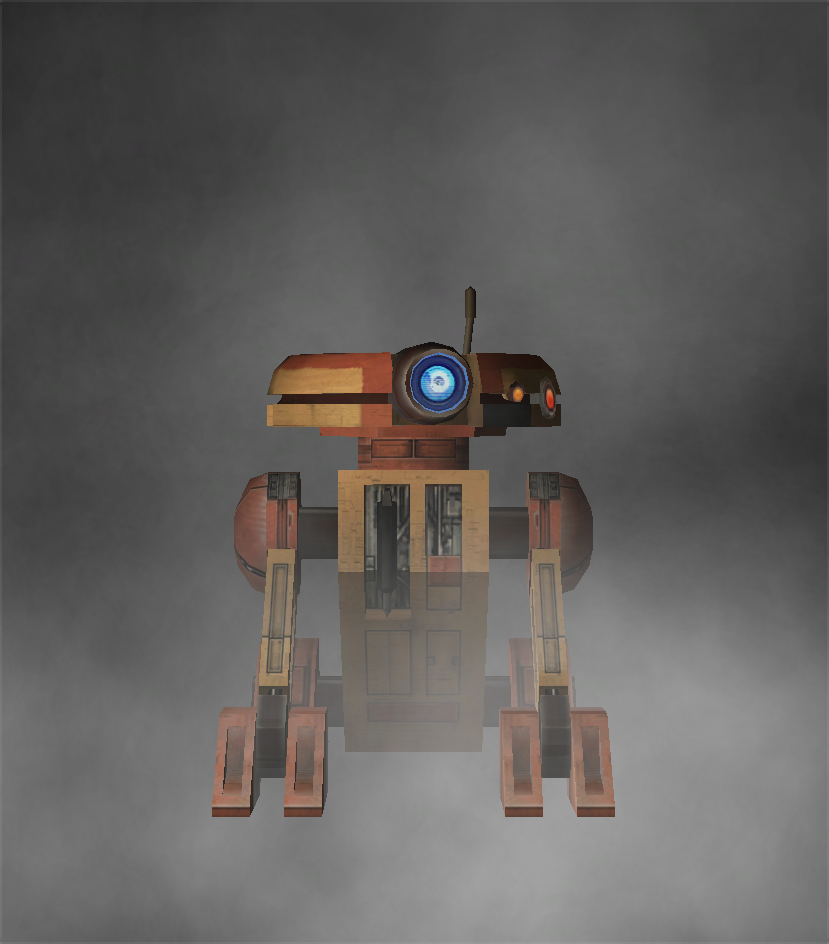
JC's Recruitable T3-H8 for K1
This mod recruits the droid T3-H8 to the party when he is purchased from Janice Nall's droid shop.
Installation
You must start a new game to experience the full effects of this mod.
- Extract files from the downloaded archive.
- Run INSTALL.exe.
- Click "Install Mod" and select your game directory.
Uninstallation
During installation, TSLPatcher generates a backup folder and a log recording which files were affected.
- Copy portraits.2da from the backup folder to replace the one in your game's Override folder if a backup was created, otherwise delete the file from your game's Override folder.
- Copy tar_m02ab.mod from the backup folder to replace the one in your game's Modules folder if a backup was created, otherwise delete the file from your game's Modules folder.
- Delete all other files installed by this mod from your game's Override folder.
Credits
KOTOR Tool—Fred Tetra
TSLPatcher—stoffe & Fair Strides
DeNCS—JdNoa & Dashus
DLGEditor—tk102
ERFEdit—stoffe & Fair Strides
K-GFF—tk102
NWNSSCOMP—Torlack, stoffe, & tk102
tga2tcp—ndix URThis mod contains assets ported from Star Wars: Knights of the Old Republic II - The Sith Lords.
License
This work is licensed under a Creative Commons Attribution-NonCommercial 4.0 International License.

Donations
If you enjoy my mods and would like to show your support in a monetary manner, you may do so via PayPal at https://www.paypal.me/carterunited.
-
Submitter
-
Submitted10/31/2025
-
Category
-
K1R CompatibleNo
-
appearance.2da overrides which diffuse texture is rendered on a model through the racetex and tex* columns; however, all shader data is always read from the texture which is on the model (unless also overridden, e.g. by the envmap column or the area file).
Additionally, the shader is only rendered once and every model in the scene graph shares the same instance.
-
1
-
-
13 hours ago, DarthParametric said:
The issue is that appearance overrides are bugged and require a txi on the first (01) texture variant. If there isn't one then the engine will ignore TXI data on subsequent variants.
It's not the first texture variation; it's the texture that is referenced on the model, if any.
This is usually the first texture variation, like for player armors, but this is not always the case.
-
JC's Korriban: The Works for K2
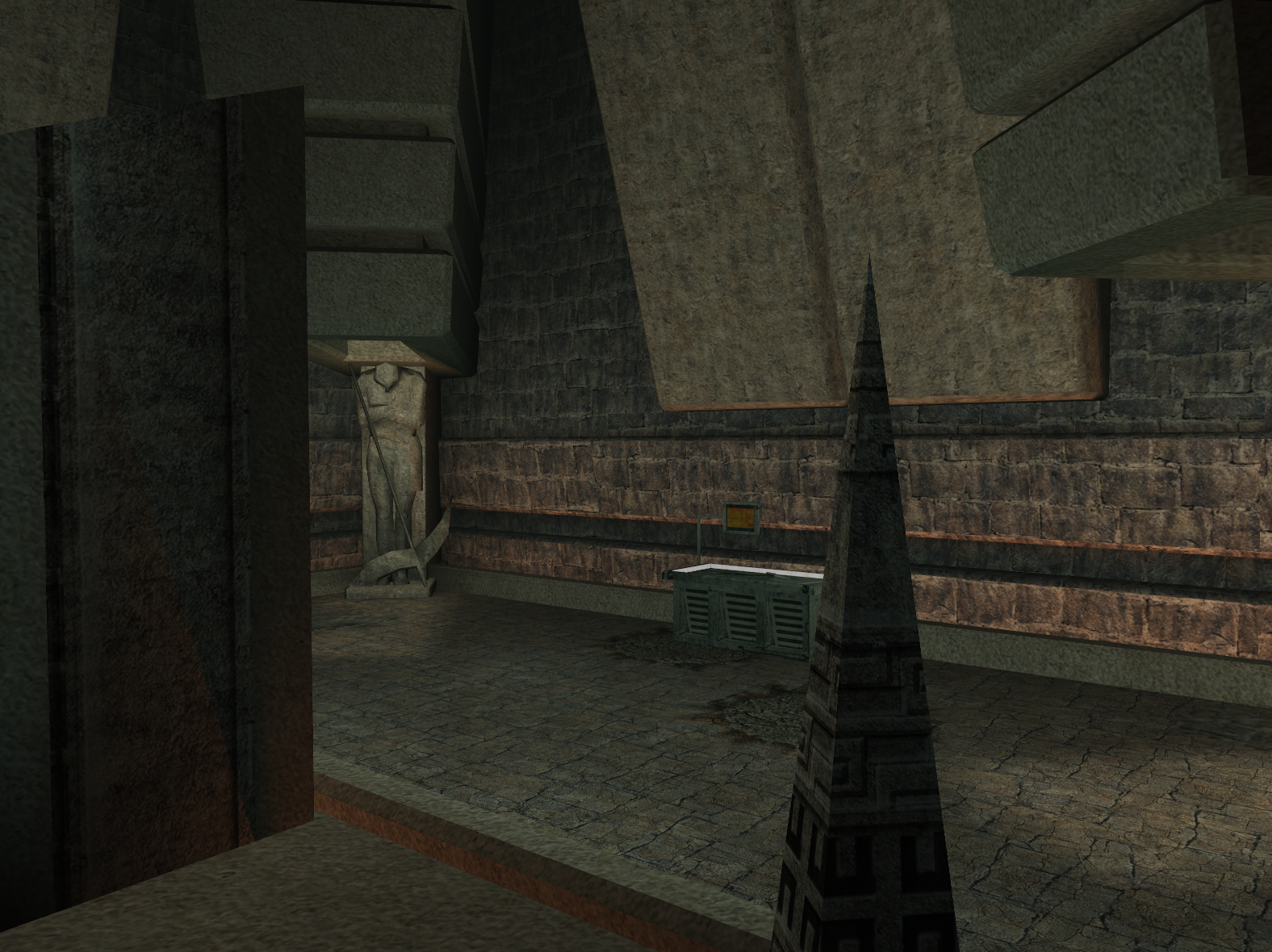
This mod places a workbench and lab station in the library of the Sith Academy on Korriban. This gives the player the ability to craft and upgrade items while trapped in the academy during the "Trapped" quest when the Ebon Hawk is inaccessible.
Installation
- Extract files from the downloaded archive.
- Run INSTALL.exe.
-
Select which option you want to install.
• Choose RIM if you are using or plan to use another mod which edits 702KOR.rim in the Modules folder.
• Choose MOD if you won't be using any mods which edit 702KOR.rim in the Modules or if you have 702kor.mod in the Modules folder from another mod. - Click "Install Mod" and select your game directory.
Uninstallation
During installation, TSLPatcher generates a backup folder and a log recording which files were affected.
If you chose the RIM option:
- Copy 702KOR.rim from the backup folder to replace the one in your game's Modules folder.
If you chose the MOD option:
- Copy 702kor.mod from the backup folder to replace the one in your game's Modules folder if a backup was created, otherwise delete the .mod file from your game's Modules folder.
Credits
TSLPatcher—stoffe & Fair Strides
K-GFF—tk102
xoreos tools—xoreos team https://xoreos.org/License
This work is licensed under a Creative Commons Attribution-NonCommercial 4.0 International License.
Donations
If you enjoy my mods and would like to show your support in a monetary manner, you may do so via PayPal at https://www.paypal.me/carterunited.
-
Submitter
-
Submitted10/03/2025
-
Category
-
TSLRCM CompatibleYes
-
JC's Blaster Adjustment for K1
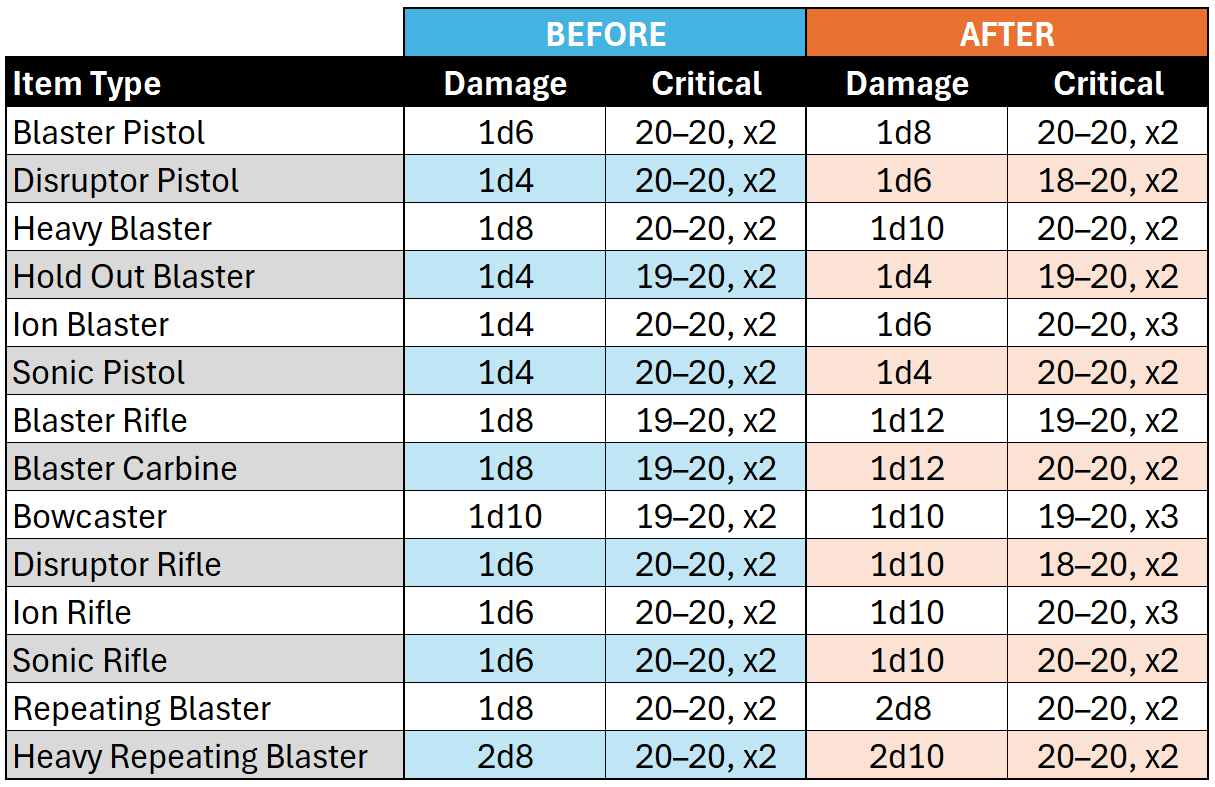
This mod adjusts the statistics of blaster items in Star Wars: Knights of the Old Republic to bring them more in line with their statistics in Star Wars: Knights of the Old Republic II - the Sith Lords and correct some balance issues.
A table showing the base item type changes is included in the screenshots.
Heavy Weapon Damage
According to developer commentary, Heavy Weapon items were intended to make an extra attack per round, but this feature was never implemented. Due to this discrepancy, several Heavy Weapon items are mechanically worse than comparable Blaster Rifle items, despite costing more and having a more niche prerequisite feat. Other mods exist which grant the extra attack through other means; however, there are limitations to adding extra attacks and complications with mod compatibility. Instead, I have opted to add an extra damage roll for these item types. I have also adjusted the item properties of the Baragwin Assault Gun and Baragwin Heavy Repeating Blaster because items seem to have been designed with this limitation in mind, having been added to the game later with the Yavin Station DLC. Instead of a +2d6 damage bonus, these items receive a flat +2 damage bonus. The expected damage output is still slightly higher than in the base game.
Installation Options
Multiple installation options are provided for for compatibility with other mods which make similar changes to individual item classes.
Full Installation: This option modifies the damage and critical rolls for all blaster items. Heavy Weapon items are given additional damage to replace the missing attack roll which is missing for these item types.
Blaster Pistol & Blaster Rifle + Critical: This option modifies the damage rolls for Blaster Pistol and Blaster Rifle items and the critical rolls for all blaster items.
Blaster Pistol + Critical: This option modifies the damage rolls for Blaster Pistol items and the critical rolls for all blaster items.
Installation
- Extract files from the downloaded archive.
- Run INSTALL.exe.
- Select which option you want to install.
- Click "Install Mod" and select your game directory.
Uninstallation
During installation, TSLPatcher generates a backup folder and a log recording which files were affected.
- Restore or delete all all .2da files affected by this mod. For each, copy the corresponding .2da file from the backup folder to replace the one in your game's Override folder if a backup was created, otherwise delete the .2da file from your game's Override folder.
- Delete all other files installed by this mod from your game's Override folder.
Credits
KOTOR Tool—Fred Tetra
TSLPatcher—stoffe & Fair StridesLicense
This work is licensed under a Creative Commons Attribution-NonCommercial 4.0 International License.
Donations
If you enjoy my mods and would like to show your support in a monetary manner, you may do so via PayPal at https://www.paypal.me/carterunited.
-
Submitter
-
Submitted09/24/2025
-
Category
-
K1R CompatibleYes
-
The files you attached do not contain any items named kill_blue, kill_green, kill_yellow, or kill_purple.
-
1
-
-
3 hours ago, DarthJaegad said:
I saw that the starport visa uti in the mod matched the item code people were saying to use to spawn in a starport visa which is pl_visa_sliced AND in KSE my inventory showed that I had that exact item code before installing the mod, so i was like "okay this mod will make this item an actual item i can spawn in and use". The main reason i downloaded the mod was just so i could use it for the starport visas, which i bet on being spawnable with the console after installing.
I was actually right, i can spawn them in, and they DO work when giving them to npcs.
Makes me wonder if the people suggesting to spawn one in had this mod installed without knowing it, cause nobody who said to spawn one in mentioned having this mod installed.
That is an original game item, not one added by the mod. You can spawn it with the cheat console without any mod as long as you are in the cantina. I am not familiar with the mod, but if it installs the item to the Override folder, that would give the item global scope and make it possible to spawn the item anywhere as I mentioned before.
3 hours ago, DarthJaegad said:Also, I'd like to ask, how does it get baked into save files? Even if i fully delete the mod and revert to backups INCLUDING replacing with the original cantina module file, and i load a save prior to using the mod, how could Nikko still be gone? The mod DOES add npcs to the cantina. and it has a file for nikko (meaning it must rearrange the cantina or something cause it has its own cantina module file), but i deleted it.
Save files contain copies of modules visited so far which record information about the module and all objects spawned in the module such as NPCs and containers. To populate a module you have visited before, the game reads data from this copy rather than the module file which was used to populate it the first time. This is how the game can remember which objects have spawned (e.g. after you have freed Dhagon and he spawns in his office, he should still be there) or been removed (e.g. NPCs you have killed should no longer appear) or modified (e.g. containers which you have looted should be empty). When the game populates a module from save file data, it doesn't need to read from the module file, so it doesn't really matter what you've done to it in the interim in this respect.
3 hours ago, DarthJaegad said:I searched my save in KSE for SOMETHING that i could edit to restore nikko, I couldn't find it. If you had to guess, do you have any ideas on how one could restore nikko in a situation like this? Like how could one fix a broken character where all saves are ruined because of a mod? Is there some way to edit something to restore it to its original state in a situation like this? There has to be a way.
KSE doesn't provide access to the modules in a save file at all. It's possible to edit them with other tools, but there is no practical way of adding a missing NPC without knowing what the full state of the object is supposed to be.
3 hours ago, DarthJaegad said:Also, do you know of somewhere i can figure out how to do that?
You can extract files with KOTOR Tool. The starport visa items can be found in 503OND_s.rim.
-
5 hours ago, DarthJaegad said:
Basically, I was already on onderon, and i downloaded this mod called Starport Visa Expansion.
It is not a good idea to install mods of this nature in the middle of a game, especially after you have entered the affected areas. After an area is initially loaded, the game bakes data about it into your save files. If you install a mod which affects an area after this, it can result in only some of a mod's changes taking effect, which often leads to bugs.
5 hours ago, DarthJaegad said:I couldn't spawn a starport visa in, idk why but it doesn't work even in KSE theres no way to add one.
KSE only shows item templates with global scope. Most plot item templates, including the starport visa, are scoped to the area you acquire the item. If you extract the item template and put it in your Override folder, you will be able to add it with KSE.
Note though that merely having an item in your inventory often has no effect. Oftentimes, the quest state is advanced through scripts and dialogue files, and the associated plot item is only aesthetic.
Help Editing appearance.2da in Override folder
in General Kotor/TSL Modding
Posted
In KOTOR Tool, you can open the 2DA editor (click on the 2da button) and then open any 2DA file.
I would personally not recommend enabling the setting to look in the game's Override folder for 2DA files. It makes it harder to tell if you are working with the original or edited files.