

Leaderboard


Popular Content
Showing content with the highest reputation on 09/30/2026 in all areas
-
Version 1.0.1
59 downloads
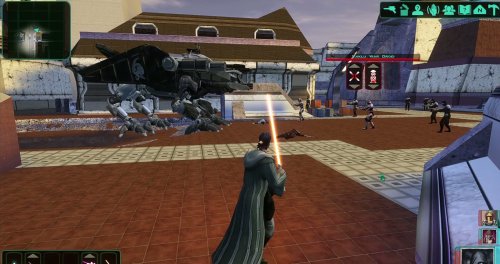
AI DISCLOSURE & FEEDBACK I use AI often in my workflows to assist with creating my mods, including handling monotonous and repetitive tasks. You should assume that anything I post has had AI assistance in some way. As I stated in my Dathomir WIP post, I expect discussion of my projects to remain professional and focused on the actual artwork, performance, and gameplay. Constructive criticism that helps improve the art or gameplay is welcome. Derogatory statements about AI will be ignored. I am here to improve the finished product, and I will not change my workflow to accommodate personal objections to AI. Bring a new Basilisk to the invasion of Onderon. Watch it wake in the Dxun hangar, storm Iziz in a replacement cinematic, and join the landing-zone battle as an allied war droid. FEATURES • Custom Basilisk model with an animated hangar reveal and boarding ramp. • Replacement invasion cinematic covering space approach, atmospheric entry, anti-aircraft fire and a heavy landing. • An allied Basilisk that fights alongside the player in Iziz. • Shoulder turbolasers, heavy claw attacks, a shockwave slam and an airborne rapid-fire nose-gun barrage. • Custom combat effects and sound. • One replacement Basilisk loading screen. REQUIREMENTS AND COMPATIBILITY Requires Windows x64 and a supported Steam Aspyr version of KOTOR II. Run the included compatibility check before installing. Other storefronts and executable versions are not currently supported. Tested on clean Steam game data and an installation of the KOTOR II Full Build: https://kotor.neocities.org/modding/mod_builds/k2/full Install after your chosen mod build. Compatibility does not cover every optional mod selection. The English Queen Talia invasion route is tested; the Vaklu route has not been qualified. The installer merges shared tables and story resources, preserves native party selection, and leaves saves and Steam Cloud settings unchanged. It replaces OndMov07.bik and the load_510OND/load_511OND loading screens. See COMPATIBILITY.md for supported executable hashes, conflicts and testing limitations. INSTALLATION 1. Close KOTOR II. 2. Extract the entire archive into a folder outside your game directory. Keep all included folders together. 3. Run Install Basilisk.exe and select the folder containing swkotor2.exe. 4. Click Check compatibility, review the result, then Install Basilisk. 5. Keep Steam running and launch the game using BasiliskLauncher.exe in your game folder. 6. Load a save from before Zuka’s invasion reveal and before first entering the Iziz invasion module. Required runtime components are bundled. No separate Python or .NET installation or manual patch download is needed. This package uses its own merge installer. Do not copy the payload into Override or install it through TSLPatcher. UNINSTALL Close the game, run Install Basilisk.exe, select the same game folder and choose Restore pre-install files. Keep the BasiliskInstaller backup folder. Restoration will stop if another mod has subsequently changed a file, protecting those later changes. Return to a save made before installation. CREDITS ShaolinGhost — project, direction, playtesting and release. Lane — KotOR Patch Manager. PyKotor contributors — resource tooling. Obsidian Entertainment, LucasArts and Aspyr — KOTOR II and original game resources. The Force Unleashed Wii Basilisk encounter — design and animation reference. Full third-party notices and installer/runtime sources are included. This is an unofficial, free fan modification. Screenshots may show unrelated character, environment and interface mods that are not included.4 points -
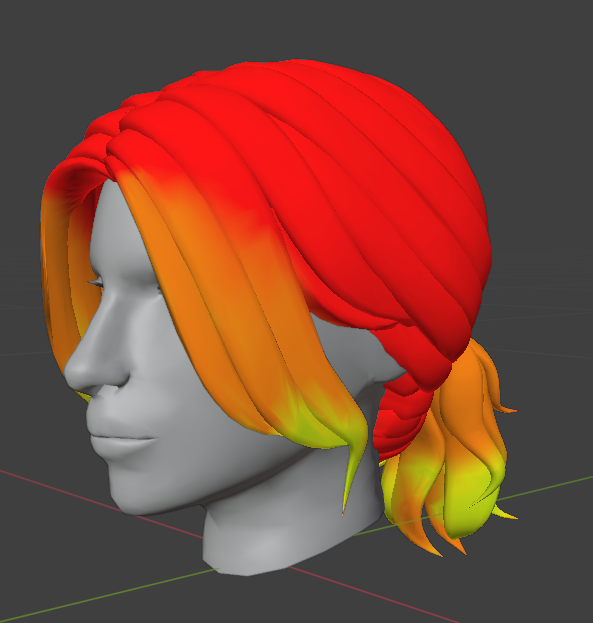
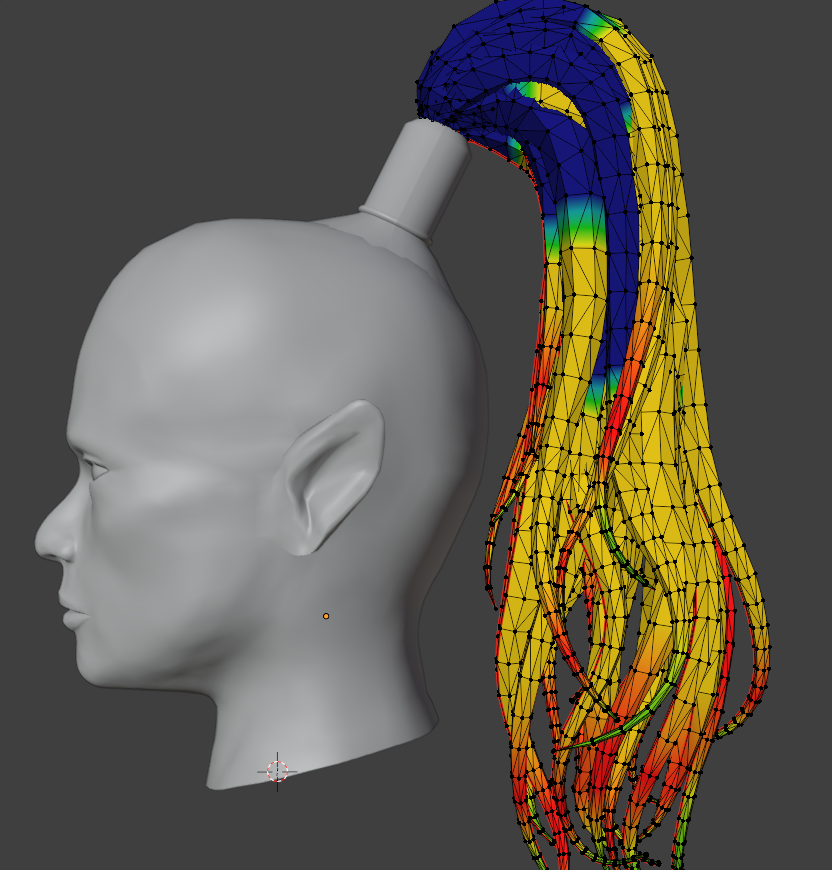
Hi. I noticed something about these weights: the 1 and 0 regions are completely locked. The 0.5 area is where the deformation is strongest and most unnatural. I try to avoid those weights (the blue and green ones) and start from 1 instead of 0 (like in the original). The animation turns out smooth and natural. Привет. Я такую штуку заметила в весах: 1 и 0 области полностью зафиксированные. 0.5 это область с самой сильной и неестественной диформаций. Я стараюсь избегать этих весов (синие и зеленые). И начинаю не от 0 (как в оригинале), а от 1. Анимация получается плавная и естественная.
 2 points
 -
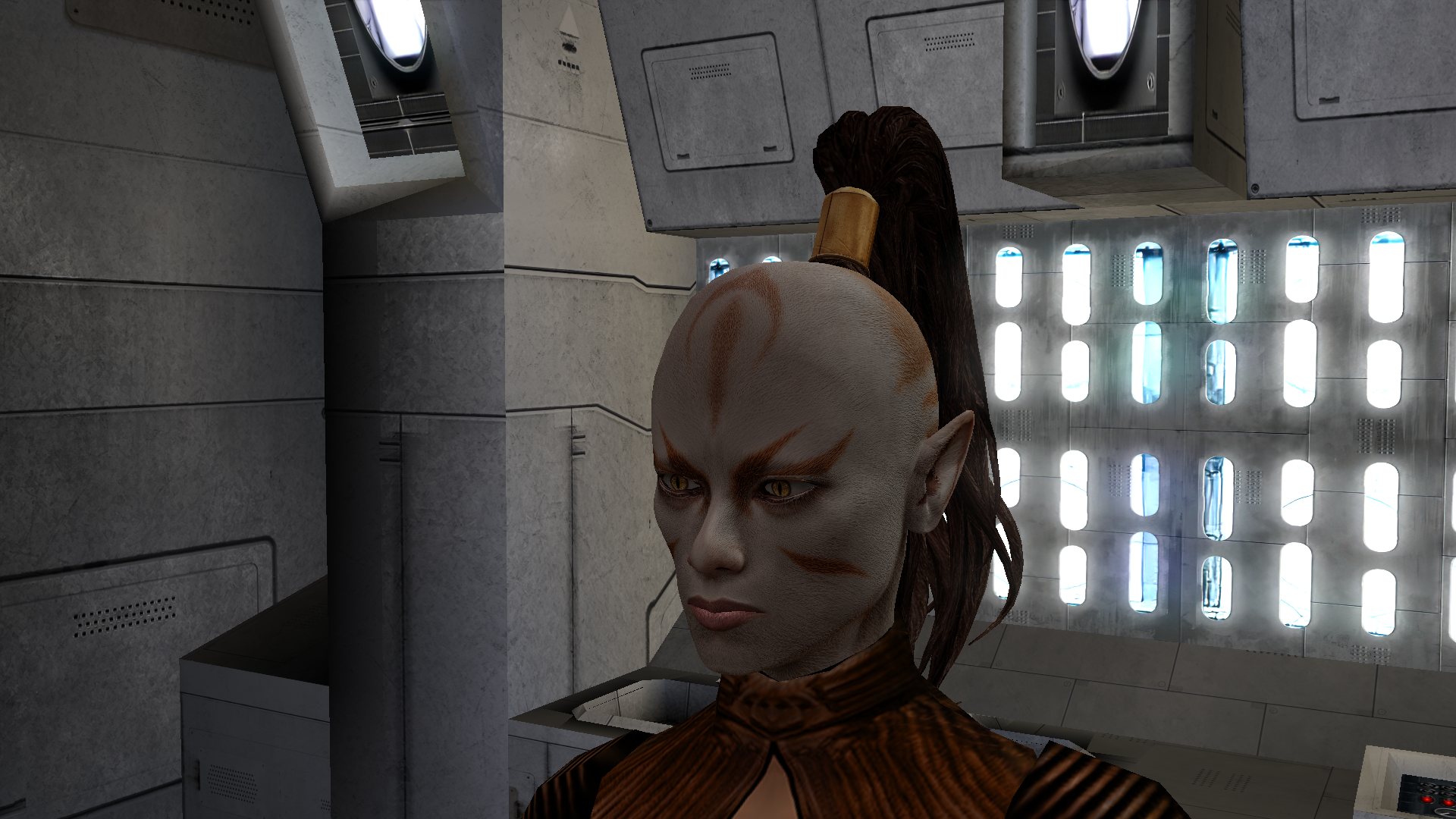
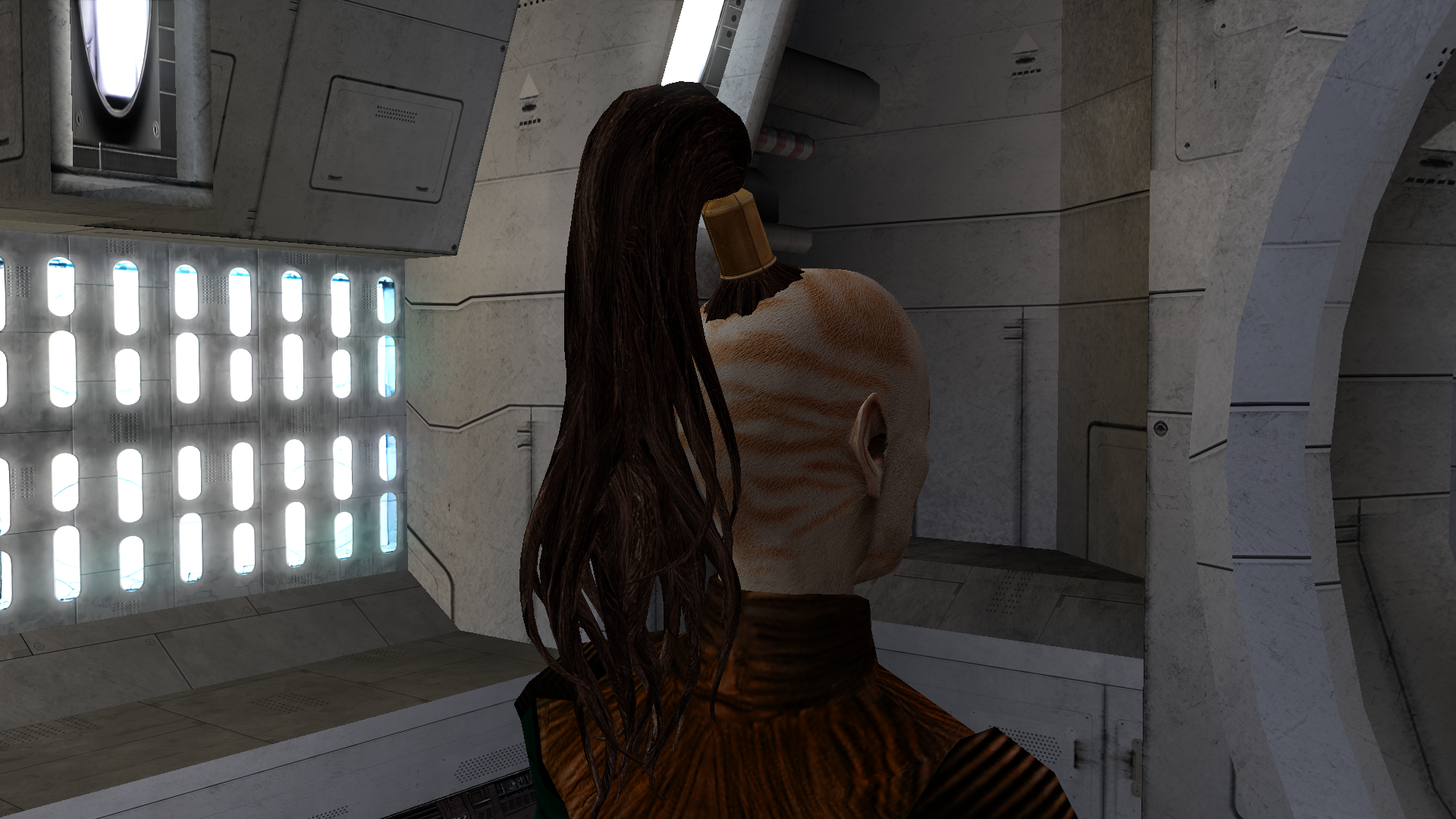
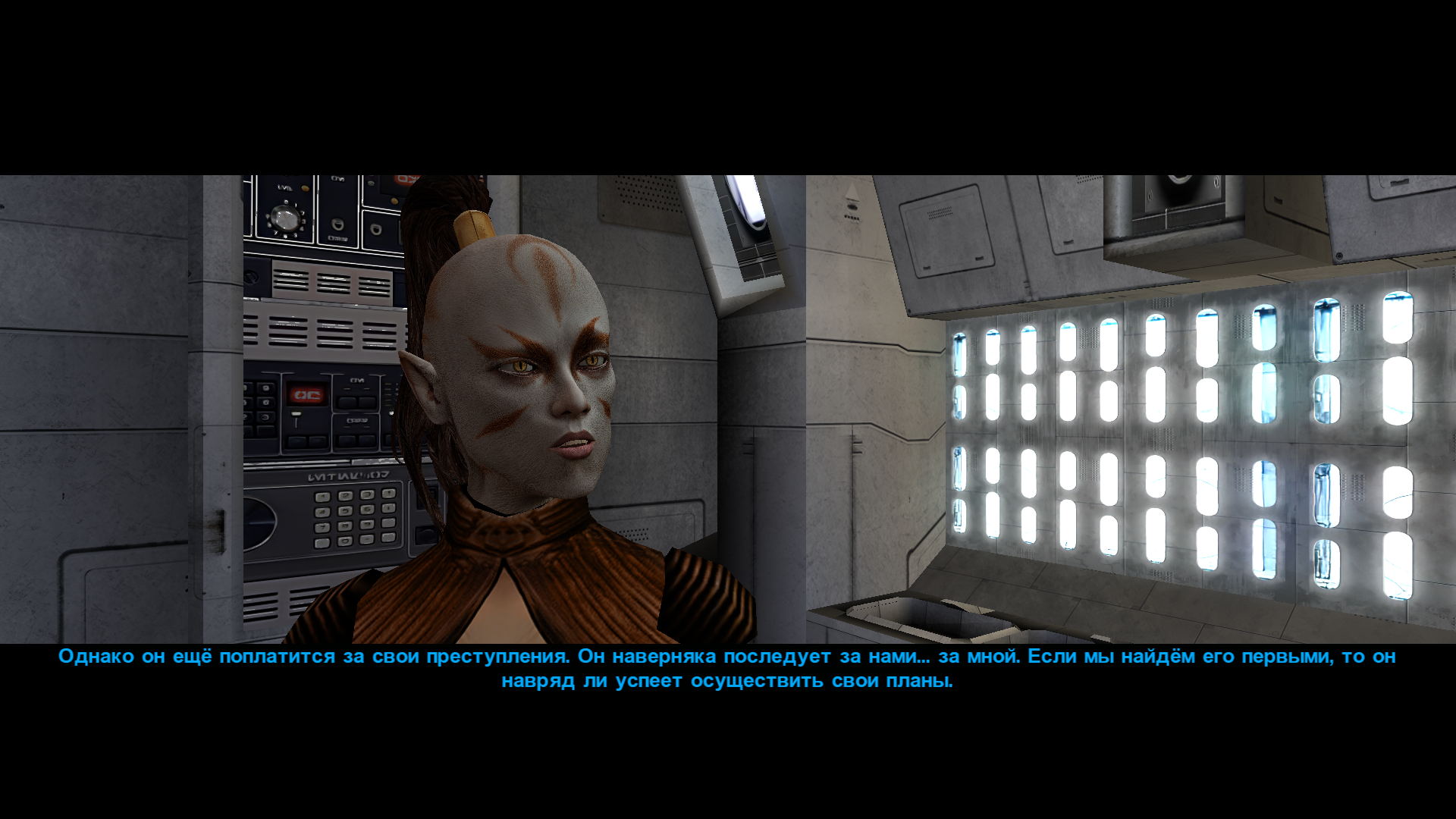
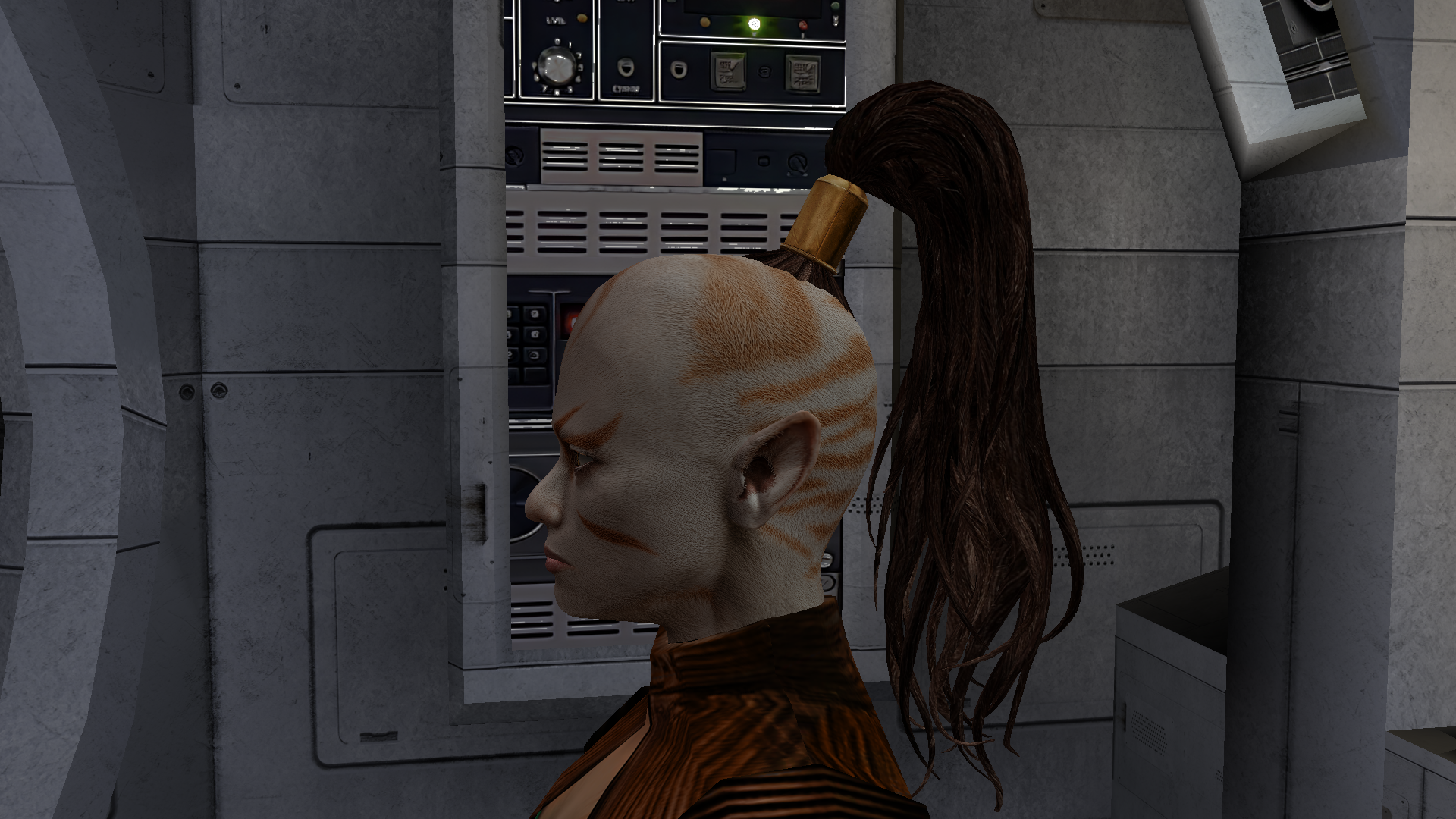
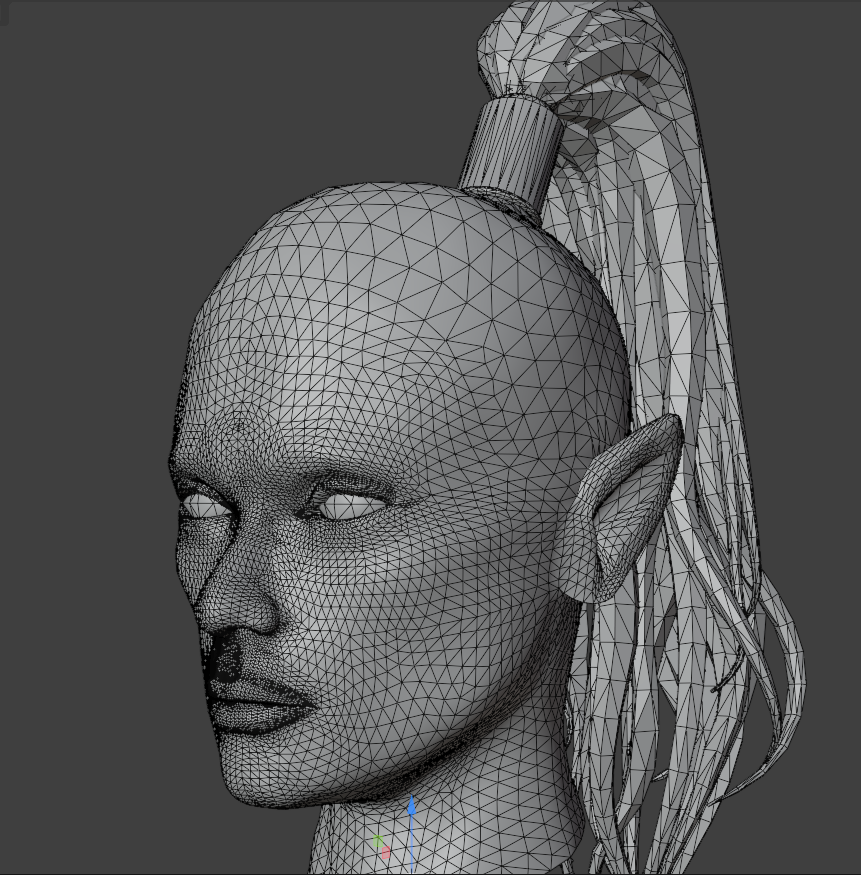
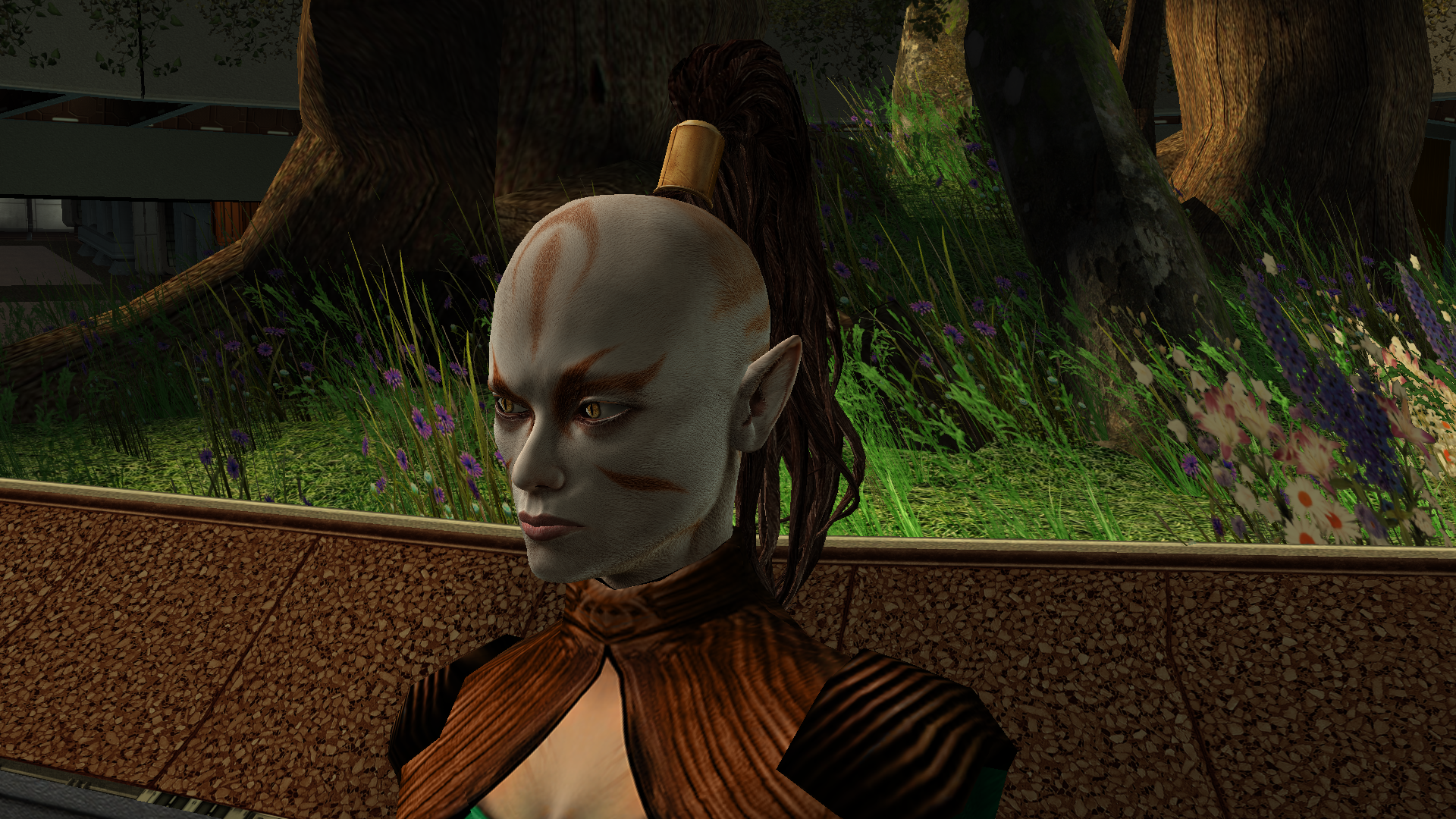
Another work of mine that’s currently in progress is the Juhani head model. It’s high-poly and has a 2K texture. The work is actually already finished, but I’ve realised I can’t release it like this - now I need to either rework the texture or even the body model, because the difference is too noticeable at the moment. During this process I learned a lot in Blender, but there’s no point writing about that here. The only thing really worth noting is how the game renders danglymesh with different weights. With weights greater than 0 up to roughly 0.6–0.7 the vertices get a kind of “semi-freedom”: the engine shifts them, but not as predictably as at 0 (fixed, locked to the head position) or near 1 (completely detached from the head and dangling with the set amplitude, stiffness and period). So when weight-painting the tail I used 0 near the attachment point and then jumped straight to 0.7 without a smooth transition. Toward the tips I softened it to 0.6–0.5 - the tips can dangle freely, they’re allowed to! I don’t know, maybe it can be done better, but at my current level of understanding the process I think this is the maximum. Yes, the lips also had to be re-weighted - I spent two days painting them this way and that, checking every frame, but in the end I got a result without any pinching or artifacts.
 2 points
 -
Friends of KotOR and TSL modding: I have extended my renovation of Edge Of Darkness mod into next year, and I have set the exact date of an alternate new release. The date is February 1st. What to expect: AI voiceovers. An after ending chapter of the game. A surprise ending that is variable on a player choice. And if I can, I'll spread LS and DS points across all party members. There is an intro sequence for each planet explaining the mission that will be redeveloped. At least one landing zone NPC for every planet. A main quest in addition to planet quests. And a set of side quest, ideally one per planet. For now and for the entirety, EOD is a secret project. I cheated for a few years with the open source demo. My hat is off to all of you, Wizard, Thor, N-DReW, and Sith Holocron specifically have been incredibly helpful to reach this present state of affairs. See you all in 20271 point
-
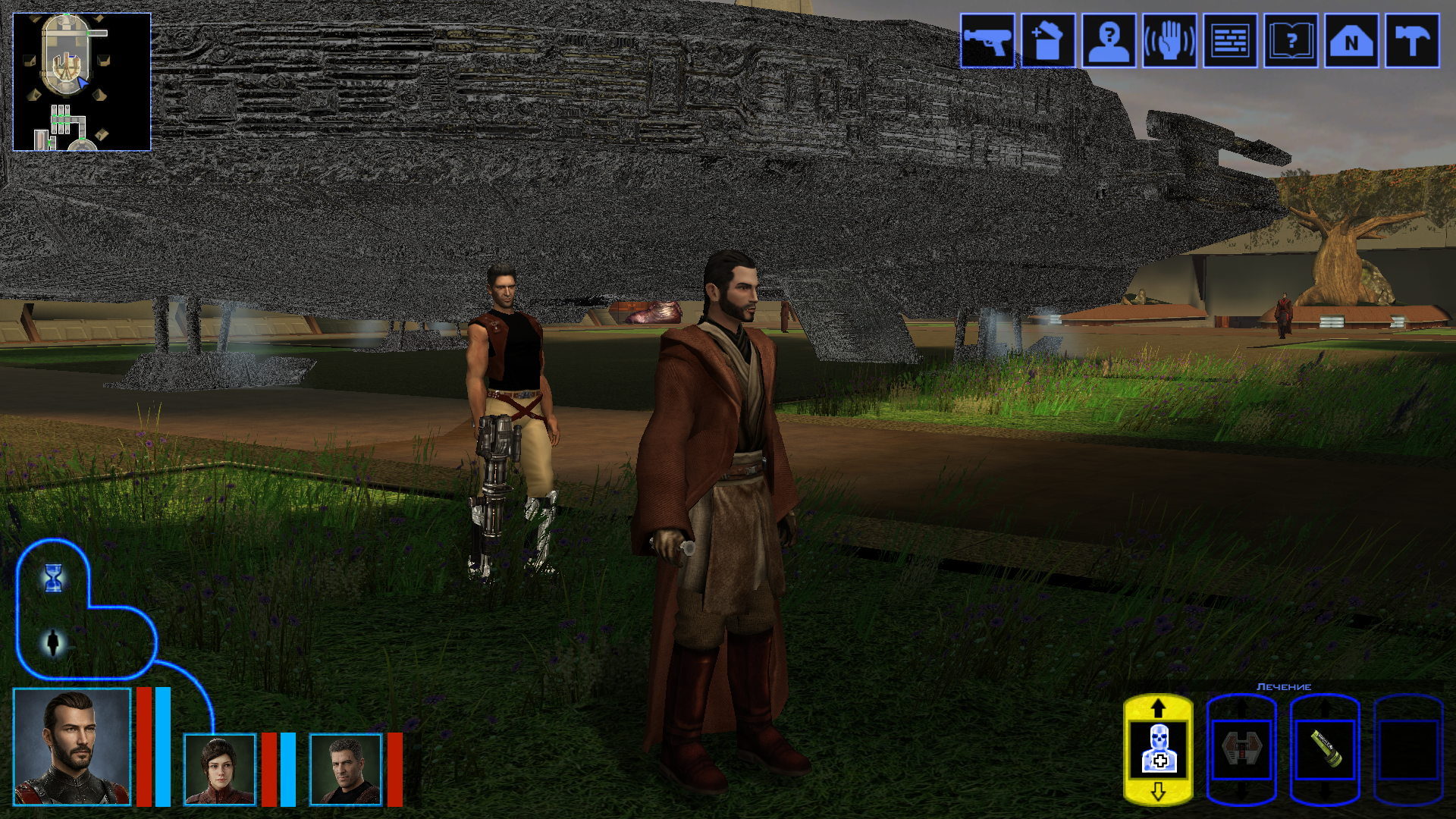
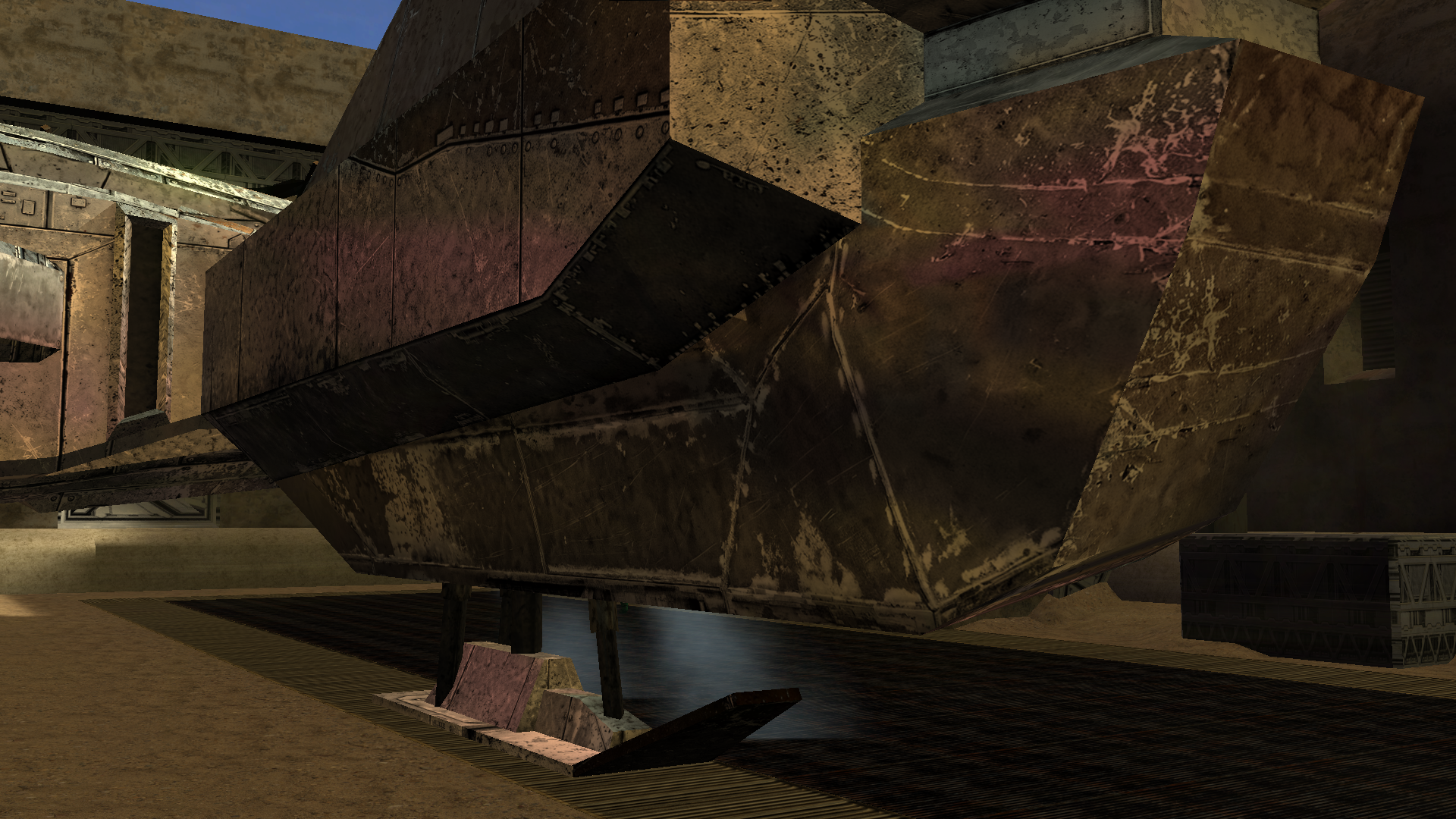
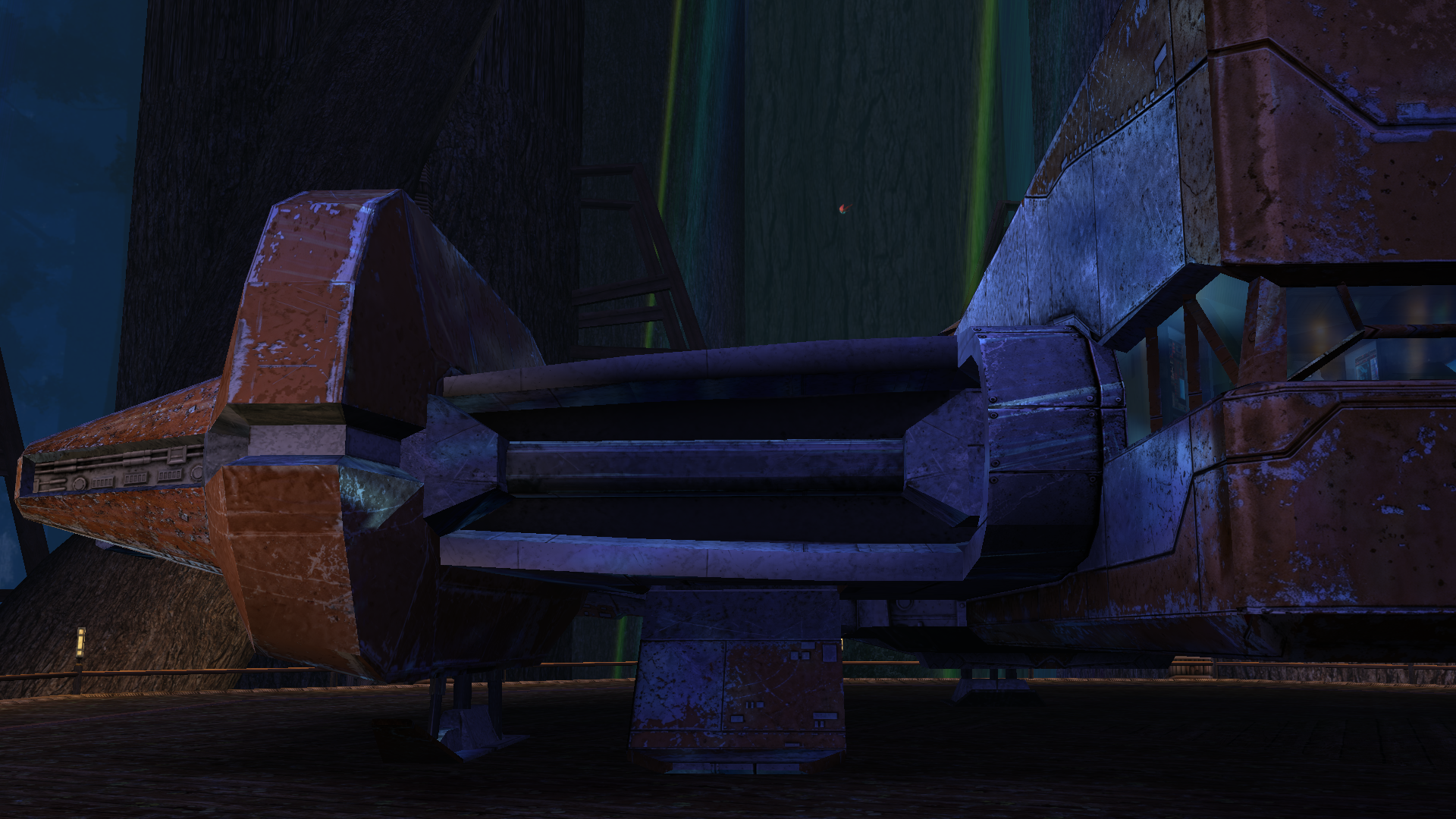
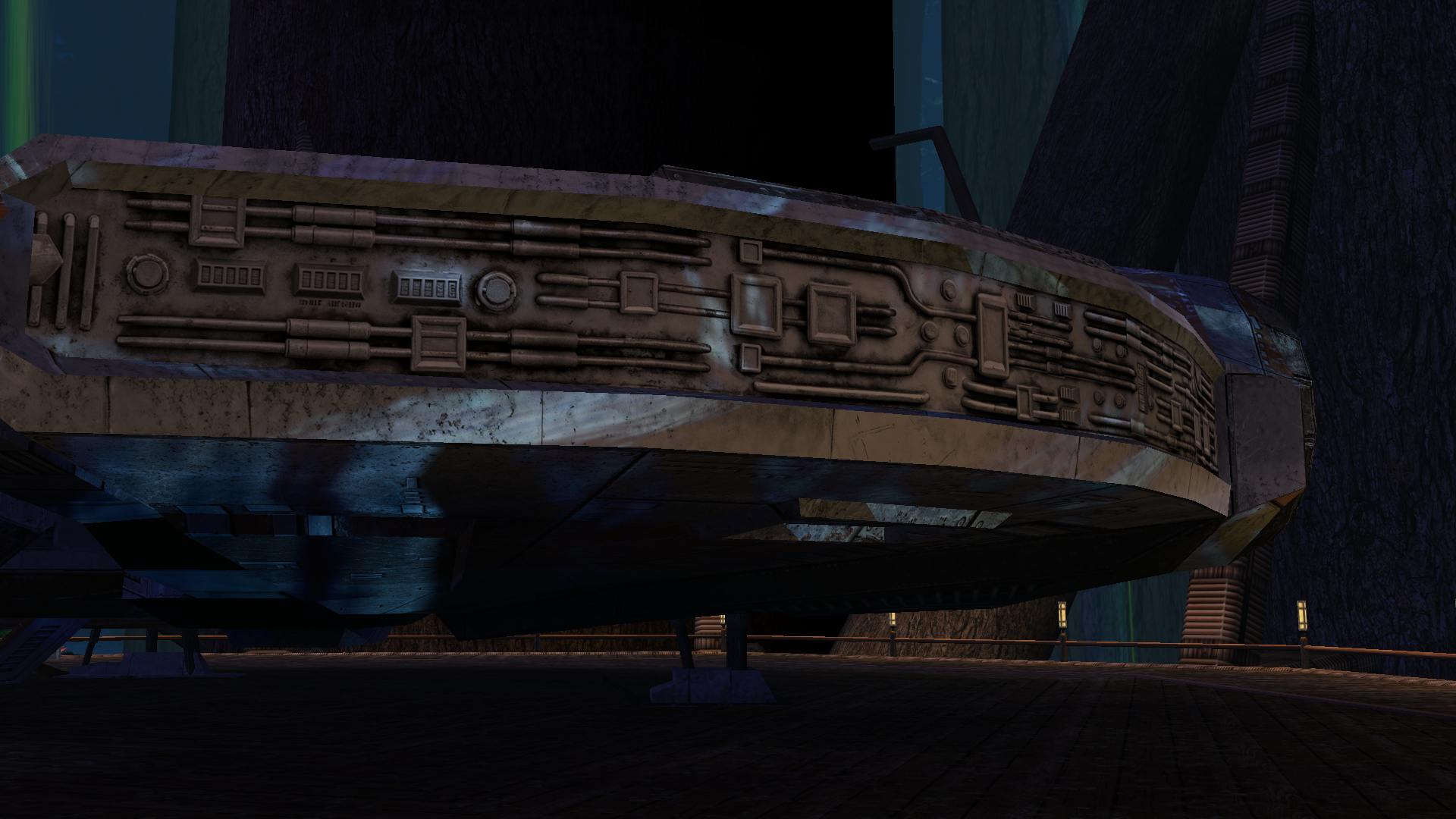
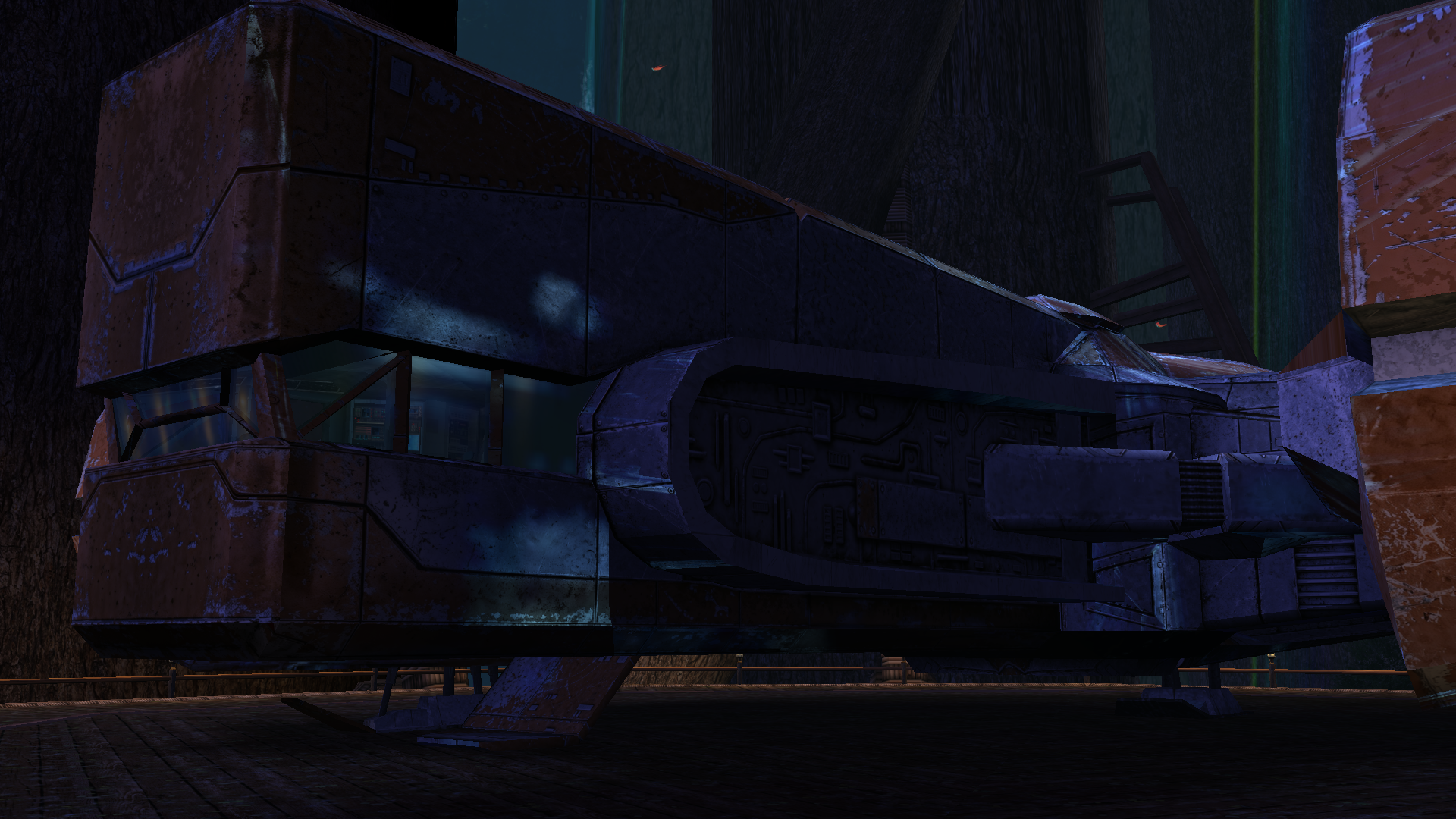
The next big project was a retexture of the Ebon Hawk’s exterior hull. Looking at the vanilla one was genuinely painful, and the existing retextures didn’t really improve the situation. I really wanted to bring its appearance closer to this: https://www.artstation.com/artwork/GXwXyB Because in my game I’ve replaced the original cutscenes with several very beautiful ones that use this model. And the model itself is just awesome! But I immediately ran into the problem that the UV layout was completely unsuitable - a lot of overlapping, and many areas of the texture were shared between completely different parts. And… I went down the wrong path. I found the "v_ehawk" model in the game files and started fixing the UV unwrap. I did everything properly: separated the overlaps, made the areas that are visible up close when you walk around the ship larger. Texture in 4K. I was even about to start editing vertices and adding polygons. But then I discovered that none of my changes were visible in the game at all. I spent several days scratching my head, thinking I was exporting the model incorrectly somehow. Of course it turned out to be much more mundane - the model I was editing had nothing to do with the ones that appear on the landing pads on different planets. I have no idea where the game actually uses it - probably in some cutscenes? What we see on the landing pads and in the docks is part of the area, not a separate model. And if I want to edit it, that means editing the entire area - which automatically means incompatibility with any other mod that also edits that area. So I sulked a bit, complained a bit, and decided for now to limit myself to pure texture work. But then another “brilliant” idea struck me - we don’t look for easy ways, right? Realising that adding polygons wasn’t going to happen, I wanted to add a normal map, inspired by my previous experience with the Twi’lek head. I thought, at least it won’t be a flat picture stretched over polygons, there will be some relief. I also spent a long time on the texture itself, adjusting it so that the overlapping UV pieces still looked decent… It was challenging to strike a balance between the desire to match the reference and the limitations of the existing UV layout. I hope the result turned out well. I wanted to make 8K textures, but the engine was clearly starting to struggle when loading areas, so I settled on 6K. But with the bump I was in for a fiasco. Actually, I could have suspected something when looking at the original game files - there was no bump specified in the .txi files at all, even though bump maps were provided for every texture. Why do they exist? I still don’t know the answer to that question. Interestingly, the engine did react to the presence or absence of the bump map - the shaders changed and the image looked different. But the actual content of the bump map didn’t affect anything. For the experiment I tried both a completely flat solid “blue” bump map and an extremely contrasty one amplified 15× during conversion to TPC. There was zero difference. After quite a long series of experiments with different bump settings, .txi options, and the alpha channel of the main texture, I finally found the answer — and I’m sure it has been discussed somewhere on this forum, I just never came across it. On area objects the lighting is almost completely baked into the lightmap. Dynamic bump (the kind that reacts to real-time light direction) barely shows up at all. Especially if the lightmapped flag is enabled on the mesh. I looked into the node of the long-suffering ship, and sure enough, there it was: As an experiment I turned off the lightmapped flag. And to my astonished eyes this is what appeared (the bump map at that moment was the extreme one) — view with caution! 🤣 Of course it’s pure horror, some kind of Dark Side of the Force visions. 😁 So I don’t know whether to include these normal maps in the mod release for the textures where the ship is part of the area. Are they needed? Probably not. For the model that isn’t part of an area - apparently the one used in some cutscenes - I will of course add the bump. Might be useful. A few nice pictures: All that’s left is to add the texture for the upper hull (roof) model that is used in the mini-game where you shoot down fighters, and touch up small details here and there. And then the mod can be released.
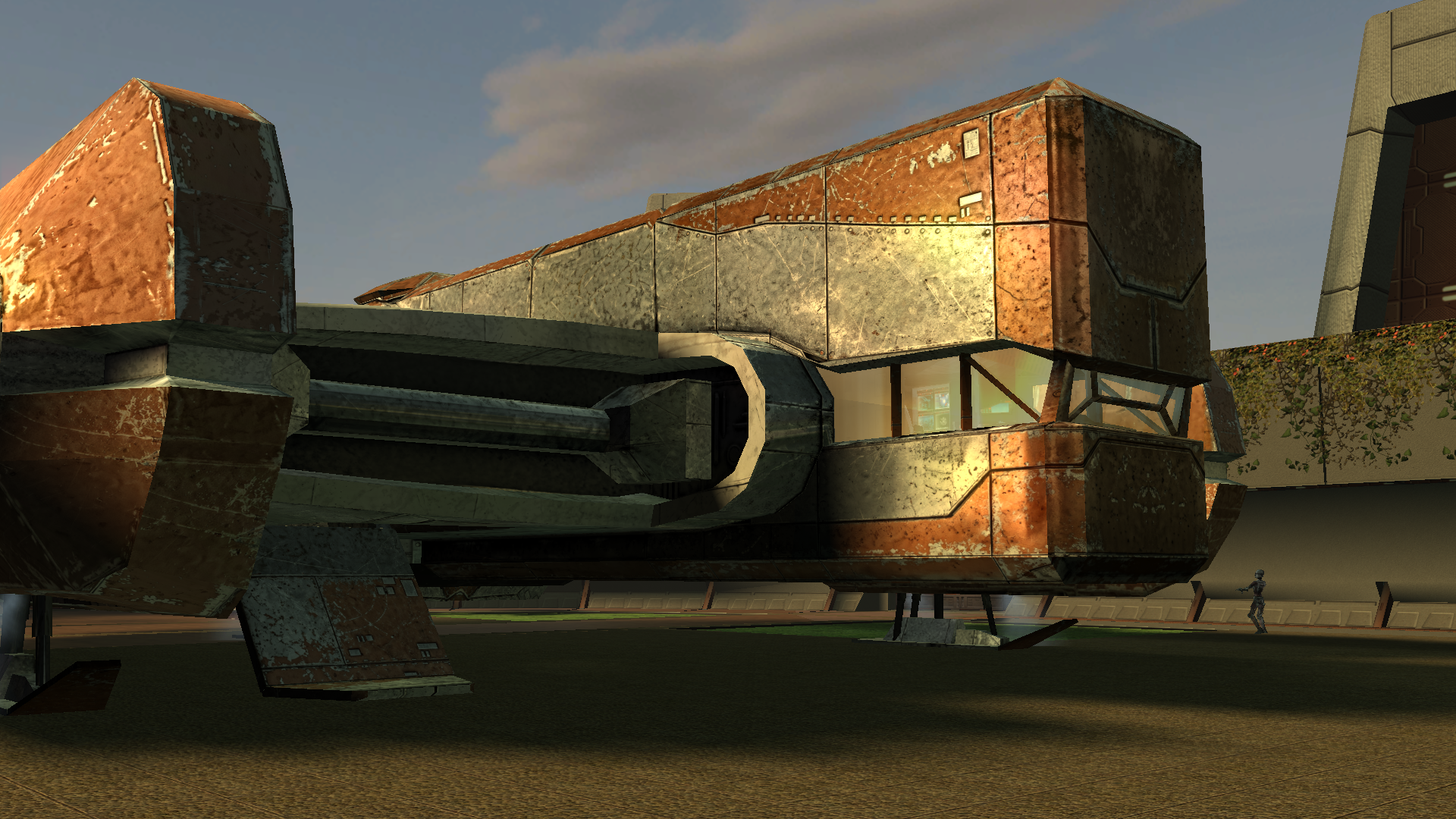
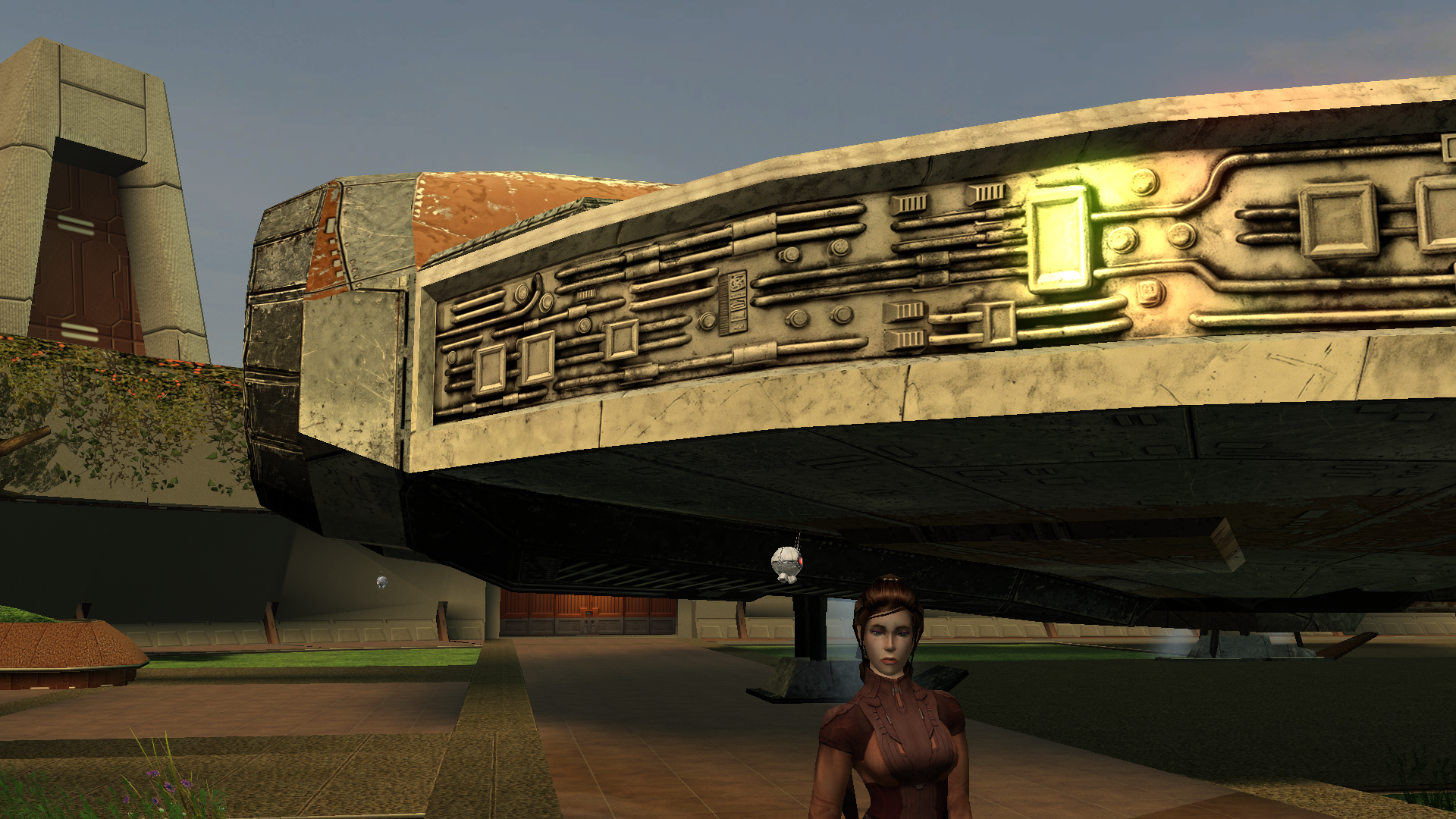
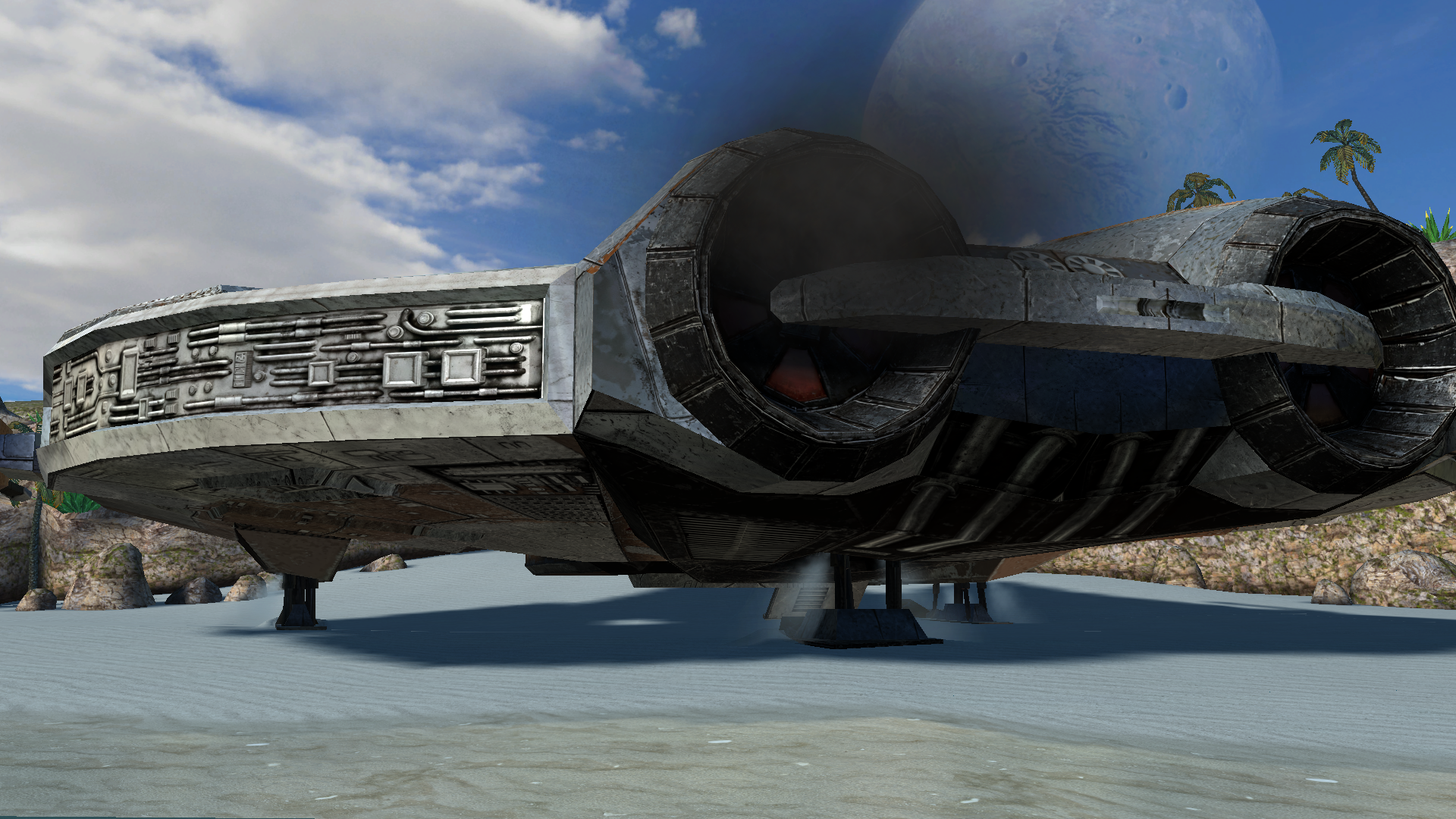
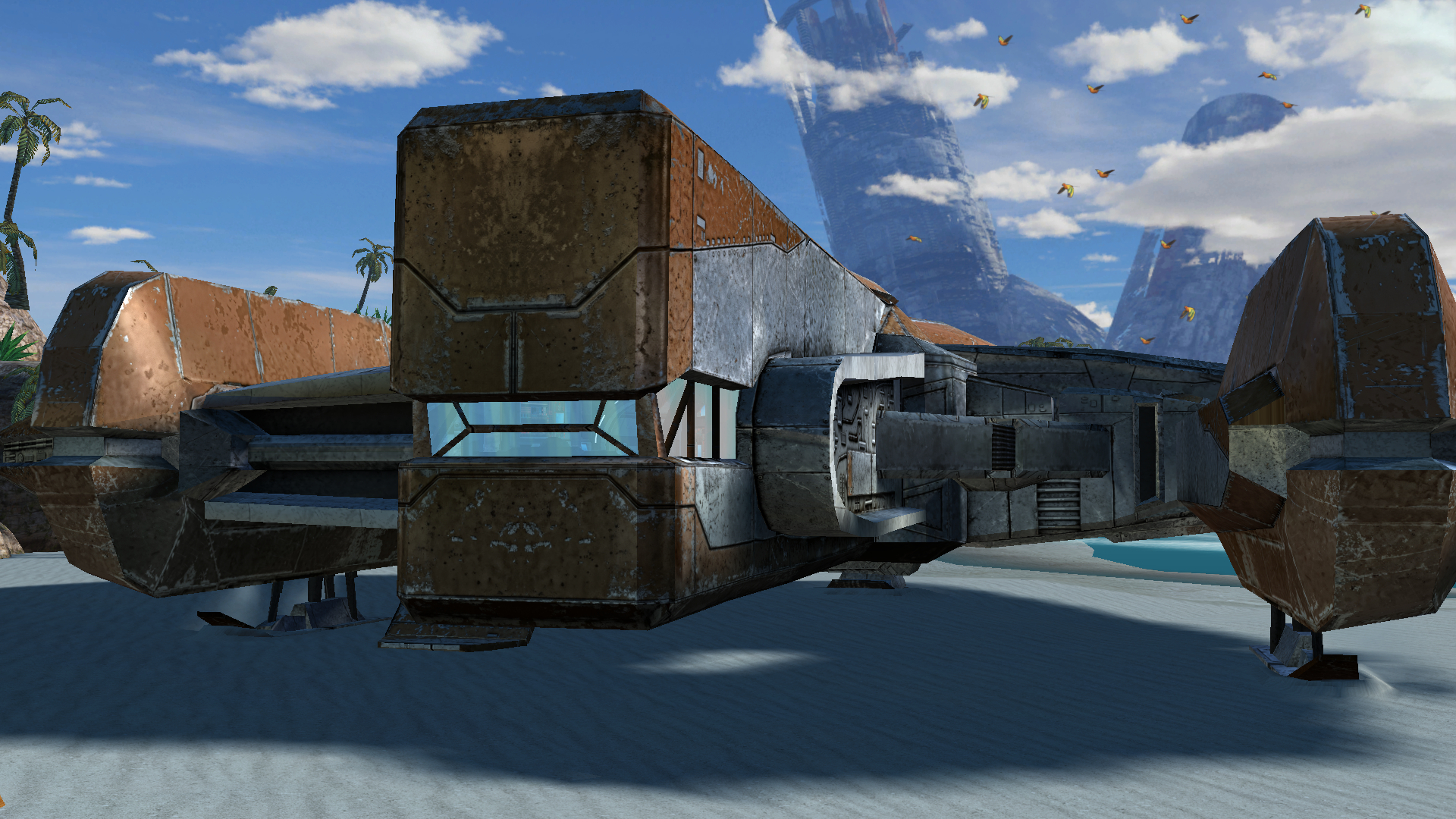 1 point
 -
Version 1.1.0
98 downloads
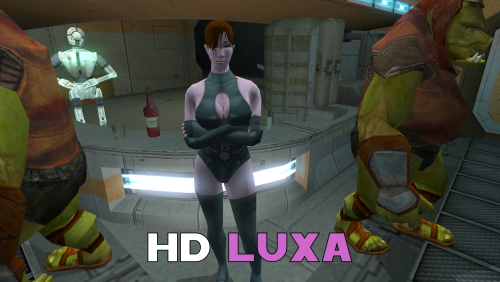
A Mod for Star Wars Knights of The Old Republic II Author: N-DReW25 1.1.0 Release Date: 29.08.2026 Installation: Select which HD texture you would like to install. For "HD Grenn" and "HD Zhugs" open the "For Override" folder and drag/copy the textures within and drop/paste them into your Kotor II Override folder. Delete the files "N_DolGrenH.tpc" and/or "N_Duros04.tpc" and "N_Duros05.tpc" if they are present. For the "Normal" install of "HD Luxa" open the "For Override" folder and drag/copy the textures within and drop/paste them into your Kotor II Override folder. Delete the files "N_Lala_XuA01.tpc" and "N_Lala_XuH.tpc" if they are present. For the "Thigh High Boots" install of "HD Luxa" you must first install DarthParametric's "TSL Thigh-High Boots For Female Twi'lek Body (Modder's Resource)" mod. Once that mod is installed, open the "For Override" folder and drag/copy the textures within and drop/paste them into your Kotor II Override folder. Delete the files "N_Lala_XuA01.tpc" and "N_Lala_XuH.tpc" if they are present. Uninstallation: Delete the N_DolGrenH.tga, N_Lala_XuA01.tga, N_Lala_XuH.tga, N_Duros04.tga, and/or N_Duros05.tga files from your Override folder. Description: This pack is a compilation of edits made by N-DReW25 to the released work of the modder Dark Hope to resemble Kotor II characters. Whilst Dark Hope did make the original textures for Kotor I, it was N-DReW25 who made these textures for Kotor II. As Dark Hope is focusing her current work on Kotor I mods please do not bother her about this mod. This pack contains HD textures for Lieutenant Dol Grenn, the Zhug Brothers, and Luxa. For Lieutenant Dol Grenn, his head in Kotor II was made via photo sourcing elements of other old male heads from Kotor I. Most of his face and beard comes from Davik, his eyebrows and sideburns are Davik's eyebrows and sideburns that are recolored brown, and most of his hair is Deadeye Duncan's hair that has also been recolored brown. Using this exact same method described above, I was able to photo source elements of Dark Hope's Davik and Deadeye Duncan heads to make a HD Lieutenant Grenn head. For Luxa, her head was a recolored Kotor I player head whilst her body was a reskinned Twi'lek outfit. I recolored Dark Hope's PFHA01 HD mod and one of her Twi'lek dancer body textures to resemble Luxa. I also made an alternative Luxa version for DarthParametric's TSL Thigh-High Boots For Female Twi'lek Body (Modder's Resource) mod. For the Zhug Brothers, I photo sourced elements of RedRob41's Zhug Brother upscale, imposed them onto Dark Hope's Duros, and recolored elements of Dark Hope's Duros to resemble the Kotor II Zhug Brothers. Known Bugs: This mod shouldn't have bugs but if you find any report them to me on Deadlystream. Incompatibilities: Would be incompatible with any mods which add N_DolGrenH.tga, N_DolGrenH.tpc, N_Lala_XuA01.tga, N_Lala_XuA01.tpc, N_Lala_XuH.tga, N_Lala_XuH.tpc, N_Duros04.tga, N_Duros04.tpc, N_Duros05.tga, and N_Duros05.tpc. Permissions: As Dark Hope gave free permission for anyone to use her mods and the assets I photo sourced from RedRob41's mod is a modder's resource, you are therefore allowed to use this mod as it was made using her work. Thanks to: Dark Hope: For giving everyone free permission to use her work! RedRob41: For making his 4x Upscale+ Character Textures & Model Fixes mod a modder's resource! Bioware: For such an amazing game! Obsidian Entertainment: For such an amazing sequel! Fred Tetra: For Kotor Tool! And everyone who downloads the mod! Legal: THIS MODIFICATION IS NOT SUPPORTED BY BIOWARE/OBSIDIAN ENTERTAINMENT, LUCASARTS, DISNEY OR ANY LICENSERS/SPONSORS OF THE MENTIONED COMPANIES. USE OF THIS FILE IS AT YOUR OWN RISK AND THE ABOVE-MENTIONED COMPANIES OR THE AUTHOR IS NOT RESPONSIBLE FOR ANY DAMAGE CAUSED TO YOUR COMPUTER FOR THE USAGE OF THIS FILE.1 point -
 Ah, my favorite kind of Force Power: lesbomancy.0 points

