


About This File
Easily manage, install, and revert loose-file mods.
Features:
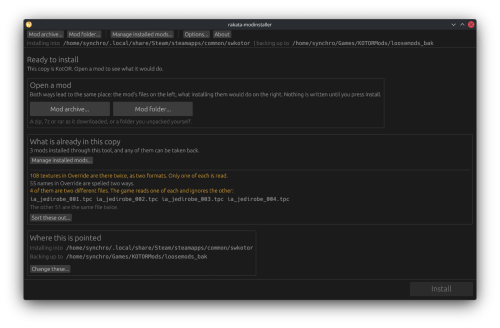
- Opens a mod as the zip, 7z or rar it downloaded as, or as a folder you already unpacked. No unpacking first.
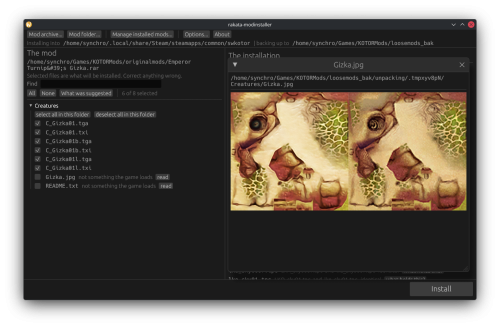
- Works out which files are actually game content. Readmes, screenshots and packaging are left behind, and a mod shipping alternate versions of the same file asks you to pick one.
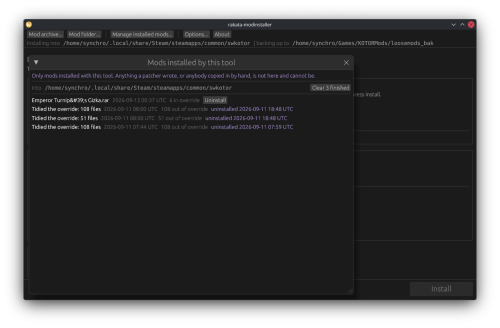
- Every install is recorded and can be taken back later. Uninstall leaves a file alone if something has changed it since, so it will not step on a patcher mod's work or on a later mod's.
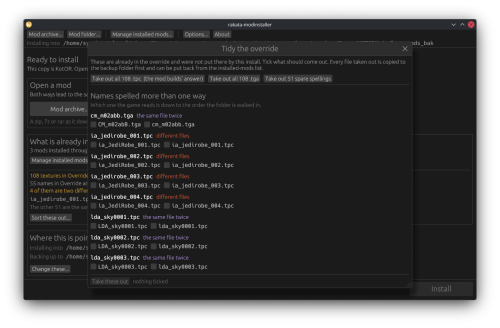
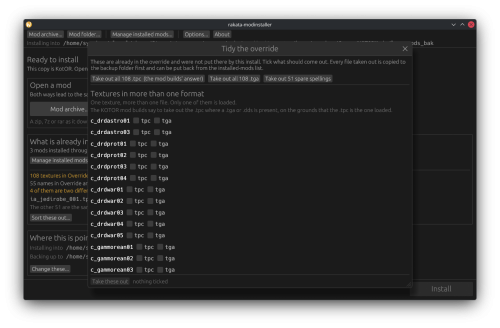
- Finds duplicates already sitting in your Override. A name capitalised two ways, or one texture shipped as both a TPC and a TGA. Only one of each is ever loaded, and the game picks it arbitrarily.
- Shows what every layer of the game holds for a given file, so you can see a loose file quietly shadowing a copy inside a module archive.
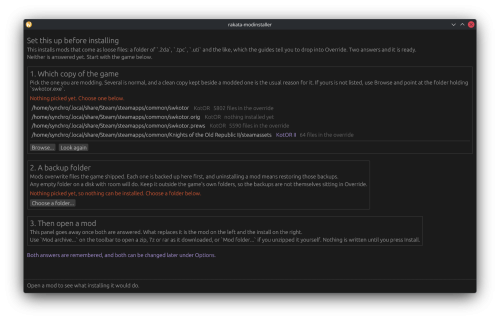
- Finds your installation on its own. Steam, GOG and retail, on Windows, Linux and macOS, for both KotOR 1 and KotOR 2.
If you play on Linux or a Steam Deck, this fixes something quiet
Mod builds are ordered lists, and later mods are meant to overwrite parts of earlier ones. On Windows that happens by itself, because the filesystem does not care whether a file is called `Appearance.2da` or `appearance.2da`. On Linux it does care. Both files end up in Override, the game loads whichever one it reaches first, and the overwrite prompt the build guide told you to expect never appears. Your install order silently did not happen.
This installs by name with a common lowercase filename, so the overwrite you meant is the one you get.
What it does not do (yet)
TSLPatcher mods. Those do not copy files into place. They merge rows into 2DA files that are already there, add entries to the talk table and write inside module archives. This recognises them and says so instead of half-installing them. Keep using HoloPatcher for those. (for now)
Tested against
The loose-file mods from the community build lists, and a full modded install.
Additionally tested on Linux by @Leilukin and on macOS by @FTD Thanks for your help testing!
Requirements
The window fits a 1280x800 screen, so it works on a Steam Deck without too much squeezing.
On Windows: Windows 10+ 64-bit
On macOS: macOS 10.12+ for Intel Macs and 11.0+ for Apple Silicon Macs
On Linux: Any recent Linux distro with glibc 2.35+
About Rakata
Rakata is a clean-room Rust workspace for reading, writing and validating KotOR game data, written from scratch against notes taken from the engine rather than from anybody else's code. This installer is one tool built on top of it. It is free and open-source under GPL-3.0, and the source along with the format documentation is at https://codeberg.org/Synchro/rakata
LLM Disclosure
This project made use of an LLM during development, in the following capacities:
- Brainstorming: exploring possible approaches and design directions
- Decompilation assistance: help interpreting reverse-engineered code
- Code comments: refining and clarifying existing comments
- Skeletons and fixes: generating initial code scaffolding and minor fixes.
All LLM-assisted output was modified and reviewed by a human before being committed.
Edited by Synchro
Small clarification on why casing normalisation matters.
What's New in Version 1.1.0 See changelog
Released
Mods do not all arrive as an archive. Some are a folder, some are a single
texture, and some ask you to copy a file and rename the copy before anything
goes in. This release is about the ways a mod reaches the installer.
You can drop a mod on the window now whether it is an archive, a folder, or a handful of loose files.
(not on Linux when running Wayland yet  )
)
A mod that downloaded as one file opens as itself, rather than needing a folder
made to hold it. Where a build guide tells you to copy a file and rename the copy,
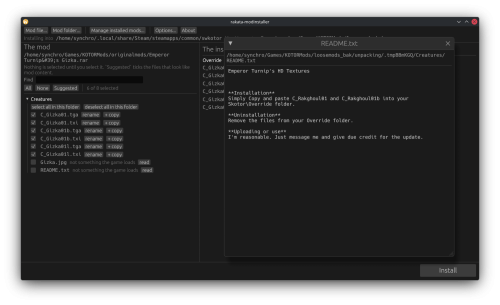
a row can carry a second name and the file lands twice.
A mod also opens with nothing ticked. What gets written into your game is
what you chose, and `Suggested` ticks the likely content whenever you want it.
If you would rather it start that way, there is now a setting for it.
Added
- Drop a mod on the window: an archive, a folder, or several loose files
- Open a mod that is a single file, with no folder made to hold it
- Install one file under a second name as well, for guides that say to copy
a file and rename the copy
- Rename a file to the name it should land under, keeping its extension
- A setting to select the suggested files as a mod opens
Changed
- A mod opens with nothing selected, so an install is always your selection
- The file dialog offers the game's own file types beside the archives, so a
mod that is one .tga can be picked
- Programs and their libraries install beside swkotor.exe rather than into
Override, so a replacement executable lands where the game looks for it
Fixed
- The mod and installation panels stay up while a mod is installing or a file
is being opened to read, instead of dropping back to the start page
- The AppImages show their icon once added to a desktop menu

