


JCarter426
-
Posts
1,599 -
Joined
-
Last visited
-
Days Won
140
Content Type
Profiles
Forums
Blogs
Forum & Tracker Requests
Downloads
Gallery
Store
Events
Everything posted by JCarter426
-
Well, the contents are listed in the changelog too. The point of that section the readme is so people know which files effect which changes. Here's everything in v1.2, though: ASTEROIDS Replaced some background asteroid textures using high resolution renders of other asteroids from the game. - EBO_Astr.tga - PER_As02.tga ATRIS Added missing shader for Atris' head. - P_AtrisH01.tga - P_AtrisH01.txi BASTILA Added missing shader for Bastila's clothes. Although I don't think that solves the entire problem with them. - P_BastilaBB01.tga - P_BastilaBB01.txi BATTLE OF TELOS TURBOLASERS Turbolaser palette for the battle of Telos swapped to match their colors elsewhere in the game. Citadel Station and Republic fighters will now fire green; the Ravager and Sith fighters will now fire red. The loadscreen for 221TEL has been corrected in the same manner. - load_221TEL.tga - tel_blst1.tga - tel_blst2.tga CITADEL STATION SKYBOX Citadel Station skybox completely redone, based on high resolution renders of the Citadel models with 3ds Max. New texture resolution is 4096x4096. - TEL_BDrp.tga COMMONER CLOTHING Fixed some issues with the fourth male commoner clothing variant. - n_commm04.tga DILLAN Dillan's head edited to make her hair less horrible looking. - n_tatcoma_f.tga EBON HAWK TEXTURES All Ebon Hawk textures replaced with the highest resolution texture I could find in the game assets. By Ebon Hawk textures I mean the ship's exterior. - DXN_EBOHWK.tga - KOR_EHOK.tga - NAR_EBOHWK.tga - PER_EH1.tga FIGHTER TEXTURES Republic and Sith fighter textures replaced with the highest resolution textures I could find in the game assets. - tel_sftr.tga - tel_rftr.tga GRASS TEXTURES Alpha channels for some grass textures improved. Shouldn't have any missing bits anymore. I haven't done them all yet, though. - DXn_grassfx.tga - DXN_jungfx.tga KHOONDA MILITIA ARMOR Reskinned the female Khoonda armor texture to remove the awkward painted-on breasts and strangely symmetrical dents. - PFBE10.tga KIOSK 2 MODEL Removed parts of the PLC_Kiosk2 model. There were some random metal things just hovering in the air, and I always thought the droid head looked a bit anachronistic. I mean, more like the droids of the film era than the ones in the game. It still has some terrible texture issues, but I didn't feel prepared to tackle them. - plc_kiosk2.mdl - plc_kiosk2.mdx - JC_Invisib.tga KREIA Added a fix for the Kreia models. I know there are others, but I decided to do my own. Not compatible with the others, obviously. So just don't install the P_Kreia**** files if you don't want that. - P_Kreia1hBB.mdl - P_Kreia1hBB.mdx - P_KreiaEvil0hBB.mdl - P_KreiaEvil0hBB.mdx - P_KreiaStunt.mdl - P_KreiaStunt.mdx LIGHTSABER PART ICONS Swapped the icons for two of the lightsaber components. They were clearly misplaced. - lspart01.uti - lspart02.uti LUXA Fixed a problem with Luxa's teeth and tongue. For some bizarre reason they used a different texture than the rest of her head. The UVW mapping did not match this texture, causing errors on that part of the model. I hex edited the model and reset everything to use the same texture. - JCLuxa.tga - n_lala_xuh.mdl - n_lala_xuh.mdx MANDALORIAN FLAGS Replaced the Rakatan imagery on the flags around the Mandalorian camp with the Mandalorian Neo-Crusader symbol. Loadscreen for 403DXN has been updated to reflect this. - load_403DXN.tga - PLC_RakatFlg.tga - PLC_RakatFlg2.tga - PLC_RakatFlg3.tga MIRA Some small adjustments to Mira's clothing. Green where there shouldn't be green, mostly, now removed. Not compatible with any other mods that alter Mira's clothing, of course. - P_MiraA.tga ONDERON BLOCKADE Fixed several texture errors concerning the Onderonian ships. Also redid the blockaded ships in the distance using high resolution renders of the ship models. - mg_cs.tga - mg_ms1.tga - mg_ms2.tga - mg_ms3.tga - MG_OFtr.tga - mg_sbk.tga PAZAAK CARDS Swapped the colors on the pazaak card placeable and item around so nobody's cheating anymore. - JCw_Pazaak.tga - PLC_Pazaak.tga - w_BlstrPstl_014.mdl - w_BlstrPstl_014.mdx RAVAGER Ravager texture redone, based on a snapshot from one of the prerendered Bink videos. By Ravager texture I mean the ship's exterior, which appears during the Battle of Telos. - TEL_Rav.tga TELOS SHUTTLE TEXTURE Replaced the texture of the shuttle in the Telos swoop track with the usual one. The original was low quality and had an orange stripe, bleh. - TEL_SShtl.tga TELOS SHUTTLE MOVIE Fixed an animation error in the Telos shuttle departure video. Duros in the background would just walk in place once he got to the door previously. I've only applied the fix to the the HD version (1600x680) that came with the High Quality Movie Patch. - TELMov03.bik VASH Vash's head edited to make her hair less horrible looking. - N_jedmast2h.tga VIS FILES VIS for 301NAR edited so the swoop platform doesn't disappear as you are entering or exiting the alley adjacent to the landing pad, and so the crates on the landing pad and the landing pad rails are always visible from the swoop garage. 804DRO similarly fixed. But it doesn't do anything if you don't have an M4-78 installed. - 301nar.vis - 804dro.vis MISCELLANEOUS RESOLUTION FIXES Replaced these with higher resolution textures found elsewhere in the game files. - TEL_wl06.tga MISCELLANEOUS SHADER FIXES Added missing shaders for these textures. - DAN_Wn02.tga - DAN_Wn02.txi - MAL_wn01.tga - MAL_wn01.txi - ond_eng1.tga - ond_eng1.txi - PLC_Hyper.tga - PLC_Hyper.txi INVISIBLE TEXTURES These are invisible textures that I use for when I hex edit a model to remove some part of it. Editing through hex editing does not allow for files names with a different number of characters, hence the multiple files, but it ensures nothing else about the model is changed. Since these are all JC_ files it's safe to install them, and I would suggest you install them even if you don't see them listed as files you need, just to be safe. They are identical to files from my other mods, so you needn't worry about compatibility with those. - JC_Inv.tga - JC_Inv.txi - JC_Inv1.tga - JC_Inv1.txi - JC_Inv01.tga - JC_Inv01.txi - JC_Inv001.tga - JC_Inv001.txi - JC_Invisib.tga - JC_Invisib.txi
-
Yeah, that's pretty much what I'm thinking. I'll keep thinking, though. Maybe I'll group everything into a few packages. Like all the straight fixes (missing shaders, alpha channel corections, higher resolution textures, etc) on one installer, and then stuff prone to compatibility issues on other installers. I'll keep thinking about it. The main issue is it's more convenient for me to throw everything in one package rather than churn out a dozen different mods. So if I then have to split that into a dozen different installers, that's... less convenient. Especially if a lot of you are going to do a manual install anyway. Thanks. I've been working on stuff with this game for years, so catching this stuff is kind of inevitable. Also, there are other issues in the Bink videos I've noticed... but I'm still working out how to address them. One is particularly glaring and I'm not sure how to handle it yet. Anyway, there will probably be more of those in the future. It's the fourth section of the v1.2 readme (4. Contents). There's a brief description for all the changes, and then the files included in them.
-
Minor update. Just a couple things I should've done in the the last version that I forgot about. Next version will be more substantial, but it won't be for a while, so I didn't want to just sit on this stuff that's already done. For those of you that have v1.1, the only NEW file in this version is TELMov03.bik, in the new Movies folder. The bigger thing is the readme. Yes, the readme of all things. I added a list of all the changes and the associated files, so that should make it easier to install what you want to install and only what you want to install. Thanks, guys. I know you both have been longtime followers of this... it's good to hear these are fixes other people want too,, so I know I'm not just crazy. I haven't done it yet because I figure what parts of the mod people want to install will vary by what other mods they have and their individual tastes and so on, but it's something I will consider. I hope the update in the readme as mentioned above make things easier in the meantime. I'd like to hear further thoughts on this, though. It wouldn't be difficult to write an installer that doesn't overwrite specific files if they're already present, but that also means if I ever updated those files, the installer would ignore them. So perhaps I would need multiple installers or some similar scheme.
-
There is some restoration work I'm looking at, but nothing quite on that scale... at least not yet. Both versions are 512x512, as far as I can tell - compare that to the Basilisk's 1024x1024. There still could be a higher resolution texture somewhere in the game files, though, so I'll keep looking.
-
I'm not sure. In the first game, many of the party members' clothing models have unique animations - for example, Canderous stretches his neck - for Pause 2, but as far as I recall everyone in the second game does the same stuff. I think Mira's rocket launcher is not in there, though. Because it's a combat animation and I've only started going through those. So I could take a look. Hmm, I may want to see that, then.
-
Sure, I'd like to hear suggestions for fixes too. Unfortunately in this case, I believe that's the best quality texture available in the game files. The reason the resolution is so comparatively low is because it's a reused asset from the first game.
-
Hello, everyone. This thread will contain my random fiddling, just like my WIP thread on LucasForums. But first I have some business to discuss with you. I'm currently in the process of uploading my mods, many of which were lost with Filefront, to Deadly Stream. Now, some of you may be familiar with my Toolbox, an assortment of in-game developer tools and cheat items for K2. I'll repeat the trailer video here for those of you that aren't: Rather than upload the old version of the Toolbox, however, I've decided to update it and release the new version (1.3). In addition, I will be finalizing the K1 version, which has been stuck in beta for years because of bugs and my unwillingness to fix them. I have a compelling reason to fix them in the coming months, as well as add new features to both versions, and it's the latter matter which brings me here. I'm looking for ideas for new features to add to Toolbox. There are a number of functions I'm already adding, but there are bound to be many that would never cross my mind, as there have in the past. And many of these past requests led to features that I myself find very handy - scripts that I streamlined to become more user friendly and versatile, which otherwise I would have coded from scratch every time, the hard and time consuming way. I have a habit of scripting the quick and easy path. So, if there are any functions you want, or if you have any ideas for new tools, or maybe if you know a way to make something already in the Toolbox easier to use, apply below. Also, if there are any of my mods that were lost and still aren't online anywhere, just let me know and I can upload them. That's all for now.
-

Subroutine within a subroutine
JCarter426 replied to JCarter426's topic in General Kotor/TSL Modding
I was afraid of that. The grenade script is set up similarly... it doesn't use cases but it does have an if tree for all the grenade types to run. I'll have to think about which way I prefer but I think I can still manage it all in the same code. Not as efficient as it would be if I were allowed to define my own actions but ah well. Thanks. -
Subroutine within a subroutine
JCarter426 replied to JCarter426's topic in General Kotor/TSL Modding
Nah, doesn't work. If I remove the parenthesis from the declaration but keep them in the body, it says it can't invoke that as a function - because it's not recognizing it from the declaration, I would assume. -
Subroutine within a subroutine
JCarter426 replied to JCarter426's topic in General Kotor/TSL Modding
That was one of the things I forgot I had tried... when I do it like that, I get a type mismatch for the AssignCommand. And that really shouldn't be the case, because I can use a subroutine with AssignCommand just fine otherwise. Also, I'm not sure if removing the parenthesis would later allow me to run that subroutine with its own variables... I think it should, but obviously I can't test it until it actually runs at all. -
This is kind of a stupid question. I was working on a script earlier and I was saying you can do this with loops instead of 600 lines of code, and then... well, now I'm wondering if you can. Of course there must be a way to do it, I thought... but every attempt so far to compile resulted in errors. I'm trying to write a subroutine that will fire another subroutine repeatedly for any duration of time, and with any interval between each firing. For example, 5 seconds of blaster shot, with a quarter second between each actual shot. The code for the blaster shot goes in one subroutine, and all the looping code goes in another subroutine, and I want that to be able to fire the first subroutine as well as any number of others, and then finally I have the main body. This is essentially the code that I want: void JC_SUB_1() { //Subroutine contents } void JC_SUB_2() { //Another subroutine, why not } void JC_SUB_TRIGGER(void JC_SUB_HERE(), object oObject, float fDuration, float fInterval) { int nDuration = FloatToInt(fDuration / fInterval); int i; for( i = 0; i < nDuration; i++ ) DelayCommand(IntToFloat(i) * fInterval, AssignCommand(oObject, JC_SUB_HERE() )); } void main() { //Our first subroutine, with a duration of 5 seconds and an interval of one quarter of a second... JC_SUB_TRIGGER(JC_SUB_1(), OBJECT_SELF, 5.0, 0.25); //And later in the script, let's have the second subroutine, with a duration of 2 seconds and an interval of one tenth of a second... DelayCommand(30.0, JC_SUB_TRIGGER(JC_SUB_1(), OBJECT_SELF, 2.0, 0.1)); } And the problem is right here: void JC_SUB_TRIGGER(void JC_SUB_HERE(), object oObject, float fDuration, float fInterval) { I can't get it to accept a subroutine as one of a subroutine's variables... or to be more specific, I can't get it to accept any data type for that variable. It won't take a void. it won't take an action because only nwscript.nss can use action. I looked up data types on the NWN Lexicon and tried command, but apparently KOTOR doesn't support that type, as the compiler wouldn't recognize it. And it wouldn't take a few other things I tried and forgot what they were. Now, I could get around this by removing the subroutine as a variable and defining it in the body, but that would mean duplicating all the trigger code for each different subroutine I want triggered. I could use ExecuteScript, but I'd rather keep everything in one script. So I know other ways to do it, but I want to do it my way. I thought of course there must be a way to do it... but I've tried everything I can think of. But most of my scripting knowledge comes from modifying video games, so maybe I missed something.
-
File Name: JC's Saber Workshop File Submitter: JCarter426 File Submitted: 06 Feb 2016 File Category: Mods TSLRCM Compatible: Yes This mod adds a workshop to the Ebon Hawk's garage, with which you can construct or deconstruct lightsabers and lightsaber components. One of the things Obsidian did differently was the way you make your first lightsaber. In the first game, you build it at the Jedi Enclave, so they have all the parts there. In K2, the Jedi are all gone, so you're given a scavenger hunt. You have to find three components, bring them to your buddy Bao-Dur, and then you get to make your lightsaber. With that in mind, I have designed the workshop to deconstruct lightsabers, giving you a color crystal and those three parts. Double-bladed lightsabers contain an extra focusing lens and emitter. With all these parts in hand, you can use the workshop to create lightsabers, as well. Furthermore, you can use the workshop to create or breakdown the individual components (provided you have the schematics for them - i.e. you've gotten them through the Crafting a Lightsaber quest - and the right skill points). So that means you can create as many lightsabers as there are color crystals; those crystals won't be burning a hole in your pocket. In short, you have more control over your lightsabers; you can create sabers out of crystals and components, and you can change lightsaber type at will. Oh, and you do not need to start a new game or anything of that sort. The workshop will appear on the Ebon Hawk when you enter. Click here to download this file
-
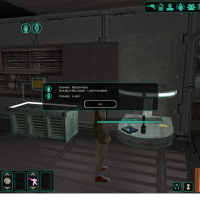
Version 1.1
3,771 downloads
This mod adds a workshop to the Ebon Hawk's garage, with which you can construct or deconstruct lightsabers and lightsaber components. One of the things Obsidian did differently was the way you make your first lightsaber. In the first game, you build it at the Jedi Enclave, so they have all the parts there. In K2, the Jedi are all gone, so you're given a scavenger hunt. You have to find three components, bring them to your buddy Bao-Dur, and then you get to make your lightsaber. With that in mind, I have designed the workshop to deconstruct lightsabers, giving you a color crystal and those three parts. Double-bladed lightsabers contain an extra focusing lens and emitter. With all these parts in hand, you can use the workshop to create lightsabers, as well. Furthermore, you can use the workshop to create or breakdown the individual components (provided you have the schematics for them - i.e. you've gotten them through the Crafting a Lightsaber quest - and the right skill points). So that means you can create as many lightsabers as there are color crystals; those crystals won't be burning a hole in your pocket. In short, you have more control over your lightsabers; you can create sabers out of crystals and components, and you can change lightsaber type at will. Oh, and you do not need to start a new game or anything of that sort. The workshop will appear on the Ebon Hawk when you enter. -
View File JC's Handmaiden Sisters This is a restoration of the original Handmaiden sister appearance. In the original release of the game, the Handmaiden and her sisters all look alike, even though they comment on her difference in appearance. The developers actually made a unique head for the sisters, but it was left out of the final release of the game. I took that head and merged with the body model used for the Handmaiden sisters in the game, thus restoring their intended appearance. Installation Extract files from the downloaded archive. Run INSTALL.exe. Click "Install Mod" and select your game directory. Uninstallation During installation, TSLPatcher generates a backup folder and a log recording which files were affected. Restore or delete all module files affected by this mod. For each module, copy the corresponding .mod file from the backup folder to replace the one in your game's Modules folder if a backup was created, otherwise delete the .mod file from your game's Modules folder. Restore or delete appearance.2da. Copy the corresponding .2da file from the backup folder to replace the one in your game's Override folder if a backup was created, otherwise delete the .2da file from your game's Override folder. Restore or delete all model files affected by this mod. For each .mdl and .mdx file, copy the file from the backup folder to replace the one in your game's Override folder if a backup was created, otherwise delete them from your game's Override folder. Note: if you have TSLRCM installed, you can probably skip steps 1 & 2. This mod applies some of the same changes that TSLRCM makes, so those these probably weren't changed at all during installation. Step 3 is still necessary to undo this mod's changes to the models. Note that depending on which option you installed, some of the a Credits KOTOR Tool – Fred Tetra TSLPatcher – stoffe & Fair Strides ERFEdit – stoffe & Fair Strides K-GFF – tk102 KOTORmax – bead-v NWmax – Joco xoreos tools – xoreos team https://xoreos.org/ License This work is licensed under a Creative Commons Attribution-NonCommercial 4.0 International License. Donations If you enjoy my mods and would like to show your support in a monetary manner, you may do so via PayPal at https://www.paypal.me/carterunited. Submitter JCarter426 Submitted 02/06/2016 Category Mods TSLRCM Compatible Yes
-

Version 3.0.0
36,579 downloads
This is a restoration of the original Handmaiden sister appearance. In the original release of the game, the Handmaiden and her sisters all look alike, even though they comment on her difference in appearance. The developers actually made a unique head for the sisters, but it was left out of the final release of the game. I took that head and merged with the body model used for the Handmaiden sisters in the game, thus restoring their intended appearance. Installation Extract files from the downloaded archive. Run INSTALL.exe. Click "Install Mod" and select your game directory. Uninstallation During installation, TSLPatcher generates a backup folder and a log recording which files were affected. Restore or delete all module files affected by this mod. For each module, copy the corresponding .mod file from the backup folder to replace the one in your game's Modules folder if a backup was created, otherwise delete the .mod file from your game's Modules folder. Restore or delete appearance.2da. Copy the corresponding .2da file from the backup folder to replace the one in your game's Override folder if a backup was created, otherwise delete the .2da file from your game's Override folder. Restore or delete all model files affected by this mod. For each .mdl and .mdx file, copy the file from the backup folder to replace the one in your game's Override folder if a backup was created, otherwise delete them from your game's Override folder. Note: if you have TSLRCM installed, you can probably skip steps 1 & 2. This mod applies some of the same changes that TSLRCM makes, so those files probably weren't changed at all during installation. Step 3 is still necessary to undo this mod's changes to the models. Note that depending on which option you installed, some of the a Credits KOTOR Tool – Fred Tetra TSLPatcher – stoffe & Fair Strides ERFEdit – stoffe & Fair Strides K-GFF – tk102 KOTORmax – bead-v NWmax – Joco xoreos tools – xoreos team https://xoreos.org/ License This work is licensed under a Creative Commons Attribution-NonCommercial 4.0 International License. Donations If you enjoy my mods and would like to show your support in a monetary manner, you may do so via PayPal at https://www.paypal.me/carterunited. -
File Name: JC's Minor Fixes for K2 File Submitter: JCarter426 File Submitted: 06 Feb 2016 File Category: Mods TSLRCM Compatible: Yes This is a collection of various things that I found annoying enough to alter. It started with that crazy window on Nar Shaddaa, by the landing pad, that would mysteriously render anything that was behind it invisible. It turned out to be as simple as a missing TXI. But it was at this point that I decided to start collecting little things like that into a single mod, to be released to the general public when it became more substantial. Due to the nature of this mod, I haven't bothered to make a proper installer with the TSL Patcher. Just install whatever you want to install. Don't install what you don't want to install. Some of these fixes are included in TSLRCM, while others are not. Either way, it's compatible. Other mods may not be compatible; contact me if you have any questions. Contents as of v1.2: ASTEROIDS Replaced some background asteroid textures using high resolution renders of other asteroids from the game. - EBO_Astr.tga - PER_As02.tga ATRIS Added missing shader for Atris' head. - P_AtrisH01.tga - P_AtrisH01.txi BASTILA Added missing shader for Bastila's clothes. Although I don't think that solves the entire problem with them. - P_BastilaBB01.tga - P_BastilaBB01.txi BATTLE OF TELOS TURBOLASERS Turbolaser palette for the battle of Telos swapped to match their colors elsewhere in the game. Citadel Station and Republic fighters will now fire green; the Ravager and Sith fighters will now fire red. The loadscreen for 221TEL has been corrected in the same manner. - load_221TEL.tga - tel_blst1.tga - tel_blst2.tga CITADEL STATION SKYBOX Citadel Station skybox completely redone, based on high resolution renders of the Citadel models with 3ds Max. New texture resolution is 4096x4096. - TEL_BDrp.tga COMMONER CLOTHING Fixed some issues with the fourth male commoner clothing variant. - n_commm04.tga DILLAN Dillan's head edited to make her hair less horrible looking. - n_tatcoma_f.tga EBON HAWK TEXTURES All Ebon Hawk textures replaced with the highest resolution texture I could find in the game assets. By Ebon Hawk textures I mean the ship's exterior. - DXN_EBOHWK.tga - KOR_EHOK.tga - NAR_EBOHWK.tga - PER_EH1.tga FIGHTER TEXTURES Republic and Sith fighter textures replaced with the highest resolution textures I could find in the game assets. - tel_sftr.tga - tel_rftr.tga GRASS TEXTURES Alpha channels for some grass textures improved. Shouldn't have any missing bits anymore. I haven't done them all yet, though. - DXn_grassfx.tga - DXN_jungfx.tga KHOONDA MILITIA ARMOR Reskinned the female Khoonda armor texture to remove the awkward painted-on breasts and strangely symmetrical dents. - PFBE10.tga KIOSK 2 MODEL Removed parts of the PLC_Kiosk2 model. There were some random metal things just hovering in the air, and I always thought the droid head looked a bit anachronistic. I mean, more like the droids of the film era than the ones in the game. It still has some terrible texture issues, but I didn't feel prepared to tackle them. - plc_kiosk2.mdl - plc_kiosk2.mdx - JC_Invisib.tga KREIA Added a fix for the Kreia models. I know there are others, but I decided to do my own. Not compatible with the others, obviously. So just don't install the P_Kreia**** files if you don't want that. - P_Kreia1hBB.mdl - P_Kreia1hBB.mdx - P_KreiaEvil0hBB.mdl - P_KreiaEvil0hBB.mdx - P_KreiaStunt.mdl - P_KreiaStunt.mdx LIGHTSABER PART ICONS Swapped the icons for two of the lightsaber components. They were clearly misplaced. - lspart01.uti - lspart02.uti LUXA Fixed a problem with Luxa's teeth and tongue. For some bizarre reason they used a different texture than the rest of her head. The UVW mapping did not match this texture, causing errors on that part of the model. I hex edited the model and reset everything to use the same texture. - JCLuxa.tga - n_lala_xuh.mdl - n_lala_xuh.mdx MANDALORIAN FLAGS Replaced the Rakatan imagery on the flags around the Mandalorian camp with the Mandalorian Neo-Crusader symbol. Loadscreen for 403DXN has been updated to reflect this. - load_403DXN.tga - PLC_RakatFlg.tga - PLC_RakatFlg2.tga - PLC_RakatFlg3.tga MIRA Some small adjustments to Mira's clothing. Green where there shouldn't be green, mostly, now removed. Not compatible with any other mods that alter Mira's clothing, of course. - P_MiraA.tga ONDERON BLOCKADE Fixed several texture errors concerning the Onderonian ships. Also redid the blockaded ships in the distance using high resolution renders of the ship models. - mg_cs.tga - mg_ms1.tga - mg_ms2.tga - mg_ms3.tga - MG_OFtr.tga - mg_sbk.tga PAZAAK CARDS Swapped the colors on the pazaak card placeable and item around so nobody's cheating anymore. - JCw_Pazaak.tga - PLC_Pazaak.tga - w_BlstrPstl_014.mdl - w_BlstrPstl_014.mdx RAVAGER Ravager texture redone, based on a snapshot from one of the prerendered Bink videos. By Ravager texture I mean the ship's exterior, which appears during the Battle of Telos. - TEL_Rav.tga TELOS SHUTTLE TEXTURE Replaced the texture of the shuttle in the Telos swoop track with the usual one. The original was low quality and had an orange stripe, bleh. - TEL_SShtl.tga TELOS SHUTTLE MOVIE Fixed an animation error in the Telos shuttle departure video. Duros in the background would just walk in place once he got to the door previously. I've only applied the fix to the the HD version (1600x680) that came with the High Quality Movie Patch. - TELMov03.bik VASH Vash's head edited to make her hair less horrible looking. - N_jedmast2h.tga VIS FILES VIS for 301NAR edited so the swoop platform doesn't disappear as you are entering or exiting the alley adjacent to the landing pad, and so the crates on the landing pad and the landing pad rails are always visible from the swoop garage. 804DRO similarly fixed. But it doesn't do anything if you don't have an M4-78 installed. - 301nar.vis - 804dro.vis MISCELLANEOUS RESOLUTION FIXES Replaced these with higher resolution textures found elsewhere in the game files. - TEL_wl06.tga MISCELLANEOUS SHADER FIXES Added missing shaders for these textures. - DAN_Wn02.tga - DAN_Wn02.txi - MAL_wn01.tga - MAL_wn01.txi - ond_eng1.tga - ond_eng1.txi - PLC_Hyper.tga - PLC_Hyper.txi INVISIBLE TEXTURES These are invisible textures that I use for when I hex edit a model to remove some part of it. Editing through hex editing does not allow for files names with a different number of characters, hence the multiple files, but it ensures nothing else about the model is changed. Since these are all JC_ files it's safe to install them, and I would suggest you install them even if you don't see them listed as files you need, just to be safe. They are identical to files from my other mods, so you needn't worry about compatibility with those. - JC_Inv.tga - JC_Inv.txi - JC_Inv1.tga - JC_Inv1.txi - JC_Inv01.tga - JC_Inv01.txi - JC_Inv001.tga - JC_Inv001.txi - JC_Invisib.tga - JC_Invisib.txi Click here to download this file
-
I figured it had to be that, but I couldn't figure out how you had gotten it to be so accurate. You're scary sometimes. And I'm seconding the request for the smoothing groups. I've been fiddling around with it some more and while everything does seem to be doable, the way many the models are set up would require a lot of editing just to retain the smoothing as is. A lot of them have the forearms on a separate mesh, and in my experience editing the arms is one of the trickiest parts. Simply running it through MDLOps loses the smoothing because of that. In contrast, a lot of them have the feet on the torso mesh and splitting them is required to keep everything as is.
-
Great video. You had some fantastic ideas for Malachor. I get why you gave up though... getting just that much fully executed in the game must've taken ages. Looking forward to seeing more.
-
3ds Max only displays three decimal points for me... I don't know if that's just a setting that could be changed, or if it's a limit of the version I use. (3ds Max 8... no, not 2008. 8.) I usually use the snap toggle to have vertices overlap exactly, but even so, giving it a range three decimals or less would be safer. 0.01 sounds too broad to me, though. That's one centimeter, so accidental overlaps could happen. I'd say something between 0.001 and 0.005 should do it.
-
For the model I was working on, with the shadow issues, I did have the shoes detached from the torso: ...and I haven't noticed any problems. I did just notice the same problem with the upper arms on mine, though. Also, out of curiosity, what model(s) are you using for Mira there?
-
Ah, that's great! Thanks for the update.
-
Yeah, I noticed the shadows were coming from the bones. I was wondering about that. Like I said, though, I was still getting shadows with 0.6. And I've done it before without ever losing shadows. So I don't think it's a result of my messing... or not exclusively my messing, at any rate. I hadn't touched the bones when I tried running it through Taina's Replacer, so I could try that later. Might not have access to the files for the rest of the night though.
-
Hadn't done the retexture yet... but the original model was PFBAM (in K2). The texture mapping is more or less the same, just the feet and the neck different.
-
All right... it's still a WIP though, so don't judge. https://www.dropbox.com/s/nmd8lzq2hruh6w1/JC_HandA-ascii.mdl?dl=0
-
Nope, neither of those worked. And I just tested again to be sure... converting with MDLOps 0.6 does produce shadows without editing the ASCII at all.
