

Dark Hope
-
Content Count
941 -
Joined
-
Last visited
-
Days Won
279
Everything posted by Dark Hope
-
 You can do it the simple way, but unfortunately, it won't work. What are these files responsible for?
 -
 You should correct the defect.
 -
From experience, I can tell you that the relief map is unlikely to work for you. Read this thread. https://deadlystream.com/topic/11908-invalid-bump-map/?tab=comments#comment-98929
-
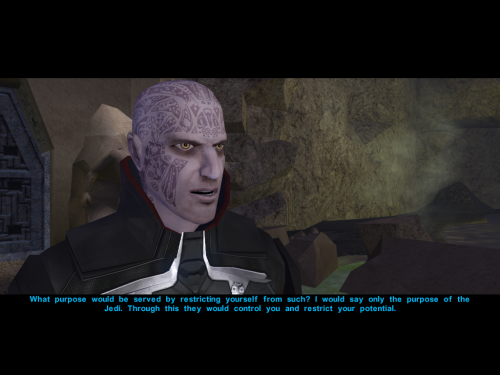 Good job with the model.
 -
It's so good that I borrowed some of the facial features for my own texture for personal use.
-
The texture is good, but I would remove the teeth on the lips.
-
 Hello. This would make sense if I didn't use models and fixes from other mods. But I have nothing against people creating builds with my mods. Such builds exist. The question is how often they are updated.
 -
Robes and armor 1024. PFBI01.tga PFBI03.tga PFBI04.tga PFBG06.tga PMBD08.tga PMBE01.tga pmbj01.tga PFBJ02.tga Aliens 1024 N_Duros01.tga N_Duros03.tga
-
Does the environment map work in .tga format?
-
Kebla Yurt store.
-
The numbers should be removed. It might look something like this: PLC_locker.tga
-
This looks very respectable. The difference between the versions is colossal. You've done a tremendous amount of work. All the heads are worthy of 1024. And all the clothes, animals, and aliens deserve at least 2048 resolution. The AI is doing a great job of this. It's visually noticeable.
-
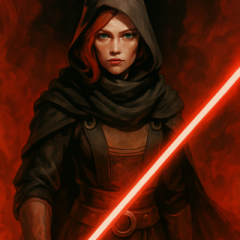
Looking for this female character
Dark Hope replied to WhiteSaber's topic in General Kotor/TSL Modding
I checked. Nothing has changed. This killed ReShade) -
It would be great if you could do this. I haven't figured out the interface for this process yet. But I pulled out the old_w_m model. old_w_m.rar
-
With the Hutts, this is justified. I haven't personally tested the N_oldCMH01 model. But from what I understand, it should have a corresponding change. Maybe that's what it all boils down to.
-
The detail of the map itself is important.
-
I created a new map. It might come in handy. C_Hutt01b.tga C_Hutt01b.tpc
-
I looked. It doesn't work properly. I noticed the effect isn't there on the new Hutt textures. It may be there, but it is not visually noticeable.
-
Hutt is a little shocked by his tail)
-
The seams have disappeared)
-
I think the 1024 NPC textures are a failure. They're low quality and a waste of performance. I'm posting another AI's work as an example. I think your neural network can do better.
-
Cool. I saw this thread. I've been wanting to apply a normal map to the female Twi'leks' heads for a while. Another note: The map must be square in resolution.
-
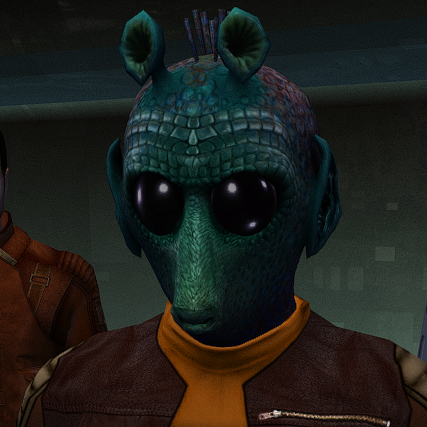
I think the texture is very nice. These aren't scales, but rather skin segments like a frog's. It's good that you decided to increase them, as I wrote about earlier.
-
I checked. I'm using the current version: https://deadlystream.com/files/file/1152-tga2tpc/ I'll see what I can do. I checked. I had no problems. I took your map. I reduced it to 2048 (I think this is enough for the effect and performance) and applied the following settings. The effect is obvious and I'm happy with it. You can check it for yourself. C_Hutt01b.tpc One more thing. There's only one normal map, but there are several hutts. It will fit perfectly on one hutt. If you know what I mean. Here's what I mean: It's not a bad thing if it fits well. It's just something to keep in mind.
-
View File Rodian HD (Retexture High Quality Aliens: Rodians 1.1.0) This mod will replace and update texture files. For proper operation, High Quality Aliens: Rodians 1.1.0 must be installed. Thanks to Stormie97 for the wonderful mod. To Install 1. Download: ST_Rodian HD.rar 2. Copy all files to the Knights of the Old republic's Override folder. (Example location - C:\Program Files (x86)\Steam\steamapps\common\swkotor\Override) 3. Delete the ST_Rodian 01 - 05.tpc files 4. If you like the mod; leave a comment or endorse! (It would be much appreciated) Made with love Submitter Dark Hope Submitted 09/29/2025 Category Mods K1R Compatible Yes

