

Leaderboard


Popular Content
Showing content with the highest reputation on 06/06/2026 in Files
-
Version 1.0.0
383 downloads
THE SITH LORDS RESTORED CONTENT MOD ADD-ON: M4-78EP Unofficial Patch 1.0 1. Description: ---------- One of the most ambitious Kotor II mods is also one of its most controversial. The M4-78 Enhancement Project, or M4-78EP, was the culmination of years of hard work to restore the legendary Droid Planet of M4-78 back into Kotor II, however, the first releases of M4-78EP was plagued by two critical issues which gave the mod a bad reputation. 1) A mix of low-quality, amateurish voice acting and bizarre Droid filter choices. 2) Crippling lag in the Industrial Zone. Updates 1.3 and 1.5 of the M4-78EP were intended to fix these two issues. The majority of the Droid VO is now reasonably competent for a fan mod and the lag in the Industrial Zone was fixed, however, these updates also added more problems which simply replaced the old issues with new issues. 1) The teleportation mechanic during the Radiation section was controversial with some players. 2) The removal of the side quest “Termination Required” during the Radiation section was controversial with some players. 3) Removal of content was unfinished in some places. The Security Droid trio which was removed spill spawn during the Radiation section and could be found if you ran backwards in the Industrial Zone before clearing the Radiation. 4) Kaah’s new dialogue in ES-05’s Archon Chamber was amateurishly written when you compare it to the old dialogue. 5) Having Vash and possibly Kaah be killed by the weak Sith Assassins you mow down throughout the game was hardly seen as an improvement over the old ending. 6) In the attempt to fix the lag an important placeable was deleted which prevented the side quest “Fixing Droids” from being completed. This mod, the M4-78EP Unofficial Patch, is the work of a coalition of modder’s who have come together to fix M4-78 to improve the new content added in updates 1.3 and 1.5 whilst restoring the much beloved features which were removed in those updates from update 1.2. Features: Please note the following: Whilst M4-78EP 1.5 has language support for English and Russian the M4-78EP Unofficial Patch is ONLY SUPPORTS ENGLISH AT THIS TIME! Whilst M4-78EP 1.5 is available on the Steam Workshop via TSLRCM (English) + M4-78EP (English), the M4-78EP Unofficial Patch ONLY SUPPORTS THE DEADLSYTREAM VERSION OF TSLRCM AND M4-78EP! 2. Installation: ---------- Note: TSLRCM must be installed FIRST, M4-78EP 1.5 must be installed SECOND, and the M4-78EP Unofficial Patch must be installed THIRD, in that PRECISE order, and ALL other mods are to be installed AFTER these three mods. 1. First, you will need to get the most up-to-date version of TSL Restored Content Mod (TSLRCM 1.8.5). It's available for download here: http://deadlystream.com/forum/files/file/578-tsl-restored-content-mod/ Please note that M4-78EP will NOT work AT ALL without TSLRCM. 2. Follow TSLRCM's installation instructions. 3. Once TSLRCM is successfully installed, run M4-78EP.exe. Installer will ask you where you want to install the mod - it should figure out where TSLRCM is installed by itself, so you probably won't need to change that. If, for some reason, the installer shows an incorrect folder, make sure you change it to directory where Kotor II is installed (where swkotor2.exe is located, NOT any of subfolders), same as TSLRCM. 4. If you want to install the “British Female Warning Voice” open the “British Female Warning Voice” and copy the audio files from there into the “tslpatchdata” folder inside the M4-78 Unofficial Patch download and overwrite the existing audio files. Doing this will install the British Female Warning Voice instead of the American Female Warning Voice. 5. Run the HoloPatcher.exe inside the M4-78 Unofficial Patch download, navigate to your Kotor II install folder and click install. Warning: Never run the installer from inside the archive! Always extract the archive onto your hard drive first. 6. While we try our best to make this mod as bug-free as possible, with the many options of KOTOR2 and our small testing team it can happen that bugs, including critical ones, pass through. We will fix them, so check our site for any potential updates and patches. 7. Install any of the included Bonus Addons from the “Bonus Addons” folder that you’d like. Note: If you plan on using Ashton Scorpius’ TSL Better Male Twi'lek Heads mod, install that mod, open the folder “TSL Better Male Twi'lek Compatibility Patch” in the “Bonus Addons” folder, choose between Vanilla Quality and High Quality, and copy the two files from one of these folders and place them into your Override folder. 8. Install any other compatible mods you desire now. 4. Uninstall ---------- Not possible. Make sure you backup your Kotor II game folder before installing TSLRCM and M4-78EP 1.5 to ensure that you can go back and reinstall your mods without M4-78EP 1.5 should you change your mind. 5. Known Issues --------- - When entering 812DRO, the Droid Manufacturing Module, the side quest Deadly Upgrade reactivates again for unknown reasons should it have already been completed. - Whilst the shadow of the Droid Construction Boss model, L5-65’s model, was fixed I suspect it has a few problems. The Environmental Zone’s Guardian Droid boss fight appears to be doing a T-Stance when Kaah has his final line and, when talking to L5-65, the Droid will “Moon Walk” on the spot without stopping. - The Escort Droid will still teleport you to 810DRO and 811DR (M4-78EP 1.5’s Droid Manufacturing and Research & Development modules) instead of 812DRO which is the new Droid Manufacturing Module made by Thor110 which merges 810DRO and 811DRO into one module. - Kaah Ohtok’s unique death scene if you spare him in the Environmental Archon Chamber and then try to “recruit” him into your Party may not fire properly. If this is the case and it can’t be fixed the option to fake recruit him may be removed, however, do know that this scene not firing should not break your game. 6. Future Plans --------- - Improve Korriban content. - Restore the bonus side quests for HK-47, T3-M4, and G0-T0 during the Radiation section of M4-78. - Rename every single Droid on M4-78 to make Droids easier to identify. For example, instead of “CS-36” he’d be named “Greeter Droid CS-36” and journal entries will specify that detail so that he should stand out amongst the plethora of CS named Droids. - Give every single named Droid a unique texture to make Droids easier to identify. For example, if CS-36 was the only droid that was colored hot pink and the journal entry said he was hot pink it would be easier to identify that Droid. An optional HD pack is also planned for these new Droid textures. - Reword and reorganize certain Droid dialogues so that the dialogue is more consistent with the rest of the game. - Add more Party dialogue interjections throughout M4-78. Some of these could be lifted from other parts of the game, spliced together, or created with AI so that Party members can actually interact with the planet they are on. Do note that Hanharr uses alien VO and can be written to actually talk about M4-78. - Fix the 1.5 content where you could use Bao-Dur to break into the Environmental Zone first before going to the Industrial Zone. - Add more Power Cores. - Revoice Master Vash with a human voice actor, NO AI, and change the ending to allow her to reunite with the others on Dantooine. 7. Credits: -------------------------------------------------- » Developers -------------------------------------------------- - N-DReW25 - Project Leader, dialog correction, dialog editing, git file editing, texture editing, VO splicing. - Thor110 - Project Leader, scripting, git file editing, modeling. - Sith Holocron – Major graphics artist, creator of the optional HD M4-78 textures, several upscaled droid textures, texture editing in general, and edited VO. -------------------------------------------------- » Beta Testing -------------------------------------------------- - AxConsortium - Doodmane444 - Vriff 8. Contributors: -------------------------------------------------- - Ashton Scorpius – Creator of the TSL Better Male Twi'lek Heads mod which contained an M4-78 compatibility patch which was used as a base for the Kaah Ohtok Compatibility Patch found in this mod as Kaah’s texture was changed. - Dark Hope – Creator of the PROTOCOL DROID HD mod and the, as of today unreleased, HD Male Twi’lek head texture, which served as a base for IS-18’s HD texture and Kaah Ohtok’s HD texture. - ndix UR – For fixing the glowing eyes of the Foreman Droid model. -------------------------------------------------- Special Thanks -------------------------------------------------- Zbyl2, Stoney, Hassat Hunter and the other developers and contributors of M4-78EP. Please consult the M4-78EP page for the full list of users. 8. Distribution Notes ---------- This mod may not be modified or distributed without the explicit permission of the authors. THIS MODIFICATION IS PROVIDED AS-IS AND IS NOT SUPPORTED BY BIOWARE/OBSIDIAN ENTERTAINMENT OR LUCASARTS OR ANY LICENSERS/SPONSORS OF THE MENTIONED COMPANIES. USE OF THIS FILE IS AT YOUR OWN RISK AND THE ABOVE MENTIONED COMPANIES OR THE AUTHOR IS NOT RESPONSIBLE FOR ANY DAMAGE CAUSED TO YOUR COMPUTER FOR THE USAGE OF THIS FILE.2 points -
Version 1.2.1
1,873 downloads
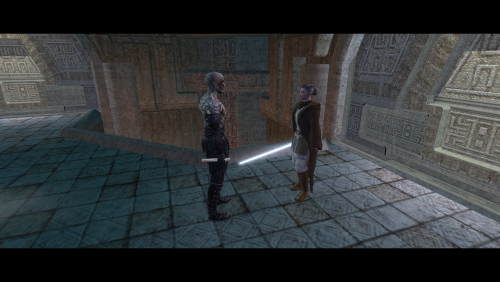
=Lonna Vash Mod for TSLRCM= A KNIGHTS OF THE OLD REPUBLIC II: THE SITH LORDS MODIFICATION AUTHOR: Leilukin ORIGINAL MOD AUTHOR: Sikon FILE NAME: Lonna Vash Mod for TSLRCM.7z LATEST VERSION: 1.2.1 CONTACT: E-mail to contact@leilukin.com, or message to Leilukin on Deadly Stream 1. DESCRIPTION: This mod aims to restore the cut conversation with Jedi Master Lonna Vash by altering the Korriban plot line in KotOR 2. With this mod, the player will see Vash alive in the secret tomb in the shyrack cave after the player confronts Darth Sion in the Sith academy. The player cannot enter the shyrack cave, and by extension, the secret tomb before facing Sion in the Sith Academy. Instead of Vash’s corpse, the player will find the corpse of Kaah Ohtok, Vash’s Twi’lek Padawan, in the Sith Academy. Eventually, Vash will be killed by either Sion or the player in the secret tomb, depending on the player’s choice, so Vash will not appear in the Rebuilt Jedi Enclave on Dantooine, but the player can at least talk to Vash before she dies. However, unlike with other Jedi Masters, the player will not learn any lightsaber or Force form from Vash, due to the lack of restorable material for it. This mod is an updated version of Sikon’s Lonna Vash Mod, made to be fully compatible with The Sith Lords Restored Content Mod (TSLRCM). This mod is for players who want more Vash content without using any M4-78 mod. Aside from the changes made by TSLRCM, I have made further adjustments to the Lonna Vash Mod and fixed various bugs with the original mod in this updated version. Most notably, my mod removes the restriction which only allows a player with strong light side or dark side alignment to enter the secret tomb, so players who do not meet the alignment requirement can meet Vash to complete the game’s main overarching quest to find the Jedi Masters. Instead, now the player needs to be at least level 15 to be able to enter the tomb. This change is inspired by N-DReW25's Non-Aligned Passage for Sith Tomb mod. This mod also provides an optional extra component to give Kaah his unique appearance from M4-78 Enhancement Project (M4-78EP), and voice lines done by Zhaboka, Kaah’s voice actor in M4-78EP. Kaah’s head texture in this mod is made by utilizing a recolored HD texture based on ShiningRedHD’s Ultimate Character Overhaul mod. For this mod to take effect, you must load a save before visiting Korriban for the first time. Please note that this mod is ONLY COMPATIBLE WITH THE ENGLISH LOCALIZATION OF TSL AND TSLRCM. 2. INSTALLATION: First and foremost, make sure you have The Sith Lords Restored Content Mod (TSLRCM) installed, since TSLRCM is REQUIRED for this mod to work. You do not need to install the original Lonna Vash mod by Sikon for this mod to work. Extract the Lonna Vash Mod for TSLRCM.7z you downloaded to anywhere you like, as long as it is not within the KoOR 2 directory. FOR REGULAR TSLRCM USERS: Run Install.exe, select “Main Installation”, select your KotOR 2 game folder as your KotOR 2 directory path, click the “Install” button and let the installer do its job. FOR STEAM WORKSHOP USERS: Run Install.exe and select “Main Installation”. You must select TSLRCM’s Steam Workshop folder as your KotOR 2 directory path, then click the “Install” button. The directory of the Steam Workshop version of TSLRCM is \Steam\SteamApps\Workshop\content\208580\485537937. KAAH’S M4-78EP HEAD AND VOICE COMPONENT: If you want to install the optional extra component to give Kaah his unique appearance and voice from M4-78 Enhancement Project, you need to run Install.exe again, select “[Optional] Kaah’s M4-78EP Head and Voice”, and select your KotOR 2 directory, then click the “Install” button. Make sure you have installed the “Main Installation” component of the mod before installing this extra component. TSL BETTER MALE TWI’LEK HEADS COMPATIBILITY: If you want to use both Ashton Scorpius’ TSL Better Male Twi’lek Heads mod and the “Kaah’s M4-78EP Head and Voice” component of my mod, after installing both, go to the “Better Male Twi'lek Heads Compatibility” folder of my mod, copy and paste N_kaah01.tpc into your Override folder, and overwrite the file when prompted. Note that you do not need to install the files from the “M4-78 EP” folder in Ashton’s mod, since my patch is a HD version of Ashton’s texture for Kaah’s head. You do not need this compatibility patch if you do not want to install the “Kaah’s M4-78EP Head and Voice” component of my mod. When you install this mod, two new folders named "backup" and “uninstall” will be created by the installer in the same folder as the installer. Do not delete the folders or any of the files within the folder if you are planning on uninstalling this mod. The "Source" folder includes the source of the scripts used by this mod for modders' reference. Ignore the "Source" folder if you only want to install and play this mod. 3. UNINSTALLATION: Open Install.exe and select your KotOR 2 directory where you installed this mod. From the “Tools” drop-down menu, select “Uninstall Mod / Restore Backup”, then confirm to uninstall the mod. If you have also installed the “Kaah’s M4-78EP Head and Voice” component, it will uninstall the add-on component first. After uninstalling the add-on, you need to select Yes to delete the most recent backup folder, then select “Uninstall Mod / Restore Backup” from the drop-down menu again to uninstall the main part of the mod. 4. KNOWN ISSUES: None currently known. If you find any bugs or problems, please let me know. 5. MOD COMPATIBILITY: This mod is not compatible with any M4-78 mod, including M4-78 Enhancement Project, as this mod is intended to be an alternative to M4-78 mods to restore Lonna Vash’s content. Other mods that modify Lonna Vash’s content on Korriban will very likely conflict with this mod. This mod is compatible with my Darth Sion and Male Exile Mod. If you want to use this mod alongside JCarter426’s Thematic Obscured Mausoleum Burial, you must install my mod after Thematic Obscured Mausoleum Burial. This mod is compatible with the “Pure Restoration” version of Fallen Guardian’s Dustil Restoration. However, my mod is not compatible with the “Added Content” version of Dustil Restoration, since choosing to take Dustil back to the Ebon Hawk will prevent you from meeting Master Vash and thus lock you out of proceeding the Lost Jedi quest. If you want to use Ashton Scorpius’ TSL Better Male Twi'lek Heads alongside the “Kaah’s M4-78EP Head” component of this mod, I have included a compatibility patch in this mod. See the Installation section above for instructions to install this patch. This mod is not compatible with Kaidon Jorn's Schematic Lightsaber Mod. 6. PERMISSION: As per Sikon’s terms in the original Lonna Vash mod, you can do anything to the main component of this mod, including but not limited to, redistribution and further modification. However, you must credit Sikon as the original creator of the mod, include source code for all scripts (except those extracted "as is" from the original game and not recompiled), and you may not add further restrictions to redistribution terms. However, these terms do not apply to the “Kaah’s M4-78EP Head and Voice” component of this mod, as this component utilizes assets made by other modders and was not part of Sikon’s original mod. Permission is not granted for other users to use Kaah’s voice-over files from this mod in any other mod. Kaah’s unique appearance from this component is a combination of assets created by M4-78 Enhancement Project, ShiningRedHD and Sith Holocron, and thus not to be used in any other mod without their permission. 7. CREDITS: Sikon for creating the original Lonna Vash Mod Zhaboka for voicing Kaah, and giving me the permission to use his voice lines Sith Holocron for giving me the permission to use the Kaah voice lines, and recoloring the HD texture for Kaah’s head ShiningRedHD for giving me the permission to use a recolored texture from Ultimate Character Overhaul for Kaah’s head Ashton Scorpius for giving me the permission to use a HD version of his Kaah head texture from TSL Better Male Twi’lek Heads for compatibility zbyl2 for granting the permission to use Kaah’s unique head from M4-78 Enhancement Project N-DReW25 for suggesting the idea of giving Kaah his M4-78EP appearance OpenKotOR for Holocron Toolset and HoloPatcher tk102 for DLG Editor and K-GFF GFF Editor JdNoa for DeNCS KotOR Script Decompiler and KotOR Lipsynch Editor KobaltBlu for KotOR Scripting Tool ndix UR for tga2tpc and tpcview Stoffe for ERFEdit and TalkEd; Fair Strides for the updated versions JCarter426 for SithCodec THIS MODIFICATION IS NOT SUPPORTED BY BIOWARE/OBSIDIAN ENTERTAINMENT OR LUCASARTS OR ANY LICENSERS/SPONSORS OF THE MENTIONED COMPANIES. USE THIS FILE AT YOUR OWN RISK AND NEITHER THE ABOVE MENTIONED COMPANIES NOR THE AUTHOR IS RESPONSIBLE FOR ANY DAMAGE CAUSED TO YOUR COMPUTER FOR THE USAGE OF THIS FILE.1 point -
Version 1.4.0
117 downloads
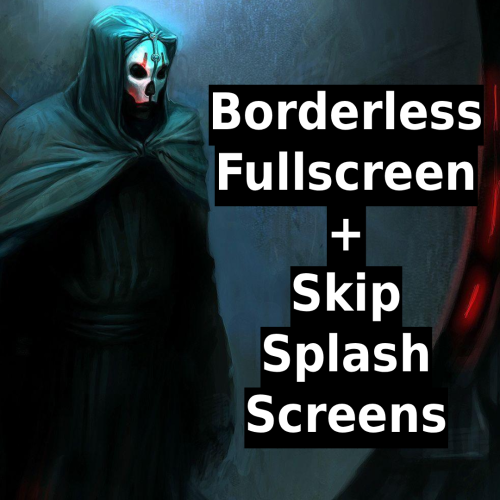
Sets the games window to Borderless Fullscreen most modern games have, also skip the BioWare and Obsidian logo screens on startup. Made for the Steam version of Star Wars: Knights of the Old Republic II - The Sith Lords. Installation Download and extract the mod. You need dinput8.dll and dinput8.ini. Copy both files into your KOTOR II game folder, the same folder as swkotor2.exe: ...\steamapps\common\Knights of the Old Republic II\ Launch the game normally through Steam Important: turn off overlays before playing or process that attach to the games process!!! If you don't disable the discord overlay it will crash the game or the window wont appear at all but it works with steam overlay Disable the Discord overlay Settings → Game Overlay = Off Settings → Registered Games → Turn off Toggle detection and Toggle overlay Built and tested on the latest Steam version only. Not tested on GOG, disc, or older Steam builds. github1 point