

Leaderboard


Popular Content
Showing content with the highest reputation on 05/06/2026 in all areas
-
Version 4.1
359 downloads
VANILLA ICONS AND GUI HD 1,539 UPSCALED ICON AND INTERFACE TEXTURES FOR KOTOR II ━━━━━━━━━━━━━━━━━━━━━━━━━━━━━━━━━━━━ OVERVIEW Vanilla Icons and GUI HD contains 1,539 upscaled textures in the main file, not including compatibility-patch textures. The mod upscales every icon, GUI icon, and interface texture that could be safely enhanced while preserving the original appearance of Star Wars: Knights of the Old Republic II — The Sith Lords. This includes item icons, weapons, armor, clothing, portraits, menu icons, galaxy-map assets, GUI backgrounds, controller icons, and other interface textures. All included textures were upscaled to 4x their original resolution using Topaz Gigapixel. The mod began as Gamepad Menu Upscaled, later expanded into Forgotten UI Textures, and has now grown into a complete icon and interface overhaul. ━━━━━━━━━━━━━━━━━━━━━━━━━━━━━━━━━━━━ MAIN FILE CONTENTS The main file includes: • Item, weapon, armor, clothing, and equipment icons • Usable-item and inventory icons • Force-power, feat, ability, and interface icons • Player-character, party-member, and other character portraits • Gamepad menu textures and controller icons • Menu and GUI icons • Galaxy-map textures and icons • GUI backgrounds • Additional interface textures The vanilla blue lightsaber icons have also been recolored to correct their noticeably purple appearance. (See image) while preserving their original design, glow, and transparency. ━━━━━━━━━━━━━━━━━━━━━━━━━━━━━━━━━━━━ COMPATIBILITY PATCHES Only install a compatibility patch when using its corresponding mod. THE SITH LORDS RESTORED CONTENT MOD PATCH Includes additional and replacement interface textures used by The Sith Lords Restored Content Mod. Requires the main file and TSLRCM. KOTOR 2 COMMUNITY PATCH Includes additional and replacement interface textures used by the KOTOR 2 Community Patch. Requires the main file and the KOTOR 2 Community Patch. ━━━━━━━━━━━━━━━━━━━━━━━━━━━━━━━━━━━━ MISCELLANEOUS FILES SWOOP RACE OVERLAYS Upscales the interface overlays used during swoop races. The latest version of Vanilla Planets HD already includes these textures. You do not need this optional file if using my other mod. TSLRCM MAIN MENU LOGO Upscales the TSLRCM main menu logo The TSL Main Menu Model Fix and all of its prerequisites are hard requirements for this file. ━━━━━━━━━━━━━━━━━━━━━━━━━━━━━━━━━━━━ INSTALLATION 1. Download and extract the main file. 2. Copy the included Override folder into your main KOTOR II installation directory. 3. Place the folders and replace files when prompted. 4. Install the TSLRCM or KOTOR 2 Community Patch compatibility files afterward, when applicable. 5. If you’re using both TSLRCM and the KOTOR 2 Community Patch, install the TSLRCM icon patch first, followed by the K2CP icon patch. ━━━━━━━━━━━━━━━━━━━━━━━━━━━━━━━━━━━━ REQUIREMENTS AND COMPATIBILITY • Requires Star Wars: Knights of the Old Republic II — The Sith Lords • Compatible with The Sith Lords Restored Content Mod • Compatible with the KOTOR 2 Community Patch • Compatibility patches require the main file and their corresponding mods • The optional TSLRCM main-menu file requires the TSL Main Menu Model Fix and all of its prerequisites COMPATIBILITY NOTE The main file replaces many of the same textures included in: TSL - AI Upscaled Icon Overhaul TSL - AI Upscaled PC and Party Portrait Overhaul Installing Vanilla Icons and GUI HD afterward will overwrite matching icons and portraits from those mods. ━━━━━━━━━━━━━━━━━━━━━━━━━━━━━━━━━━━━ CREDITS Obsidian Entertainment — Original KOTOR II textures and assets1 point -
Here: Ratgo Door Fix.zip I just wish one of you miscreants could tell me how you're managing it. I have never been able to recreate it. Edit the save to add in an armband that runs a custom script to close the door and reset its plot state, load the game and fire the script, save, test the scene triggers correctly and exit, edit the save to remove the armband.1 point
-
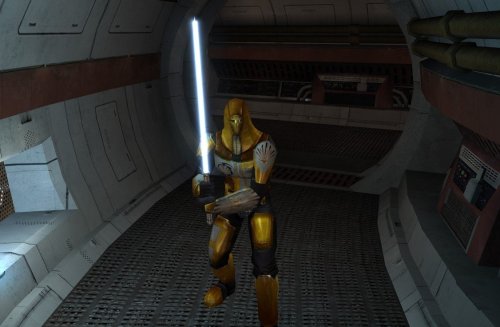 He said he was going to link this once the next update for Sleheyron comes out, I just did it the easy way and used the files from the Hilt Variety. I might try to do a optional file that matches Crazy34's K1 style blades1 point