


About This File
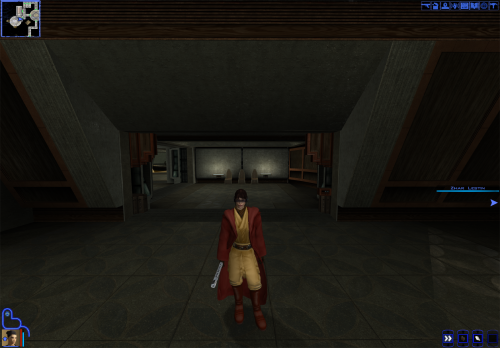
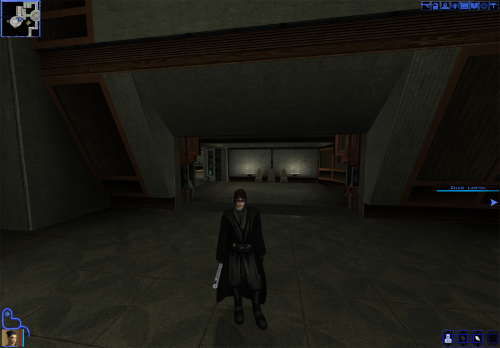
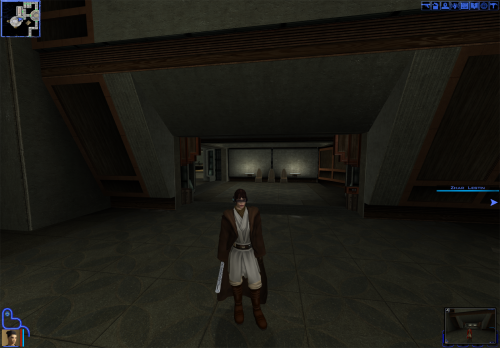
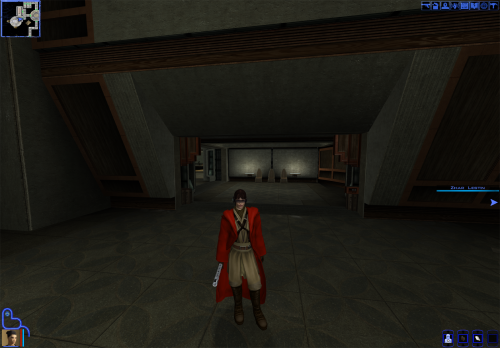
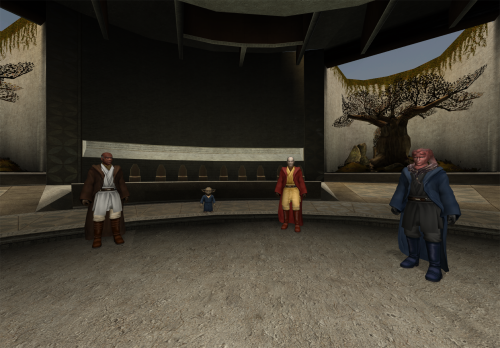
I make my deadly stream debut with this retexture. As soon as I saw the K1 Movie-Style Jedi Master Robes by N-DReW25 I fell in love because a mod I loved in TSL was finally put into K1. Download it here:
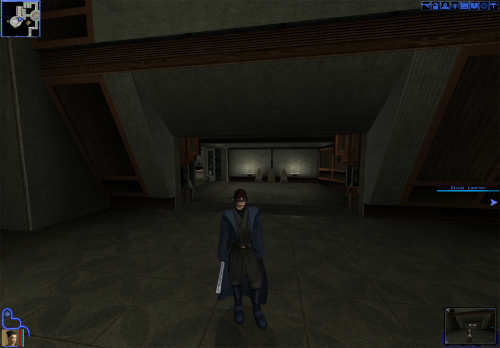
However recently I had the thought of "what if I made the robes to look like the Red Brown and Blue robes from JC's Fashion Line I: Cloaked Jedi Robes for K1 1.4 which you can also download here if you want that mod instead:
it turned out to be quite successful. I used the white and black robes from the OG movie style robes mod by DeadMan and made new textures from the red blue and qel Droma Robes which I will upload separately Initially I made it just for myself but I decided to share it on Deadly Stream for others to enjoy, I hope you like my first mod.
INSTALLATION:
Step 1: you must install the original mod by N-DReW25 for this mod to work properly which also requires JC's Jedi robes mod I have left the links for both mods above the installation.
Step 2: to install this retexture, first you must look through the names of all files from this mod, then delete all .tpc files with the same name as all files in this mods folder as this mod's files are in .tga format and tpc files appear first in Kotor, meaning if you just put this mods files in the Override, the mod would not work because the .tpc files are still in the Override folder (I would have just made the mod files .tpc files but this is my first mod and I don't know how to do that im a complete noob)
Once you have put the retexture files in the override and deleted the .tpc files with the same name you are good to go enjoy my first mod and let me know if you come across any bugs.
-Sebastian the Blue Bird
Edited by SebastianTheBlueBird

Recommended Comments
Join the conversation
You can post now and register later. If you have an account, sign in now to post with your account.