



About This File
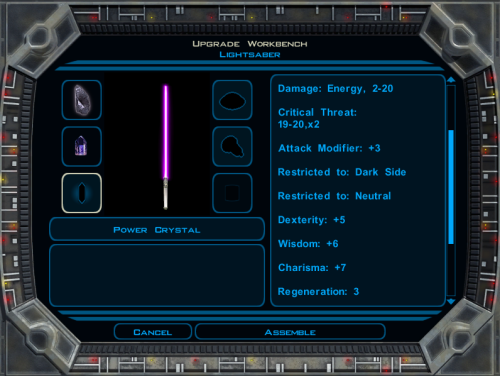
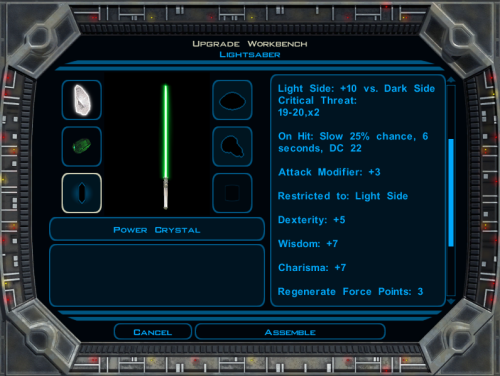
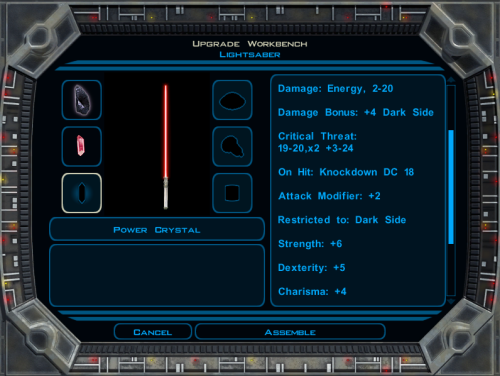
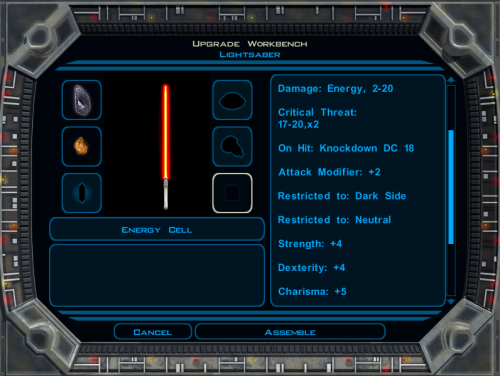
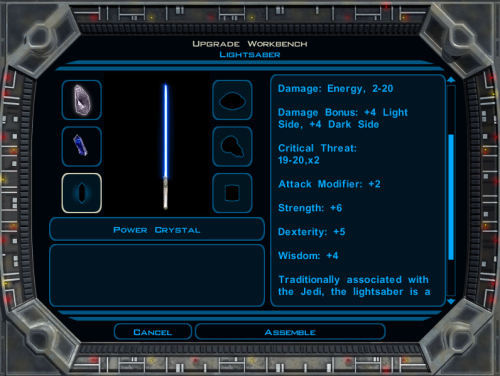
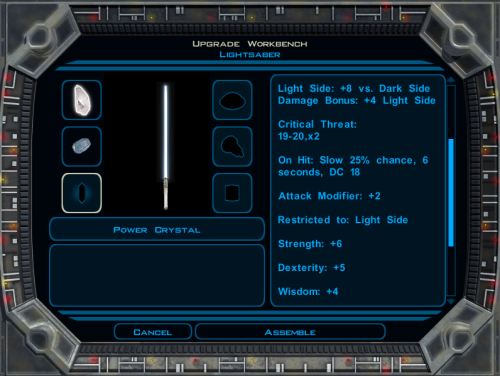
This mod is focused on the so-called Quest Crystal, a powerful lightsaber crystal only the player character can utilize. There are three parts to this mod, which may be installed together or individually.
Class-Based Properties
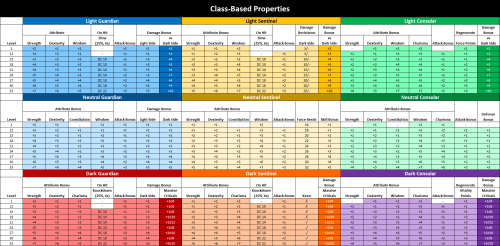
The Quest Crystal in the original game has differing properties depending on your character's level and alignment only. This option gives the Quest Crystal differing properties based on your character's class in addition to their level and alignment. Each combination of class and alignment has access to a unique set of item properties.
Note: A crystal with Class-Based Properties is saved differently from the original crystal. Save game files containing the original crystal will not function correctly with Class-Based Properties installed. Likewise, save game files containing a Class-Based Properties crystal will no longer function correctly if that part of the mod is uninstalled.
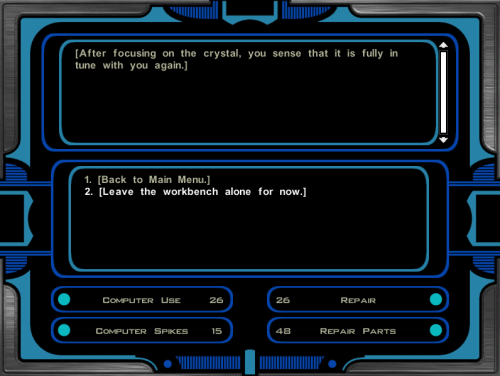
Workbench Attunement
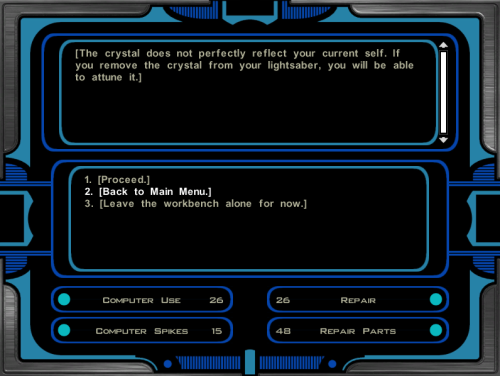
In the original game, only Kreia is able to attune your Quest Crystal to keep it up to date with your character's stats. This option allows you to attune the crystal without Kreia's help. The player will be able to attune the crystal in the final act of the game, or earlier by passing a Wisdom check after crafting a lightsaber and observing Kreia attune the crystal.
This option also removes the "[Learn about using the workbench.]" dialogue from any workbenches you can access after the game's prologue.
Bug Fixes
In the original game, you are not always given a Quest Crystal that properly reflects your player character. This mod includes bug fixes to correct that problem. While all of the installation options include these bug fixes, they can also be installed alone without the rest of the mod.
Installation
- Extract files from the downloaded archive.
- Run INSTALL.exe.
-
Select which option you want to install:
a) Class-Based Properties + Workbench Attunement
b) Class-Based Properties
c) Workbench Attunement
d) Bug Fixes Only - Click "Install Mod" and select your game directory.
This Workbench Attunement part of this mod only supports the English language version of the game at this time.
Uninstallation
During installation, TSLPatcher generates a backup folder and a log recording which files were affected.
- Restore or delete all module files affected by this mod. For each module, copy the corresponding .mod file from the backup folder to replace the one in your game's Modules folder if a backup was created, otherwise delete the .mod file from your game's Modules folder.
- Restore or delete all .2da files affected by this mod. For each, copy the corresponding .2da file from the backup folder to replace the one in your game's Override folder if a backup was created, otherwise delete the .2da file from your game's Override folder.
- Delete workbnch.dlg from your Override folder only if you have not installed other mods which edit this file. Otherwise, leave it; you will still have the tutorial removed but all other changes to the workbench dialogue will be inaccessible without the rest of the mod installed.
- Delete all other files installed by this mod from your game's Override folder.
Note that depending on which option you installed, some of the above might not be necessary.
Compatibility
This mod is compatible with my Saber Workshop mod. The order of installation does not matter.
This mod makes minimal changes to the global workbench dialogue (workbnch.dlg) but it is installed by overwriting the file. This is an unfortunate necessity because TSLPatcher is not so good at patching dialogue files, especially when different mods do very similar things. I thought long and hard, and this seemed the most compatible option to me despite its inherent problems, because it simplifies the installation for mods which are designed to be compatible with this mod while minimizing amount of changes needed to make a compatibility patch.
In any case, other mods which edit the global workbench dialogue will only be compatible with this mod if one of the following is true:
- The other mod is installed after this mod and patches (i.e. does not overwrite) the workbench dialogue
- The other mod is installed after this mod, overwrites the workbench dialogue, and includes this mod's changes to the workbench dialogue
- The other mod has a compatibility patch which is installed after this mod, overwrites the workbench dialogue, and includes this mod's changes to the workbench dialogue
Credits
KOTOR Tool – Fred Tetra
2DA Editor – VarsityPuppet
TSLPatcher – stoffe & Fair Strides
DeNCS – JdNoa & Dashus
DLGEditor – tk102
ERFEdit – stoffe & Fair Strides
K-GFF – tk102
NWNSSCOMP – Torlack, stoffe, & tk102
xoreos tools – xoreos team https://xoreos.org/
with thanks to @Snigaroo for help deciding the class-based item properties
LicenseThis work is licensed under a Creative Commons Attribution-NonCommercial 4.0 International License.

Donations
If you enjoy my mods and would like to show your support in a monetary manner, you may do so via PayPal at https://www.paypal.me/carterunited.
What's New in Version 2.0.5 See changelog
Released
Fixed
- Correct some item prperties for Class-Based Properties which were miscalculated and did not have the intended effect.

