

Modding Tools
64 files
-

Bioware TGA to DDS Converter
This is the orignal tool made by bioware to create a kotor-compatible dds, please see the .doc for instructions. (it wasn't mentioned there but the TGA must be square, and a power of 2 (256x256,512x512,1024x1024,2048x2048 etc.) in resolution)
NOTE: this tool is one way only, tga>dds it doesn't do the reverse. FORUM DISCUSSION HERE
1,157 downloads
(4 reviews)0 comments
Updated
-

KOTOR Font Tool (NWN Font Maker)
I take no credit/responsibility for this tool. you will need to generate and rename files for a complete font-set.
link to original nwn page
originally made by Richard O'Doherty-Gregg
Original Readme:
I felt that uploading this here is appropriate, seeing as the original nwvault is down (where this file was originally uploaded)
1,225 downloads
(1 review)0 comments
Updated
-

ModHex
By Fair Strides
Description:
====================================================================================
This tool is called ModHex and was created using Perl/TK. It is designed for
Knights of the Old Republic and it's sequel, Knights of the Old Republic 2: The Sith Lords.
This tool is designed for easily cloning a module/level in such a way that editing it
will not interfere in any way, shape, or form with the original module/level.
ModHex will:
-Rename and hex-edit the .mdl and .mdx files
-Rename the .vis, .lyt, .pth, .git, .are, and .ifo files
-Rename the Textures and Lightmaps
-Rename and allow you to edit the .wok files
-Edit the model and module references in the .lyt, .vis, .are, and .ifo files
-Allow manual editing of the .lyt and .vis files
-Allow you to toggle the inclusion of the original module's/level's files, whether individually or by type
-Allow packing of the files into a .mod module file
-Allow packing of the .mdl and .mdx files into the .mod file
-Allow you to view the module's/level's textures and lightmaps
-Allow you to see what textures and lightmaps each .mdl uses
-Allow you to edit the .are, .ifo, .git, and .pth in K-GFF, GITEditor*, and PTH Editor*
*: For their respective files, of course.
Vocabulary:
====================================================================================
Game Mode: KotOR or KotOR 2
Module Filename: Name of the module's file
Module Reference: The 5-character (if Game Mode is KotOR) or 6-character
(if Game Mode KotOR 2) piece of info used in the model names
Moduel Prefix: The 3-character prefix in the beginning of most of the textures.
Module Name: The name displayed in-game for the area.
The Interface:
====================================================================================
>>Upper-Left
====================================================================================
When you open ModHex, there will be a series of buttons and the choice of Game Mode
in the upper-left.
The Game Mode is used to determine the length of the Module Reference for hex purposes.
The first button is used to select either a .mod or .rim file to represent the module,
and is the one you'll most often use, probably. It will have you select a .mod or .rim
file, extract it's files to a folder named after the file, and then will proceed to load
the level using that folder.
The second and third buttons are the first button's function split into two.
The fourth button allows you to initialize/edit your program paths. These paths can be used
for editing the .are, .git, .ifo, and .pth files. When you click this button, a window will
pop-up with five paths to set/edit:
*K-GFF : The path to your GFF-Editor of choice, though most people use tk102's K-GFF
*GITEdit : My tool for editing the .git files with a more friendly interface
*PTH Editor : Bead-V's rather handy tool for editing the .pth files
*KotOR : The path of your KotOR Installation
*KotOR 2 : The path of your TSL Installation
After you're done editing the paths, the Ok button will close the window.
>>Hex-Edit Boxes
====================================================================================
Going back to the main window, there are two box sections that take up the upper-center
and upper-right of the window.
The first one in the upper-center is where your Module info will be going when you load
a module. the upper section will be the info from the loaded module and the lower four
boxes contain the info that will be used for the hex-editing. Look to the vocabulary section
for their uses.
The first box has a limit of 16 characters.
The second box has a limit of 5 characters for KotOR 1 and 6 characters for KotOR 2.
The third box has a limi of 3 characters.
The fourth box has a limit of 64 characters, but you *really* shouldn't need that many...
The second one in the upper-right is for the actual hexing-process.
The Extraction path is for setting the path for where ModHex extracts a level.
>>>>>>>>>>>>>>>>>>>>>>>>>>>>>>>>>>>>>>>>>>>>>>>>>>>>>>>>>>>>>>>>>>>>>>>>>>>>>>>>>>>>>>>
WARNING! WARNING! WARNING! WARNING! WARNING! WARNING! WARNING! WARNING! WARNING! WARNING!
DO NOT CHANGE THE EXTRACTION PATH IF YOU HAVE LOADED A MODULE AND INTEND TO HEX IT!!!
FROM THE MOMENT YOU LOAD A MODULE/LEVEL, DO NOT CHANGE THAT PATH. IF YOU DO CHANGE THAT
PATH, COPY THE MODULE/LEVEL'S FOLDER TO THAT CURRENT EXTRACTION PATH!!!
WARNING! WARNING! WARNING! WARNING! WARNING! WARNING! WARNING! WARNING! WARNING! WARNING!
>>>>>>>>>>>>>>>>>>>>>>>>>>>>>>>>>>>>>>>>>>>>>>>>>>>>>>>>>>>>>>>>>>>>>>>>>>>>>>>>>>>>>>>
Below the Extraction section are three checkboxes. These affect several things both during
the extraction process and after the hex-editing process.
"Pack module into .mod" -- Packs the newly-cloned module/level into a .mod archive/package
for immediate use in-game.*
"Pack models into .mod" -- Packs the .mdl, .mdx, .wok, and .tga files into the .mod to avoid
cluttering the override folder.
"Use files in Override" -- This is used during the module extraction process. If this is checked
then ModHex will check the Override folder before taking a file from
the .mod/.rim and the game's files.**
*: Don't worry about the .rim extension. If this option is checked, ModHex will ensure there
is a .mod file extension on the finished module's file.
**: IF YOU ARE USING MODHEX ON A CUSTOM MODULE/LEVEL, THIS _MUST_ BE CHECKED!!!
Now the last parts of the Interface.
>>File Viewer
====================================================================================
The file viewer allows you to view and interact with most of the files involved.
The Models page allows you to view a list of models used directly by the module/level.
When you click on a model, you will see the model's filesize, textures, and lightmaps
in the panel on the right.
The Walkmeshes page allows you to view and edit the .wok files. To do so, simply select
a .wok file from the list and click the "Draw .WOK" button.
To edit the walkmesh, click on a polygon (or hold the Control key and drag the mouse
over several polygons) and then click the "See Face Types" to open another window.
Click on the face type you want from the list and the selected faces will be changed.
You can leave this window open for future edits.
The Module Layout page allows you to edit the .lyt and .vis files manually, and also
allows you to open the .are, .git, .ifo, and .pth files in there respective tools, should
you have the paths entered.
The Textures and Lightmaps pages both allow you to view those respective images.
The Area Content page allows you to toggle whether a file is included in the cloned
module's files. You can do this for individual files as well as by filetype.
>>Status Bar
====================================================================================
The last part of the interface is the status bar.
On the bottom of the window, you will see a weird box kind of hiding. This is the
Status bar and is used when extracting a module/level.
It is designed to "pop up" on mouse-over and to "drop down" after the mouse leaves it.
The update to ModHex will expand on it's use...
Known Issues:
====================================================================================
1. The PTH Editor doesn't support the commandline, so it won't open your .pth files.
Instead, you'll have to open those yourself.
2. Occasionally, the Module Prefix isn't set correctly.
Contact Info:
====================================================================================
You can contact me in four ways:
1). My Skype: fairstrides2
2). PM at Deadlystream: Fair Strides
3). PM at Lucasforums: Fair Strides 2
4). My Email: tristongoucher@gmail.com
583 downloads
(4 reviews)0 comments
Updated
-

KotOR SaveGame Editor
By Fair Strides
KotOR Savegame Editor is a Perl/Tk application used in the editing of
Star Wars: Knights of the Old Republic savegame files.
The following fields are currently editable:
- Savegame name
- Player name
- NPC Name
- Appearance (player and party)
- Portrait (player and party)
- Attributes
- Skill Ranks
- Equipment (player and party)***
- Feats (add/remove)**
- Powers (add/remove)**
- Cheats Used flag
- Hit Points (current and max*)
- Force Points (current and max*)
- Experience Points (player and party)
- Good/Evil rating
- Credits
- Time played
- Class (see notes below)**
- Levels
- Current Party
- NPCs
- Global Booleans
- Global Numerics
- Gender
- Min1HP
- Inventory**
- Influence (TSL only)
- Chemicals (TSL only)
- Components (TSL only)
- Quests
*=Note: Max Hit Points and Max Force Points, while editable appear to be calculated
at the time the savegame is loaded. Therefore while these fields are editable, the
game will change the values back to what it calculates as correct. It is therefore
better to change your Wis/Cha and Con to affect your MFP and MHP.
** Not supported on Xbox Saves, will cause "Damaged Savegame" message.
*** See special section for detailed instructions
-----------------
Credits
-----------------
tk102 for originally creating the KSE.
Pazuzu156 for reporting the issue with the Cloud saves, as well as helping fix it and setting up a mirror for and creating the auto-updater.
Chev Chelios for much discussion of how Steam worked, as well as creating the INI-Generation tool, KPF.
-----------------
Before Using KSE
-----------------
---------------
Intro to KSE
---------------
-------------
Using KSE
-------------
---------------------------------------------
Override Folder: Subdirectories NOT supported
---------------------------------------------
-----------------------------
Notes About Feats and Powers
-----------------------------
-------------------------
Reminder: No Safety Net!
-------------------------
-----------------------------------------------
Notes regarding Class-changing/Adding/Removing
-----------------------------------------------
--------------------------------
Notes regarding changing levels
--------------------------------
-------------------------------
Notes about changing equipment
-------------------------------
===============
Known Bugs
===============
No saves found (You have Steam KotOR 2 and use cloud saves)
-----------------------------------------------------------
Go to your KotOR 2 folder and make a folder called "saves".
Inventory Hiccup
------------------
If an item is added to your inventory and it has the same Tag as another item, KSE
will generate an error.
Getting Stuck During Vision Sequence (KotOR1)
----------------------------------------------
Symptom: After leaving the Endar Spire or Leaving Taris, you run into a sequence
where you should be seeing a "dream" cutscene but instead you're locked up in a
room with a "CutStart" object that doesn't do anything.
Cause: You have NOT placed the modified .dlg files into your override directory
and you have changed your character to a Jedi/Minion/Droid class or you have
changed your Gender to something other than Male or Female.
Fix: Download the KSE Fixed Cutscene Files (available from http://www.pcgamemods.com/8800 )
and place the .dlg files into your Override folder.
==============================================
After changing appearance to look like (an NPC), the real NPC has no head!
---------------------------------------------------------------
Symptom: You change appearance to look like one of your party NPCs and all is well
until you attempt to enter a new area with that NPC. Then the NPC loses its head!
Cause: SW:KotOR doesn't like two unique characters appearing together.
Fix: From T7Nowhere's post on Holowan Labs--
===============================================================
Equipment Section
------------------
Due to an unknown bug, the Equipment branch might become unusable.
The only fix is to restart KSE.
==================
Please report bugs to zxcvbnm6012@yahoo.com
11/7/13 - In addition, please report bugs to tristongoucher@gmail.com Thank you. - Fair Strides.
305,486 downloads
-
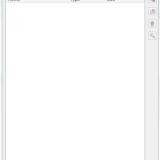
ERFEdit
By Fair Strides
DISCLAIMER: I did not make ERFEdit originally. I did however receive the source code from Stoffe via PM at Lucas Forums, after telling her about a severe issue that needed to be fixed. I have fixed the issue and am now releasing the updated version of the tool.
ERF/RIM Edit
Version: v0.5
Released: 2006-05-18
Updated: 2007-03-11
Updated_FS: 2017-03-19
What is this?
-------------
This is a simple Packer/Unpacker/Browser for the ERF/MOD/SAV/HAK/RIM format files used by the bioware engine games Neverwinter Nights and Knights of the Old Republic. The resource type list is updated to handle some types of files used by the KotOR games that were not used by Neverwinter Nights.
It is capable of creating new files or modify existing ones, as well as extract any resources found within the file. A simple search feature makes it easier to locate resources in the list within large ERF format files.
The Description field is currently not shown or editable since it is not used with the KotOR games.
User Interface shortcuts
------------------------
You may drag and drop files into the list to add them instead of using the "Insert" button, or you may drag selected files from the list to the Desktop or a Windows Explorer window to extract them rather than use the "Extract" button. Selected files in the list can be deleted with the hotkeys Backspace and DEL in addition to using the Remove button.
When dragging many or large files from the ERF/RIM file to the desktop (or a Windows Explorer window), keep the mouse button pressed until the progress bar has reached 100%, then drag the files to where you want them and let go. Hopefully I'll be able to fix this quirky behavior in the future.
IMPORTANT!
----------
New files/resources added to an ERF file are not actually added until you Save the file. Do not move, rename or delete any files you have added before you save the open ERF/RIM file, or the resource will not be added upon save.
Resources in the list with an asterisk (*) following the ResRef are newly added and not yet saved into the file. These files cannot be extracted until the ERF file has been saved.
6,869 downloads
(3 reviews)0 comments
Updated
-
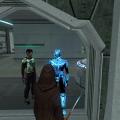
Modder's Resource: Cubemap Pack
Hey guys, so i made up a bunch (50) of kotor/tsl cubemaps for you guys to use, one of them (CM_PulseGlow) is animated.
The usual disclaimers and stuff apply.
Happy Modding!
568 downloads
(3 reviews)0 comments
Submitted
-
 (0 reviews)
0 comments
Updated
-

GITEdit
By Fair Strides
Warning:
You will need three dlls, which can be found here. These will have to be in the same folder as JRLEditor, OR you can follow the instructions in the DLL link. This will work for all of my tools.
Description:
====================================================================================
This tool is called GITEdit and was created using Perl/TK. It is designed for Knights of
the Old Republic and it's sequel, Knights of the Old Republic 2: The Sith Lords.
This tool is designed for easily editing the .git file used by these games to
keep track of a level's objects. The .git file keeps lists of variouse objects which
should be spawned every time the module is entered, without conditions.
With GITEdit, you can change the following:
-Cameras
-Creatures
-Doors
-Encounters
-Placeables
-Sounds
-Stores
-Waypoints
For the Encounters and Triggers, you can also:
-Edit the shape of the object's "pressure plate"/"activation zone"
-Edit the number of points that make up the shape
-Edit the number of spawn points(Encounters only)
How To Use GITEdit:
====================================================================================
To begin using GITEdit, you first have to open a .git file.
You can browse for one by using the File Tree in the lefthand-pane, or by using the button.
In regards to the File Tree, you can browse for a .git file from either game,
regardless of whether it's in a .mod or .rim or in the override folder.
Additionally, you can use the two buttons located directly under the tree to add or remove
custom paths to the File Tree. Upon adding a path, GITEdit will scan that path for .mods,
.rims, and .git files and add them to the tree.
When you open the window to add a Custom Path, you can add an identifying label for use in
the File Tree and then the path itself, which you can use the "..." button to select.
When you open a .git file, information about the file's size, save time, and contents
will be added to the File Info box. Also, the contents of each type of object will be
added to their respective sections in the pane on the lower-righthand side.
Upon selecting an item, an interface appropriate to the type is created.
Credits:
====================================================================================
Varsity Puppet, Bead-V, ZM90 ~-~ Beta-Testing
UltimateBear, VP ~-~ Advice on layout
Vriff ~-~ Help with radians...
553 downloads
(1 review)0 comments
Updated
-

DLL Files for Fair Stride's Tools
By Fair Strides
These are the three DLL files my tools use, and rather than re-packaging them each time, I'm making them available here. To use them with my tools, you will have to have them in the same folder as the tool, OR follow these instructions:
1,423 downloads
(2 reviews)0 comments
Updated
-

WalkSwitch - Collision Map Editor
By Fair Strides
Warning:
You will need three dlls, which can be found here. These will have to be in the same folder as JRLEditor, OR you can follow the instructions in the DLL link. This will work for all of my tools.
Warning Done.
INTRODUCTION:
=======================================================
Walkmesh Switcher is a KotOR\TSL modding tool
designed to read, display, and edit binary
walkmesh files(in .wok format).
The program will count the number of faces in
the walkmesh, parse the coordinates, and then
draw each face according to the coloring of the
face's walk type.
In essence, this tool will read a binary .wok file (KotOR's collision map data file) and will draw the faces according to the type of surface they're identified with. These colors correspond to the NWMax plugin, for those familiar with KotOR modelling to relate a bit with the program.
An example of a very good use of the tool is for reskinning one of the game's modules. Take the Rakata structures, for instance. Say someone wants to reskin them into a metal fortress, but they keep hearing sand crunch under their feet. With WalkSwitch, you could change the type to metal instead of sand, and the game would then play the proper sounds for the fortress.
322 downloads
(3 reviews)0 comments
Updated
-

TLK->Text Converter(Vice-Versa)
By Fair Strides
Warning:
You will need three dlls, which can be found here. These will have to be in the same folder as JRLEditor, OR you can follow the instructions in the DLL link. This will work for all of my tools.
Warning Done.
This simple set of commandline tools will allow you to convert a .tlk file to .txt, with some simple formatting, and back again, with ease.
It will allow you to simply edit a dialog.tlk file with Notepad(or any other text program), which opens up options for copy-and-paste, replace, and finding certain info quickly.
The tool has been confirmed to work with languages other than English, so no worries.
1,272 downloads
(1 review)0 comments
Updated
-

JRLEdit - Journal Editing Tool
By Fair Strides
Warning:
You will need three dlls, which can be found here. These will have to be in the same folder as JRLEditor, OR you can follow the instructions in the DLL link. This will work for all of my tools.
Warning Done.
Well, I'm back with another modding tool!
This time, it's a graphical editor for the Quest Journal in KotOR 1 and 2. It came about as a result of my seeing a 2005 request for one when browsing tk102's old threads at LucasForums...
I'd like to thank a few people up front:
ZM90: Letting me code the tool while working on K1R.
Varsity Puppet: Critique and banter concerning the tool.
HarIII: Critique and banter concerning the tool.
Malkior: The AMAZING icon he made for the tool!
JRLEdit allows you to quickly and easily edit the .jrl files used by the KotOR games. This file controls the Player's quests, and so is often modded with large projects.
With JRLEdit, you have the quests in an organized list, and can delete certain parts with the click of a mouse, or open up the interface when you click on a quest. The interface allows right-click editing of most fields, and will parse TLK String References automatically with the current game's dialog.tlk file.
The only difference in saving is that files are a few KB bigger, due to the program adding in a local string to every StrRef section...
748 downloads
(2 reviews)0 comments
Updated
-

KOTOR TOOL
THIS PROGRAM IS MADE BY FRED TETRA I TAKE NO CREDIT FOR THIS PROGRAM,
i also have some of the map files from the site if any one has more pm or email me, ill upload them here.
here is the original readme for this program.
Kotor Tool v1.0.2210.16738 (2006-1-19 12:38)
About this program...
I originally wrote this tool so I could experiment with 2DA files and scripts.
Through feature suggestions, it has grown quite a bit into what many tell me
is a pretty handy utility.
Thanks to all of those who have taken the time to make those suggestions and put
up with the occasional bug that creeps in at 2:00 in the morning!
-----------------------------------------------------------------------------------------------
Requirements...
I should (and will!) mention in the readme file that you need to have
the Microsoft .NET Framework 1.1 installed.
You can get it at:
http://download.microsoft.com/download/a/a/c/aac39226-8825-44ce-90e3-bf8203e74006/dotnetfx.exe
-----------------------------------------------------------------------------------------------
Contact info...
fredtetra@hotmail.com
-----------------------------------------------------------------------------------------------
Quick start instructions...
Unzip the kotor_tool.exe, ImageTools.dll files and the Maps folder to a directory.
The first time you run the program, it will attempt to
detect where you have installed KotOR and configure
some of the directory paths it needs to work. It will
then bring up the path management screen so you can verify them.
To work with BIF files:
Expand the BIFs item on the tree view.
You can:
- Select any *.bif file from the tree view, then click
Extact to extract every file in it to a directory
- Select any file in a bif, then click Extact to extract
it to a directory
- Select any file in a bif, then click Hex View to see
it in Hex/ANSI/Unicode
- Double-click on any 2da file to bring up the editor for it.
You can then edit the values and write the file to a directory.
(Most likely the override folder in yout KotOR folder)
Clicking on the column header in the editor grid will sort it
based on the values in that column. Repeated clicking will
change the sort direction.
- You can also open the 2da v2.b file editor from the File menu
for editing. NOTE: You do not have to open the chitin.key file first.
- 2DA editing features:
* Add line to end, delete any line, right click
to insert new line. Be careful with those last two!
* You can renumber the row labels from the right-click menu
* Undo all changes
* Reset sort to "as opened" mode (press F5 or use menu
* Import and export your 2da files in XML format
- Double click on any nss/vis/txi file to bring up the editor for it.
You can then edit the text and write the file to a directory.
- To extract a .mdl (Model) file, double click on it; the model will be
extracted and converted, along with any required TGA-format textures.
NOTE: You must have CChargin's Extract0-5 program installed in the
same directory as Kotor Tool.
To work with RIM files:
Expand the RIMs item on the tree view.
- Select any *.rim file from the tree view, then click
Extact to extract every file in it to a directory
- Select any file in a rim, then click Extact to extract
it to a directory
- Double-click on almost any file in a rim to launch the GFFEditor,
assuming you have installed it in the kotor_tool directory
- Control-Double-click on almost any file in a rim to launch text editor
with a syntax-colored version of the GFF file's contents
- Shift-Double-click on almost any file in a rim to launch text editor
with a plain-text version of the GFF file's contents.
To work with ERF files:
Expand the ERFs item on the tree view.
- Select any file in a rim, then click Extact to extract
it to a directory
- Double-click on almost any file in a rim to launch the editor for it.
- TPC files now can be viewed with the built-in image viewer. You can also
save the files in TGA format from the viewer.
- If you like using the keyboard to navigate the treeview, you can use the
spacebar to open the Image Viewer with a TPC file selected.
- If the Image Viewer is open, moving up and down the list of TPC files
with the arrow keys will show each image in turn. Note: some files cannot
yet be viewed.
- To view tpc files in an external app, hold down the Shift key while
double-clicking. You need tpc2tga and an image viewer. (see below)
- Some tpc files have a format that is not yet understood. Attempting
to view one of these files may either show a strange image or
crash the program.
Notes:
* You can specify whether or not you want to automatically convert extracted .tpc files to TGA format
from the Tools | Options... menu. This is only used with the external tpc2tga program.
* If you also want to be able to view the .tpc files using an external program
you must install a TGA file viewer and specify the path to it in the Path Manager.
You can download a free TGA viewer at http://www.creabit.com/viewer/
* You can specify whether or not you want the BIF tree built at
program startup or not from the Tools | Options... menu.
If you leave the checkbox unchecked, the BIF portion of the
tree view will only be built when you attempt to expand it.
Want to unlock all of the movies and music in KotOR II:TSL?
In your swkotor2.ini, set the following:
[Game Options]
UnlockedPlanetSongs=1023
[Movies Shown]
Movie10=0
Movie 9=0
Movie 8=0
Movie 7=31
Movie 6=255
Movie 5=255
Movie 4=255
Movie 3=255
Movie 2=255
Movie 1=255
Movie 0=255
59,014 downloads
-

KotOR Scripting Tool - 2021
By Blue
About Kotor Scripting Tool
Kotor Scripting Tool is my attempt at a scripting interface for nwnnsscomp.exe.
I originally designed this tool to aid me in my scripting efforts back in the day. My desire was to create a scripting tool with some of the creature comforts that today's coders have come to expect. The core features that were important for me were the ability to have NWScript function name Auto Completion and Syntax Highlighting. If anyone is interested in helping to extend its functionality be sure to check out the link to the GItHub repo below.
Anyways that's enough rambling for now!
Happy Modding!
Features include:
Compile .nss Scripts
Syntax highlighting
AutoComplete Suggestions (Beta)
Tabbed Text Editor
Advanced Find & Replace
Browsable nwscript function list
Browsable nwscript constants list
Zip Archive
Download and extract the zip file. Once extracted navigate to the directory and run Kotor Scripting Tool.exe
This program was compiled in C# with version 4.0 of the .NET Framework if you do not already have it downloaded you will need to download it [here].
The source code has been released on my GitHub account https://github.com/KobaltBlu/KotOR-Scripting-Tool.
3,687 downloads
-
File Reviews
-

Ellhaim 0
This mod sorta works. Except that the model is very transparent. Especially on the metal/darker details of her outfit/model. Kind of unusable imo. Just makes me feel like I'm playing the ghost of Talon.
-
Fantastic work!!! Quick question to any who read this: I'm a total rookie with modding, and in my most recent playthrough, when the camera executed the flyby when the HK-50s shot you down over the polar region(when they start speaking "Egotistical Boast") I saw the mod author's logo. Again, since I;m new to this, I likely made a mistake when I added them, so how can I correct it so I don't see the logo?
-

lorddli 2
does what it says on the tin and i like it
-
 1
1
-
-
Awesome mod! Some necessary powers filling out the pool, especially with Revitalize.
I don't know if this is cool, if not I will absolutely delete it... But I had AI upscale your icons so that they would work properly at high resolution (the images look basically identical, they're just 64x64 instead of 32x32). -
Nice job !
ou plutôt dans ce cas Beau travail ! -
This Mod fixes all of the problems that I have when I got back to play this game on newer systems.
The dev behind this mod was quick to answer any questions I had since I was a Linux user of this mod.
Great quality mod, that fixes issues I was having in Ultrawide such as the dialogue windows not working on the first step of a new conversation (Typical on Ultrawide) as well as improving general stability of the game.
Would recommend for anyone playing the game.
-
Ok, I hope this helps perfect it because it's a good idea on paper. I'll keep it as "matter-of-factly" as possible.
My experience with this mod: My setup already had TSLRCM+M478PE+PartySwap as a foundation already running. I installed this mod, created a fresh, new character to test it out, made it to the Telos Citadel Station, and after the "house arrest" sequence wrapped up and I was free to move, the quest triggers, unknown to me, were compromised. For example: The ambush on Dock Module 126? The 5 thugs that attack you spawned, I fought them and beat them, but the dialogue script failed to recognize the instance, leaving the TSF NPC in an infinite "text box loop" saying "don't let them hurt the droid; the instance didn't close properly and, naturally, the journal quest didn't update. I reloaded a save file just prior to that beat and it played out correctly a second time. When I showed the "modified holdout blaster" to Lt. Grenn to pick up the "suspicious goods" quest? that dialogue with Grenn played normally, however the journal didn't log the "suspicious goods" quest at all. So, the masked thug that's supposed to ambush you in the Entertainment Module immediately after that dialogue didn't spawn. Another tell-tale sign that something was wrong is that the Dobo Brothers' Merchant Room was completely inaccessible: The door would not open, full stop. Also, one of the doors to the cantina turned into a "one-way" exit. You could exit out of the cantina through it but not go back in. The other door worked fine. And for some reason, some NPCs appeared with no head whatsoever, (though I'm uncertain of this last bit is related.) To solve these problems on my setup, I purged my game's Override, performed a Steam Integrity Check, and re-installed all my mods in the proper order, except this one. I hope this helps you perfect it.
EDIT: To be clear, I don't use the Steam Workshop for anything whatsoever; I only use Steam to launch the game. All my mods were installed through their respective standalone TSLPatcher executable.
Edited by jmorenobothwell -
-
lorddli 2
Perfect companion mod to go along with KMRP
-
You are the pillar of this community
-
The Atton no guyliner with mid scruff is absolutely perfect! Love this!
-
This wonderful black magic fuckery has enabled me to play my favorite game of all time at 240fps without any issues and I am very happy about it. Thank you!
Edited by gilless429-
 1
1
-
-
Excellent addition! Everything worked great, and I love the different logs and the story they tell!
-
1
-
-

Synchro 21
These look great! Now I know what you meant about not being able to get portrait images out of your head

-
-






-
File Comments
-
 The additions themselves are quite nice. The only bit of feedback I would give is that the armor seems to distort the Caucasian Male Exile to be in an hourglass shape in the way one might expect a woman to look. It does not "fill out" proportional to the head, when viewed from the front. I have a photo of the Exile model in question, but it's from the back. If there is genuine interest, I can provide better examples of what I'm describing.
 -

By WildKarrde · Posted
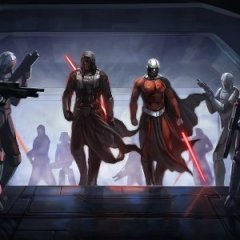
Can you please identify which specific lines are duplicated between my mod and Extended Enclave? As I previously outlined, the lines used for that post-Enclave cutscene in both Extended Enclave and TSLRCM are similar to but distinct from the lines in the “travelling to Malachor” cutscene, which is where I sourced my lines from. For reference, below is a link to Xuul’s recording of Extended Enclave. Bao-Dur has three lines (including the one in the screenshot you posted), and I have not reused -
 Interesting, I didn't once notice it during my last playthrough using that
 -
 On a similar, but maybe not so similar, note to what has been discussed here - I have gone through my Extended Enclave Tweaks mod and can confirm that, in the last update a year or so ago, I removed Bao-Dur's lines which were used in this mod. The problem, however, is that the Extended Enclave mod has some of Bao-Dur's lines in its 020EBO.MOD module file. The exact scene is even shown on the mod page.
 -

By neversaydude · Posted
I managed to fix the bug by replacing the files I mentioned before from the kotor 1 restored mod and overwriting the ones from your mod. Will have to wait until I reach Korriban to see how it affects Uthar. Not expecting any major bugs. Thanks for the reply. I did install your mod on a fresh install of the game, only after the Restored mod, as that mod is supposed to be installed first.
-