Search the Community
Showing results for tags 'shader data'.
Found 3 results
-
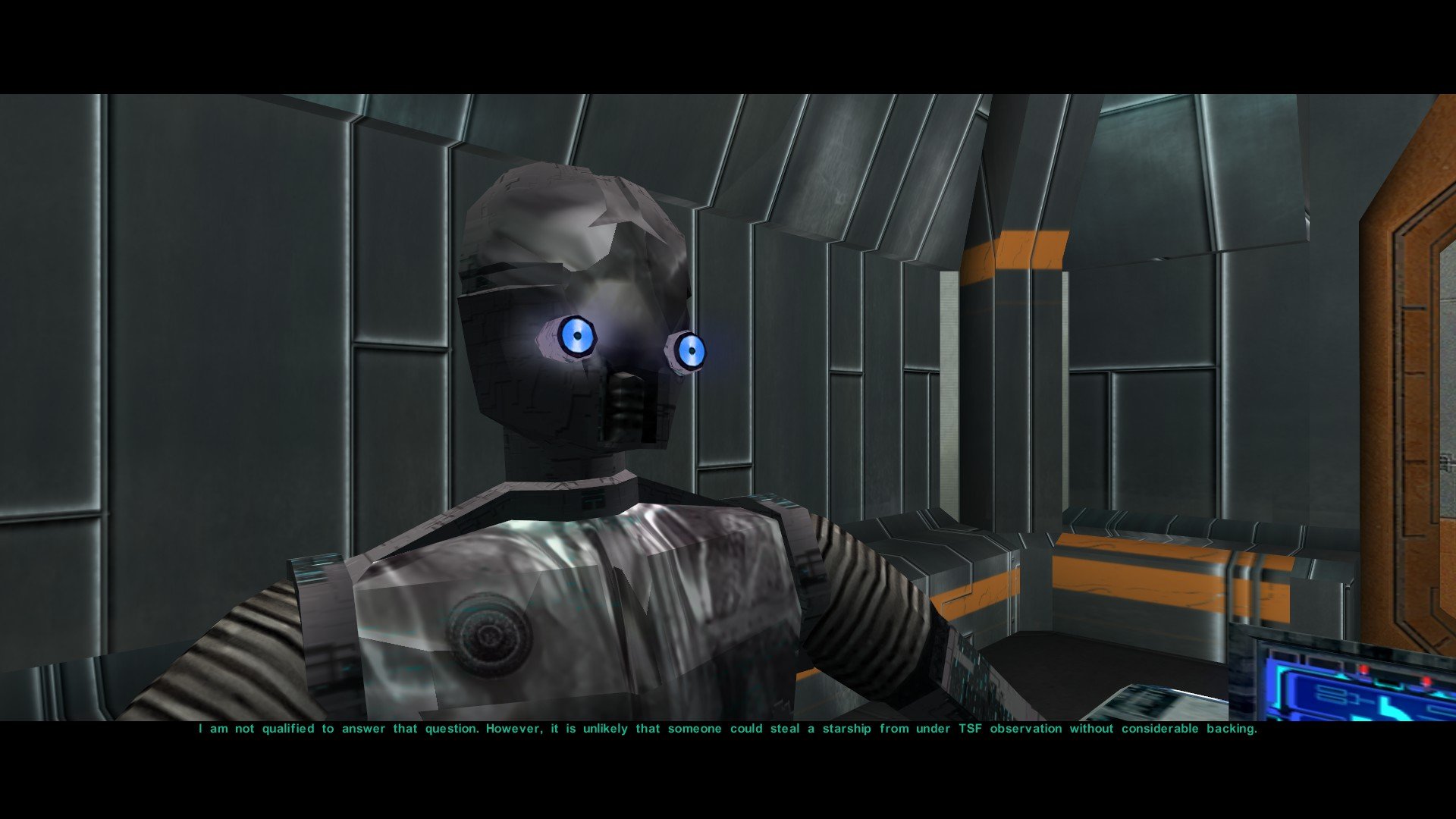
So I'm having this issue in game where some of the textures, usually metal (which I believe should look shiny) looks very glossy. I understand that it is supposed to be shiny, but in my opinion, it looks glossy, almost as if it's wet. I'm not sure if this is a texture issue or a shader issue (or if it's something else altogether). Does anyone know what file is the source of this? I'd like to tone it down a bit if possible. If it's not possible, I'll probably try removing it from override and see how it without it. I'm using the GOG version of TSL, if that matters. I've attached screenshots to show an example of what I mean. It's most noticeable on droids. Thanks.

-
View File [K1] Creatures and Armors TXIs //////////////////////////////////////////////////////////////////////////////// /* [K1] Creatures and Armors TXIs [Modder's Resource] "TXI files, or TeXture Information files, are text files that control and add special effects, shaders, animations, blending etc. for an associated texture. I.E. pmbmm01.TXI would hold the information for pmbmm01.TGA." - Czerka Corp. R&D Wiki This is the compilation of TXI/text format that the game uses to store *creatures and armors* texture information - such as shaders and animations that control how they're rendered in-game. This resource main purpose is to act as supplementary to modders' modified TGA files and/or alternatively a fix to transparency problems that often occurs. This only covers *creatures and armors* and not area textures. Some could be missing from the pack though I'm sure they're pretty much everything that is necessary. Drop comments or report to the mod's support page for this pack to be updated or troubleshooting matters. Installation: as a mod; all files have to be dropped to the Override folder, and if necessary should be installed first before all the others. 08/17/2019 */ //////////////////////////////////////////////////////////////////////////////// //:: Tools By: KotOR Tool - Fred Tetra, Notepad++ - Notepad++team, filenamestxt //:: dumps script - DarthParametric //:: Compiled By: ebmar //:: Hosted By: DeadlyStream //:: Report & Feedbacks: Snigaroo/Sniggles //////////////////////////////////////////////////////////////////////////////// //:: Supplementary Page: .txi Parameters and What They Do - CarthOnasty Submitter ebmar Submitted 08/03/2019 Category Modder's Resources
-
![More information about "[K1] Creatures and Armors TXIs"](https://deadlystream.com/downloads/screens/monthly_2019_08/CaATXI_Screenshot.thumb.jpg.b59c1278d2652226e419209526240d49.jpg)
Version 1.0.3
233 downloads
//////////////////////////////////////////////////////////////////////////////// /* [K1] Creatures and Armors TXIs [Modder's Resource] "TXI files, or TeXture Information files, are text files that control and add special effects, shaders, animations, blending etc. for an associated texture. I.E. pmbmm01.TXI would hold the information for pmbmm01.TGA." - Czerka Corp. R&D Wiki This is the compilation of TXI/text format that the game uses to store *creatures and armors* texture information - such as shaders and animations that control how they're rendered in-game. This resource main purpose is to act as supplementary to modders' modified TGA files and/or alternatively a fix to transparency problems that often occurs. This only covers *creatures and armors* and not area textures. Some could be missing from the pack though I'm sure they're pretty much everything that is necessary. Drop comments or report to the mod's support page for this pack to be updated or troubleshooting matters. Installation: as a mod; all files have to be dropped to the Override folder, and if necessary should be installed first before all the others. 08/17/2019 */ //////////////////////////////////////////////////////////////////////////////// //:: Tools By: KotOR Tool - Fred Tetra, Notepad++ - Notepad++team, filenamestxt //:: dumps script - DarthParametric //:: Compiled By: ebmar //:: Hosted By: DeadlyStream //:: Report & Feedbacks: Snigaroo/Sniggles //////////////////////////////////////////////////////////////////////////////// //:: Supplementary Page: .txi Parameters and What They Do - CarthOnasty