Jump to content

Search the Community

Showing results for tags 'remote'.

  • Search By Tags

    Type tags separated by commas.
  • Search By Author

Content Type


Forums

  • Kotor Modding
    • Mod Releases
    • General Kotor/TSL Modding
    • Modding Tools
    • Work In Progress
    • Tutorials
    • Game Saves
  • Mod Projects
    • TSLRCM
    • M4-78 Enhancement Project
    • KotOR1 Restoration (K1R)
    • Revenge of Revan
    • KotOR Toolset
  • Jedi Knight Series
    • General Discussion
    • Mod Releases
  • Other Games
    • Other Games
    • Dantooine Theater Company
  • General
    • News
    • Knights of the Old Republic General
    • Star Wars
    • The Old Republic
    • Site Feedback
    • General Discussion

Blogs

  • Blog 1
  • The memories of Mandalore
  • Blog 63
  • Varsity Puppet's Brain Dump
  • Working Class Hero's Blog
  • mmidnight's Blog
  • Blog-Tastika
  • Darth Malious' Blog
  • The Beta Community's Voice
  • sallyrit's Blog
  • Sith Holocron's Blog
  • Diablo3gold
  • Marginalia
  • Mindwizard's Blog
  • Journal Log Of Penally's Bounties
  • Mudslinger077's Blog
  • starwars1234's Blog
  • Blaaargh.2da
  • Kate The Bionic Uterus' Vibrating Submarine
  • Darth Nuge's Blog
  • The Xuul Report
  • KOTOR Fan Theories
  • Benny Chan style
  • Darth_Sapiens' Blog
  • Neville's Blog
  • Darth_Sapiens' Blog
  • TimmyDean's Blog
  • Malkior's Blog
  • DarthSidious4.2's Blog
  • Darth Pravus' Blog
  • Help
  • Canderis' Blog
  • The Musings of Eauxps
  • xander2077's Blog
  • DeadMan's chest
  • pepoluan Far Far Away
  • Rece's Videos
  • jc2's Journal
  • Kexikus' Blog
  • Kreia's Blog
  • Fair Strides' Blog
  • Pazuzu156's Blog
  • GoldLeader's Blog
  • Steira Shipyards
  • lyuscherbakova1986's Blog
  • superSzym's Blog
  • Leilukin's Blog
  • N-DReW's Datapad
  • magdahalo's Blog
  • Trouble Successfully Using Kotor II TSLRCM 1.8.5 On Windows 7 x64-Bit Laptop
  • DarthTyren's Blog
  • The Holocron of Darth Kyber
  • Darth Varkor's KOTOR Machinima Saga: Production Blog
  • ADG12311990's Blog
  • Unusual's VA Blog
  • Draconian's TSL mod request.
  • darthbdaman's Holocron
  • JC's Blog
  • L0ki's Blog of questions & brief WIP things
  • The Iriaz Archives
  • Breakfast With eb
  • Cathar Handmaiden Skin?
  • Kast's Datapad
  • Having fun with the KotOR maps.
  • AndroidKotOR Modded
  • Starıka's Jedi Academy Machinimas
  • KotOR II Damage Calculator
  • Help Modding
  • A step-by-step guide for widescreen in Star Wars: Knights of the Old Republic
  • 13 gigabytes, 13 brain cells
  • Modding Tools
  • StellarExile Mod Stuff
  • Jedi Knight: Jedi Academy films by Cor
  • Something of a moment of truth
  • Music for Streams
  • LoneWanderer's blog
  • modder 9's blog
  • Community Requests
  • Kotor combined saga blog
  • My Kotor Machinimas
  • How do you stream with your Widescreen fixes?
  • Looking for advice to solve a challenging bug: Eastern Dune Sea is resetting every time upon entering

Categories

  • Knights of The Old Republic
    • Media
    • Mods
    • Skins
    • Modder's Resources
  • The Sith Lords
    • Media
    • Mods
    • Skins
    • Modder's Resources
  • Jedi Knight Series
    • Maps
    • Mods
    • Skins
    • Other
  • Game Saves
  • Other Games
  • Modding Tools

Product Groups

  • Premium Membership
  • Modders Account

Find results in...

Find results that contain...


Date Created

  • Start

    End


Last Updated

  • Start

    End


Filter by number of...

Joined

  • Start

    End


Group


AIM


MSN


Website URL


ICQ


Yahoo


Jabber


Skype


Location


Interests

Found 3 results

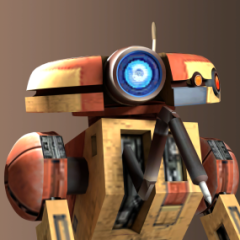
  1. View File AxC's Skip Remote Sequence This simple mod does exactly one thing: it lets you skip the Remote flying sequence on Malachor V without losing any content. Now you don't have to go through this notorious chapter if you don't want to. How it works: Adds a skip option when the Remote sequence begins All cutscenes and dialogue play normally like nothing was skipped Works with or without TSLRCM Completely optional every time (play it normally when you want to) Credits: Fred Tetra, for KOTOR Tool TK102, for DLGEditor Torlack, stoffe & TK102, for NWNSSCOMP JdNoa & Dashus, for DeNCS Cortisol, for Holocron Toolset Submitter AxConsortium Submitted 08/12/2025 Category Mods TSLRCM Compatible Yes  
  2. Version 1.0.0

    105 downloads

    This simple mod does exactly one thing: it lets you skip the Remote flying sequence on Malachor V without losing any content. Now you don't have to go through this notorious chapter if you don't want to. How it works: Adds a skip option when the Remote sequence begins All cutscenes and dialogue play normally like nothing was skipped Works with or without TSLRCM Completely optional every time (play it normally when you want to) Credits: Fred Tetra, for KOTOR Tool TK102, for DLGEditor Torlack, stoffe & TK102, for NWNSSCOMP JdNoa & Dashus, for DeNCS Cortisol, for Holocron Toolset
  3. Okay, so I got to Malachor V, and I'm currently at the Mass Shadow Generator sequence with the remote. After I went to all 4 consoles, Bao's hologram pops up, saying that I did everything, etc, etc, and then... nothing happens. The remote stands there in the cutscene for a couple of seconds, Goto doesn't come in and the cutscene ends and I'm still with the remote and the quest is saying that I have one more generator to go, although I did all 4 of them. I guess it's a bug, but it's a real game crashing one. Every mod I've installed, I checked it first to make sure that they are compatible with TSLRCM. So I have no idea what could be wrong. I've Googled it, and didn't found anything, regarding this issue. I've tried reloading a previous save, where I start Malachor, but nothing. I also checked the TSLRCM troubleshooting posted here, but didn't found anything, regarding this. Everything's been fine all the way through from the beginning of the game, and I was glad that there wasn't even a slight bug to interrupt my gameplay. Finally got to Malachor V and I was looking forward to finally finish the game after a long time, again, and the game is flipping me the bird, every time here, no matter what I do. Here's the video of it. Is there a way to solve or skip this? Just please, don't tell me I have to re-install the game....... again. https://www.youtube.com/watch?v=pWUOyxv-30I
×
×
  • Create New...

Important Information

By using this site, you agree to our Guidelines.