


Lily
-
Posts
59 -
Joined
-
Last visited
-
Days Won
3
Content Type
Profiles
Forums
Blogs
Forum & Tracker Requests
Downloads
Gallery
Store
Events
File Comments posted by Lily
-
-
7 hours ago, Narzoul said:
I found a bug, GOG version of the game, used only this mod.
How to produced it:
1.Start new game, and reload untill you see Twi'lek Playble Character with custom clothes.
2.Switching heads breaks body textures. Even default female heads are affected as well.
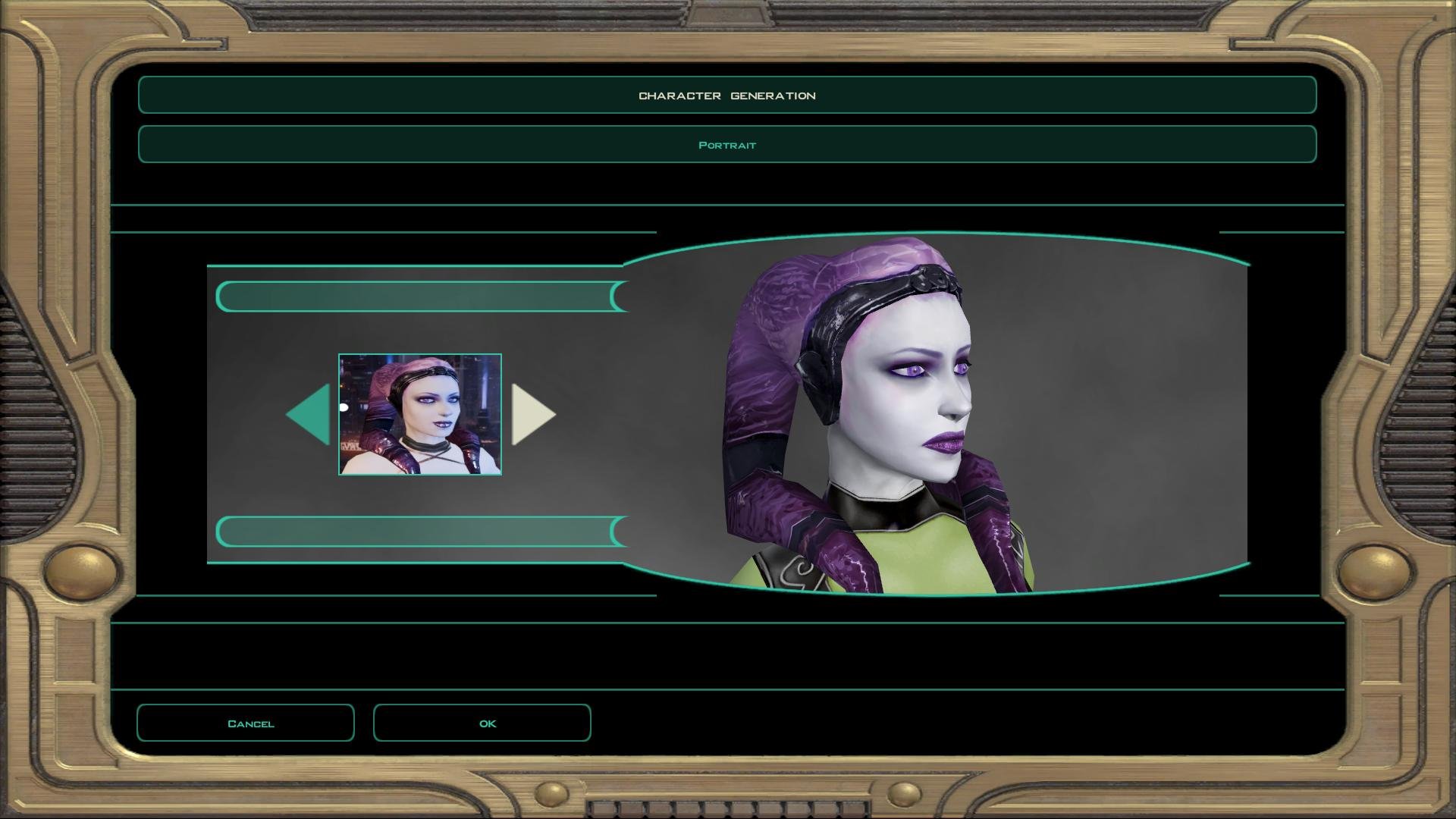
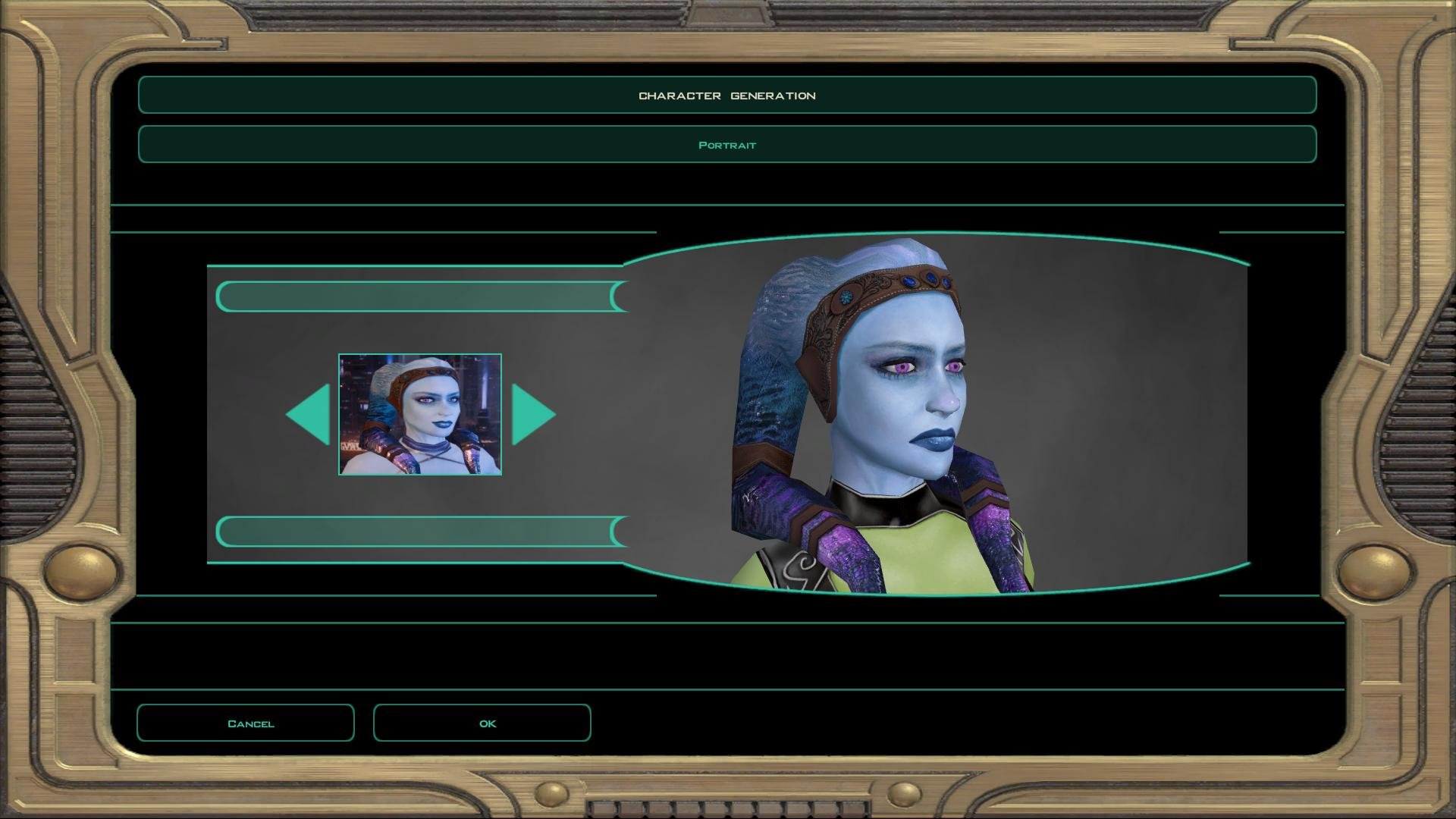
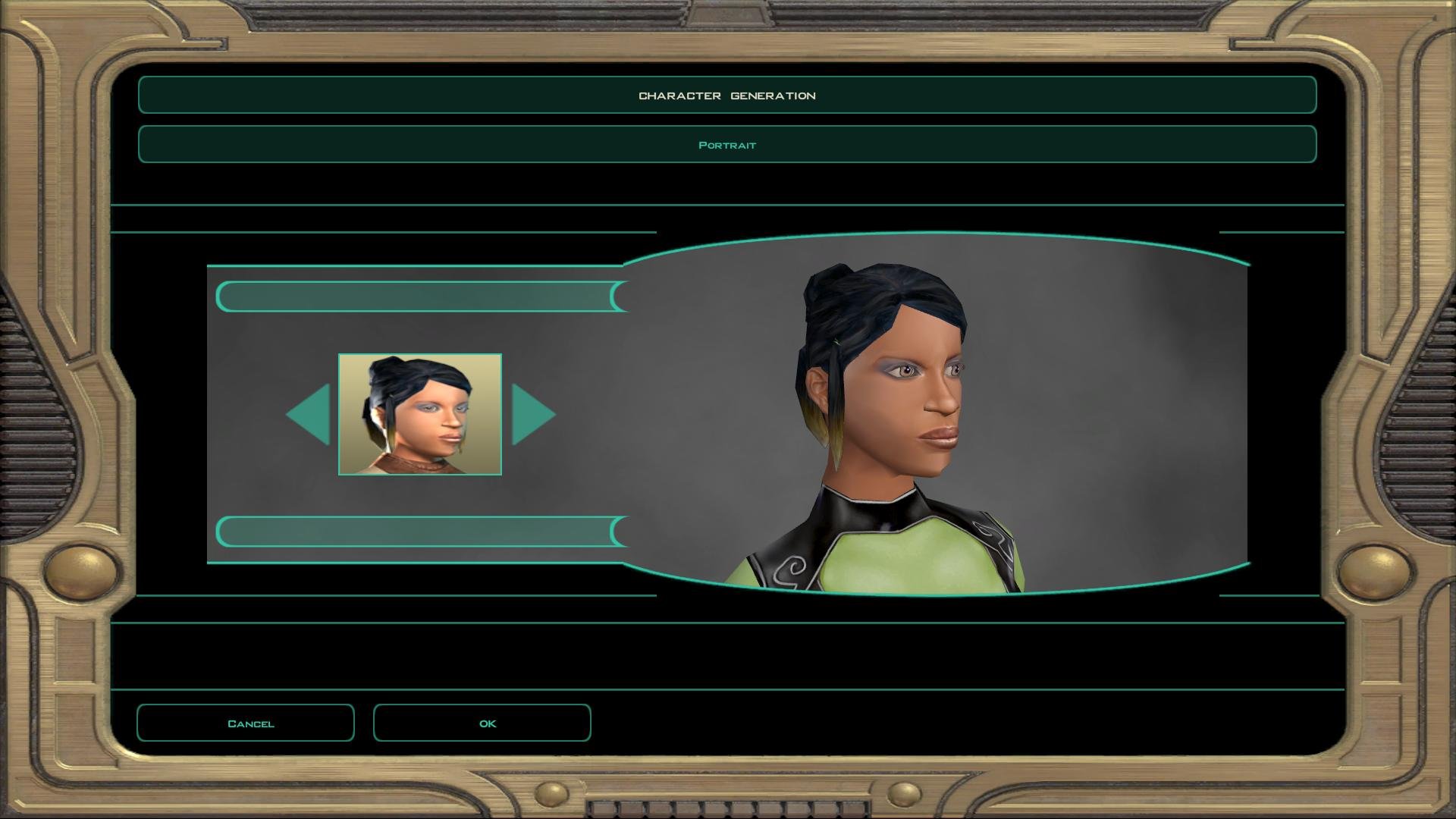
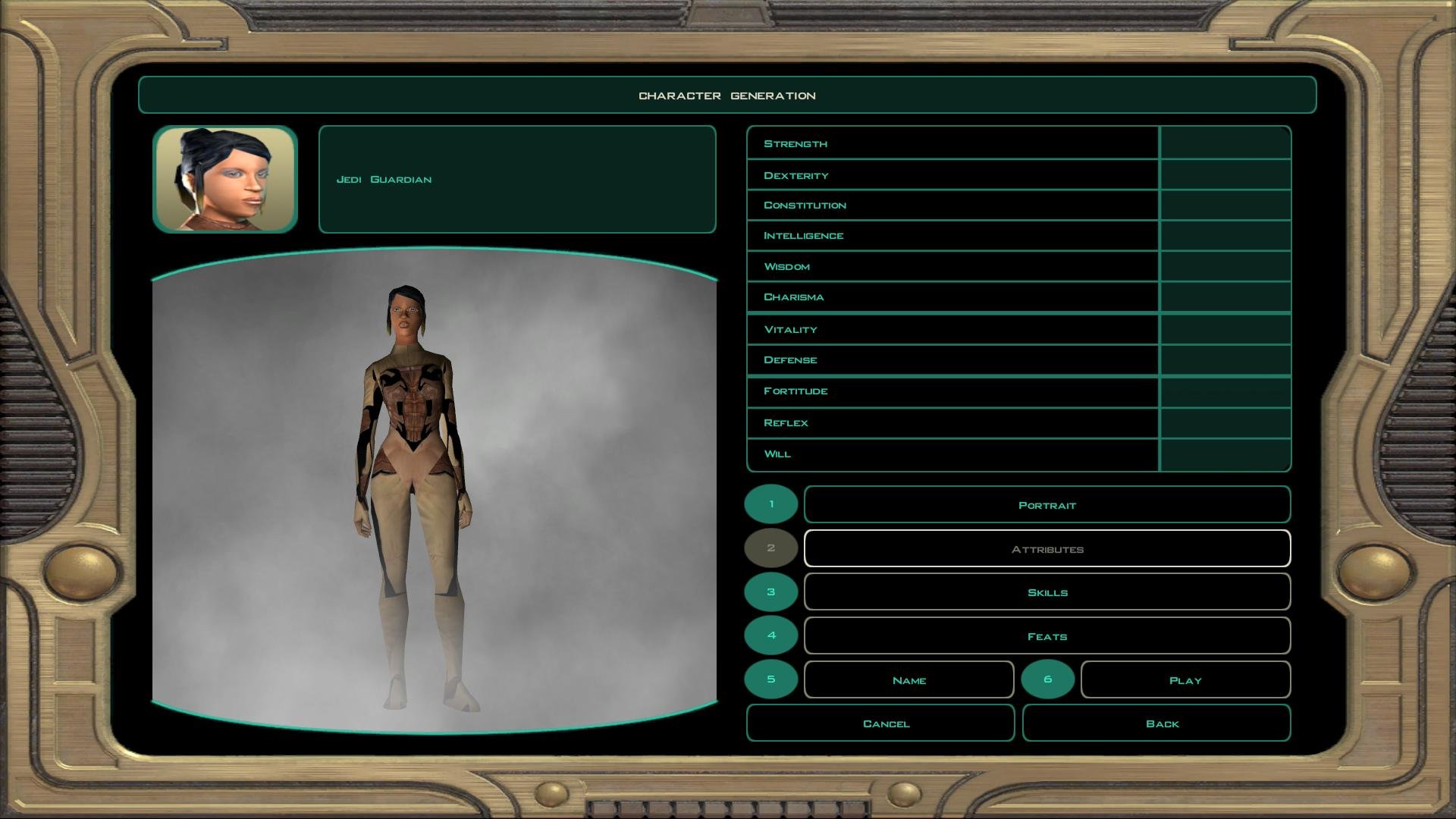
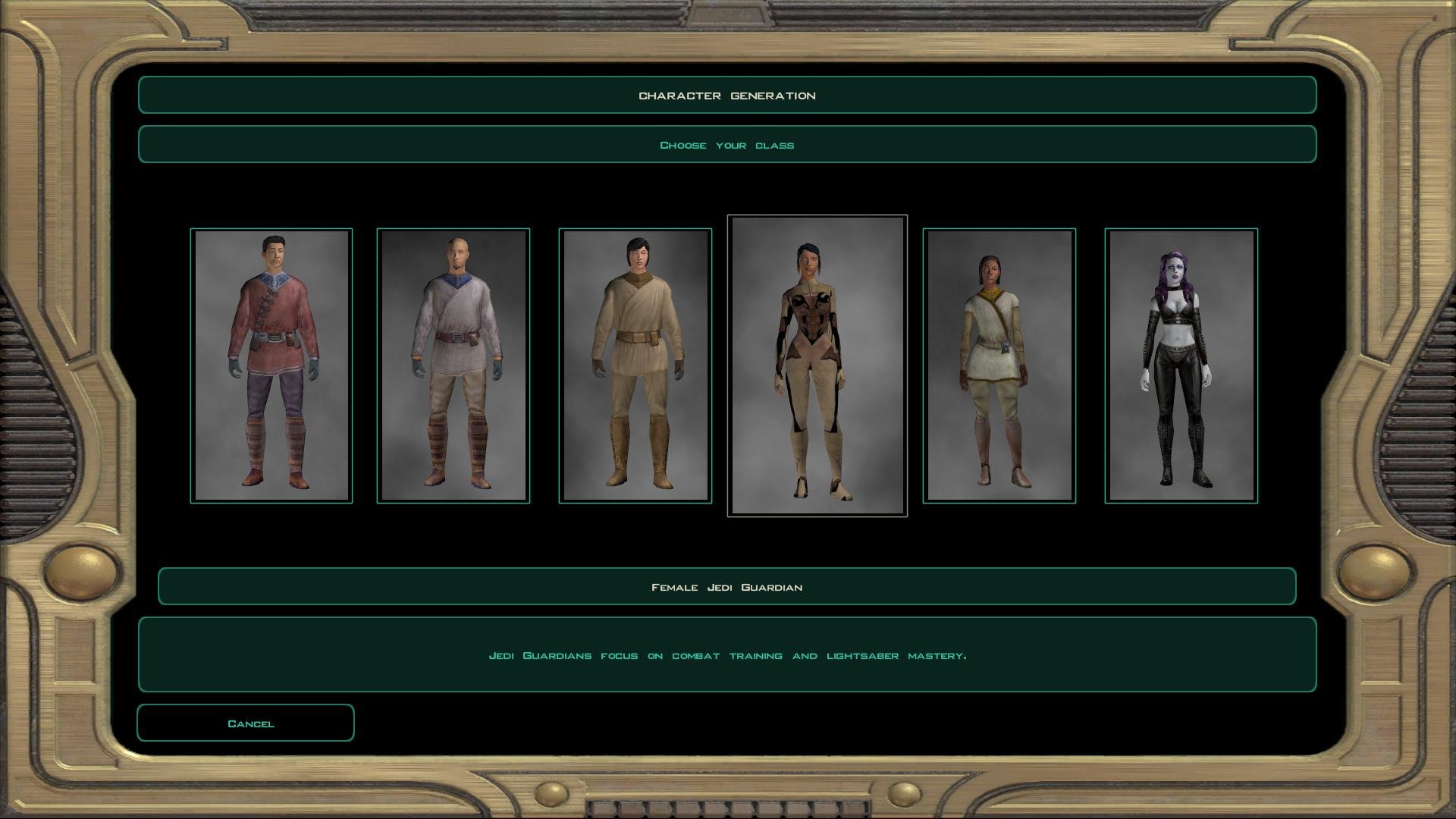
That's just the way KotOR works, since it expects every character to have the same body model, it doesn't reload it for each head. If you start the game it will be fine.
-
7 hours ago, Narzoul said:
Ahh I see, much better that default dark side underwear, which frankly speaking isn't my cup of tea.
Ohh, also during Darth Revan reveal scene in the game, do head-tails pops out of Revan's hood?
I haven't tested that, but probably, unfortunately.
-
3 hours ago, Narzoul said:
Ahh, I see, it is what it is, anyway thanks for your help, a quick last question, do Playable Female Twi'leks change their underwear when their tansitions to dark side, if so, how do they look like?
Yep! You can see an example in the first screenshot.
-
11 hours ago, Narzoul said:
Yep, it works thanks, now it's not noticeable, one last thing, could you look into fixing shoulders if it is possible?
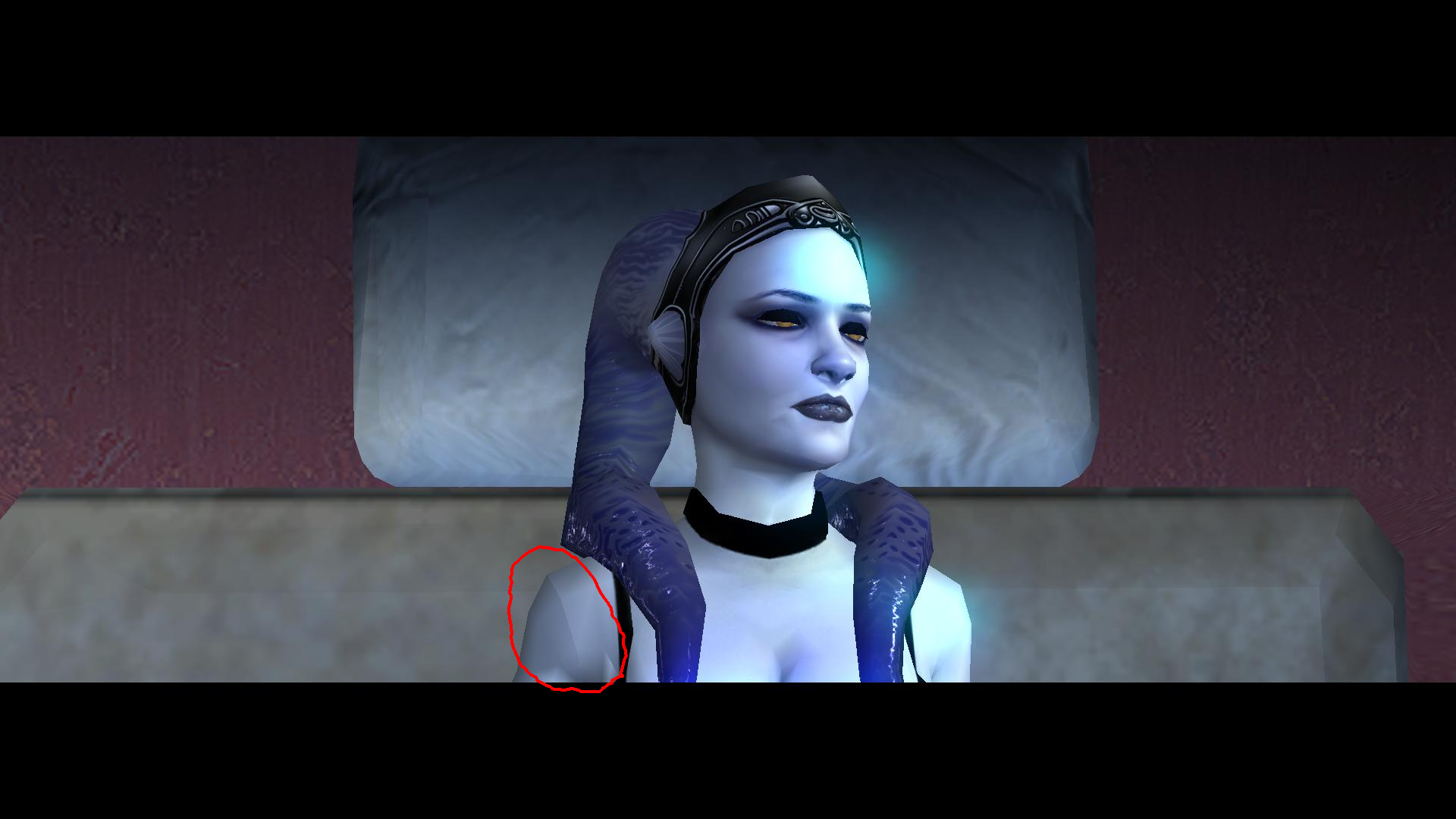
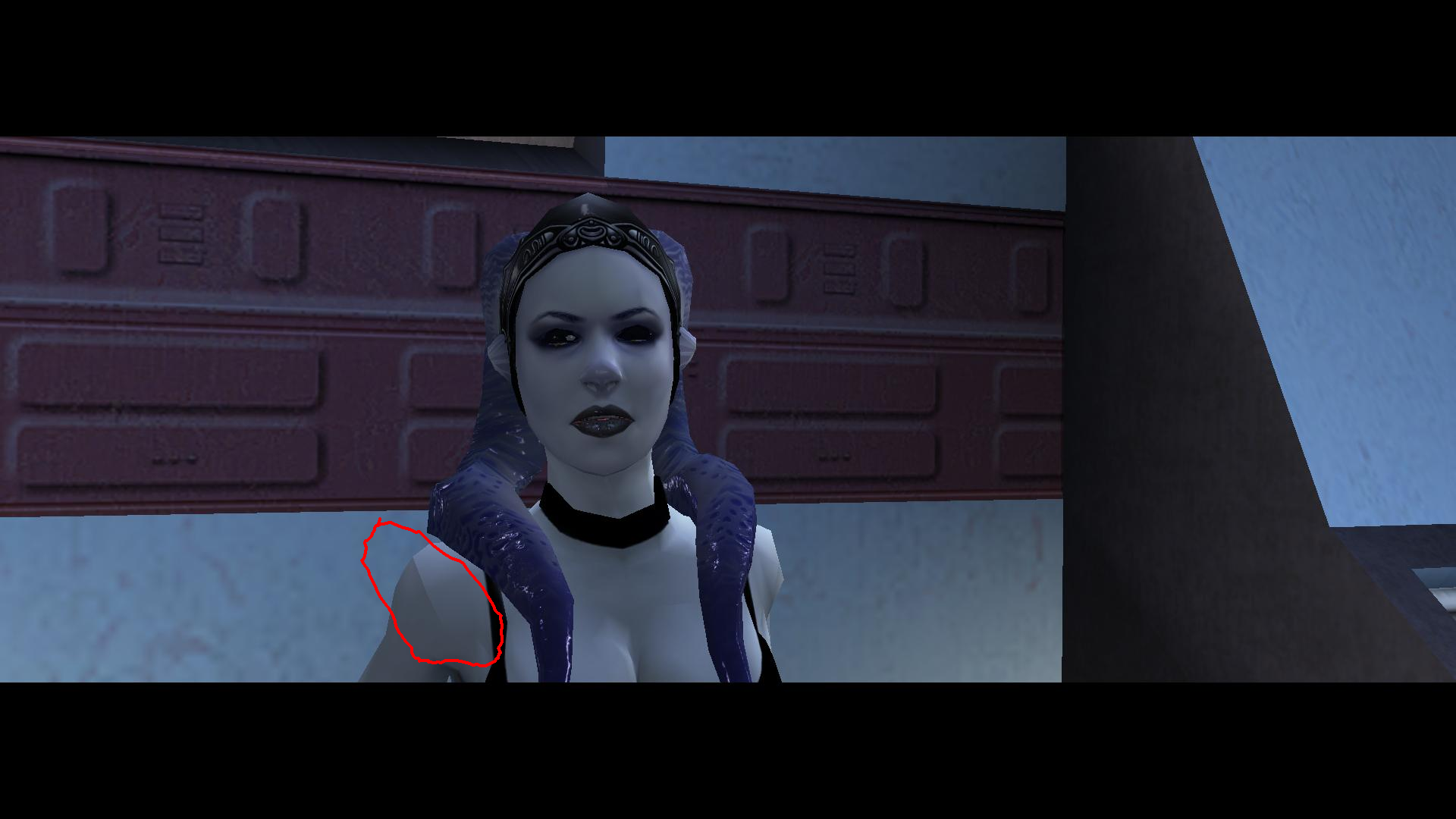
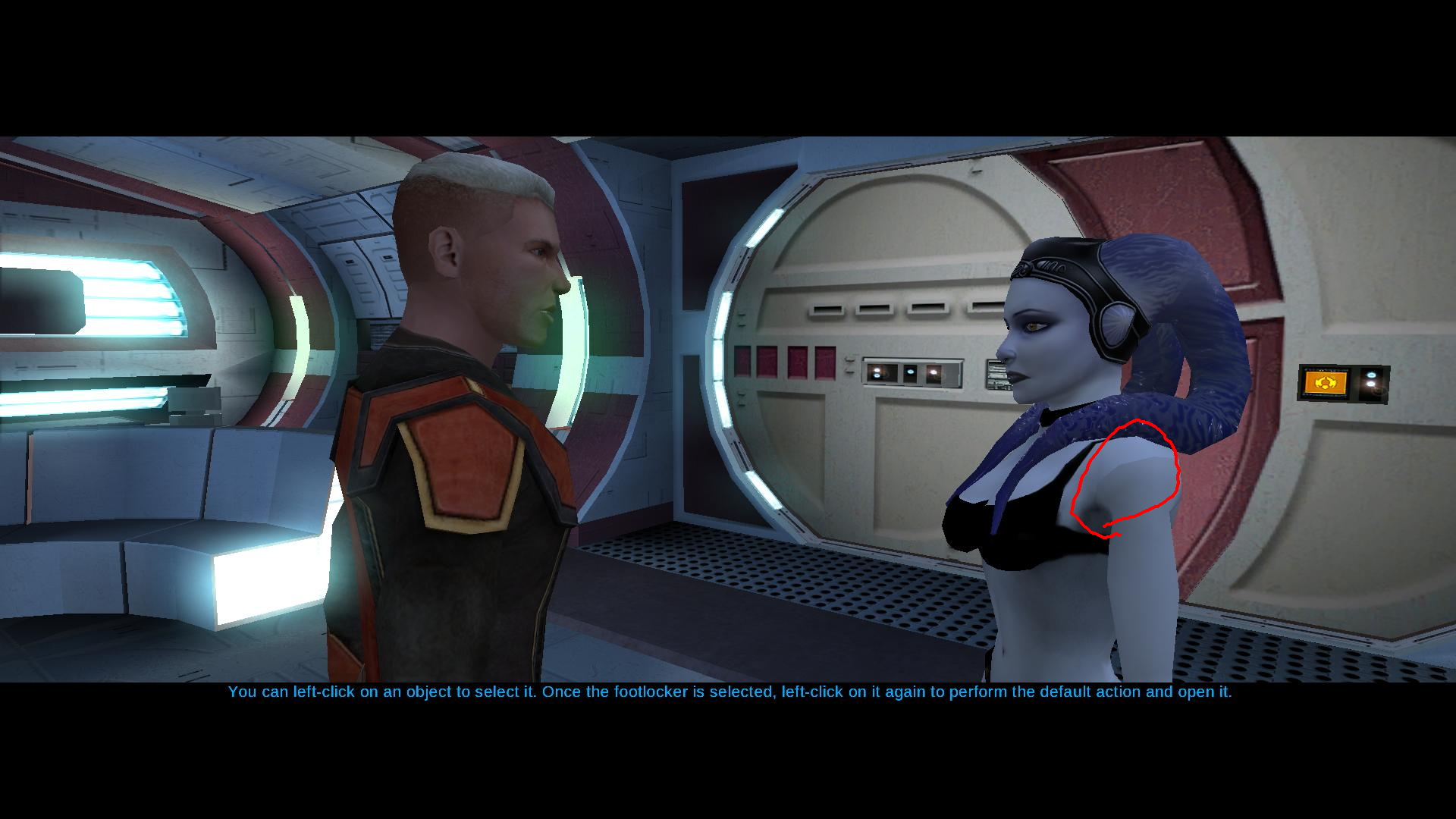
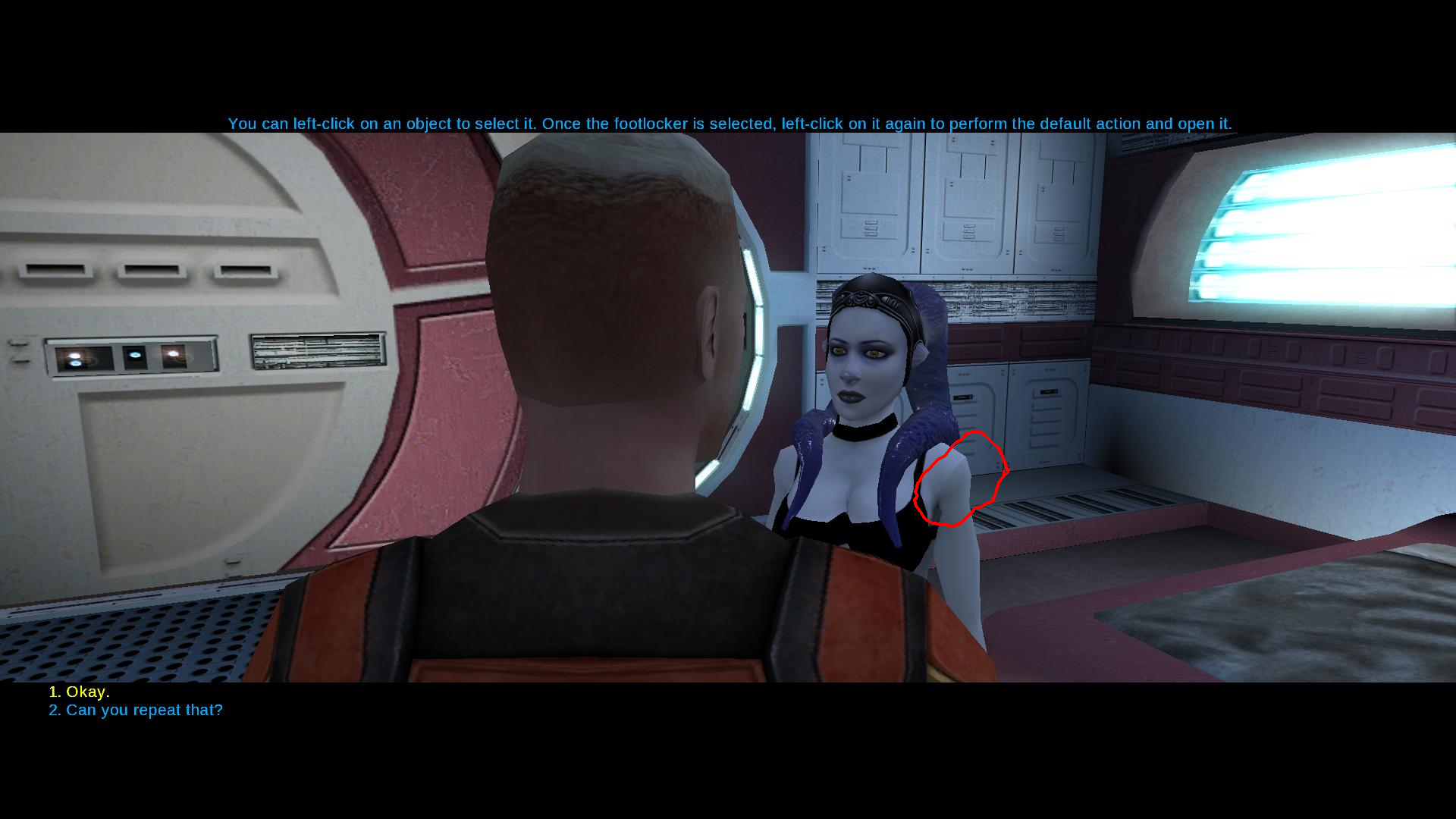
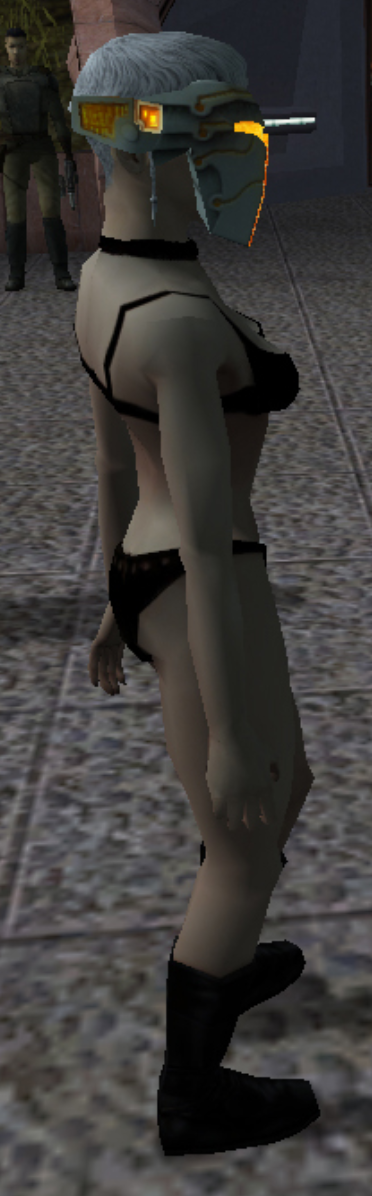
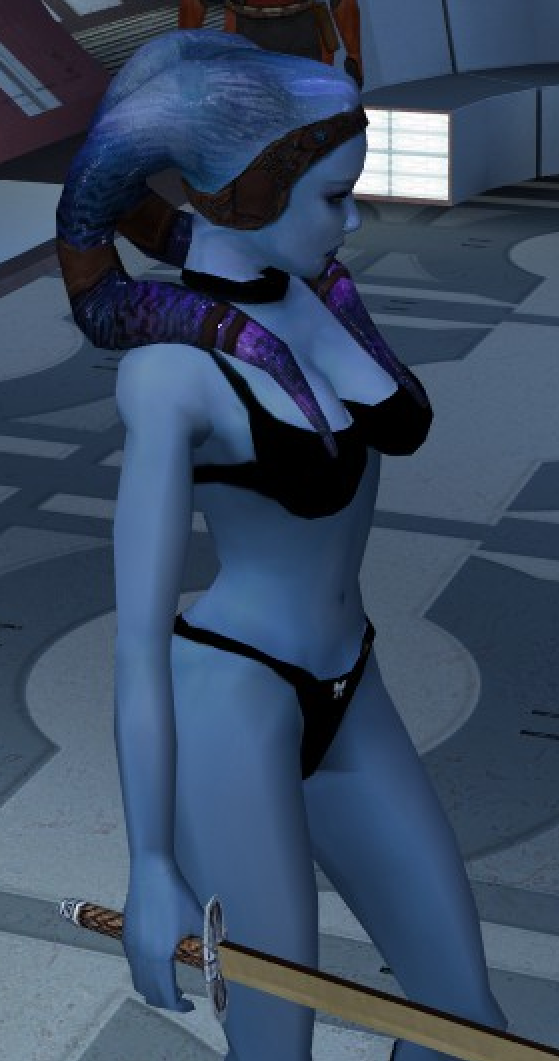
Unfortunately that's not something I can fix. It's just the way that shadows work on that model because it's all skin. You can see the same thing happening in KotOR II on Handmaiden's default model.
If you stand in the light you can see that the color on the texture is correct, it's just the lighting.
-
8 hours ago, Narzoul said:
I'm using 1920x1080 resolution, and I've have download the mod, replaced the files, but the issue is still there. The date on N_TwiUndBlue01.tpc file is 16.09.2026. and no driver anti aliasing doesn't work either.
Try redownloading and reinstalling again. Hopefully this fix works for you!

-
2 hours ago, Narzoul said:
I'm using 1920x1080 resolution, and I've have download the mod, replaced the files, but the issue is still there. The date on N_TwiUndBlue01.tpc file is 16.09.2026. and no driver anti aliasing doesn't work either.
I have a fix for you. I'll post it in a few hours when I'm free.
-
21 minutes ago, Narzoul said:
Hmm, the issue is still there, and I do have all set to high texture quality by default, maybe it's Windows 7 64bit issue along with AMD driver thing, since I can't turn on anti-aliasing in the game, I don't know to be sure, about second picture, yeah shading is the right word, the yellow is a bit bright than the rest of body, I think, yeah it's kind of hard to see, but the more I think about it, the more I think it's my old Windows 7 64bit along with AMD driver, if it doesn't show for on your PC specs, then it's issue on my side, anyhow it's not critical for me, I mean the mod itself is magnificent, I have seen Twi'leks mods for kotor, but this one takes the cake. Regardless thanks for your help.
Just to be sure, you downloaded the v2 version of the mod and installed it?
In your override folder what's the last edit date/time on N_TwiUndBlue01.tpc?
And what resolution are you using?
The update I just made extended the body color. On the texture, it was close to a black spot and without anti aliasing the black was blurry and bleeding onto the model. I turned off the anti aliasing in my own game and saw it before this fix , but don't see it anymore, so I would be surprised if it wasn't fixed on your end...
The shading for the yellow one does look a bit different on your screenshot. You can see what it looks like in my game in the first screenshot for the file. The body matches the head much better - I'm guessing that's a product of no anti aliasing and the older hardware, and I'm not sure I can do anything about it - apologies

Also on your PC you cannot even touch the anti aliasing in game? I've never heard of that before... Can you turn it on for the game in your graphics card settings?
-
7 hours ago, Narzoul said:
Sadly, these two files didn't help to levitate the problem , but I got screenshots, here take look. It hard to see, but you can see, not only black lines on the bottom checks, but also strange round white lines on the second yellow character here. doesn't happen with default female character. Also is it me or back of 1 blue character, and 3 dark yellow a bit broken in someway?
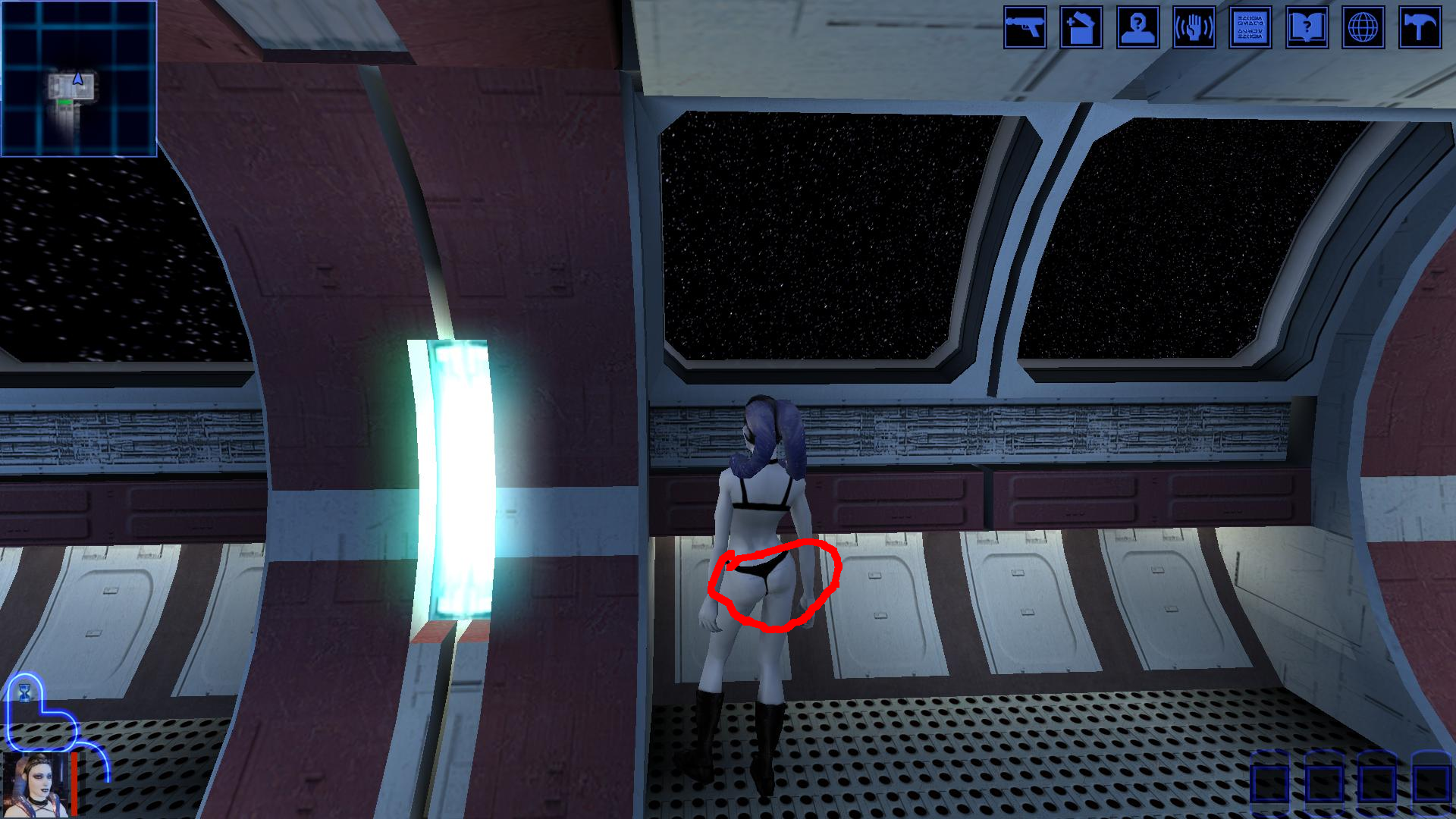
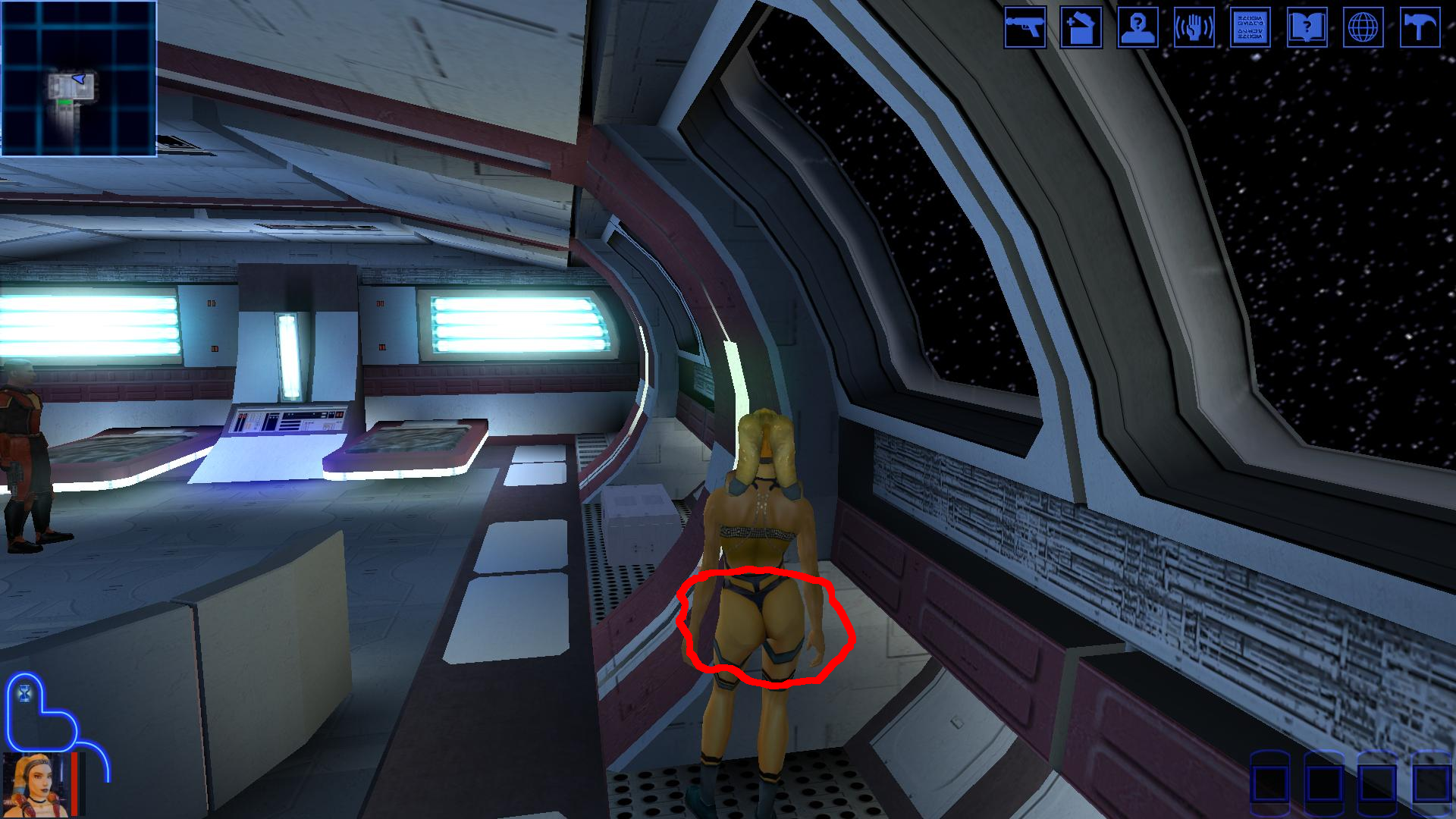
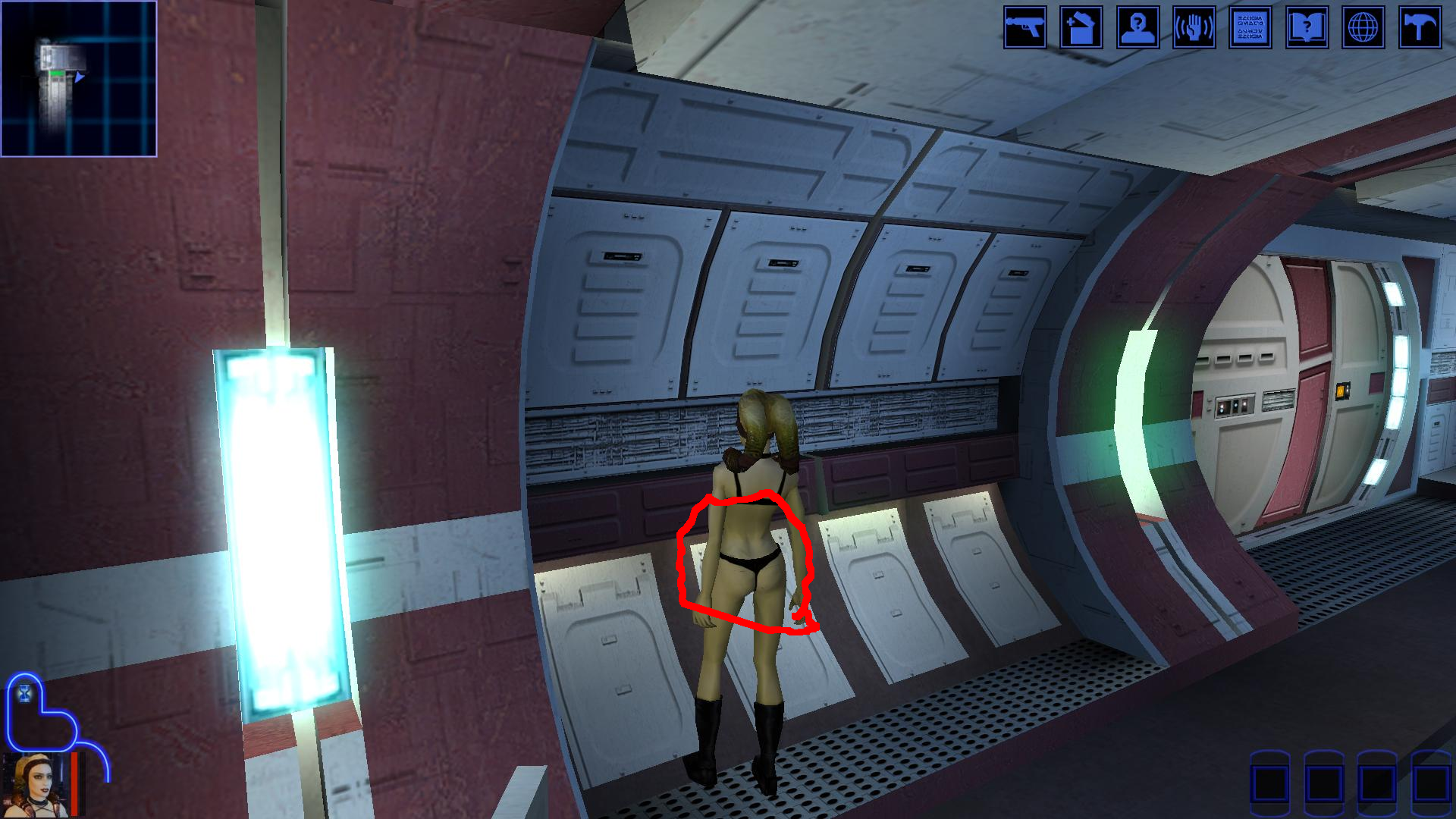
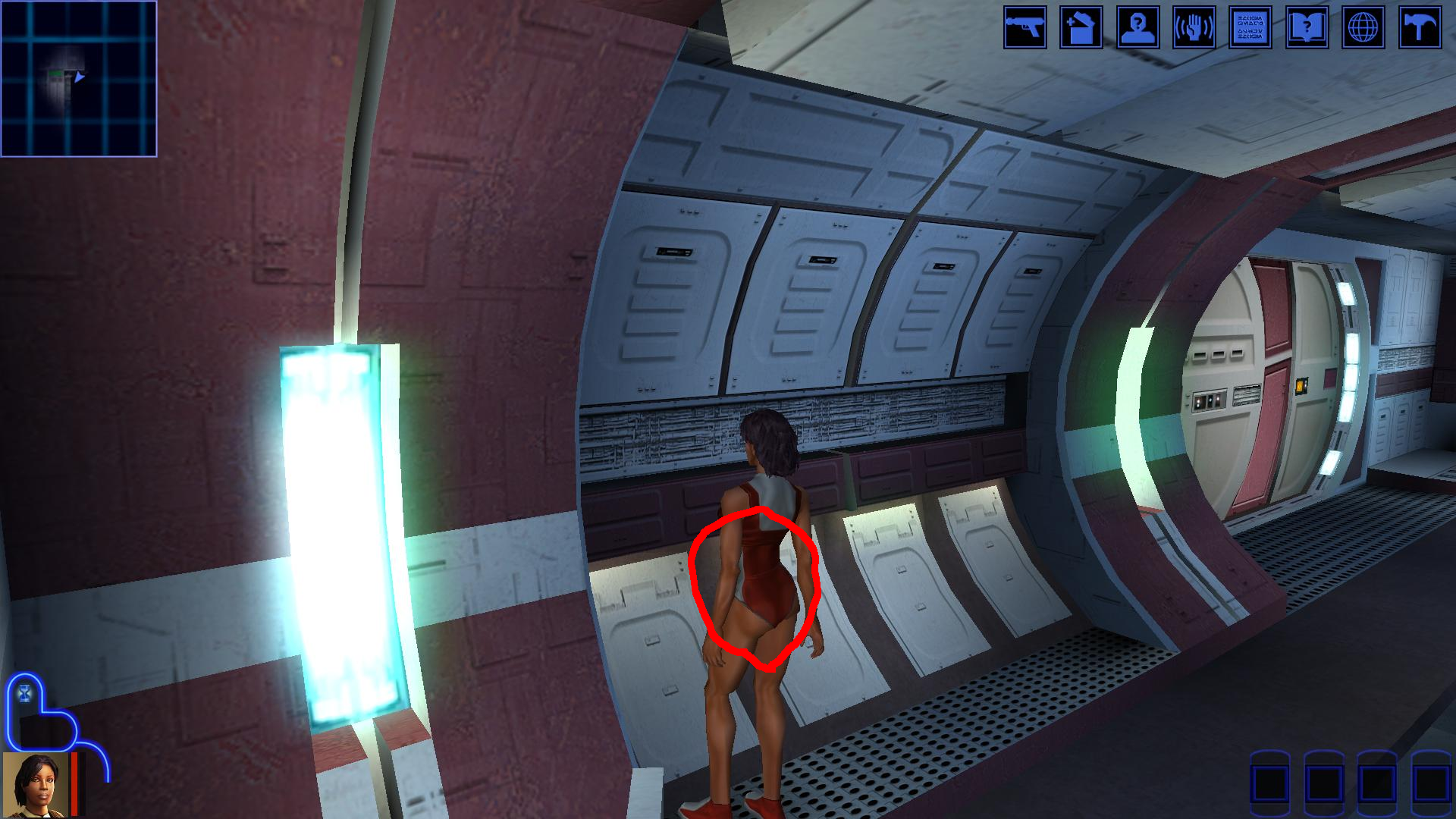
What resolution are you using?
I don't see that when running high quality textures with a widescreen mod. I think even a computer from the Windows 7 era would be fine to run this old game in high quality.
1 hour ago, Lily said:What resolution are you using?
I don't see that when running high quality textures with a widescreen mod. I think even a computer from the Windows 7 era would be fine to run this old game in high quality.
It actually wasn't too hard to tweak to support lower graphics. Redownload and reinstall the mod - should be better now for the new underwear.
I'm not seeing the issue on the second image. Are you just talking about the shading?
-
Yes, that's compatible too!
-
 1
1
-
-
5 minutes ago, dachaunmcgee@yahoo.c said:
IQuestion Lily? is this mod compatible with Party Swap SLM 2024, and Azgath Korriban Tomb? I was just wondering cause I would love to use this mod, but I dont want my game to potentially crash due to the mods I have installed.
It's compatible with Party Swap and Azgath's Tomb, yes. That's not the tomb mod that needs the patch either.
I'm not sure what SLM 2024 is.
-
1
-
-
On 9/13/2026 at 6:27 AM, Narzoul said:
Yep, it fixed for me thanks, but I noticed the back side, more specific buttom checks has some wierd black lines all around when I don't use anti aliasing, or maybe it's due to old Windows 7 64bit system, but do you think that Kotor 1 models are bit diffrent than ones in Kotor 2, anyway do you think models from Kotor 2 get broken when imported to Kotor 1?
The baked in normals should have been stripped out of the underwear model already with the Kotor 2 version, so it's likely just that the polygons aren't super smooth, if that's the model you're talking about. You can try downloading these 2 files and replacing the ones in your override folder, but I suspect that it will not help.
N_TwiUnd.mdxN_TwiUnd.mdl
1. Let me know if that helps.
2. If you can post a picture, that might help me figure out what you're seeing.
3. If anyone reading this has thoughts on smoothing out KotOR model geometry to make the normals look better, I would love to hear it. -
6 hours ago, Narzoul said:
Neat mod there friend, but I notice some problems like dark stains around the mouth, also on the left lips of Playable Female Twi'leks there's white spot. Hope you can fix it somehow.
Thanks for reporting. The normals from KotOR II were still on the models and making it look strange. Fixed.
You can redownload the mod and reinstall it - no need to uninstall the old version, the new one will overwrite it just fine.
Let me know if it is fixed for you! -
On 9/8/2026 at 1:10 AM, vorynsdagoth said:
Aah cheers! I would absolutely love to play this mod in K1 (regrettably, I've been a "Twi'lek girl" since I was a wee one, and they are my favourite alien species in Star Wars), so if/when you are able, I will be extremely happy/very appreciative! With all the gorgeous mods coming out recently, it'd be a treat to be able to go through K1 as one of your Twi'lek creations!
Nevermind. It was right away.
Here you go!-
 1
1
-
-
1 hour ago, vorynsdagoth said:
I've been a "Twi'lek girl" since I was a wee one, and they are my favourite alien species in Star Wars
Saaaame.
It probably won't be right away but I will get to it.
-
17 minutes ago, vorynsdagoth said:
Out of curiosity, would you ever consider porting this mod to K1?
I probably will whenever I play Kotor 1 next. If there's demand, I could maybe be convinced to do it sooner. It wouldn't be too hard.
-
1
-
-
42 minutes ago, dachaunmcgee@yahoo.c said:
Question, Is this mod Compatible with JC's Commoner outfit mod, that allows you access to different Commoner Clothing or no?
Yes. If you install mine afterwards, you will get my textures and can wear them on your player.
The only issue I see is that JC's icons for the items will no longer match the clothing that you actually wear when you put them on.
You can, of course, just use the heads option which won't touch the clothing at all, or try to rename the files to match the icons as closely as you can if you have any modding experience.
One more thing - you will want to delete the .tga files in your override folder that match the same named .tpc files in this mod. It shouldn't crash or anything, but it's not good practice
This tool makes that pretty easy. -
4 hours ago, N-DReW25 said:
May I suggest you rename this mod into something else?
There already exists a mod called NPC Overhaul and so it'd be very easy for players to confuse the two mods.
Here are some possible new name ideas for the mod:
Updated.
-
1
-
-
20 minutes ago, Gat4 said:
Indeed I did not have those. That did the trick. Did I miss something in the readme file? Thank you so much for replying and helping me getting it (rather them :D) into motion!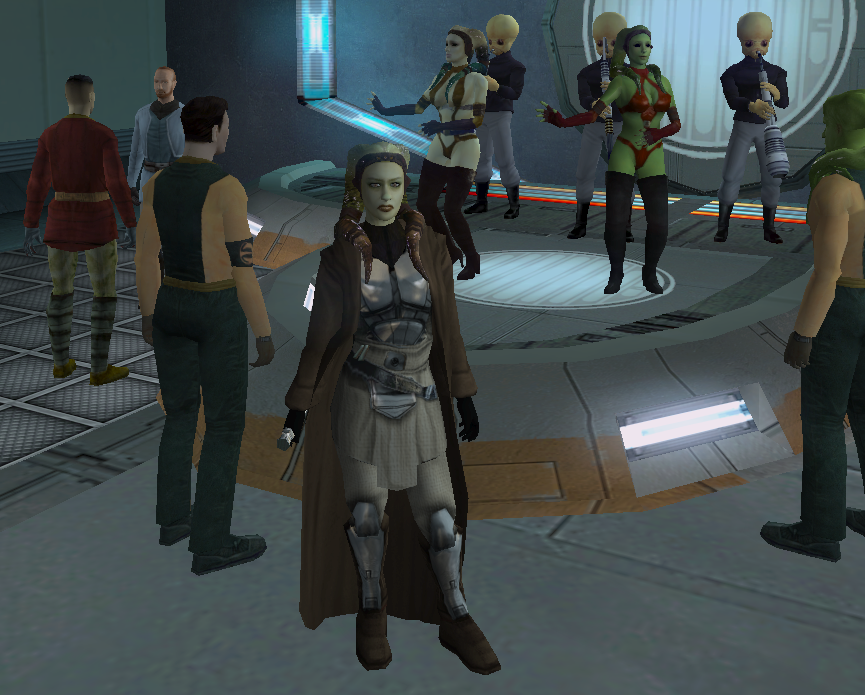
Nope, my fault for forgetting to include them. They came with the original Twi'lek boot model mod which I just had installed separately when testing this.
May they never stop swaying.
-
 1
1
-
-
52 minutes ago, Gat4 said:
Hi! First off this is a great mod, it gives you more reasons to replay TSL.
I'm having a little issue, the Telos dancers are T posing in my game. Any kind souls willing to gimme a hand? Thanks <3.I bet it's cause you don't have these supermodels. I'll include them in the mod, but you can just download them from here and put both files into your override folder, and that should fix it. Let me know if it works and thanks for reporting it.
-
 1
1
-
-
![More information about "[TSL] Folklore Mandalorians"](https://deadlystream.com/downloads/screens/monthly_2026_08/Untitled-1.jpg.b9589e011c563cc9d706f37954cff30a.jpg) 27 minutes ago, N-DReW25 said:
27 minutes ago, N-DReW25 said:Yeah, though I think what Dark Hope did was take Vurt's Mandalorians and improve upon them.
Maybe I was mistaken and Folklore Mandalorians did use Vurt's texture, I actually inspected the Folklore textures myself and compared them to the one's found in Dark Hope's mod and saw that they were very similar.
I found the mod and you're right, this does look more like Dark Hope's. I don't think Attackperson credited them but I can.
Oh you linked the file. Not sure how I missed that...
-
![More information about "[TSL] Armor Class 4, 5 & 6 Remodel"](https://deadlystream.com/downloads/screens/monthly_2026_08/20260820104814_1.jpg.8982a1fbc34c50a08ecb39c86e0890e9.jpg) 16 hours ago, Kaidon Jorn said:
16 hours ago, Kaidon Jorn said:I have one thing to say....
Dude.
10 hours ago, 90SK said:What a wonderful mod!
Thank you!!
Hope you enjoy!
-
2
-
-
3 hours ago, N-DReW25 said:
I think they used Dark Hope's Mandalorian textures as a bad for their own.
If you don't like the ones from this mod, you could use this instead:
Does Dark Hope have Mandalorians?
I think the original author used Vurt's so that might be the same thing.
-
 On 1/29/2026 at 2:56 AM, Skyfront117 said:
This looks incredible! How difficult would it be to make this work for KOTOR 2? I assume the tsl patcher would not work for it without some changes. I tried putting the files in override and changing their names to the nomenclature KOTOR 2 uses, but the model makes the game crash. Do I need to convert it somehow? Or is it just not possible to put it in KOTOR 2?
I've uploaded a KotOR II version of this.
-
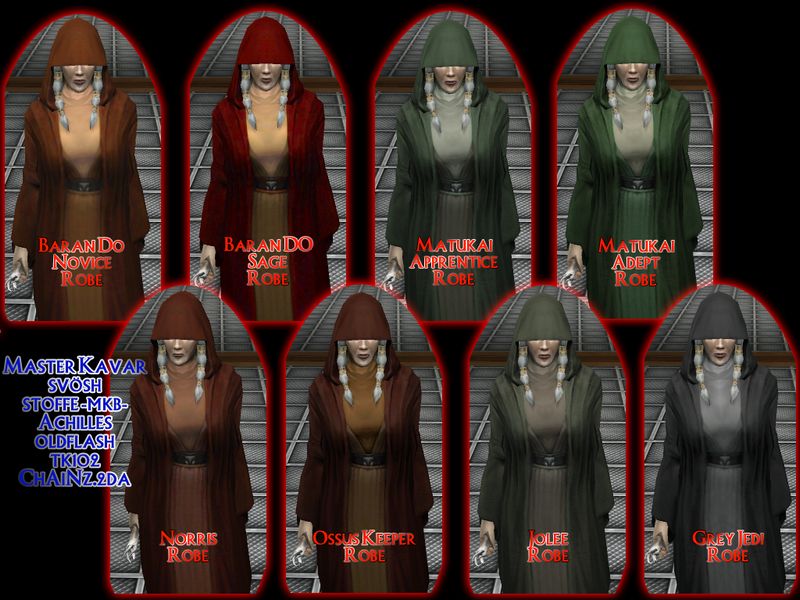
I've uploaded a patch for this to make it compatible with TSLRCM and give you the option to disable the dark shroud.
![More information about "[TSL] HD Female Twi'leks + NPC Diversity + Playable Female Twi'leks"](https://deadlystream.com/downloads/screens/monthly_2026_08/Untitled-5.png.af543bfdc698bb9440c47ce095a9eba5.png)
![More information about "[K1] HD Female Twi'leks + NPC Diversity + Playable Female Twi'leks"](https://deadlystream.com/downloads/screens/monthly_2026_09/Untitled-5.png.347dbacd93455df97500c2a3c8423c5a.png)
![More information about "[TSL] Kreia's Assorted Robe Collection TSLRCM Patch"](https://deadlystream.com/downloads/screens/monthly_2026_08/20260821142223_1.jpg.2acadc0a43fb7e6a0bd8aec2814f77c5.jpg)
![More information about "[TSL] Lily's NPC Overhaul - HD Models & Added Diversity"](https://deadlystream.com/downloads/screens/monthly_2026_08/20260826160016_1.jpg.ab4230a92e0c19623065470c92856408.jpg)
[TSL] Lily's NPC Overhaul - HD Models & Added Diversity
in Mods
Posted
If you have the tpc version of that mod, it should be compatible as long as you install mine after that mod.
If you have the tga version of that mod, you will have to remove the tga files that would conflict with this mod.
You can use Remove Duplicate TGA-TPC to accomplish this quickly.