

Leaderboard



Popular Content
Showing content with the highest reputation on 10/16/2026 in Files
-
Version 1.0.0
38 downloads
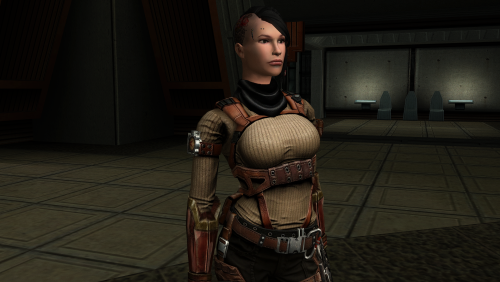
The mod replaces the PFBBM01 model and textures. To Install 1. Download: PFBBM01 2. Copy all files to the Knights of the Old republic's Override folder. (Example location - C:\Program Files (x86)\Steam\steamapps\common\swkotor\Override) 3. When/if prompted to overwrite files, press okay. 4. If you like the mod; leave a comment or endorse! (It would be much appreciated) Made with love.3 points -
Version 1.0
17 downloads
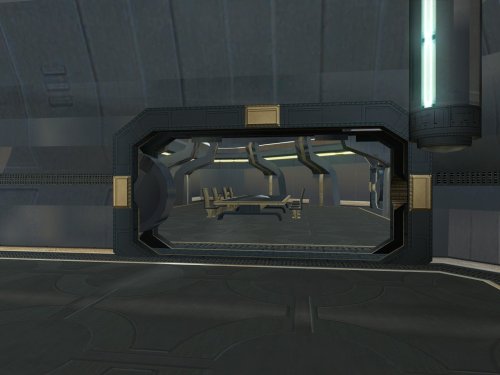
Goto's yacht has numerous model issues, including holes open to space, doors which visibly clip through walls, and rooms that disappear when you walk too far away. This pack fixes many of these issues, bringing the yacht to a quality level suitable for a wealthy Exchange boss. Thank you for downloading, and I hope you enjoy this mod! ------------------------------------------------------------------- INSTALLATION If you are using The Sith Lords Restored Content Mod (TSLRCM), install it first. Run "INSTALL.exe" for this mod, and follow the prompts. It is normal to see a warning that 351nar.mod already exists and has been skipped. If you are using The Sith Lords Restored Content Mod (TSLRCM) from the Steam Workshop, see this guide for how to combine installer-based mods with the Workshop: https://steamcommunity.com/sharedfiles/filedetails/?id=488641307. ------------------------------------------------------------------- COMPATIBILITY This mod is compatible with The Sith Lords Restored Content Mod (TSLRCM) (https://deadlystream.com/files/file/578-tsl-restored-content-mod/) and the KotOR 2 Community Patch (K2CP) (https://deadlystream.com/files/file/1280-kotor-2-community-patch/). It is also compatible with "TSL Backdrop Improvements" by Kexikus (https://deadlystream.com/files/file/949-tsl-backdrop-improvements/) as well as mods that reskin the yacht. It is not compatible with mods which edit the same area models. For best results, this mod requires a save from before boarding the yacht. ------------------------------------------------------------------- CREDITS KotorBlender by seedhartha tpcview and tga2tpc by ndix UR K-GFF by tk102 TSL Patcher by stoffe and Fair Strides ERFEdit by stoffe and Fair Strides Kotor Tool by Fred Tetra Holocron Toolset by Cortisol and th3w1zard1 Thanks to Snigaroo for requesting a fix for the holes in the yacht's bridge, which kicked off this whole exercise. ------------------------------------------------------------------- VERSION HISTORY 1.0 - Initial Release ------------------------------------------------------------------- DISCLAIMER AND PERMISSIONS This modification is provided as-is and is not supported by Disney, Lucasarts, or Obsidian. Use at your own risk. The author shall not be held responsible for damage to your game installation, computer, or saved games resulting from the use of this mod. Material from this mod may be used as the basis for mods which make additional edits to the same area models as long as appropriate credit is given to this mod's author. Other uses require the author's permission. This mod shall not be reposted, in whole or in part, on any sites other than Deadly Stream without the author's permission.1 point -
Version 1.0
17 downloads
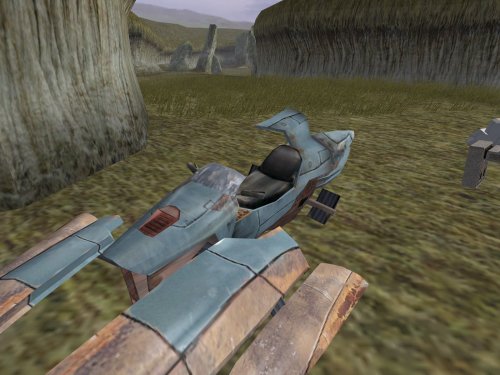
This mod contains fixes to various models from throughout the game. There is no particular theme to these fixes, which cover elements from nearly every planet. Please see below for a full list. Separate from the model fixes, I have also provided an additional option adds scripting to open the roof of the Telos underground base's hangar before departing. This is not strictly a fix because the game already included scripting to open the roof...but it happened as the player boarded the shuttle to leave, so even with the fixed animation, there was no opportunity to see the result. This option changes the timing so that the roof opens when the player unlocks the doors with the hangar console. Thank you for downloading, and I hope you enjoy this mod! ------------------------------------------------------------------- LIST OF FIXES GENERAL - plc_jnkswpb1, plc_jnkswpb2 - Corrected the crashed swoops' windscreen texture to match the non-crashed swoops. PERAGUS - dor_per02 - Corrected mirrored texture coordinates on one side of one door panel. TELOS - 202tel12, 202tel13, 222tel12 - Corrected typos in the hierarchy which caused overlapping windows to flicker. - 232tel14 - Fixed a broken animation for the hangar roof to open. Note that the "Telos Hangar Roof Change" option is also required to showcase the result in-game. EBON HAWK - 950cori - Filled a blank doorway during the post-Telos cutscene. NAR SHADDAA - 301narm - Assigned the correct Ebon Hawk textures during Kreia's telepathy cutscenes. - 304nar13 - Filled a missing Ebon Hawk corridor while Kreia teaches the player Force Breath. - 306nare - Filled a gap between the entry corridor's floor and wall. KORRIBAN - 701kore - Filled a gap in the face of one of the tombs which was visible as the camera panned across the Valley of the Dark Lords. DANTOOINE - 650dan_03 - Filled a hole in the tree stump in the enclave's central courtyard. HK FACTORY - 298telp, 299teld, 299telm, 299teln - Resolved overlapping geometry in a console which appears in multiple locations. - 299telh - Filled a gap in the front of the elevated control platform. Also fixed a gap and overlapping geometry at the central door's frame. - 299telq - Resolved overlapping geometry and walls misaligned with the edge of a platform at the back of the factory space. MALACHOR V - 902malc, 902malj - Grounded some floating rocks. ------------------------------------------------------------------- INSTALLATION If you are using The Sith Lords Restored Content Mod (TSLRCM), install it first. Copy all files in the "MAIN INSTALLATION" folder to your game's Override folder. If asked, confirm to overwrite 299telq.mdl. If you would like to use the option to open the Telos hangar's roof before you leave, open the folder "OPTION - Telos Hangar Roof Change" and run "INSTALL.exe". It is normal to see a warning that 232tel.mod already exists and has been skipped. ------------------------------------------------------------------- UNINSTALLATION Delete the files from the Override folder. The "Telos Hangar Roof Change" option cannot be easily uninstalled, but deleting 232tel14.mdl/mdx will effectively disable the roof animation. ------------------------------------------------------------------- COMPATIBILITY This mod is compatible with The Sith Lords Restored Content Mod (TSLRCM) (https://deadlystream.com/files/file/578-tsl-restored-content-mod/) and the KOTOR 2 Community Patch (K2CP) (https://deadlystream.com/files/file/1280-kotor-2-community-patch/). It is compatible with texture reskin mods. Several of these fixes are already included in my mod "Transparent Cockpit Windows for TSL" (https://deadlystream.com/files/file/2355-transparent-cockpit-windows-for-tsl/). If you are using that mod, install it after these fixes, and allow it to overwrite the conflicting files. This mod is incompatible with any other mods that edit the same area files. ------------------------------------------------------------------- CREDITS KotorBlender by seedhartha tpcview by ndix UR NWNSSCOMP by Torlack and tk102 TSL Patcher by stoffe and Fair Strides ERFEdit by stoffe and Fair Strides Kotor Tool by Fred Tetra Holocron Toolset by Cortisol and th3w1zard1 299telq.mdl includes edits made by the TSLRCM team. Thanks to DarthParametric for identifying the broken animation in 232tel14 and how to fix it. Thanks to Snigaroo for identifying the gap in 306nare. ------------------------------------------------------------------- VERSION HISTORY 1.0 - Initial Release ------------------------------------------------------------------- DISCLAIMER AND PERMISSIONS This modification is provided as-is and is not supported by Disney, Lucasarts, or Obsidian. Use at your own risk. The author shall not be held responsible for damage to your game installation, computer, or saved games resulting from the use of this mod. These models may be used as a basis for mods which make additional edits to the same models as long as appropriate credit is given to this mod's author. Other uses require the author's permission. This mod shall not be reposted on any sites other than Deadly Stream without permission.1 point -
Version 1.0.0
3 downloads
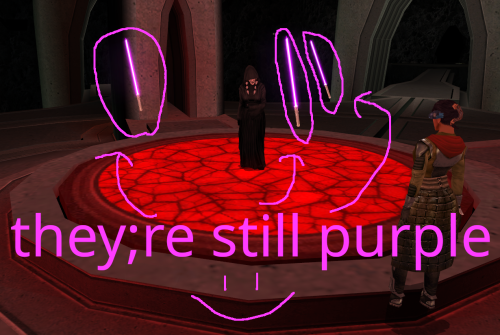
One day in 2025, @Crimson Knight, famed creator of Ixgil the Bith, rocked the KOTOR community when he released a mod changing the color of Darth Traya's floating lightsabers to red, and also doing some other stuff to them. Today, I similarly rock the community by changing them back to purple, and doing even more stuff to them. *technically speaking I used the vanilla .utc files as a base, so they were never purple to begin with. It was all a dream What Crimson Knight did: Gave all three lightsabers immunity to fear, paralysis and stun Changed all three lightsaber colors to red What I did: Gave all three lightsabers immunity to fear, paralysis and stun Gave all three lightsabers Force Jump before Crimson Knight got the chance to (haha i'm faster) Removed redundant feats for armor and weapons that the lightsabers don't use Looked at the purple lightsabers and thought "yeah that seems about right" What could still be done to these damn lightsabers: At first, I wanted to do a little bit more to the lightsabers than just add Force Jump, but missing animations screwed me over. Force Jump is technically missing its animations, but I think it looks good enough to ship. The other two things I wanted to do was, first, give one of each lightsaber master level Power Attack, Flurry, and Critical Strike, but the animations don't exist for them on the floating lightsabers. Similarly, I wanted to make a variant where instead of three purple lightsabers, its the three council members' lightsabers, but the floating lightsaber NPCs also don't have animations for dual wielding or saberstaff. If those issues could be ameliorated, then I think we'd finally be able to put this floating lightsaber saga behind us. I'm not doing that though lmao Installation: slam dunk the provided utc files into your override folder Credits: If it wasn't clear enough already, credit goes to Crimson Knight for being the first to give the lightsabers their immunities in Red Floating Lightsabers. Credit goes to @Snigaroo for suggesting to give the lightsabers Force Jump. Special thanks to @SAO1138 for pushing me to actually get into modding, even if this first one is tiny and derivative.0 points