Leaderboard



Popular Content
Showing content with the highest reputation on 08/18/2026 in Files
-
Version 1.0.0
17 downloads
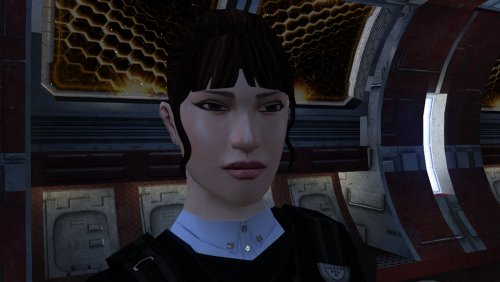
The mod replaces the PFHA04 model and textures. Thanks to DarthParametric, without him this mod would not have seen the light of day. To Install 1. Download: PFHA04 2. Copy all files to the Knights of the Old republic's Override folder. (Example location - C:\Program Files (x86)\Steam\steamapps\common\swkotor\Override) 3. When/if prompted to overwrite files, press okay. 4. If you like the mod; leave a comment or endorse! (It would be much appreciated) Made with love.1 point -
![More information about "Icons: Feats, Skills and Force Powers [TSL] - Open Beta"](https://deadlystream.com/downloads/screens/monthly_2026_05/FeatsPrimaryThumbnail4.thumb.png.758a6cf42d6e348fa9c2589cbcafea04.png)
Version 1.1
62 downloads
AUTHOR: Sith Holocron OPEN BETA: 27 MAY 2026 GAMES: Star Wars Knights of the Old Republic II Description: This time, I’m doing this a little differently. This mod collection is being released as an open beta! But first, what is it? I’ve been tinkering with making icons for TSL (and also for K1 but that’s a whole separate story) for quite some time now. I’ve shown off a few of them on the Discords for the KotOR community but I never had a real plan to actually release them in a public way. It’s more of a fun thing that I didn’t need to share. The original icon interest came about from a thread on Deadly Stream from a (now retired) modder named Nomnisang. They made a post about making a collection of icons called the KotOR II High-Res Icon Suite. (link: https://deadlystream.com/topic/3563-kotor-ii-high-res-icon-suite/) They got a promotion in RL, lost a lot of the material, and went on to different things. I had the idea of salvaging what was posted. There were not many icons posted in the thread themselves but enough pieces were there that I could start to do some work. Some of the work came about with me testing out what Topaz Gigapixel could do – both with clean up and with creativity prompts. Some of the icons were my own takes on the vanilla icons. As can be seen in the many pictures posted on the download page, there’s a bit of range from Nomnisang’s style and my own versions of the vanilla icons. The icons as presented here cover Feats, Force Powers, and Skills for TSL. The text included on the icons as shown on the Download page is not included on the icons in the game – it is merely for illustrative purposes. The Open Beta: The feedback I’m looking for. 1) The sizes of the textures here vary. They vary from 128 x 128 to 512 x 512. I do know the general consensus amongst modders about what sizes should be the most effective, but I’d rather hear from the actual end user that would be actually be using this mod. If the feedback left in this open beta suggest I may need to resize the larger of the textures, so be it. But I’d rather not just doing on the whim of folks that will never use the mod in the first place. 2) I like to think that I’m thorough and have found all of the icons that should be in this set. However – despite the rumors – I am actually human. If I’ve missed any, Id like to know which ones. And not just the name of the powers, feats, etc. I’d also need to know the actual file name of the file I’ve missed! 3) Rotting out any bugs. Is everything appearing in the game the way it’s supposed to be? There’s nothing anything showing up upside down, right? If so, that’s something I’d need to remedy! The Open Beta: The feedback I’m NOT looking for. By this time, you’ve seen the icons. You have opinions on them. You might even have suggestions on how you think I could improve them. What they look like now is basically how they’re going to stay. If any of the icons in particular don’t appeal to you, I don’t particularly need to hear about that. So please keep that in mind before posting. Installation: Copy all TGA files to the Override folder on Knights of the Old Republic II. (Example location - C:\Program Files (x86)\Steam\steamapps\common\swkotor\Override) When/if prompted to overwrite files, press okay. If a TPC file is present with the same name, move it to another location outside the game folder. If you like the mod; please leave a comment and/or give me 5 stars! Uninstall: Remove the files you’ve added in Installation instructions. If you’ve moved TPC files as referenced in the Installation instructions, you can move those back into the Override folder after you’ve deleted my TGA files of the same name. If you do decide to move any of the TPC files back, that's completely optional and up to your discretion. Changelog: Update 1: From feedback provided by Lily of Deadly Stream, discovered that the Force Barrier line of power icons were upside down. The icons have been now replaced. Special Thanks: Nomnisang: Thanks for the inspiration for doing this and the icons you did post in your original thread. Dark Hope: Thanks for his open permissions, which allowed me to grab high quality grenades for those relevant feat icons. Sithspecter: Thanks for granting permissions, which allowed me to grab pictures of his weapons from his example pictures for those relevant feat icons. Lily: For reporting the (now corrected) upside down Force barrier icons. The KotOR Discord: For previously rendered feedback on the icons.1 point -
328 downloads
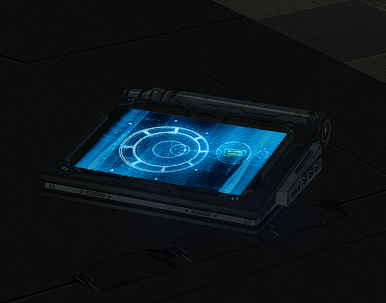
New models and textures for the datapad. Models created by DarthParametric. To Install 1. Download: DarthParametric's Datapad.rar 2. Copy all files to the Knights of the Old republic's Override folder. (Example location - C:\Program Files (x86)\Steam\steamapps\common\swkotor\Override) 3. When/if prompted to overwrite files, press okay. 4. If you like the mod; leave a comment or endorse! (It would be much appreciated) Made with love.1 point -
Version 1.0.0
274 downloads
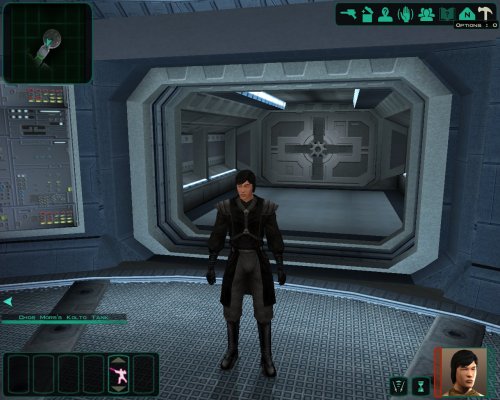
-------------------------------------------- Knights of the Old Republic - The Sith Lords -------------------------------------------- TITLE: Sith Robes AUTHOR: Blackrock ------------ INSTALLATION ------------ A note before installing: This mod uses the Revan/Star Forge model slot. Only one mod can do that, make sure you're not already using a mod that takes that approach, you can only use one option. Unzip and copy and paste all files to Override folder. ----------- DESCRIPTION ----------- This mod adds 1 robe. It's original sith robe that sith apprentice and dark jedi use in game. To get this item write a_sith on cheat codes. Only player can wear it. ------------ UNINSTALLING ------------ Remove from the Override folder a_sith.uti ia_revan_051.tpc PFBJ51.tpc pfbjm.mdl pfbjm.mdx PMBJ51.tpc pmbjm.mdl pmbjm.mdx --------- THANKS TO --------- Effix for the guide.1 point -

Version 1.0
624 downloads
Hello again everyone! This is a fairly simple mod that allows you to select new colors for the Heart of the Guardian and Mantle of the Force crystals. In addition to changing the blade colors, this mod also gives you three options for the icon textures: 1. Use the default in-game icon for whichever color you choose 2. Use the original Heart of the Guardian/Mantle of the Force icon recolored to match the new color 3. Use a new icon that matches the new color Thanks go to JCarter426 for creating the icons! This mod is compatible with any mod unless they happen to use the same custom model variations as this one. (If you have any lightsaber hilt or blade mods, this will simply use the models/textures from that mod of whichever color you select). As usual you may do whatever you like with this mod (reupload it, edit it, whatever), however unlike most of my mods, you must give credit to JCarter426 if you do anything with this mod.1 point -
Version 1.0.0
11 downloads
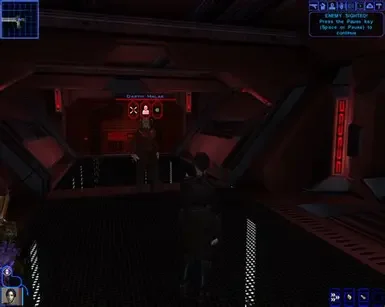
Description This mod gives stats to malak like he was in star forge but in leviathan, by that im mean that if he have 29 strenght in star forge than he have 29 strenght in leviathan, Its all the same stats like in star forge except Force points Installation instructions Just put files from Override in this mod to Override in kotor 1 main directory Requirements Be good Shout outs The mod was inspired by mod called ,,Shem Improved Malak'' by Shem0 points -
.thumb.webp.1dbe4720f674ce2e15a47e888abec9d1.webp)
Version 1.0.0
15 downloads
Description The mod increase stats of enemy's in Leviathan Installation instructions Just drop files from Override from this mod to Override that is from Kotor 1 main directory Main features The mod increase stats of Saul, Dark jedi and Saul Guard Shout outs The mod was inspired on mod called ,,Shem's Improved Malak'' by ,,Shem''0 points -

Version 1.0.0
467 downloads
Part of the... Title : Darth Malak - IMPROVED Author : Shem Date Released : 10/27/05 Description: Is Darth Malak just getting too easy? If think so, then this mod is for you. If Darth Malak is just right or still too hard, I would not download this mod yet. It's pretty easy to guess by the title of this mod that Darth Malak is going to be a tougher opponent. How I did it is your question. Well, here is your answer. Darth Malak in default has these stats (for those who didn't know). Strength 29 Dexterity 18 Constitution 23 Intelligence 15 Wisdom 15 Charisma 20 What I have done is add ten points to each of those stats. Darth Malak now has these stats Strength 39 Dexterity 28 Constitution 33 Intelligence 25 Wisdom 25 Charisma 30 I also made his lightsaber more deadly. Malak's lightsaber by damage by default is 2-16 energy damage. I changed that so now it's 42-56 energy damage. So be prepared. I also have given Malak new feats. Toughness Improved Toughness Master Toughness Still not enough for you? Malak now regenerates his life. He regenerates 20 of his vitality points every two seconds. If you are wondering if that is it, it isn't. Malak also has been given an extra 10 points to his Defense Bonus. Oh, and I also have given him an extra 10 points to his Attack Bonus. What I did something very simple. As some of you have found out, to get Darth Malak's lightsaber, you type in "giveitem g_w_lghtsbr06". However, when you fight Darth Malak on the Star Forge, his lightsaber is using a different tag. I simple modified the different tag to improve Darth Malak. These reason why I chose to modify his lightsaber stats instead of Malak's tag is because the tag used for Malak in the final duel is the same tag used on Deck 3 on the Star Forge. As some modders have found out that if you modify a person's tag and there is another in the same that has the same name, then if screws up one of the spawns in the game. Very Important: When you put in the mod, don't just open a save that has you on Deck 4, where you go and confront Malak on the Star Forge. Your current game CAN NOT be on the final duel, or the new modification will not take effect. You will have to go to a previous save that never has been on the final duel map. If your closest save is a long way away from Malak, and you really want to test it out right away, I would suggest you warp to Deck 4 of the Star Forge. To do that type "warp sta_m45ad" (without quotes). Comments : Comments, and feedback are always good. If you wish to tell me what you think, do it in the LucasForums at Taris Upper City Emporium. Instructions: Just put the .uti file in the Override directory folder and enjoy the new challenge from Darth Malak. Special Thanks: A big thanks to Sergio for his hard work to get PC Game Mods going again. We appreciate all you do.0 points