


About This File
[TSL] Immersive TSL Maps
AUTHOR: Sith Holocron
ORIGINAL RELEASE: 13 AUG 2026
UPDATED RELEASE: 15 AUG 2026
GAMES: Star Wars Knights of the Old Republic II
Description:
This will be a longer description. Buckle up.
I didn’t originally set out to make this a full mod. I suppose this originally started as a response to a request. In the comments for Ashton Scorpius’ “TSL Ebon Hawk Downloadable Map” (https://deadlystream.com/files/file/1406-tsl-ebon-hawk-downloadable-map/?tab=comments) someone asked if the swoop bike could be removed from the Ebon Hawk’s map. I decided to take this on – partly as a challenge to myself and partly because the requester has been making ridiculous specific requests for years. In short, I worked on a mod request out of spite. I thought that would be the end of it.
Then at some point, I was working on textures for the Dantooine Enclave sublevel. I was doing a lot of fooling around with textures back then. (This was before I picked up a subscription to Topaz Gigapixel.) While checking - and rechecking - textures in game, I kept seeing that map. Since I already had new textures to work with, why not put them in the map? I requested a upscale of that map from someone and I went to work. I never posted as a mod but I do recall showing it on Discord at some point.
Later, I wound up redoing the maps for the M4-78 Enhancement Project as one-off. As there weren’t many maps to do there, I figured that would be the end of it. (Yes, I have also updated that mod recently as N-DReW25 has adjusted some of the maps for his Unofficial Patch.)
Not too long ago in Discord, there was a discussion about how the Ebon Hawk seemingly has supposed to be in another hangar on Telos Citadel Station at one point in development. As the participants were discussing that, I did some preliminary work on a map for that Docks section and then quickly posted it in that discussion so folks new to the conversation would have a better idea of the area they were talking about.
Realizing that I kept on coming back to this part of texturing, I just decided to jump into this as my next project.
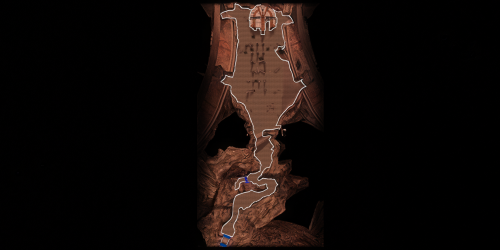
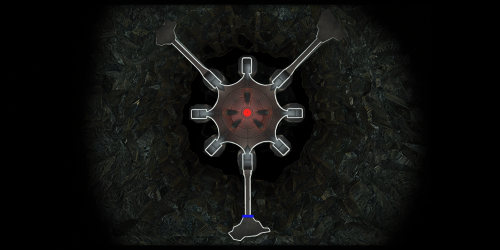
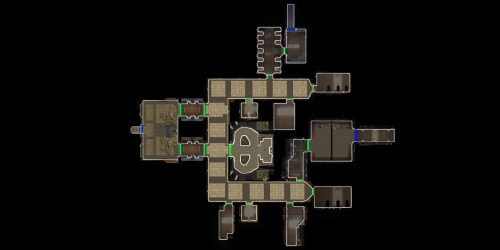
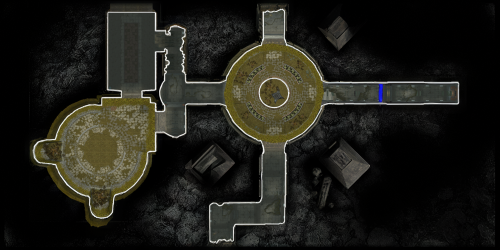
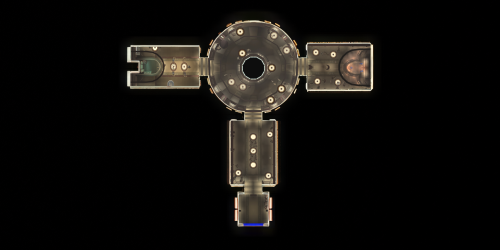
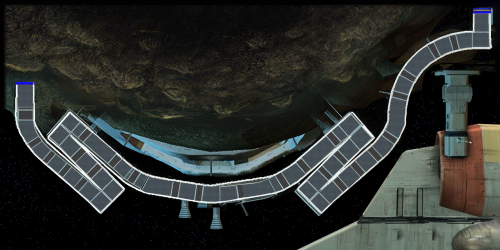
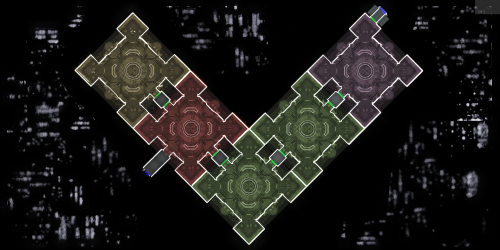
I’ve mainly concentrated on the interior maps but all of the standard maps have been upscaled. Additionally, most maps of external spaces have also had tweaks made to the as well.
My Workflow:
For starters, I generally extract the maps from the game and then upscale them to use as the foundation. There have been occasions where I have acquired maps from elsewhere (such as 204TEL, 208TEL, and 506OND from N-DReW25) which show extra rooms that may not be accessible through in game play but can be entered via the whereami armband mod.
I warp to each of the map locations armed with that whereami armband. Using GLIntercept, I’ll take numerous screenshots of the area I’m in from above so I can compare what textures they used for each of the rooms I’m tackling. I sort through my textures, adjust the lighting/coloring depending on the variable they’ve set for that area, and just paste them over the upscaled map. Repeat ad nauseum. In addition to this method, I’ll sometimes take a picture of an area from directly above and paste that directly into the map. There’s also the fun part of sometimes having to redraw the white borders of rooms because the AI doesn’t know exactly what’s important in the thing it’s upscaling. When the map has a background, I’ve sometimes reinterpreted what it should look like but if there wasn’t a background, I’ve left it alone.
To sum up, it’s not just a simple upscale but it is a time-consuming pain in the ass which is why I’ve only created an average of one map per day during the project’s creation period. You’re welcome?
Installation:
If you’re using “TSL Ebon Hawk Downloadable Map 1.2.3” by Ashton Scorpius, you’ll want to install my mod after Ashton’s mod.
Copy all TGA files (excepting those in the “Alternate 003EBO map” folder) to the Knights of the Old Republic II's Override folder.
(Example location - C:\Program Files (x86)\Steam\steamapps\common\swkotor2\Override)
When/if prompted to overwrite files, press okay.
If you prefer the alternate map in the “Alternate 003EBO map”, now copy that one file to the Knights of the Old Republic II's Override folder.
Please let me know in the comment or review section which of the maps is your favorite. If you like the mod; please leave a comment or endorse! It would be much appreciated.
Uninstall:
Remove the files you’ve added in Installation instructions.
Changelog:
1.1: Updated the 401DXN (Dxun - Jungle Landing) map. The Ebon Hawk and crashed freighter have been replaced on the map.
Thanks:
N-DReW25: For both feedback on the maps themselves and providing three of the maps for be to have a more complete version.
Fair Strides: For continual feedback on the maps.
Vriff: For continual feedback on the maps.
Kharak (of SketchFab.com): For hosting a viewable 3d model of the Ravager on this website used in my two Ravager maps: https://sketchfab.com/3d-models/sith-centurion-battlecruiser-3f2934da83cb421c87a3510ce62ceb8d
To the too many folks in the KOTOR Discord’s media section to name for all of their feedback.
P.S. I have no plans to redo the KotOR1 maps. Besides the map window being extremely small in that game, it’s also a game I find myself returning to less and less. You’ll have to convince someone else to work on the KotOR1 maps.
Edited by Sith Holocron
Updated information
What's New in Version 1.1
Released
1.1: Updated the 401DXN (Dxun - Jungle Landing) map. The Ebon Hawk and crashed freighter have been replaced on the map.




Recommended Comments
Join the conversation
You can post now and register later. If you have an account, sign in now to post with your account.