


About This File
KOTOR 1 engine fixes — grass rendering, two crashes, and game speed
Hey all. I've been poking at swkotor.exe for a while and ended up finding a handful of engine bugs worth sharing. The patches are now merged into the KotOR Patch Manager, so they're available to anyone.
Quick note on me: I'm not a reverse engineering person by trade, I'm a student. Most of this came from trial and error — build a patched exe, play it, watch it break, go back and try again. All the function names I was working from come from Lane's KOTOR 1 reverse engineering project, and without those this would have been impossible.
The grass one
If you've ever turned Grass off in the graphics options because it looked like this — long streaks and beams flying across the sky, especially on Dantooine — that was a bug, not your hardware.
RenderGrassPolys draws grass through one of three code paths depending on what your graphics driver supports. Two of those three hand OpenGL the wrong pointer: instead of the buffer holding the grass blade positions, they pass the address of a field that's never filled in. So the game reads whatever happens to be sitting in memory there and treats it as the coordinates of the grass. Hence the streaks.
The third path — the one used when your driver reports GL_ATI_fragment_shader — does it correctly. That's why this was never widely reported: plenty of setups take the good path and never see a problem. If your machine takes one of the others, grass has been broken for you this whole time. In at least one case it was because KOTOR 1 was running on integrated graphics rather than the dedicated GPU.
Lane confirmed this independently by forcing his own game down the broken path and reproducing it exactly.
There were two more issues in the same function: a memory leak of OpenGL state that broke lighting on things drawn after grass, and a double free of the grass buffer that was corrupting the heap. Both fixed.
The crashes
Two 0xC0000005 crashes, both from the same underlying problem. The renderer keeps three lists sized for exactly 5000 textures and looks things up in them using the ID number the graphics driver assigns. Those numbers keep climbing as you change areas — the driver doesn't reuse them — so after enough loading the game indexes past the end of the list and writes into memory that isn't its own.
More likely on heavily modded installs. Both spots are now bounds-checked.
Worth being clear: this stops the crash, it doesn't raise the 5000 limit. Textures past that point are skipped instead of drawn. A proper fix is possible but needs more work.
Game speed
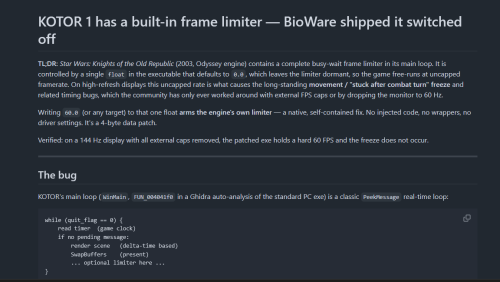
KOTOR ties simulation speed to framerate, so on a modern machine it runs fast. The engine already contains a frame limiter, but the value that switches it on defaults to zero, so it never runs. Setting it makes the game pace itself using its own code — no driver cap or 60Hz monitor mode needed.
This is also why the post-combat movement freeze gets rarer with a cap. The direct fix for that is J's Post-Combat Movement Fix, separately available in KPM.
How to get it
Through the KotOR Patch Manager (recommended) — three patches, now merged upstream:
-
Texture Bucket Memory Safety— the two crash fixes -
Grass Buffer Double Free -
Grass Rendering Fix
KPM injects at runtime, so your executable isn't modified and you can turn individual fixes on and off.
Or a standalone script if you'd rather patch the exe directly — it also includes the frame cap and the 4GB flag, writes a backup first, and has a --revert that restores the original bytes exactly. Link in my signature.
Either way: this needs the KOTOR Editable Executable from here on DeadlyStream if you're on Steam, since the shipped exe is encrypted. GOG's is usually fine already. The script checks and refuses anything it doesn't recognise.
Turn Grass back on once it's applied. That's the point.
Compatibility
No game content is touched, only the executable — so Community Patch, mod builds, texture packs and so on are all unaffected. Widescreen (UniWS) and the HR menu patch are fine too; apply those first and this last.
Tested on the standard PC v1.03 / editable-exe layout with a ~180 mod build (the Spoiler-Free build from the neocities guide) on AMD hardware. Should apply to GOG as well — that build is the same apart from a signature — but I haven't tested it there myself.
Credits
Lane's KOTOR 1 (GoG) reverse engineering work supplied every function name I used. Finding a bug in RenderGrassPolys is only possible once something tells you that's what the function is called. He also reviewed the patches and caught two real mistakes in my first attempt — one of which was silently breaking shadows.
Synchro is working on a much broader fix in the same area, porting the old ATI-specific shader paths to modern ARB equivalents, which fixes cubemaps, bump maps and more besides. Worth watching — it addresses the root of why so much of this game renders oddly on current hardware.
Thanks also to J, Vriff and JC in the OpenKotOR Discord for the testing and the sanity checks.
Happy to answer questions. If you've had grass turned off for years, give it a try.
Edited by VexFlint
Update after a long time testing

Recommended Comments
Join the conversation
You can post now and register later. If you have an account, sign in now to post with your account.