Search the Community
Showing results for tags 'tsl patcher'.
Found 4 results
-
I was trying to install K1 Loot Overhaul, and the installer just gave me a "An unhandled error occurred!" and shut down. Then I tried to install [KotOR] Swoop Bike Upgrades and the same thing happened again. I'm new in modding KotOR, so I honestly have no idea what went wrong and how to fix help. Any help is appreciated. By the way, my system is Win 11 if that matters. Oh I got it. https://www.reddit.com/r/kotor/comments/5m0l19/fixing_tslpatcher_unhandled_error_missing_path_msg/
-

Version v1.1
818 downloads
This little mod is actually just a hex-edit of another model (we didn't have shiny tools back then) to point to my new, custom textures, with full DS transitions (though I'm still not super happy with those. Guess I don't play DS often enough to be good at them lol) Anyways, the revised version (this one) has the colors toned down a little. I got a bit carried away with the original, or maybe the high res I can play in now just makes them stand out a lot more, but in any case, I'm happier with them now. I also went ahead and made it all TSL Patcher happy, so the modifications it needs to make to appearance.2da, heads.2da, and portraits.2da will merely add to those files, and not break anything (thus, ensuring compatibility). Everything else is uniquely named, so this "head" will appear as an additional (16th) choice for a starting female character and not replace any "core content". The versions of my armband gizmo with KK_PC in their name support this mod, while other versions of the band will work, but it won't know about this content. Anyways, enjoy. ^-^ -Kitt -
I am running KOTOR 2 through Steam on a brand new Windows 10 Laptop. I have tried different versions of both TSL and M4-78 (Steam's versions and through NexusMods) each time with a fresh install of Steam. When attempting to install Mods that use the TSLPatcher.exe, it allows me to get to where I can tell it to install, but never gives me the option to tell it where the Game Folder is located like it is supposed to. Because my C: drive is a small SSD I install all my games and other programs to the D: drive (don't know if this is an issue, but doesn't seem like it would be). I am attaching a picture that shows what the installer does when I try to install any mods... This one doesn't show any Game Folder, but after it sits a while it eventually pops up with "Game Folder: User Selected." Mods that I have tried to install using this are few, but they are as follows: M4-78EP_1.2.4 M4-78 from NexusMods Handmaiden4females184 Handmaiden and Female Exile - Disciple and Male Exile Romances What I want to know: 1) Is there something my computer might be doing to prevent me from being given the option to choose a destination folder? 2) If so, how can I fix it? 3) If I can't fix it, is there a way to get into the coding to name the destination drive and folder? 4) Anything else you might know that I wouldn't know to ask about...?
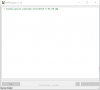
-
File Name: KK's Custom Female PC File Submitter: Antonia File Submitted: 05 Feb 2016 File Category: Skins K1R Compatible: Yes This little mod is actually just a hex-edit of another model (we didn't have shiny tools back then) to point to my new, custom textures, with full DS transitions (though I'm still not super happy with those. Guess I don't play DS often enough to be good at them lol) Anyways, the revised version (this one) has the colors toned down a little. I got a bit carried away with the original, or maybe the high res I can play in now just makes them stand out a lot more, but in any case, I'm happier with them now. I also went ahead and made it all TSL Patcher happy, so the modifications it needs to make to appearance.2da, heads.2da, and portraits.2da will merely add to those files, and not break anything (thus, ensuring compatibility). Everything else is uniquely named, so this "head" will appear as an additional (16th) choice for a starting female character and not replace any "core content". The versions of my armband gizmo with KK_PC in their name support this mod, while other versions of the band will work, but it won't know about this content. Anyways, enjoy. ^-^ -Kitt Click here to download this file