Jump to content

Search the Community

Showing results for tags 'Windows 10'.

  • Search By Tags

    Type tags separated by commas.
  • Search By Author

Content Type


Forums

  • Kotor Modding
    • Mod Releases
    • General Kotor/TSL Modding
    • Modding Tools
    • Work In Progress
    • Tutorials
    • Game Saves
  • Mod Projects
    • TSLRCM
    • M4-78 Enhancement Project
    • KotOR1 Restoration (K1R)
    • Revenge of Revan
    • KotOR Toolset
  • Jedi Knight Series
    • General Discussion
    • Mod Releases
  • Other Games
    • Other Games
    • Dantooine Theater Company
  • General
    • News
    • Knights of the Old Republic General
    • Star Wars
    • The Old Republic
    • Site Feedback
    • General Discussion

Blogs

  • Blog 1
  • The memories of Mandalore
  • Blog 63
  • Varsity Puppet's Brain Dump
  • Working Class Hero's Blog
  • mmidnight's Blog
  • Blog-Tastika
  • Darth Malious' Blog
  • The Beta Community's Voice
  • sallyrit's Blog
  • Sith Holocron's Blog
  • Diablo3gold
  • Marginalia
  • Mindwizard's Blog
  • Journal Log Of Penally's Bounties
  • Mudslinger077's Blog
  • starwars1234's Blog
  • Blaaargh.2da
  • Kate The Bionic Uterus' Vibrating Submarine
  • Darth Nuge's Blog
  • The Xuul Report
  • KOTOR Fan Theories
  • Benny Chan style
  • Darth_Sapiens' Blog
  • Neville's Blog
  • Darth_Sapiens' Blog
  • TimmyDean's Blog
  • Malkior's Blog
  • DarthSidious4.2's Blog
  • Darth Pravus' Blog
  • Help
  • Canderis' Blog
  • The Musings of Eauxps
  • xander2077's Blog
  • DeadMan's chest
  • pepoluan Far Far Away
  • Rece's Videos
  • jc2's Journal
  • Kexikus' Blog
  • Kreia's Blog
  • Fair Strides' Blog
  • Pazuzu156's Blog
  • GoldLeader's Blog
  • Steira Shipyards
  • lyuscherbakova1986's Blog
  • superSzym's Blog
  • Leilukin's Blog
  • N-DReW's Datapad
  • magdahalo's Blog
  • Trouble Successfully Using Kotor II TSLRCM 1.8.5 On Windows 7 x64-Bit Laptop
  • DarthTyren's Blog
  • The Holocron of Darth Kyber
  • Darth Varkor's KOTOR Machinima Saga: Production Blog
  • ADG12311990's Blog
  • Unusual's VA Blog
  • Draconian's TSL mod request.
  • darthbdaman's Holocron
  • JC's Blog
  • L0ki's Blog of questions & brief WIP things
  • The Iriaz Archives
  • Breakfast With eb
  • Cathar Handmaiden Skin?
  • Kast's Datapad
  • Having fun with the KotOR maps.
  • AndroidKotOR Modded
  • Starıka's Jedi Academy Machinimas
  • KotOR II Damage Calculator
  • Help Modding
  • A step-by-step guide for widescreen in Star Wars: Knights of the Old Republic
  • 13 gigabytes, 13 brain cells
  • Modding Tools
  • StellarExile Mod Stuff
  • Jedi Knight: Jedi Academy films by Cor
  • Something of a moment of truth
  • Music for Streams
  • LoneWanderer's blog
  • modder 9's blog
  • Community Requests
  • Kotor combined saga blog
  • My Kotor Machinimas
  • How do you stream with your Widescreen fixes?
  • Looking for advice to solve a challenging bug: Eastern Dune Sea is resetting every time upon entering

Categories

  • Knights of The Old Republic
    • Media
    • Mods
    • Skins
    • Modder's Resources
  • The Sith Lords
    • Media
    • Mods
    • Skins
    • Modder's Resources
  • Jedi Knight Series
    • Maps
    • Mods
    • Skins
    • Other
  • Game Saves
  • Other Games
  • Modding Tools

Product Groups

  • Premium Membership
  • Modders Account

Find results in...

Find results that contain...


Date Created

  • Start

    End


Last Updated

  • Start

    End


Filter by number of...

Joined

  • Start

    End


Group


AIM


MSN


Website URL


ICQ


Yahoo


Jabber


Skype


Location


Interests

Found 3 results

  1. I stumbled upon this today & fail to see how it has not gotten ????, except by lack of exposure. This is petitioning for official Windows 10 compatibility, native widescreen, modern resolution options, controller support, steam workshop & achievements. Please share, sign, & articulate reasons why KotOR 1 deserves the same basic modernization that TSL received over 2yrs ago. https://www.change.org/p/bioware-update-star-wars-knights-of-the-old-republic-1?recruiter=753366670&utm_source=share_petition&utm_medium=copylink&utm_campaign=share_petition
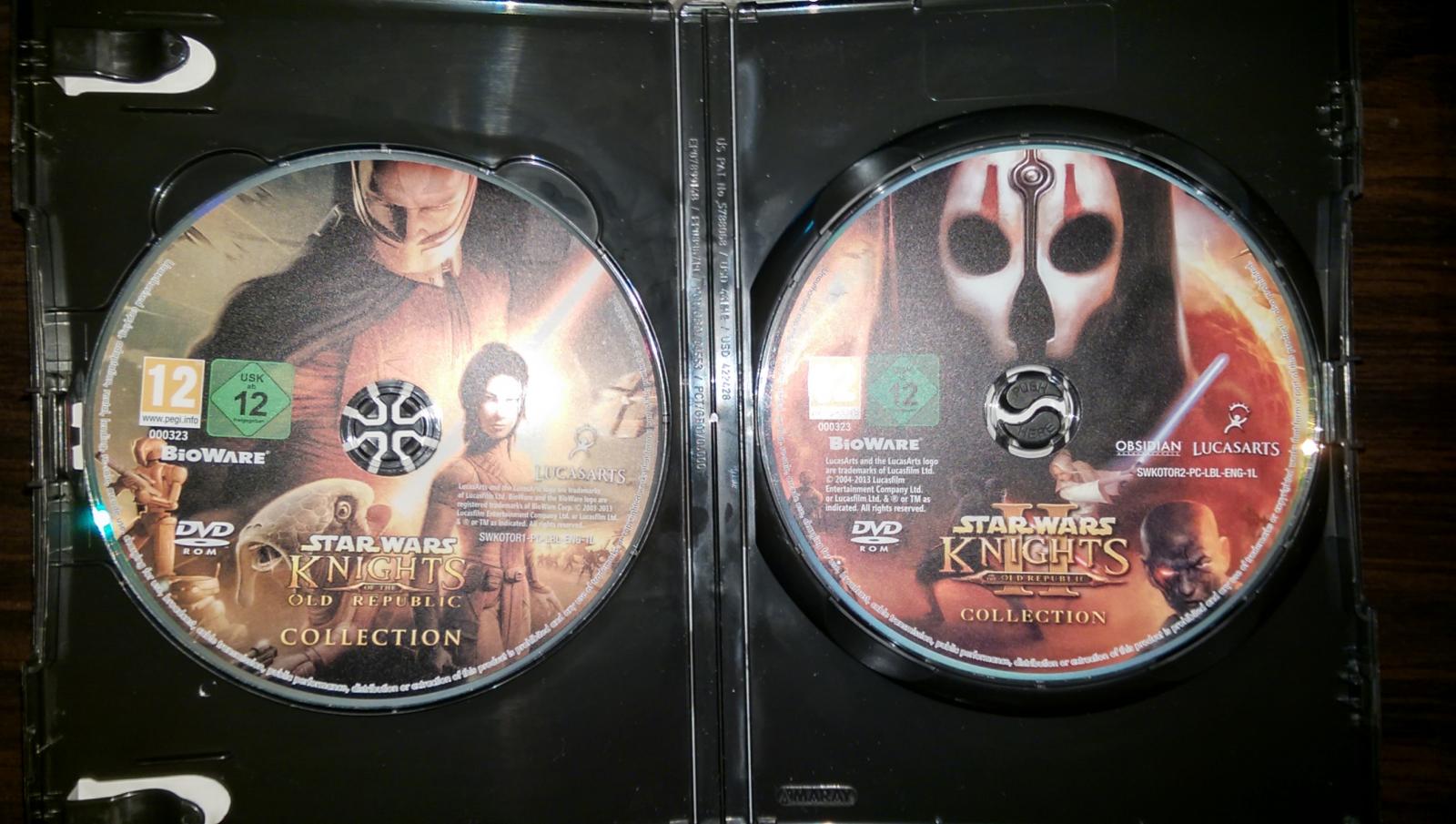
  2. Hello I own the Star Wars : KOTOR Collection CD UK version. It is not the steam version and it is not related to any online services. It is the original edition. I cant make the update happen not in KOTOR 1 or KOTOR 2. I've tried compatibility mode, re installing the games, running as admin and safe mode but nothing seems to work For KOTOR 1: I moved the update files swkotor1_01 swkotor1_02 swkotor1_03 To the game folder. The message/error they give me is this "Star Wars: Knights of the Old Republic not found. Please re-install the game from the original CD-ROM and try again" The registry entry for the KOTOR 1 is: HKLM\SOFTWARE\WOW6432NODE\BIOWARE\SW\KOTOR For KOTOR 2: I moved the update files KotOR2 Patch v201420 UK sw_pc_uk_from201420_to211427 To the game folder. The message/error they give me is this "Missing or Invalid Registry/INI entry. Old file not found. However, a file of the same name was found. No update done since file contents do not match" I've also tried the US version update. Still the same message The registry entry for the KOTOR 2 is: HKLM\SOFTWARE\WOW6432NODE\BIOWARE\SW\KOTOR2 BOTH OF THE GAMES ARE V1.0 STRAIGHT FROM THE CD Thank you. Specs: Windows 10 64 bit GTX 970 Version 378.49 i7 2600k
  3. It appears that windows has done it again. A few days ago I updated my computer to windows 10 (it had previously been on windows 8) and have only just discovered that SWKOTOR is apparently incompatible with it. (Kotor 2 Works fine with it though. Perhaps it's the restored content mod.) You'll get to the start menu and as soon as you start playing (whether it is directly loading a game or starting a new one) the game will crash and give the annoying "[insert thing here] has stopped working." message, where the only option they give you is to end the program. I had mods installed, but I know it's not them because I uninstalled them and the game still did the same thing. I'm hoping an update can get released that fixes it, but in the meantime, anyone know how to fix it manually? Layman's terms, please, my grandma knows more about computers than me.
×
×
  • Create New...

Important Information

By using this site, you agree to our Guidelines.