



NovaPolaris
-
Posts
19 -
Joined
-
Last visited
NovaPolaris's Achievements





-
Yeah, I'll have to do that. Because it's been getting to me while not being able to play for the last couple days due to this. Not to mention being worried about wearing on you guys here. >_< Edit: It's now been multiple times where I had the patcher get an error, I then reinstalled my backup of the "same" launcher file, and suddenly the patcher worked (even if it didn't fix the Handmaiden issue). I'm really wondering if some outside source, the OS or something else, could be modifying KOTOR 2's files without me being able to see it.
-
Yeah, I don't understand either. I tried zeroing it on the D drive, installing on C, going through the steps to install it properly... still happening on C. Still wondering if Windows settings/functions could be involved, or if something's baked into my save data. (Even when using a save from before recruiting Disciple.)
-
I didn't account for that! Thank you! o_o ...However, the same issue is happening. And just for good measure when it didn't work after following what you said, I did a clean reinstall of the game and mods, and THEN tried it. Same result. I don't get it at all. I'm so sorry for the trouble. ,_, What else could affect this? I was recently forced to use Windows 11 after a PC repair. Despite everything I did to clean that up, there's probably still stuff left that could affect things for all I know.
-
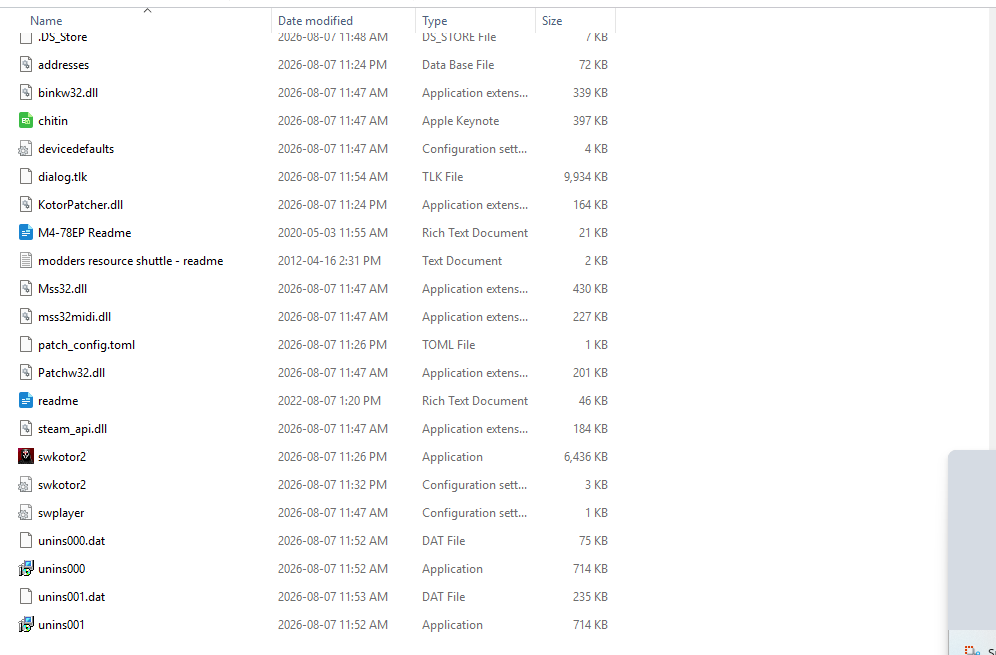
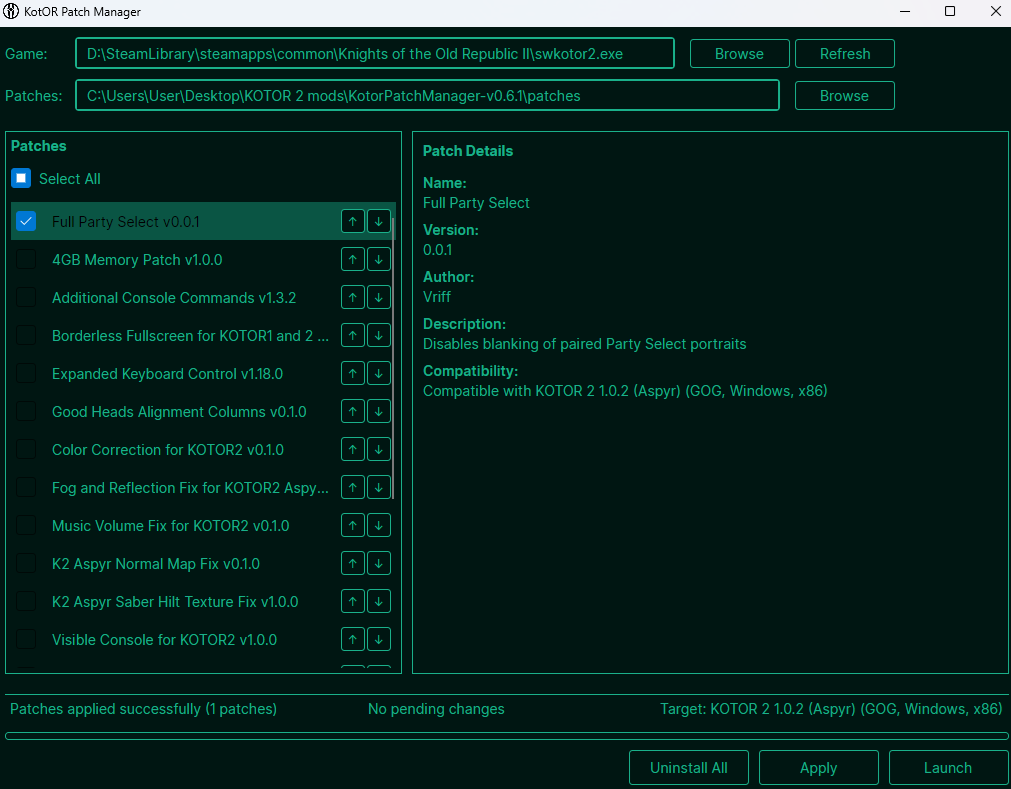
That's something I was worried about. Here are the screenshots, can get more if needed.
-
Done, but... the problem was still continuing. I don't understand why nothing's fixing it, when it feels like it should be. >_< Is it possible it's anything from my computer, or anything?
-
Done. Huh. I wonder if I'm doing something wrong with it. I did that, installed it, still the problem persists. So I tried uninstalling the patch and swapping the EXEs again, and then reinstalling the patch. Didn't fix the problem either on the original EXE, converted EXE, or the GOG EXE. But the GOG one for some reason now freezes on certain dialogue. (Found it on one specific line from Disciple when testing recruiting him.)
-
Yeah, unless I missed something in another folder. >_<
-
Thank you very much. I really don't understand what we're missing here, though. It's still not fixing the issue. >_<
-
That's... actually what I did recently, before posting here the first time. Except the part about knowing to back up the fresh EXE. I'll do this and let you know how it goes. Edit: ...Huh??? Okay now I'm even more perplexed. I did all of those steps to the letter, but the problem still happened. Both the fresh install with the mods in that order and then the patches (including loose file), then removing the patches (and loose file), adding the converted EXE (it was able to convert first try this time), and then reinstall the patches (including loose file). Still happening. I... I just don't get it. >_< The only thing I can think of to try next... is just starting my playthrough entirely from the beginning and see if that does anything. And prepare for despair if it doesn't.
-
Okay that's even weirder. Yes I do have a backup, but this copy of the EXE should have been the one Steam downloaded when verifying files. I'm really perplexed here. o_o Is it possible a Steam setting regarding the game could have been changed or anything? Edit: Just tried verifying files again, it found some stuff, and now the EXE file is working with the EXE converter. I... I don't get it. >_<
-
Okay that's even weirder. I tried running this, and it errored out. Said "unsupported Steam EXE hash". Now what?
-
Yeah, it still looks like this. One slot is missing (Handmaiden), and the other missing slot is for Mira/Hanharr because I haven't recruited them yet. (Disciple's slot was also missing until I recruited him.)
-
Yeah, that's a good idea. I'll try that, but I worry it'll mess up my TSCRCM/M4-78 mods and such. Will edit post to say how it goes. Edit: File verification is done. It reacquired 19 files, and now the patcher appears to be working (in the state where it's not showing all patches, like before). It could install the patch without displaying errors. (And if I try loading a save file it's back to the correct UI but Handmaiden is missing.)
-
Huh. That's odd. I replaced the executable with the backup of the original, and now the patcher lists more mods. But now it's showing an error that the mods do not support my game version. So I then tried replacing the executable with the original AGAIN, and it started behaving as before; patcher could install mods without error, but as I realized in this brief oddity, it's not actually showing the full patch list. Edit: Tried repeating the process again, and now I'm back to it showing the full list of patches but says it doesn't support my game version.
-
Done. However when I opened the patch manager for step 5... it says it loaded the patch list but none of them showed up. Even when I tried reselecting the EXE file and patch folder, and using the refresh option.