


Marius Fett
-
Posts
255 -
Joined
-
Last visited
-
Days Won
43
Content Type
Profiles
Forums
Blogs
Forum & Tracker Requests
Downloads
Gallery
Store
Events
Posts posted by Marius Fett
-
-
The texture variation field in the .uti file will determine which texture variation gets used.
So if you choose texture variation 50, the texture used will be PMBJ50 or PFBJ50 for males and females respectively.
Is that what you mean?
-
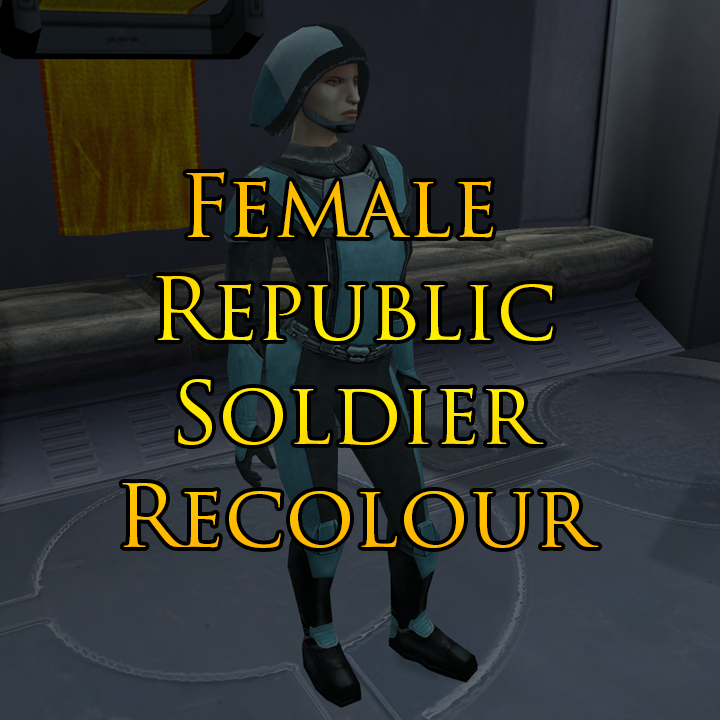
Female Republic Soldier Recolour (For JC's Republic Soldier Fix)
This mod is a simple recolour which alters the colour palette of the female Republic Soldiers to resemble the female soldiers represented in the LS endgame cutscene by the Stunt_Crowd02 texture. The blue used is slightly paler than the reference material, as I felt it looked a bit nicer.
Installation: Download and install JC's Republic Soldier Fix first:The new textures included in my mod will NOT work on the vanilla female Republic Soldier model. They will ONLY work if you use JC's new model included in his mod.
Once installed, replace the textures from JC's mod with my own. There are two separate folders included in the download and whether you take the files from one or both depends on whether you've used the option to replace player clothing with JC's mod or not.
The textures in the NPC's folder will also work for KotOR 2, if you've downloaded the KotOR 2 version of JC's mod.
Thanks: Big thanks to JC for his original mod which not only corrected errors on the male Republic Soldier model, but also replaced the female model with a nicer one using the male version as a base.
Permissions: This mod may not be uploaded either in its entirety or in part to any site other than DeadlyStream other than by myself or by someone who has already obtained permission.
No part of this mod may be included in other works without permission being obtained via Private Message on DeadlyStream first.
THIS MODIFICATION IS PROVIDED AS-IS AND IS NOT SUPPORTED BY BIOWARE/OBSIDIAN ENTERTAINMENT OR LUCASARTS OR ANY LICENSERS/SPONSORS OF THE MENTIONED COMPANIES. USE OF THIS FILE IS AT YOUR OWN RISK AND THE ABOVE MENTIONED COMPANIES OR THE AUTHOR IS NOT RESPONSIBLE FOR ANY DAMAGE CAUSED TO YOUR COMPUTER FOR THE USAGE OF THIS FILE.
-
Submitter
-
Submitted12/31/2025
-
Category
-
K1R CompatibleYes
-
-
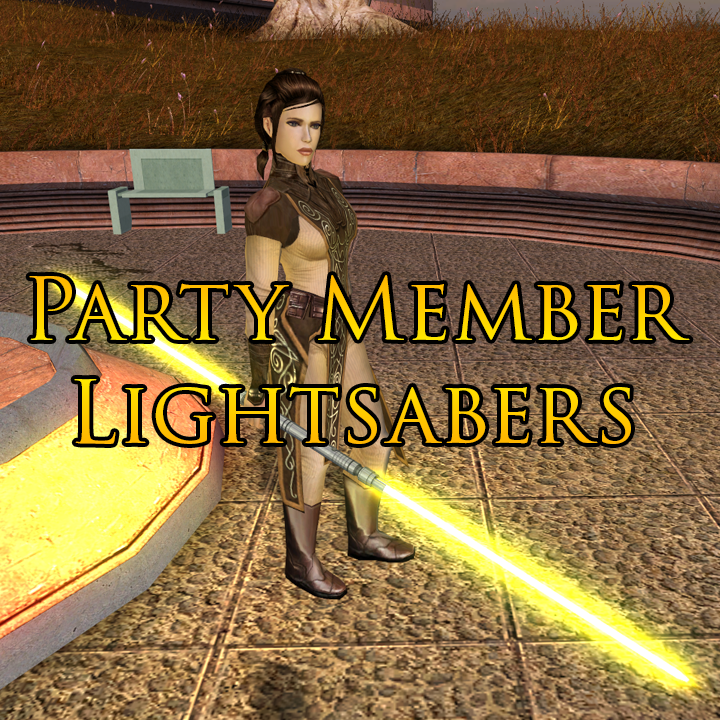
Party Member Lightsabers
This mod adds unique lightsabers to the game for each of the Jedi party members. Bastila, Jolee and Juhani each get a new lightsaber which they will have when joining your party and will also use in any cutscenes in which their weapons are pre-determined.
Massive thanks to Plasma, who originally created these hilt models for Jedi Academy and permitted me to release my ported versions for the KotOR community to enjoy too.
Thanks to Crazy34 for making his lightsaber blades with ambient lighting available as a modders resource for the rest of the community to incorporate into their mods.
Thanks to DarthParametric for allowing the use of his modified version of the k_ptar_lootbreji script to allow the player to keep the benefits from the Community Patch’s version of this script in addition to having the benefit from my own alteration which grants Bastila’s new lightsaber to the player.
-
Submitter
-
Submitted12/29/2025
-
Category
-
K1R CompatibleYes
-
-
Jedi Knight Lightsaber Set (K1)
This mod adds seven new lightsabers to the game based on those present in the game Jedi Knight: Dark Force II. Each lightsaber is fully upgradeable, but available in only one colour each, based on the colour they were in the original game.
The lightsabers can be obtained as follows:
Dantooine:
- Qu Rahn and Maw’s lightsabers are both lootable from Sherruk once he is defeated. He will wield them against you during the fight.
Korriban:
- Yun’s lightsaber can be obtained from Kel Algwinn, by either killing him yourself or reporting him to Master Uthar. Choosing the light side option of sending him to the Jedi gets you nothing.
- Pic’s lightsaber can be looted from Mekel after his death, either in the Sith Academy, or in the Tomb of Tulak Hord.
- Sariss’s lightsaber can be looted from Lashowe after her death, either in the Sith Academy, or in the Valley of the Dark Lords.
- Boc’s lightsaber can be looted from Shaardan after his death, either in the Sith Academy, or in the Tomb of Ajunta Pall.
- Jerec’s lightsaber can be looted from Jorak Uln after his death in the Tomb of Tulak Hord, or the crystal will be added to your inventory at the same time as his writings, should he survive the encounter.
Massive thanks to Plasma, who originally created these hilt models for Jedi Academy and permitted me to release my ported versions for the KotOR community to enjoy too.
Thanks to Crazy34 for making his lightsaber blades with ambient lighting available as a modders resource for the rest of the community to incorporate into their mods.
Thanks to DarthParametric for allowing the use of his modified version of k38_jor_givetab.ncs to allow the player to keep the benefits from the Community Patch’s version of this script in addition to having the benefit from my own alteration which grants Jerec’s crystal to the player.
-
Submitter
-
Submitted12/28/2025
-
Category
-
K1R CompatibleYes
-
This mod from JCarter426 ports that outfit to K1 and gives it to Bastila.

-
3 hours ago, N-DReW25 said:
I do know @Marius Fett recently deleted his old mods as he intends to reupload updated/revised versions of those old mods. If Marius did ever make a Lightsaber blade reskin mod, it's possible you can't find it because it's been deleted.
Good thought, but the mod he's talking about isn't mine. I did also release some new lightsaber blades way back when, but not familiar with this one. sorry!
-
 1
1
-
-
8 minutes ago, LoneWanderer said:
There is a small bug or oversight with the 'bumpmappable' flag in KOTORmax: if multiple meshes share a texture, and we enable/disable the 'bumpmappable' flag for one mesh, it is automatically enabled/disabled for others with the same texture. This becomes a problem when working with models that have meshes with alpha < 1 and use the same texture for all meshes, since mesh transparency does not work with the normal map.
In MDLEdit, the 'bumpmappable' flag is also tied to the texture, rather than to individual meshes (as can be seen in the Textures menu).
The 'tangent space (bumpmappable)' mesh flag in Blender works correctly and can be set individually for each mesh, even if they share the same material/texture. If we use MDLEdit to convert a Blender .mdl model to .ascii and then load it into KOTORmax, the flags set for each mesh will persist until we interact with them.
Unrelated issue: When exporting a model with .pwk from KOTORmax, .pwk becomes non-solid (player can walk through placeable object). Import the same model into Blender, don't change anything, export, and the .pwk will magically become solid (impassable) again. Tested on many models. Here is custom g_wing model (from 501ond in TSL) with a non-solid .pwk.If you edit the ascii which KotORMax exports in Notepad, you can set the bumpmappable flag value for whichever meshes you'd like. Have you tried this? Or does MDLEdit revert the changes when you compile?
To your second point, which process are you following for creating your walkmeshes? I've created multiple custom placeables with new walkmeshes and they're all solid.
-
21 hours ago, Nehaberlan said:
I have a crash issue in the Vulkar Base.
When the PC, Mission, and the Wookie enter in the cell that has spice (I think, it's the Lab...) the video starts. Then, the game becomes inaccessible.
And, I can't see Lab label on map.
Can you help me anyway?
I have 1.3 update, and Restoration 1.2.
I started the game before getting any Vulkar missions/quests.
I can’t tell from reading this. Have you tried starting a new game? Or are you just using existing saves at an earlier point?
I would strongly suggest starting a brand new game whenever you install a mod as large as this.
-
1
-
-
33 minutes ago, Nehaberlan said:
I tried to start before entering the base, Lower/Upper Sewers.
It didn't work.
I have 4 CDs Version. Does it matter? Or I have to use Steam or GOG version?
I've already installed 1.03 Update.
I have another question too.
I'm watching the Kotor Walkthrough on Youtube.
https://www.youtube.com/watch?v=cxf_ppEgyjI
In there, the prototype vibroblade has 2 swords. However, the prototype vibroblade looks like the others.
You can see it clearly at 35:57.
https://youtu.be/cxf_ppEgyjI?t=2157
Is it normal, or the guy, who prepared the walkthrough, uses a mod for it?
Did you extract everything from the downloaded archive before running the installer? As long as you've started a new game, you should be fine, as long as you've installed the mod properly. Shouldn't matter which version of the game you're using, either.
As for the sword in the video, yes it's a mod. I don't know which one.
-
33 minutes ago, Nehaberlan said:
Hi,
I install the mod.
I've never installed a Kotor mod. So, I don't know what to do exactly.
I installed the KotOR 1 Restoration 1.2 mod.
I did what it says in the in the tutorial. I used "K1R_1.2_Installer.exe".
I loaded a saved game in the Black Vulkar Base. There is no way to go to Level 2. There is still a small room that has boxes, etc...
Why is that?
If you can help me anyway, I'll really appreciate.
You’ll need to start a new game, or at least load a save from before you entered the base, as the changes made to the module files won’t be read with the save you’re using.Personally, I’d start a new game entirely, so as to make sure everything else works as it should and to ensure you don’t miss out on other content that’s been restored to areas you’ve already been to.
-
2 hours ago, Hellraiser988 said:
Doesn't work
Bristling with information and specificity though your post is, I'm not really managing to extrapolate the nature of your troubles from it.
Reviving a thread which has been dead for two years with a post like that isn't really good practice. You'd be much better off either starting a new topic for your specific issue, or asking for help on the DeadlyStream Discord server.
At any rate, KotOR Tool has been essentially obseleted by Holocron Toolset, which you download here at DeadlyStream.
-
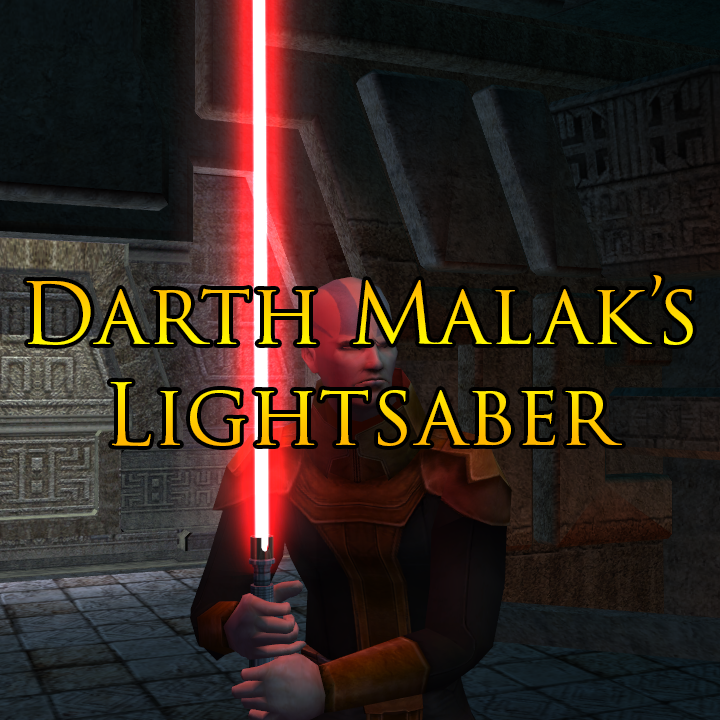
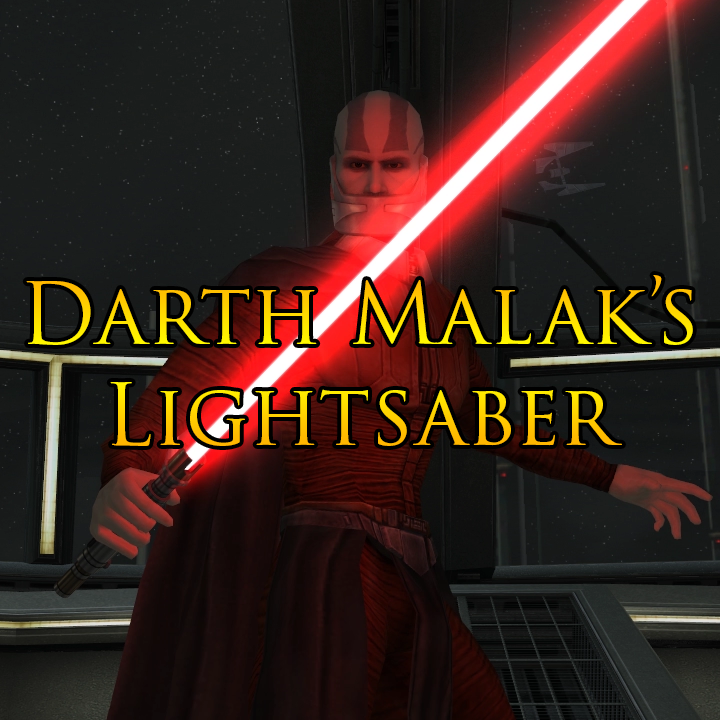
Darth Malak's Lightsaber (TSL)
This mod gives Darth Malak his own unique lightsaber hilt and also uses Crazy34’s lightsaber blade with ambient lighting.
Darth Malak’s lightsaber was the only one not altered with my Movie Style Lightsaber Hilt Replacement mod, so this mod is intended to be used alongside that for consistency.
Darth Malak’s lightsaber isn’t actually present in the vanilla game, so this mod is intended to be used alongside not only my Movie Style Replacement Lightsaber Hilt Replacement mod, but also my Secret Tomb Lightsaber Adjustments mod, which gives Malak back his longer bladed lightsaber during the encounter in the Secret Tomb on Korriban.
If you don’t wish to use that mod for whatever reason, or if you want to have this lightsaber for your PC to use, you can always use cheats to grant it to yourself using the code ‘giveitem g_w_lghtsbr06’.
-
Submitter
-
Submitted08/08/2024
-
Category
-
TSLRCM CompatibleYes
-
-
Darth Malak's Lightsaber (K1)
This mod gives Darth Malak his own unique lightsaber hilt and also uses Crazy34’s lightsaber blade with ambient lighting.
Darth Malak’s lightsaber was the only one not altered with my Movie Style Lightsaber Hilt Replacement mod, so this mod is intended to be used alongside that for consistency.
This replaces the lightsaber Malak uses in the vanilla game and is used each time you battle him as well as in all cutscenes where he is holding/wielding a lightsaber.
This mod is fully compatible with the KotOR Community Patch, as the changes it makes to Malak’s files on the Star Forge are identical to those made by the Community Patch itself.
-
Submitter
-
Submitted08/08/2024
-
Category
-
K1R CompatibleYes
-
-
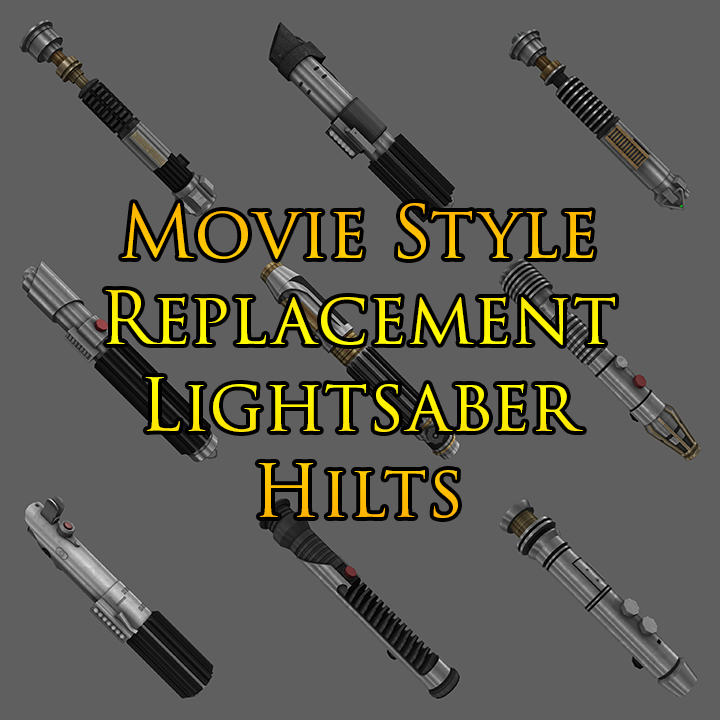
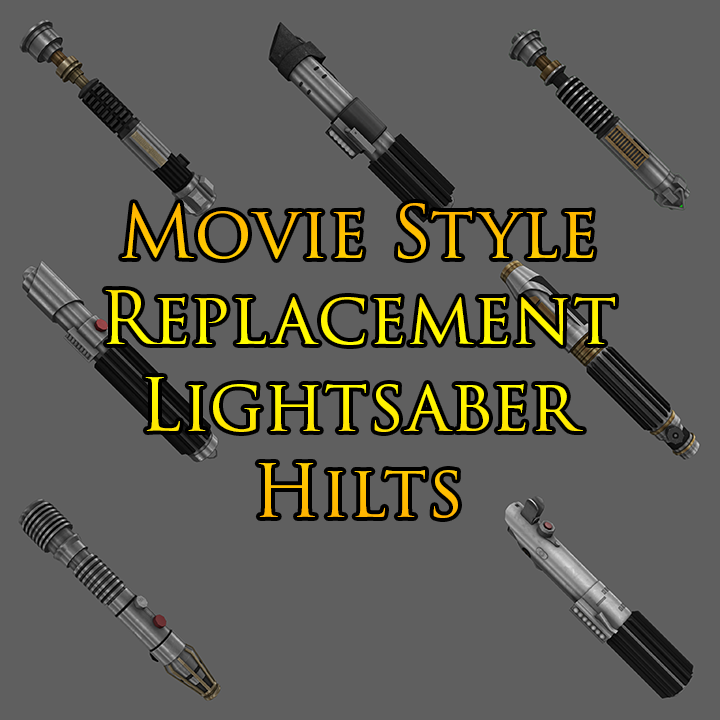
Movie Style Replacement Lightsaber Hilts (TSL)
This mod gives each colour of lightsaber present in the game its own unique hilt based on one from the Star Wars films:
Blue – Obi-Wan Kenobi (Ep. III)
Red – Darth Vader (Ep. IV)
Green – Luke Skywalker (Ep. VI)
Yellow – Plo Koon
Purple – Mace Windu
Orange – Luminara Unduli
Cyan – Luke Skywalker (Ep. IV)
Viridian – Qui-Gon Jinn
Silver – Shaak Ti
Bronze (TSLRCM) – Darth Sidious
Massive thanks to Plasma, who originally created these hilt models for Jedi Academy and permitted me to release my ported versions for the KotOR community to enjoy too.
Thanks to Crazy34 for making his lightsaber blades with ambient lighting available as a modders resource for the rest of the community to incorporate into their mods.
-
Submitter
-
Submitted08/08/2024
-
Category
-
TSLRCM CompatibleYes
-
-
Movie Style Replacement Lightsaber Hilts (K1)
This mod gives each colour of lightsaber present in the game its own unique hilt based on one from the Star Wars films:
Blue – Obi-Wan Kenobi (Ep. III)
Red – Darth Vader (Ep. IV)
Green – Luke Skywalker (Ep. VI)
Yellow – Plo Koon
Purple – Mace Windu
Heart of the Guardian – Luminara Unduli
Mantle of the Force – Luke Skywalker (Ep. IV)
Massive thanks to Plasma, who originally created these hilt models for Jedi Academy and permitted me to release my ported versions for the KotOR community to enjoy too.
Thanks to Crazy34 for making his lightsaber blades with ambient lighting available as a modders resource for the rest of the community to incorporate into their mods.
-
Submitter
-
Submitted08/08/2024
-
Category
-
K1R CompatibleYes
-
-
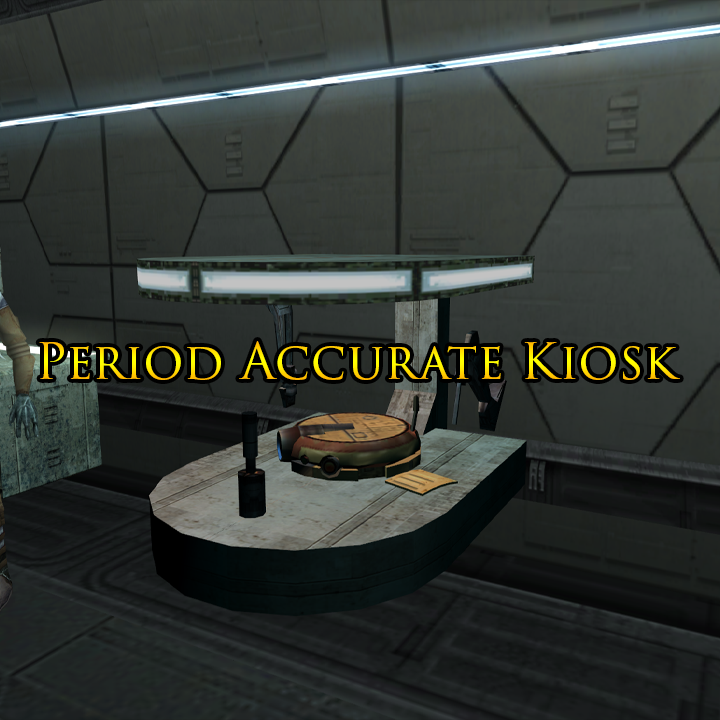
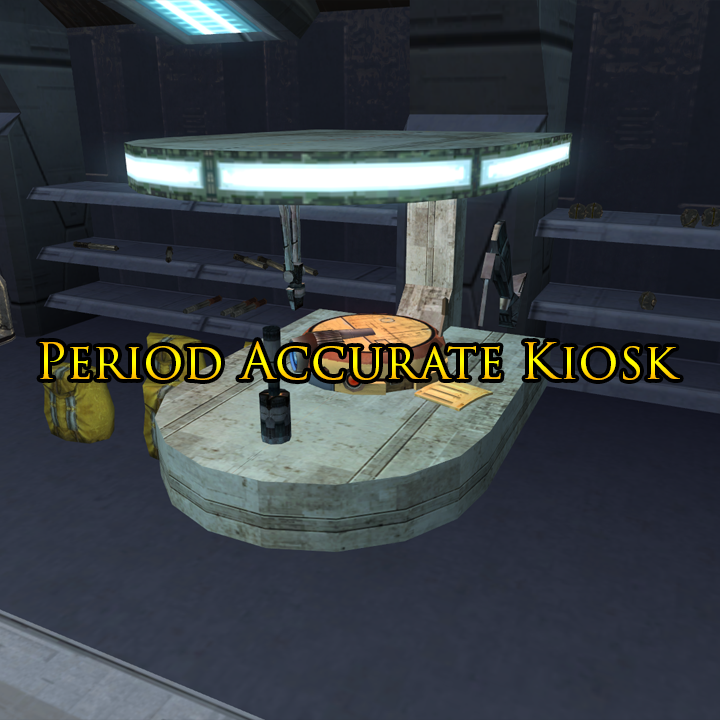
Period Accurate Kiosk (TSL)
This mod makes a small change to the PLC_Kiosk2 model. It replaces the R2 unit-esque head with a T3 unit style head which is more accurate to the time period in which KotOR II is set.
-
Submitter
-
Submitted07/31/2024
-
Category
-
TSLRCM CompatibleYes
-
-
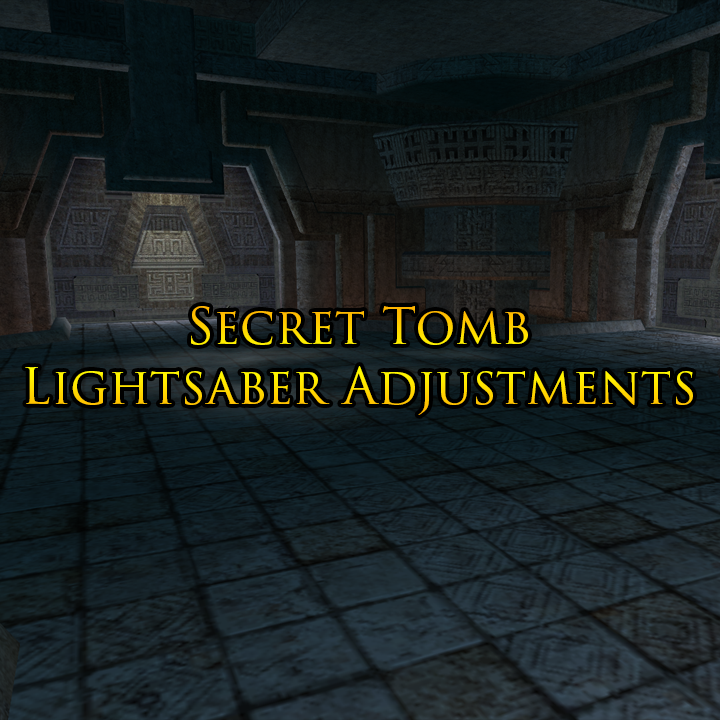
Secret Tomb Lightsaber Adjustments
This mod corrects what I perceive to be two bugs/errors in the Secret Tomb on Korriban.
Malak will now attack with a longer lightsaber like the one he used in the original KotOR and the Dark Side apparition of Kreia will attack with a red lightsaber instead of the blue one she was given by Obsidian.
-
Submitter
-
Submitted07/30/2024
-
Category
-
TSLRCM CompatibleYes
-
-
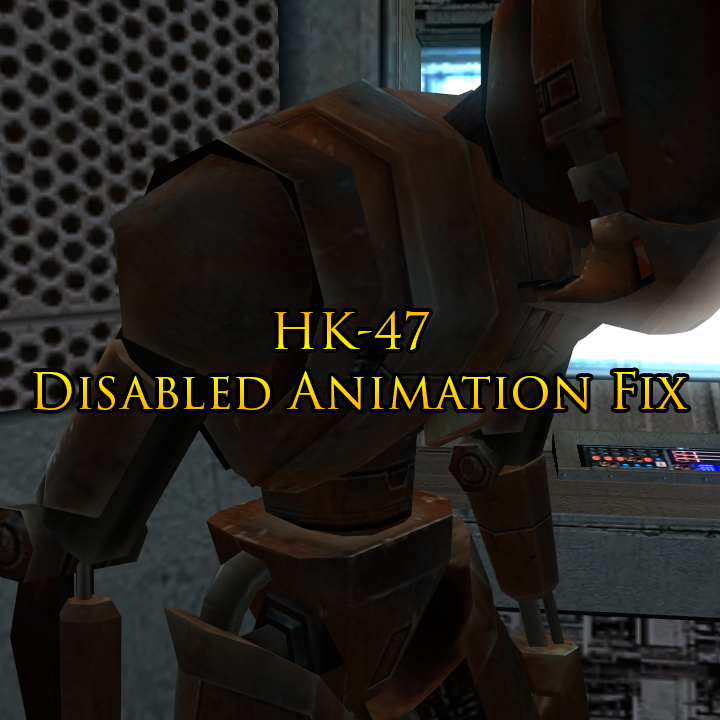
HK-47 Disabled Animation Fix
This mod corrects an issues with the HK-47 model which caused his eyes to still be illuminated whilst this disabled/powered down animation was playing. This made little sense to me, so I went in and edited the animation to switch off self-illumination for the eye meshes during the disabled animation for a more immersive experience.
-
Submitter
-
Submitted07/30/2024
-
Category
-
TSLRCM CompatibleYes
-
-
Period Accurate Kiosk (K1)
This mod makes a small change to the PLC_Kiosk2 model. It replaces the R2 unit-esque head with a T3 unit style head which is more accurate to the time period in which KotOR is set.
-
Submitter
-
Submitted07/31/2024
-
Category
-
K1R CompatibleYes
-
-
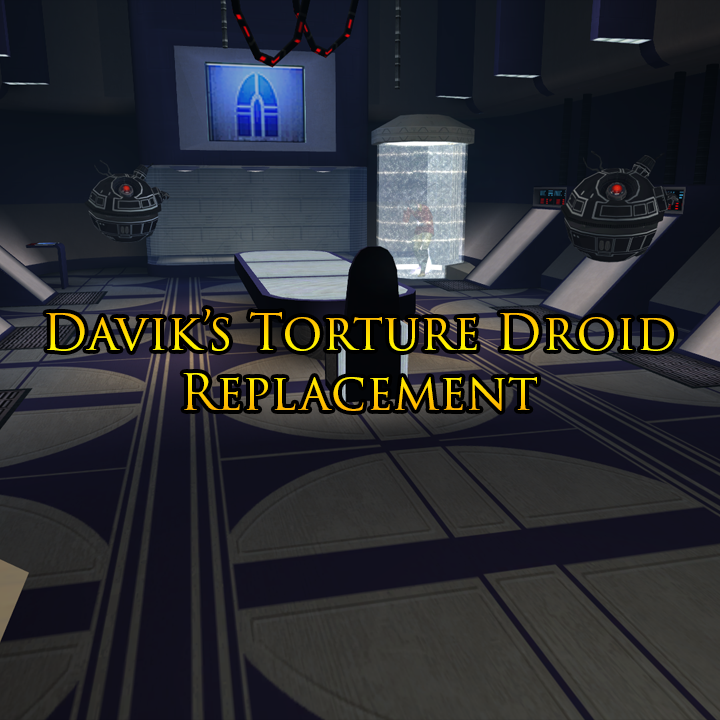
Davik's Torture Droid Replacement
This mod is a port of the G0-T0 droid model from KotOR II, repurposed as a replacement for Davik’s Torture Droids in his estate on Taris as a sort of not to the droid used by Darth Vader to torture Princess Leia in Episode IV.
-
Submitter
-
Submitted07/31/2024
-
Category
-
K1R CompatibleYes
-
-
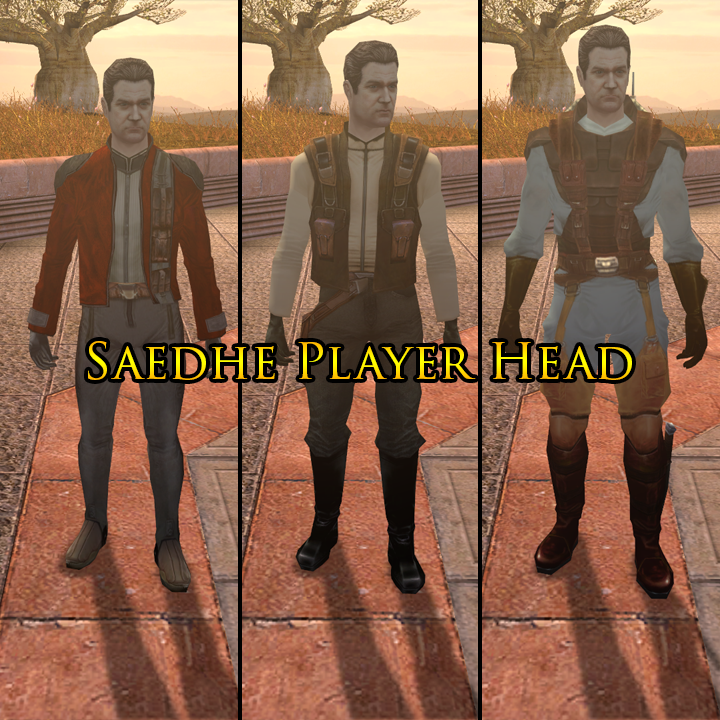
Saedhe Player Head (K1)
This mod is a port of the unused Saedhe head from KotOR II, repurposed as a player head for KotOR I.
The head has been moved over to a set of KotOR I bones to avoid certain issues which arise from a direct port. The eyelids do clip slightly during the ‘waking up’ cutscene at the start of the game, but if I can live with that, I’m sure you can. I did initially try to fix this, but I couldn’t get it to look quite right and I didn’t think such a small issue warranted spending any more time on.
If your PC is a Dark Side character, they will gain Sith Eyes, but won’t be zombified like the vanilla player heads.
-
Submitter
-
Submitted07/30/2024
-
Category
-
K1R CompatibleYes
-
-
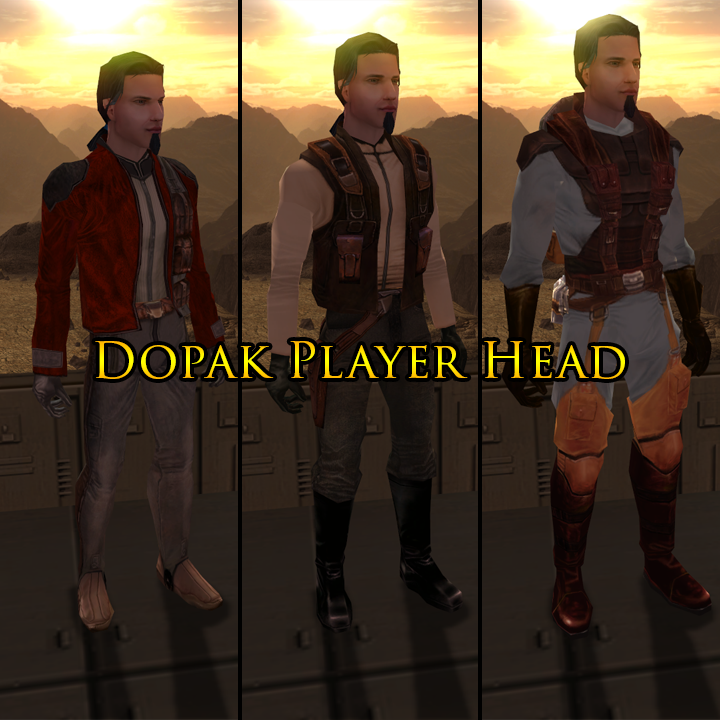
Dopak Player Head (K1)
This mod is a port of the Dopak head from KotOR II, repurposed as a player head for KotOR I.
The head has been moved over to a set of KotOR I bones to avoid certain issues which arise from a direct port. The eyelids do clip slightly during the ‘waking up’ cutscene at the start of the game, but if I can live with that, I’m sure you can. I did initially try to fix this, but I couldn’t get it to look quite right and I didn’t think such a small issue warranted spending any more time on.
Dark Side transitions are included, but with a difference. I’m not a fan of the zombie look of the vanilla transitions and I think Sith Eye’s are over-used, so I went for something a little more subtle in that the cloth Dopak uses to hold his ponytail back changes from blue to red when your PC leans more towards the Dark Side.
-
Submitter
-
Submitted07/30/2024
-
Category
-
K1R CompatibleYes
-
-
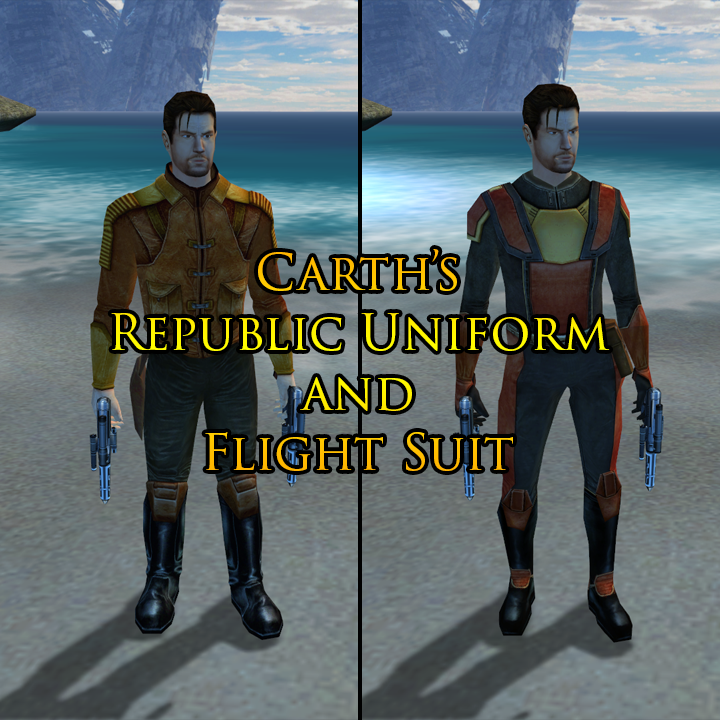
Carth's Republic Uniform and Flight Suit
This mod gives Carth Onasi the ability to wear the Republic Soldier Uniform which is seen being worn by various other NPC’s throughout the game.
A new baseitem type has been added for Carth’s Flight Suit which is essentially a version of his default clothing with stats equal to that of class 4 armour and another has been added for the uniform itself, which is available in two texture variations so as to include the TSF Uniform for KotOR II. The uniform items will have the stats of class 5 armour.
Carth will be wearing his uniform on the Endar Spire at the start of the game but will change into his Flight Suit after landing on Taris, so as to keep his allegiance hidden. All three of these new items will be present in your inventory when Carth joins your part, so it’s ultimately your choice what you want him to wear.
This mod also gives Carth two of his own blaster pistols, rather than having just one of them alongside a regular blaster pistol.
-
Submitter
-
Submitted07/30/2024
-
Category
-
K1R CompatibleYes
-
-
On 3/17/2024 at 8:53 AM, Salk said:
thanks for providing a fixed version of the model. I was wondering if you may be inclined to
checkfix also the UV mapping for some of the items on the shelf. It's quite obvious to me that some sides are completely messed up.I hadn’t noticed, I’ll be honest. I sort of just fixed what I was asked to fix and left it at that. Pure laziness on my part.
I can’t remember the last time I did anything with these games, but I’m sure I can rustle something up next time I’m able to get to my PC.
-
1
-

MOD:Handmaiden and Female Exile - Disciple and Male Exile Romance
in Mod Releases
Posted